
SnapMonk
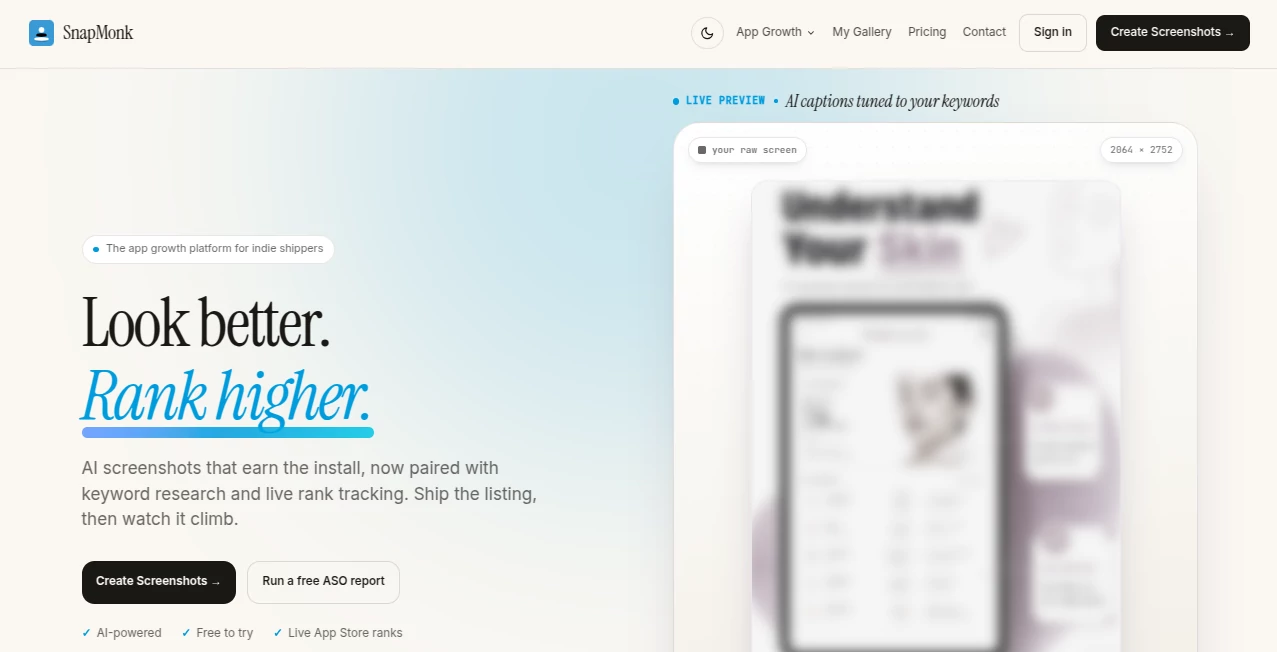
What is SnapMonk?
Creating attractive app store visuals is one of the most important steps in convincing potential users to install a mobile application. Strong screenshots can communicate value within seconds, highlight unique features, and improve conversion rates without requiring expensive design resources. This platform simplifies that process by combining intelligent design automation with app store optimization tools, allowing developers and marketing teams to produce professional assets quickly.
Instead of spending hours adjusting layouts, resizing images, or translating captions for multiple markets, users can generate polished screenshot sets in a fraction of the time. The workflow focuses on consistency, speed, and flexibility, making it suitable for independent developers, startups, agencies, and established software companies that regularly publish or update mobile applications.
Beyond visual design, the platform also supports app growth with keyword research, localization, ranking insights, and performance monitoring. Bringing creative production and optimization into one workspace helps teams maintain a streamlined publishing process while improving the quality of their store listings.
Key Features
User Interface
The dashboard is designed with simplicity in mind. Projects remain well organized, making it easy to switch between applications, languages, and design versions. Templates reduce repetitive work while maintaining a professional appearance across different devices and screen sizes.
Editing screenshots requires minimal effort. Captions, layouts, colors, and visual elements can be adjusted quickly, allowing users to experiment with different styles before publishing. This straightforward workflow is especially valuable for teams managing multiple applications simultaneously.
Accuracy & Performance
Generating consistent marketing assets manually often introduces design inconsistencies and formatting mistakes. Intelligent automation helps maintain alignment, typography, spacing, and visual hierarchy across every screenshot while reducing repetitive editing tasks.
Localization support also improves efficiency by adapting captions for different languages without rebuilding every design from scratch. Combined with keyword monitoring and ranking insights, developers can make informed decisions based on measurable data rather than guesswork.
Capabilities
- Generate professional app store screenshots automatically.
- Create attractive layouts for Apple App Store and Google Play listings.
- Add marketing captions to screenshots.
- Apply realistic mobile device frames.
- Create localized screenshot variations for international markets.
- Manage multiple projects from a single workspace.
- Research keywords for better app visibility.
- Track keyword rankings over time.
- Reduce repetitive design work through reusable templates.
- Support rapid iteration for app updates and seasonal campaigns.
Security & Privacy
Professional teams often work with unreleased applications before launch. Secure project management and organized workflows help reduce the risk of accidental publishing mistakes while allowing collaborators to manage marketing assets efficiently. Keeping design resources centralized also makes future updates easier and more consistent.
Use Cases
- Preparing App Store launch materials for a new mobile application.
- Refreshing outdated screenshots before releasing a major update.
- Creating localized assets for global audiences.
- Improving app conversion rates through stronger visual storytelling.
- Managing screenshot production for multiple client applications.
- Running ASO campaigns with keyword tracking.
- Producing seasonal promotional graphics.
- Helping indie developers create professional store listings without hiring designers.
Pros and Cons
Pros
- Fast screenshot generation saves significant design time.
- Professional templates improve visual consistency.
- Supports Apple App Store and Google Play listings.
- Includes localization features.
- Combines creative production with ASO research.
- Keyword rank tracking helps monitor optimization efforts.
- Suitable for individuals, startups, and agencies.
Cons
- Advanced branding may still require manual customization.
- Users unfamiliar with ASO concepts may need time to understand keyword strategies.
- Highly customized marketing campaigns could require additional external design work.
Pricing Plans
Multiple pricing options are available for different types of users, from independent developers to larger teams managing numerous applications. Features and project limits vary between plans, allowing businesses to select a package that matches their publishing workflow and growth objectives.
How to Use
- Create a new project for your mobile application.
- Upload application screenshots or source images.
- Select a preferred layout template.
- Customize captions, colors, and visual elements.
- Apply device frames.
- Generate localized versions if targeting multiple countries.
- Review the final screenshot collection.
- Export assets for App Store and Google Play submissions.
- Monitor keyword rankings and improve ASO performance over time.
Comparison with Similar Tools
Many screenshot editors focus only on visual design, requiring users to rely on separate services for keyword analysis and ranking data. Bringing creative production together with app store optimization creates a more efficient workflow, especially for teams responsible for both marketing and product growth.
The combination of automated layouts, localization, device framing, keyword research, and ranking insights reduces the number of tools required during the publishing process. This integrated approach can shorten release cycles while helping maintain a consistent brand presentation across multiple markets.
Conclusion
Successful app marketing depends on more than attractive graphics. Developers also need efficient workflows, accurate optimization data, and scalable content creation. By combining automated screenshot generation with practical ASO capabilities, this platform provides a comprehensive solution for improving app store listings while reducing manual effort.
Whether launching a new application, updating an existing product, or expanding into international markets, the available features make it easier to produce professional assets that communicate value clearly. For teams seeking a faster and more organized approach to app store marketing, it offers an impressive balance of automation, flexibility, and growth-focused functionality.
Frequently Asked Questions (FAQ)
Can screenshots be created for both major mobile app stores?
Yes. Assets can be prepared for both Apple App Store and Google Play listings.
Does it support multiple languages?
Yes. Localization tools make it easier to generate screenshot variants for different regions.
Can keyword rankings be monitored?
Yes. Built-in ASO features include keyword research and ranking tracking.
Is it suitable for agencies?
Yes. Managing multiple projects makes it useful for agencies handling several mobile applications.
Do I need professional design experience?
No. Templates and automated layouts help users produce polished marketing assets with minimal design expertise.
AI Design Assistant , AI Productivity Tools , AI Analytics Assistant , AI Image to Image .
These classifications represent its core capabilities and areas of application. For related tools, explore the linked categories above.

SnapMonk Alternatives Product

CoinIQ

Your Own AI

MakeMyOC
Marketbetter…

Remove My Me…

Playyy AI

Free AI Chat

Chrome Sidek…

Transform An…