

















SongFor
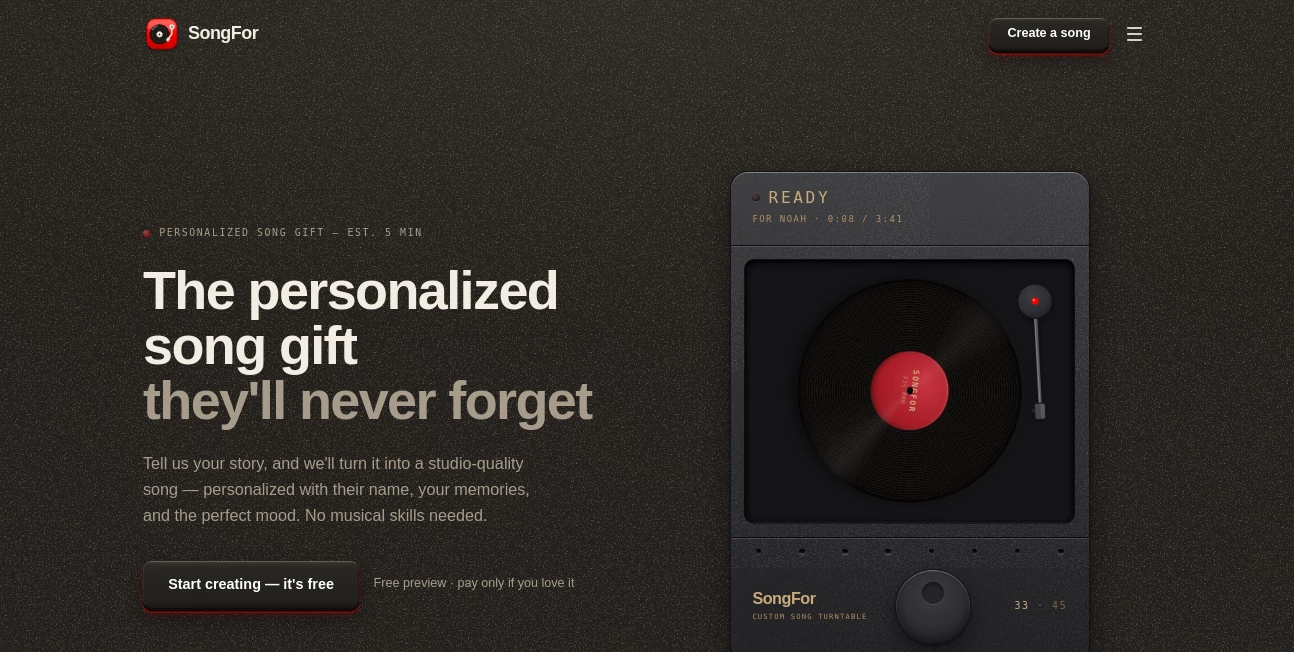
What is SongFor?
Creating original music no longer requires expensive studio equipment or years of production experience. This platform transforms simple text prompts or written lyrics into polished songs with vocals, instruments, and complete arrangements. Whether the goal is producing background music for videos, composing a heartfelt gift, or experimenting with new musical ideas, the experience feels remarkably accessible while still delivering professional-quality results.
One of the biggest strengths is the balance between simplicity and creative control. Beginners can generate a complete song within minutes, while experienced creators have enough flexibility to define genres, moods, vocal styles, and musical direction. The generated tracks are designed for commercial use, making the platform especially valuable for content creators, businesses, marketers, educators, and independent artists looking for original music without licensing headaches.
Key Features
User Interface
The interface is clean, beginner-friendly, and organized around a straightforward workflow. Users can either enter lyrics, describe the desired musical style, or start with a simple creative prompt. Switching between vocal and instrumental modes is effortless, allowing even first-time users to create complete songs without navigating complex production software.
Accuracy & Performance
The music generation engine produces surprisingly coherent arrangements across a wide variety of genres. Song structures typically include intros, verses, choruses, and bridges, creating tracks that sound complete rather than repetitive loops. Generation is fast enough to encourage experimentation, making it easy to refine prompts until the desired sound is achieved.
Capabilities
- Generate complete songs from text prompts.
- Transform custom lyrics into fully produced music.
- Create instrumental tracks without vocals.
- Support multiple musical genres and moods.
- Generate realistic AI vocals.
- Create songs inspired by the style of well-known artists without copying original works.
- Produce tracks suitable for commercial projects.
- Export music in popular audio formats.
- Create extended songs lasting several minutes.
- Support creators with no musical background.
Security & Privacy
The platform focuses on generating original audio while providing royalty-free output for commercial use according to its published terms. Since music is created from user prompts instead of uploaded copyrighted songs, creators can build unique projects with greater confidence. Users should still review the platform's licensing and privacy policies before using generated content in large commercial campaigns.
Use Cases
- Create background music for YouTube videos.
- Produce original soundtracks for podcasts.
- Generate promotional music for advertising campaigns.
- Write personalized birthday or anniversary songs.
- Create jingles for brands and businesses.
- Compose music for indie games.
- Generate educational audio content.
- Experiment with songwriting ideas.
- Produce music for social media content.
- Create royalty-free audio for commercial projects.
Pros and Cons
Pros
- Simple workflow suitable for beginners.
- Fast AI-powered music generation.
- Supports both lyrics and prompt-based creation.
- Commercial-friendly royalty-free output.
- Wide range of genres and musical styles.
- Realistic vocal generation.
- Long-form song generation.
- No music production experience required.
Cons
- Creative control is still more limited than traditional music production software.
- Advanced editing may require external audio tools.
- Best results depend on writing detailed prompts.
- Premium features may require a paid subscription.
Pricing Plans
The platform offers a free plan that allows new users to generate a limited number of songs before upgrading. Paid subscription options unlock higher generation limits, additional features, and more extensive commercial usage, making the service suitable for both casual creators and professional teams.
How to Use Song Maker AI
- Open the music generation page.
- Choose whether to write lyrics or describe the desired music.
- Select the preferred genre, mood, or artistic style.
- Choose whether the song should include vocals or remain instrumental.
- Generate the music.
- Preview the result.
- Make adjustments if necessary by refining the prompt.
- Download the finished track for personal or commercial projects.
Comparison with Similar Tools
Compared with many AI music generators that only produce short clips or simple melodies, this solution focuses on complete song production. It combines lyric generation, vocal synthesis, genre customization, and commercial licensing into a single workflow. The ability to create longer compositions and generate music inspired by different artistic styles gives creators more flexibility than many entry-level alternatives.
Conclusion
This platform makes music creation approachable without sacrificing quality. Instead of overwhelming users with complicated production tools, it turns creative ideas into polished songs within minutes. The combination of natural vocals, flexible style selection, royalty-free licensing, and an intuitive workflow makes it a practical solution for creators, marketers, educators, and businesses seeking original music. For anyone who wants to transform imagination into professionally produced audio, it delivers an impressive balance of simplicity and creative freedom.
Frequently Asked Questions (FAQ)
Can beginners create music without production experience?
Yes. The platform is designed for users with little or no musical background.
Can I upload my own lyrics?
Yes. Custom lyrics can be transformed into complete songs with vocals and instrumentation.
Is the generated music suitable for commercial projects?
Yes. The platform provides royalty-free music intended for commercial use under its licensing terms.
Can instrumental music be created?
Yes. Users can generate instrumental tracks without vocals.
Which music genres are supported?
The platform supports a broad selection of genres including pop, rock, electronic, folk, hip-hop, country, and many more.
AI Music Generator , AI Voice & Audio Editing , AI Text to Music , AI Singing Generator .
These classifications represent its core capabilities and areas of application. For related tools, explore the linked categories above.

SongFor Alternatives Product
gemini music

Lyrics to So…

Klyra AI

Mp3ToMidi
lyria 3

MP3toMIDI

Song Lyrics …

SeedMusic 1.0
Lyria 3 AI M…
