

















Sora2 Hub
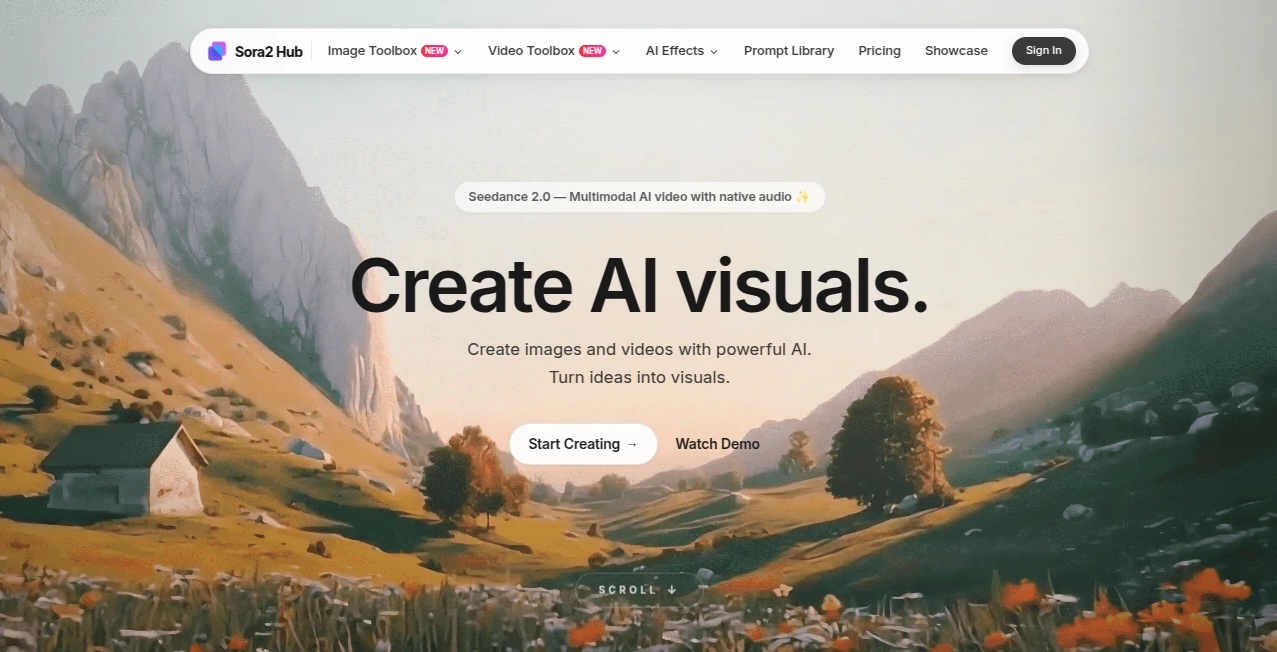
What is Sora2 Hub?
There’s something exciting about typing a simple idea and watching it turn into a smooth, cinematic video in under a minute. This platform makes that happen with impressive consistency. Whether you start with text, an image, or both, the results often feel like they came from a thoughtful director rather than a machine. I’ve seen creators go from rough concepts to shareable clips faster than ever before, and the quality keeps surprising people who’ve tried other AI video tools. It’s become a daily go-to for many who want professional-looking visuals without the usual headaches.
Introduction
Creating video content used to mean long hours, expensive gear, or settling for mediocre results. Sora2 Hub changes that equation by bringing together powerful AI models in one easy place. You get access to top video generators like Sora 2, Veo 3.1, Kling, and more, along with strong image and audio tools. The experience feels polished and thoughtful—no overwhelming complexity, just clear options that help you turn ideas into visuals quickly. It’s especially popular among content creators, marketers, and indie filmmakers who need fast, high-quality output without learning complex software. The best part? It keeps improving while staying accessible, so both beginners and experienced users feel right at home.
Key Features
User Interface
The dashboard is clean and welcoming. A big prompt box sits front and center, with simple toggles for aspect ratio, duration, and style. You can upload reference images easily, and the preview area lets you review results without extra steps. Everything flows naturally—you describe what you want, pick your settings, and generate. No confusing menus or hidden options. It’s the kind of interface that lets you focus on creativity instead of fighting the tool.
Accuracy & Performance
Motion stays smooth and natural, with good character consistency across frames. The AI understands complex prompts well, handling camera moves, lighting changes, and emotional tone without the usual glitches. Generation speed is solid, and the quality holds up even on detailed scenes. Many users notice that first-try results are already usable, which is rare in this space. The platform delivers reliable performance whether you’re creating short social clips or more cinematic sequences.
Capabilities
You can generate videos from text or images, create multi-shot sequences, add synchronized audio, and work with multiple top models in one place. Image generation is equally strong, with good detail and style control. The hybrid approach (text + image) gives you precise creative direction. It supports different aspect ratios for social media, YouTube, or other platforms, making it versatile for various needs. The combination of video, image, and audio tools in one hub makes it a complete creative companion.
Security & Privacy
Your prompts and uploaded images are handled securely. The platform focuses on user trust with clear data practices. Generated content belongs to you, and there’s no unnecessary collection of personal information. For creators working on client projects or personal ideas, that peace of mind matters.
Use Cases
Marketers create quick product videos that look polished and professional. Social media creators generate daily Reels with consistent style and engaging motion. Filmmakers prototype story ideas and test visual concepts before full production. Musicians turn songs into dynamic visualizers with synced motion. Teachers and educators make short explanatory clips that hold student attention. The common thread is speed and quality—getting ideas out of your head and into watchable form without weeks of work.
Pros and Cons
Pros:
- Access to multiple strong AI models in one convenient place.
- Good motion quality and character consistency for AI video.
- Fast generation times that support real creative flow.
- Versatile tools for both video and image creation.
- Generous free access to try before committing.
Cons:
- Longer or very complex scenes may need multiple generations.
- Higher resolutions and unlimited use require paid plans.
- Some very abstract prompts still need careful wording.
Pricing Plans
The free tier gives you meaningful daily credits to test different models and see the quality firsthand. Paid plans offer higher limits, faster processing, better resolutions, and more features for serious creators. Pricing feels reasonable for the time and quality it saves—many users find it pays for itself after creating just a few strong marketing or social videos.
How to Use Sora2 Hub
Head to the generator page, write a clear scene description in the prompt box, and optionally upload a reference image for better consistency. Choose your aspect ratio and duration, then hit generate. Review the preview, tweak the prompt if needed, and download when you’re happy. For longer projects, create multiple short clips and combine them in your editor. The process is straightforward enough for quick tests yet powerful enough for real production work.
Comparison with Similar Tools
While many AI video platforms focus on one model or deliver inconsistent results, this hub brings together several strong options with good quality control. It stands out for balancing ease of use with cinematic output, giving creators more reliable results than single-model tools. The combination of video, image, and audio capabilities in one place makes it more complete than most alternatives.
Conclusion
Creating video content shouldn’t feel like a constant struggle with time and tools. This platform makes the process faster, more enjoyable, and surprisingly high-quality. It gives creators the ability to turn ideas into moving visuals without needing a full production team. Whether you’re making social content, marketing videos, prototypes, or personal projects, it delivers results that feel professional and personal. In a world where visual storytelling matters more than ever, having a tool like this feels like a real advantage.
Frequently Asked Questions (FAQ)
How long are the generated videos?
Most clips range from a few seconds to around 10 seconds, perfect for social media and short storytelling.
Do I need experience with AI tools?
Not at all—the interface is simple enough for beginners while offering enough control for experienced creators.
Can I use the videos commercially?
Yes, especially on paid plans that include commercial rights.
What models are available?
You get access to leading models including Sora 2, Veo 3.1, Kling AI, and more for both video and images.
Is there a free way to try it?
Yes, generous daily credits let you test the quality without any upfront payment.
AI Animated Video , AI Image to Video , AI Video Generator , AI Text to Video .
These classifications represent its core capabilities and areas of application. For related tools, explore the linked categories above.

Sora2 Hub Alternatives Product

OmniVideo
AISeedance2

HappyHorse A…

Nano Banana …
videodance

HappyHorse A…
시댄스 2.5
Seedance 2.0…
Seedance 2.0…
