
SpeechTurbo
What is SpeechTurbo?
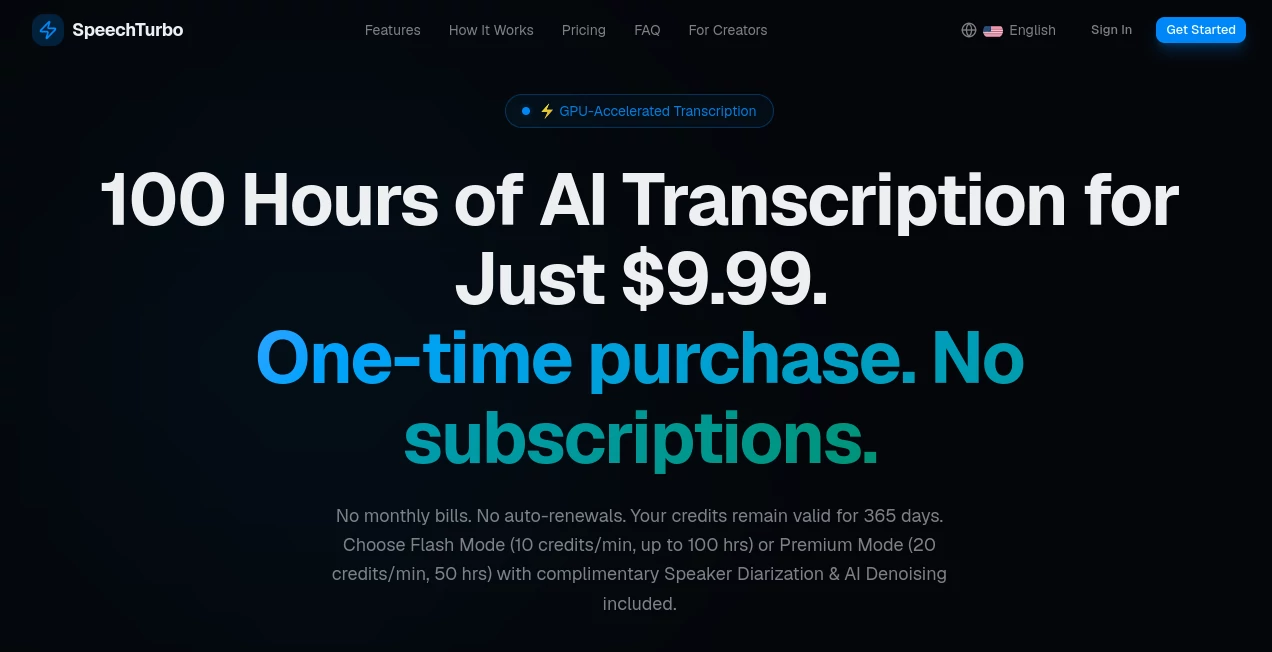
SpeechTurbo is an AI-powered transcription platform built for turning audio and video into usable text without the waiting time and recurring costs often associated with transcription services. It combines GPU-accelerated processing with support for more than 98 languages, making it suitable for journalists, researchers, content creators, students, podcasters, and businesses working with recorded conversations.
One of its most appealing qualities is the straightforward pricing model. Instead of requiring a monthly subscription, users purchase credits that remain valid for 365 days. The service also offers a free way to test transcription before committing to a paid credit package, which makes it easy to see whether the results fit a particular workflow.
For someone handling a one-hour interview, podcast, lecture, or meeting recording, the difference can be noticeable. The platform claims processing speeds of up to 50x real-time, with a one-hour recording potentially processed in under 80 seconds.
Key Features
- Fast AI transcription: GPU-powered processing can handle recordings at speeds of up to 50x real-time.
- 98+ language support: Transcribe spoken content across a wide range of languages.
- Speaker diarization: Premium processing can distinguish between different speakers in a recording.
- AI denoising: Premium Mode includes audio enhancement designed to improve transcription conditions.
- Batch processing: Users can upload up to 30 files at once.
- Multiple file formats: Supported formats include MP3, MP4, M4A, MOV, AAC, WAV, OGG, and FLAC.
- Flexible exports: Transcripts can be downloaded as DOCX, PDF, SRT, VTT, CSV, or TXT files.
- AI summaries: Registered users can access AI-powered summaries, outlines, action items, and meeting minutes.
- AI translation: Paid users can translate transcripts into more than 70 target languages.
- Cloud import: Files can be brought into the workflow from supported cloud storage services.
User Interface
The interface keeps the main task front and center. Users can drag and drop an audio or video file, browse for a file locally, or import content through available cloud workflows. Once processing is complete, the transcript can be viewed in an interactive editor and exported in the format required for the next step.
This simplicity is particularly useful for people who do not want to learn a complicated transcription application. A journalist working on an interview, for example, can upload the recording and move directly toward reviewing the generated text rather than spending time configuring a complicated workspace.
Accuracy & Performance
The platform advertises transcription accuracy of up to 99.8%, although real-world results naturally depend on factors such as microphone quality, background noise, accents, overlapping speech, and recording conditions. Its GPU-based architecture is designed to prioritize processing speed, with the company reporting up to 50x real-time performance.
Premium processing adds speaker diarization and AI denoising, which can be especially useful for interviews, meetings, podcasts, and other recordings involving multiple voices or less-than-perfect audio.
Capabilities
The feature set goes beyond basic speech-to-text conversion. Users can process long recordings, handle multiple files in batches, create subtitle files, and move transcripts into common document formats. The platform also includes AI-assisted summaries and translation, helping users turn a raw transcript into something more practical.
For example, a recorded business meeting can be converted into text and then summarized into key points and action items. A creator working with a video can export an SRT or VTT subtitle file instead of manually creating captions from scratch.
Security & Privacy
Privacy is another area where the service takes a clear position. Uploads are protected through HTTPS encryption, while original files are automatically deleted within 24 hours after transcription. The core automatic speech recognition processing runs on the platform's own GPUs, and the company states that customer data is not used to train its models.
Optional AI features such as summaries and translations may involve third-party large language models, so users handling particularly sensitive material should review the applicable privacy terms before uploading confidential recordings.
Use Cases
- Journalism: Convert interviews and recorded conversations into searchable text for research and article preparation.
- Podcasting: Turn episodes into transcripts, summaries, show notes, or subtitle files.
- Education: Transcribe lectures, presentations, and study recordings for easier review.
- Business meetings: Create written records and extract action items from recorded discussions.
- Market research: Process customer interviews and research sessions without manually typing every response.
- Video production: Generate SRT and VTT files for adding subtitles to published videos.
- Content repurposing: Convert spoken material into a text-based starting point for articles, social posts, or other content.
- Research: Turn lengthy recordings into searchable transcripts that are easier to analyze and reference.
Pros and Cons
Pros
- Very fast GPU-accelerated transcription.
- Support for more than 98 languages.
- No recurring subscription is required.
- Credits remain valid for 365 days.
- Batch uploads support up to 30 files.
- Speaker diarization and denoising are available in Premium Mode.
- Wide selection of export formats.
- Free transcription is available for testing.
- Original uploaded files are automatically deleted within 24 hours.
Cons
- Advanced processing consumes credits at a higher rate.
- Transcription quality can vary depending on the source recording.
- Some AI functions are subject to registered-user or paid-credit access.
- Users working with highly confidential material should review the privacy terms for optional AI processing.
Pricing Plans
The pricing model is based on prepaid credits rather than a recurring subscription. Credits remain valid for 365 days, making the service particularly interesting for people who need transcription regularly but do not want another monthly bill.
- Starter – $9.99: Includes 60,000 credits, equivalent to approximately 100 hours in Flash Mode.
- Growth – $19.99: Includes 138,000 credits, equivalent to approximately 230 hours in Flash Mode, with a priority GPU queue.
- Pro – $39.99: Includes 300,000 credits, equivalent to approximately 500 hours in Flash Mode, with an exclusive GPU queue.
Flash Mode uses 10 credits per minute, while Premium Mode uses 20 credits per minute and includes speaker diarization and AI denoising. There is also a free option that allows up to three transcriptions per day, with a 30-minute limit per file under standard processing.
How to Use It
- Upload a recording: Drag and drop an audio or video file or use one of the available import options.
- Select the processing mode: Choose the standard fast workflow or Premium Mode when speaker separation and denoising are useful.
- Wait for processing: The GPU-powered transcription engine processes the recording and generates the text.
- Review the transcript: Check the generated text in the interactive editor and make any necessary corrections.
- Export the result: Download the finished transcript as DOCX, PDF, SRT, VTT, CSV, or TXT.
Comparison with Similar Tools
There are many transcription platforms available today, including services focused on meetings, podcasts, video editing, and professional transcription. Subscription-based products can be convenient for users who transcribe constantly, but they may be less attractive to someone who only needs transcription from time to time.
The main difference here is the combination of prepaid credits, long credit validity, fast GPU processing, and additional transcription features such as speaker diarization and denoising. Compared with a traditional pay-monthly workflow, this approach gives occasional and project-based users more control over when they spend money.
For someone who transcribes several recordings every week, batch processing and higher-volume credit packages can also make the workflow more efficient. The best choice ultimately depends on how frequently transcription is needed, the required language support, and whether features such as subtitles, speaker identification, or AI summaries are important.
Conclusion
SpeechTurbo is a strong option for anyone who wants to turn recordings into text quickly without committing to a recurring subscription. Its combination of fast GPU processing, broad language coverage, batch uploads, multiple export formats, and optional AI enhancements gives it a practical place in a modern content workflow.
The prepaid credit model is arguably its biggest differentiator. Credits remain available for a full year, so users are not paying simply because they forgot to cancel a subscription. Add the free testing option, support for long recordings, and privacy-focused file handling, and the service becomes a compelling choice for creators, researchers, professionals, and anyone who regularly works with spoken content.
Frequently Asked Questions (FAQ)
What types of files can be transcribed?
The platform supports common audio and video formats including MP3, MP4, M4A, MOV, AAC, WAV, OGG, and FLAC.
How many languages are supported?
It supports more than 98 languages for transcription. Paid users can also use AI translation for transcripts in more than 70 target languages.
Can it identify different speakers?
Yes. Premium Mode includes speaker diarization, which is designed to separate and identify different speakers within a recording.
Can I create subtitles?
Yes. Transcripts can be exported in SRT and VTT formats, making them suitable for subtitle workflows.
Do the credits expire?
Purchased credits remain valid for 365 days. This gives users considerable flexibility compared with services that require an active monthly subscription.
Is there a free version?
Yes. Users can try the transcription service for free, with up to three transcriptions per day and limits on the length of individual files.
AI Speech Recognition , AI Transcription , AI Speech to Text , AI Captions or Subtitle .
These classifications represent its core capabilities and areas of application. For related tools, explore the linked categories above.

SpeechTurbo Alternatives Product

Maestra

ekstrakt

SuperAI

Sourcetable

Models by Ha…
TranscribeYT

Adobe Podcast

MP3toMIDI

Speech Notes