Square Face Generator
What is Square Face Generator?
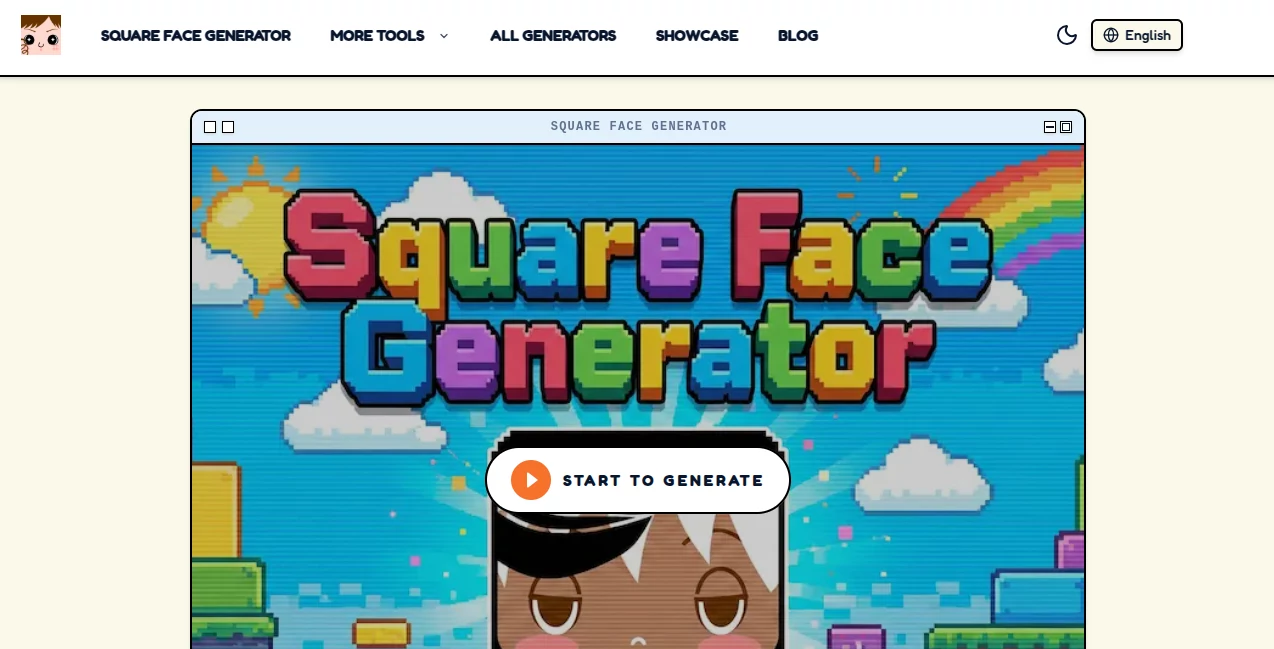
Creating a memorable online identity does not always require advanced design skills. This creative avatar generator makes it possible for anyone to build stylish pixel-inspired profile pictures within minutes. Whether you are refreshing your gaming profile, customizing a Discord account, or creating a recognizable social media identity, the platform provides a fun and intuitive experience that feels both nostalgic and modern.
Instead of relying on generic templates, users can combine hundreds of visual elements to design a completely unique character. Facial expressions, hairstyles, accessories, colors, and backgrounds can all be mixed freely, allowing every avatar to reflect a different personality. The browser-based workflow removes unnecessary complexity, making the creative process enjoyable from the first click.
One of the most appealing aspects is its privacy-friendly approach. Since creations are generated directly within the browser, users can experiment with unlimited combinations without worrying about complicated registrations or unnecessary data sharing. The result is a lightweight yet surprisingly powerful avatar creator suitable for creators, gamers, developers, streamers, and anyone looking for a distinctive digital identity.
Key Features
User Interface
The interface is exceptionally clean and beginner-friendly. Every customization option is organized into logical categories, making it easy to switch between hairstyles, facial features, accessories, and colors. A random generator is also available for users who want instant inspiration before making personal adjustments.
Accuracy & Performance
The generator responds instantly while editing, allowing users to preview every change without delays. High-quality exports ensure avatars remain sharp across different platforms, while vector output provides excellent scalability for larger graphics without sacrificing visual quality.
Capabilities
- Create unique pixel-style avatars.
- Customize facial features, hairstyles, accessories, and colors.
- Generate thousands of possible visual combinations.
- Export high-quality PNG images.
- Support scalable SVG downloads for professional use.
- Automatically save progress during editing.
- Generate random avatar designs instantly.
- Create profile pictures suitable for gaming communities and social networks.
Security & Privacy
Privacy has clearly been considered throughout the design. Avatar generation happens locally within the browser, reducing the need for personal information or unnecessary uploads. This approach allows users to experiment freely while maintaining greater control over their creative work and personal data.
Use Cases
- Create distinctive Discord profile pictures.
- Design gaming avatars for multiplayer platforms.
- Generate unique GitHub profile icons.
- Create recognizable branding for streamers.
- Design social media profile images.
- Produce lightweight artwork for communities and forums.
- Create icons for personal websites and blogs.
- Develop consistent branding for digital creators.
Pros and Cons
Pros
- Simple interface suitable for all skill levels.
- Large number of customization options.
- No complicated setup before creating avatars.
- High-quality PNG and scalable SVG exports.
- Automatic project saving improves convenience.
- Fast performance across modern browsers.
Cons
- Focused primarily on pixel-style avatars.
- Not intended for realistic portrait generation.
- Advanced illustration features are intentionally limited to preserve simplicity.
Pricing Plans
The platform offers free access to its core avatar creation features, allowing users to build and download custom avatars without barriers. Certain premium capabilities, such as additional export options or enhanced functionality, may be available depending on the selected version of the service. Users should review the official pricing page for the latest details. :contentReference[oaicite:0]{index=0}
How to Use Square Face Generator
- Open the avatar creator in your browser.
- Select facial features, hairstyles, and accessories.
- Adjust colors until the design matches your style.
- Preview the final avatar.
- Download the finished image in PNG or SVG format.
- Use the avatar across social media, gaming platforms, or professional profiles.
Comparison with Similar Tools
Many avatar creators either focus on highly realistic portraits or require lengthy registration processes before users can begin designing. This solution stands out by emphasizing speed, simplicity, and creative freedom. The pixel-art aesthetic gives every profile image a distinctive personality, while browser-based generation and vector export make it practical for both casual users and professionals seeking lightweight branding assets.
Conclusion
For anyone looking to create a memorable digital identity without spending hours learning design software, this avatar generator offers an impressive balance of creativity and simplicity. Its extensive customization options, smooth editing experience, privacy-conscious workflow, and high-quality exports make it an excellent choice for gamers, developers, creators, and social media enthusiasts. The nostalgic pixel style also gives every avatar a timeless charm that stands out in today's crowded online spaces.
Frequently Asked Questions (FAQ)
Is the avatar creator free to use?
Yes. The core avatar creation experience is available for free, while additional premium capabilities may be offered depending on the service version. :contentReference[oaicite:1]{index=1}
Can I use the generated avatars as profile pictures?
Yes. The exported images are suitable for social media accounts, gaming platforms, online communities, and professional profiles.
Does it support high-quality downloads?
Yes. Users can export crisp PNG files, and scalable SVG output is also supported for projects requiring larger graphics. :contentReference[oaicite:2]{index=2}
Do I need graphic design experience?
No. The interface is designed for beginners while still providing enough customization for experienced creators.
Can I customize every part of the avatar?
Yes. Facial features, hairstyles, accessories, expressions, colors, and backgrounds can all be personalized to create a unique design.
AI Illustration Generator , AI Avatar Generator , AI Profile Picture Generator , Design & Art .
These classifications represent its core capabilities and areas of application. For related tools, explore the linked categories above.
Square Face Generator details
Website unavailable — View Alternatives
Pricing
- Free
Apps
- Web App
Categories

Square Face Generator Alternatives Product
Seedance Stu…

Leonardo.ai
Muse Image

WonderShare …

AI Anime Pro

Alloy
GirlGenerato…

Curved Text …
Professional…