
















StellarFirm

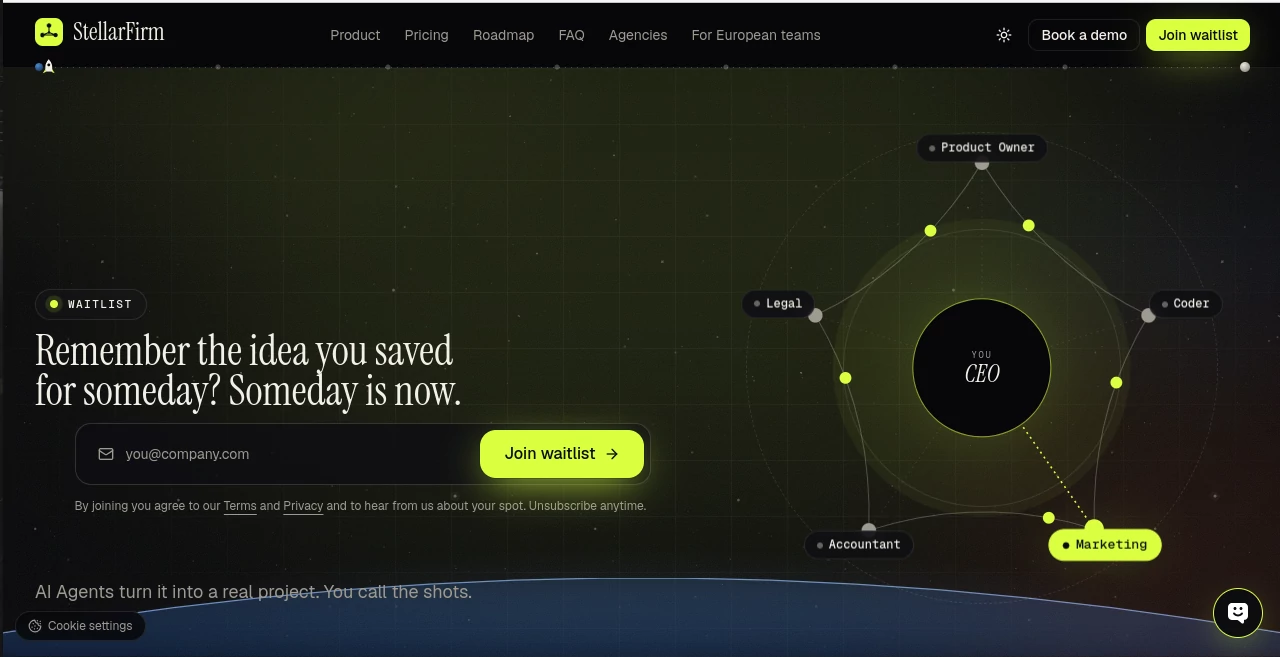
What is StellarFirm?
Running a business often means switching between coding, planning, marketing, accounting, and customer communication. For small teams and independent founders, keeping every task moving can become a job in itself. StellarFirm takes a different approach by bringing a team of AI agent assistants into one working environment, helping businesses coordinate tasks instead of relying on a separate chatbot for every request.
The platform is designed around a simple idea: give AI assistants defined responsibilities, let them pass work between one another, and keep the business owner in control of important decisions. A coding assistant can prepare a change, a product owner can organize the work, and a marketing assistant can draft launch materials. Rather than treating each task as an isolated conversation, the system aims to connect the steps involved in getting real work done.
This approach could be particularly useful for founders who handle several business functions themselves. Instead of manually coordinating every small task, they can establish a goal, review the work prepared by their assistants, and approve actions before anything is sent to a client or published.
Key Features
User Interface
The platform is designed around a shared workspace where specialized assistants have individual roles. Users can choose assistants according to their business needs and coordinate work through a common environment. The experience is intended to feel more like managing a small digital team than repeatedly opening separate AI chats.
Access is planned through both a web-based workspace and a desktop application. The cloud version runs in a browser without requiring a local installation, while the desktop option is designed to let assistants work on the user's own computer. The desktop offering supports Mac computers with Intel or Apple silicon processors and Windows.
Accuracy & Performance
One of the platform's most practical ideas is its emphasis on review and approval. Assistants can prepare deliverables and pass work between roles, while actions that send or publish information are held for the user's approval. This creates an opportunity to catch mistakes before they affect customers, colleagues, or business operations.
Actual accuracy depends on the task, the information supplied, and the quality of the generated work. Code still needs testing, financial summaries need verification, and legal drafts require appropriate professional review. Businesses should evaluate the results on representative tasks before relying on them for important decisions. No universal accuracy benchmark or independently verified performance score is established here.
Capabilities
The platform brings together several specialized assistants intended to support different business functions:
- Coding: Helps prepare code changes, work on branches, draft pull requests, and support software development tasks.
- Product management: Turns broad requests into structured tickets, clarifies requirements, and helps organize a development backlog.
- Marketing: Drafts launch copy, changelogs, and promotional posts that can be reviewed before publication.
- Accounting: Helps track spending and invoices, summarize costs, and flag items that may need attention.
- Legal support: Prepares research, contract summaries, and checklists for human review.
- Business coordination: Connects work between assistants so that one role can build on the output of another.
Additional assistants for sales, executive support, customer service, recruiting, online stores, and music-related work are described as upcoming capabilities. Their availability may vary as the product develops, so users should check the current roadmap before planning a workflow around them.
Security & Privacy
Human approval is an important part of the platform's operating model. Holding outgoing actions for review gives business owners a chance to check content and decisions before they reach clients. The available website also provides privacy information and cookie controls, and it describes an option for European companies that require EU data residency.
Businesses should distinguish approval controls from comprehensive data security. Before using the platform with confidential contracts, customer records, source code, or financial information, review its current privacy policy, data retention practices, access controls, and applicable processing terms. The exact protections available can depend on the deployment and configuration selected.
Use Cases
Small software development teams: A founder can ask for a feature to be prepared, have a product-oriented assistant break the request into manageable tickets, and let a coding assistant work on the implementation. The resulting changes can be reviewed and tested before merging.
Marketing launches: When a new feature is ready, a marketing assistant can prepare launch announcements and changelog drafts. The development and marketing workflows can be coordinated without requiring the founder to rewrite every update from scratch.
Freelancers and agencies: Independent professionals managing multiple client projects may benefit from assigning recurring administrative and production tasks to specialized assistants while retaining control over client-facing deliverables.
Business administration: Accounting support can help organize invoice reminders and summarize spending. Legal support can prepare an initial contract summary or a review checklist, allowing a qualified professional to focus on the issues that need closer attention.
Growing businesses: Teams that need help across several departments can explore a coordinated assistant model before deciding which workflows are suitable for automation. A sensible starting point is a repetitive, low-risk process with clear inputs and measurable results.
Pros and Cons
Pros
- Brings multiple specialized AI assistants into a coordinated workspace.
- Supports handoffs between planning, development, marketing, and administrative work.
- Uses approval checkpoints for actions that send or publish work.
- Offers a choice between cloud-based access and a desktop workflow.
- New accounts are described as receiving free credits, allowing users to explore the service before committing to a paid plan.
- Can help reduce repetitive coordination for founders and small teams.
Cons
- The public website describes a waitlist, so immediate access may not be available to everyone.
- Company subscription plans and credit-pack prices are not yet publicly specified on the pricing page.
- Some advertised assistant roles are still marked as coming soon.
- AI-generated code, financial information, and legal material still require appropriate checks.
- Users need to understand how credit consumption works before estimating ongoing costs.
- The benefits will depend on how well the assistants fit existing business processes and tools.
Pricing Plans
The published pricing information indicates that company plans are still forthcoming. The service describes a credit-based model in which assistants consume credits while working, and new accounts start with free credits. The website also outlines prepaid credit packs, but does not currently provide confirmed prices for them.
- Free credits: New accounts start with credits that can be used to explore assistant workflows.
- Prepaid credit packs: Planned pack sizes include 1,000, 5,000, and 20,000 credits. Prices are not publicly specified.
- Company plans: Subscription options are expected to be announced when the plans become available.
- Trial: The published roadmap describes a seven-day free trial after an invitation is issued and the build is ready.
Because pricing and access arrangements may change, prospective users should confirm current availability, credit costs, and trial conditions before making purchasing decisions.
How to Use the Platform
- Join the waitlist: Submit a work email address through the official website and wait for an invitation.
- Choose your workspace: When access becomes available, select the web or desktop experience that suits your working environment.
- Identify a business goal: Start with a concrete task, such as preparing a product update, organizing a backlog, or reviewing an invoice workflow.
- Select the relevant assistants: Assign responsibilities according to the work that needs to be completed.
- Let the assistants coordinate: Allow the system to organize tasks and pass relevant work between specialized roles.
- Review the results: Check generated content, code, summaries, and other deliverables for accuracy and completeness.
- Approve important actions: Review outgoing or publishing actions before allowing them to proceed.
- Evaluate the workflow: Measure time saved, quality, credit consumption, and the amount of manual correction required.
Comparison with Similar Tools
Traditional AI chat assistants are useful for answering questions, brainstorming, summarizing documents, and producing individual pieces of content. However, users often need to manage the next steps themselves. A coordinated agent platform takes a broader approach by organizing specialized roles and connecting the work they produce.
Compared with standalone coding assistants, this model aims to cover more of the business process surrounding software development, including task planning, marketing, and administrative support. Compared with workflow automation platforms that rely on predefined triggers and integrations, AI agent systems can offer more flexibility for tasks involving interpretation and content generation, although the reliability of those tasks must be tested.
The main distinction is the emphasis on a coordinated digital workforce with human approval. This does not mean that every workflow will be fully autonomous or that the platform replaces specialist software. Teams should compare supported integrations, access controls, task reliability, and total usage costs before deciding whether it fits their existing setup.
Conclusion
Coordinating the everyday work of a business can be just as demanding as completing the work itself. By bringing coding, product planning, marketing, accounting, and other specialized assistants into one environment, this platform offers an interesting approach to reducing that burden.
Its emphasis on connected tasks and human approval is particularly relevant for founders who want to automate repetitive work without surrendering control over client-facing decisions. The cloud and desktop options also provide different ways to approach day-to-day operations.
The most practical way to evaluate the service is to start with a narrow workflow, check the quality of its output, and measure whether it saves meaningful time. With access, pricing, and some capabilities still developing, interested businesses should confirm the latest product details before making it part of their core operations.
Frequently Asked Questions (FAQ)
What is StellarFirm?
It is a platform built around specialized AI agent assistants that coordinate tasks across business functions, with a focus on helping owners manage work and review important actions.
Who can benefit from the platform?
Potential users include founders, freelancers, software studios, marketing agencies, accounting firms, and other businesses that handle several recurring workflows.
Can its assistants work together?
Yes. Coordinating assistants and passing work between roles is a central part of the product's stated approach. The exact capabilities depend on which assistants are available.
Does it support coding tasks?
The coding assistant is designed to help with code changes and draft pull requests, while the product owner assistant can organize requirements into development tickets. Human review and testing remain important.
Is there a free plan?
New accounts are described as receiving free credits. This is different from a confirmed, unlimited free subscription. The full company pricing structure has not yet been published.
How much does it cost?
Credit-pack prices and company subscription rates are not currently specified on the published pricing page. Check the latest pricing information before budgeting for regular use.
Can I use it on my computer?
The platform describes both a browser-based cloud workspace and a desktop application for Mac and Windows. Availability should be confirmed when requesting access.
Does it send messages or publish content without approval?
The product states that actions that send or publish work wait for the user's approval. Users should still verify the current behavior and permissions of each workflow.
Is it suitable for confidential business information?
Suitability depends on the applicable privacy terms, deployment, data handling, and access controls. Review those details before submitting sensitive company or customer information.
How can I get access?
The published website directs prospective users to join the waitlist and receive an invitation when access is ready.