


















StemSplit
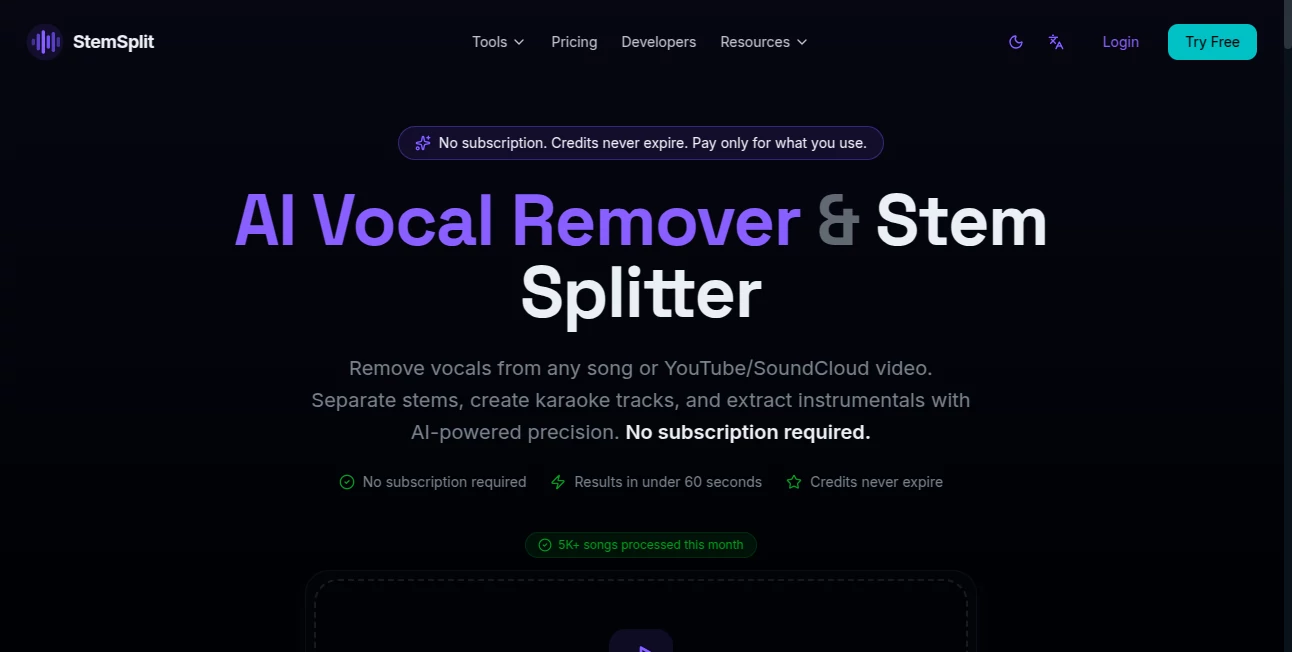
What is StemSplit?
Separating vocals from instrumentals used to require advanced audio software, technical skills, and hours of manual editing. Today, that process can be completed in less than a minute with a streamlined AI-powered solution designed for musicians, DJs, content creators, and audio professionals.
This platform focuses on high-quality stem separation, allowing users to extract vocals, instrumentals, drums, bass, piano, guitar, and other audio elements from a song with impressive precision. Whether you are preparing karaoke tracks, creating remixes, producing mashups, or editing content for social media, the workflow feels remarkably simple and efficient.
One of the most appealing aspects is its pay-as-you-go approach. Instead of locking users into recurring subscriptions, it provides flexible credits that never expire, making it a practical option for occasional users as well as professionals who process audio regularly.
Key Features
User Interface
The interface is refreshingly straightforward. Users simply upload an audio file, choose the desired output format, and wait for the AI to process the track. The entire workflow is designed to minimize complexity, making professional audio separation accessible even to people with no audio engineering background.
Support for drag-and-drop uploads and multiple audio formats further improves usability. The process feels intuitive from start to finish, allowing creators to focus on their projects instead of learning complicated software.
Accuracy & Performance
Audio separation quality is one of the strongest areas of the platform. Advanced neural networks are used to isolate vocals and instruments with a reported accuracy exceeding 95% on many tracks. The results are clean enough for karaoke production, remix creation, practice sessions, and content publishing.
Processing speed is equally impressive. Most songs are completed in under a minute, allowing users to experiment with multiple tracks without wasting time waiting for exports.
Capabilities
- AI-powered vocal removal.
- Instrumental extraction for karaoke and backing tracks.
- 2-stem, 4-stem, and 6-stem separation modes.
- Support for vocals, drums, bass, piano, guitar, and additional instruments.
- YouTube and SoundCloud processing support.
- BPM and musical key detection.
- DJ-focused tools and Rekordbox export options.
- API access for developers and workflow automation.
- Support for popular audio formats including MP3, WAV, FLAC, M4A, OGG, and WEBM.
Security & Privacy
Privacy is treated as a core feature rather than an afterthought. Uploaded files are processed securely and automatically deleted after a limited retention period. The service also states that user audio is not shared with third parties and is not used to train AI models.
For creators working with unreleased music, client projects, or sensitive recordings, these privacy practices provide additional confidence when uploading files for processing.
Use Cases
- Creating karaoke tracks for singers and performers.
- Extracting acapellas for remixes and mashups.
- Producing instrumentals for YouTube videos and podcasts.
- Preparing stems for DJ performances.
- Analyzing song structure and instrumentation.
- Music education and practice sessions.
- Building audio applications through API integration.
- Content creation for social media platforms.
Pros and Cons
Pros
- Fast processing times, often under 60 seconds.
- High-quality vocal and instrumental separation.
- Multiple stem separation options.
- No subscription commitment required.
- Credits never expire.
- Developer-friendly API access.
- Simple and beginner-friendly interface.
- Supports many audio file formats.
Cons
- Audio quality can vary depending on the original recording.
- Advanced studio engineers may still require manual refinement for specific projects.
- Free usage minutes are limited.
- Very complex mixes may produce minor artifacts.
Pricing Plans
The platform uses a flexible credit-based pricing model rather than monthly subscriptions.
- Starter: 10 minutes of processing.
- Standard: 30 minutes of processing.
- Pro: 100 minutes of processing.
- Studio: 300 minutes of processing.
New users can also receive free processing minutes upon signup, making it easy to test the service before purchasing additional credits.
How to Use StemSplit
Getting started is remarkably easy.
- Upload an audio file from your device.
- Select the desired separation mode.
- Choose whether you want vocals, instrumentals, or complete stem extraction.
- Start processing.
- Download the generated files once the AI completes the task.
The entire process typically takes less than a minute, allowing users to move from upload to final download with minimal effort.
Comparison with Similar Tools
Compared with many audio separation platforms, this solution stands out because of its transparent pricing structure and non-expiring credits. While some competitors rely heavily on subscription plans, this approach is more attractive for users who only need occasional audio processing.
The inclusion of DJ-focused features, BPM detection, musical key analysis, and developer API access also expands its usefulness beyond simple vocal removal. This makes it suitable for hobbyists, professionals, and software developers alike.
Another notable advantage is the balance between speed and output quality. Many users value the ability to process tracks quickly without sacrificing separation accuracy.
Conclusion
For anyone looking to isolate vocals, create karaoke tracks, extract instrumentals, or generate professional-quality stems, this platform offers an excellent combination of speed, quality, and affordability. The user experience feels polished, the processing results are impressive, and the pricing model removes the frustration commonly associated with subscription-based services.
Whether you are a singer practicing at home, a DJ building a live set, a producer creating remixes, or a developer integrating audio processing into an application, this tool delivers practical value without unnecessary complexity.
Frequently Asked Questions (FAQ)
Can I remove vocals from any song?
Yes. Users can upload supported audio files and extract vocals or instrumentals using AI-powered separation technology.
How long does processing take?
Most tracks are processed in under 60 seconds, depending on length and selected separation mode.
What audio formats are supported?
Popular formats including MP3, WAV, FLAC, M4A, OGG, and WEBM are supported.
Is there a free trial available?
Yes. New users can receive free processing minutes after creating an account.
Can developers integrate the service into their applications?
Yes. API access is available, enabling integration with applications, workflows, and automation platforms.
Are uploaded files kept private?
Yes. Files are processed securely, automatically deleted after a retention period, and are not used for AI model training.
AI Audio Enhancer , AI Music Generator , AI Voice & Audio Editing , AI Speech Synthesis .
These classifications represent its core capabilities and areas of application. For related tools, explore the linked categories above.

StemSplit Alternatives Product

Happy Horse …

HypeClip

Lyria.run

Adobe Podcast

vo4 ai

LORY

Krisp

sam tts

Transcribe A…
