
Summ-it
What is Summ-it?
Keeping up with articles, newsletters, videos, and documents has become increasingly difficult in a world where information never stops growing. This innovative AI-powered reading assistant transforms saved content into a personal audio experience, helping users consume valuable information while commuting, exercising, working, or simply relaxing.
Instead of leaving dozens of unread tabs open, users can collect their favorite content and turn it into an organized listening queue. The platform supports articles, PDFs, newsletters, videos, and pasted text, making it easier to learn and stay informed without spending hours staring at a screen.
Key Features
User Interface
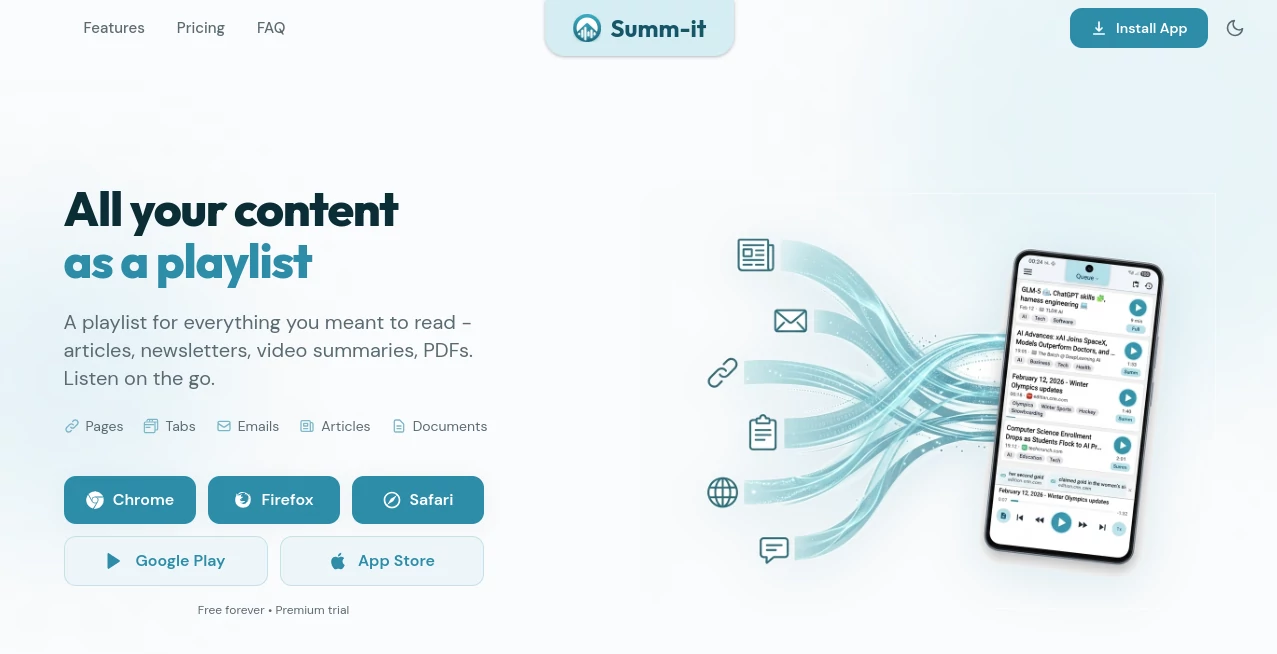
The interface is designed around simplicity and convenience. Content can be saved from browsers, mobile apps, shared links, newsletters, or documents and automatically organized into a listening playlist.
The clean workflow feels familiar to anyone who uses podcast apps. Users can browse saved items, organize content with labels, adjust playback preferences, and continue learning wherever they are.
Accuracy & Performance
The AI system focuses on extracting the most important ideas from long-form content while maintaining the original meaning. Users can choose between quick summaries for fast learning or full-length narration when they want the complete context.
The ability to ask questions about saved content adds another layer of usefulness, allowing users to find information from their personal library instead of searching through countless pages again.
Capabilities
This AI-powered platform works with multiple types of content, including online articles, newsletters, YouTube videos, PDFs, documents, and copied text. It can transform written information into natural audio and create personalized listening experiences.
- Convert articles and documents into audio playlists
- Create AI summaries for faster understanding
- Listen to full articles with natural voices
- Translate content into multiple languages
- Organize saved information with topics and labels
- Discover related links from saved content
- Create short catch-up sessions from reading backlogs
Security & Privacy
Privacy is an important part of the experience. Users control the content they save, and personal information is not used as a product for third parties. The platform is designed to process saved content while giving users control over their personal knowledge library.
Use Cases
This tool is useful for professionals, students, researchers, entrepreneurs, and anyone who wants to learn more efficiently. A busy professional can listen to industry news during a commute, while a student can review important educational materials without spending extra screen time.
Content creators can collect research materials, marketers can stay updated with trends, and curious readers can finally manage their growing list of saved articles without feeling overwhelmed.
- Listening to business and technology news while traveling
- Reviewing research papers and documents hands-free
- Turning newsletters into personal audio updates
- Catching up on saved articles after a busy week
- Learning languages through translated content
Pros and Cons
Pros
- Turns reading lists into convenient audio playlists
- Supports many content formats including articles, PDFs, and videos
- Offers both summaries and complete narration options
- Helps users save time and reduce information overload
- Provides smart organization for saved knowledge
Cons
- Advanced features require a paid subscription
- Audio-focused workflow may not replace traditional reading for everyone
- Some websites with unusual structures may not extract perfectly
Pricing Plans
The platform offers a free option for users who want to try the experience before upgrading. Paid plans provide additional monthly content limits, advanced AI voices, translation features, unlimited archive access, and extra productivity capabilities.
- Free Plan: Includes basic access with limited saved items and essential listening features.
- Pro Plan: Designed for regular users who want higher limits and premium voice features.
- Premium Plan: Built for heavy readers and professionals managing large amounts of content.
How to Use Summ-it
Getting started is simple. Users can save content from a browser extension, mobile sharing options, newsletters, or uploaded documents. After saving, the content appears in a personal queue where it can be summarized, narrated, organized, or searched.
Users can choose the preferred listening style, adjust playback settings, and continue consuming information whenever they have free time.
Comparison with Similar Tools
Compared with traditional text summarizers, this platform focuses on creating an ongoing audio learning experience rather than only producing short summaries. While many tools help users understand a single document, this solution helps build a personal information feed that grows over time.
Its combination of AI summaries, narration, organization, and personal library search makes it especially suitable for users who want to transform passive reading habits into active learning routines.
Conclusion
Managing information overload requires more than simply saving articles and documents. This AI-powered assistant provides a practical way to transform forgotten reading lists into useful knowledge sessions.
With smart organization, natural audio playback, AI summaries, and flexible content support, it offers a modern approach for anyone who wants to learn more while spending less time scrolling through screens.
Frequently Asked Questions (FAQ)
What types of content can be used?
Users can save articles, newsletters, PDFs, YouTube videos, web pages, and pasted text for listening or summarization.
Can it create summaries instead of full audio?
Yes. Users can choose between shorter AI-generated summaries or complete narration depending on their needs.
Can saved content be listened to offline?
Yes, supported content can be downloaded for offline listening, making it useful for travel and areas without reliable internet access.
Is there a free version available?
Yes. A free plan is available with basic features, while premium plans provide additional limits and advanced options.
Who can benefit most from this tool?
Professionals, students, researchers, and anyone who wants to consume more information efficiently can benefit from this AI assistant.
AI Text to Speech , AI Summarizer , AI Transcription , AI Productivity Tools .
These classifications represent its core capabilities and areas of application. For related tools, explore the linked categories above.

Summ-it Alternatives Product

Zloth

WhispriNote

ElevenLabs

TranscribeYT

Glanced

Skywork Supe…

IdeaHunter

Liftburst

Gemini Omni