
Taku
What is Taku?
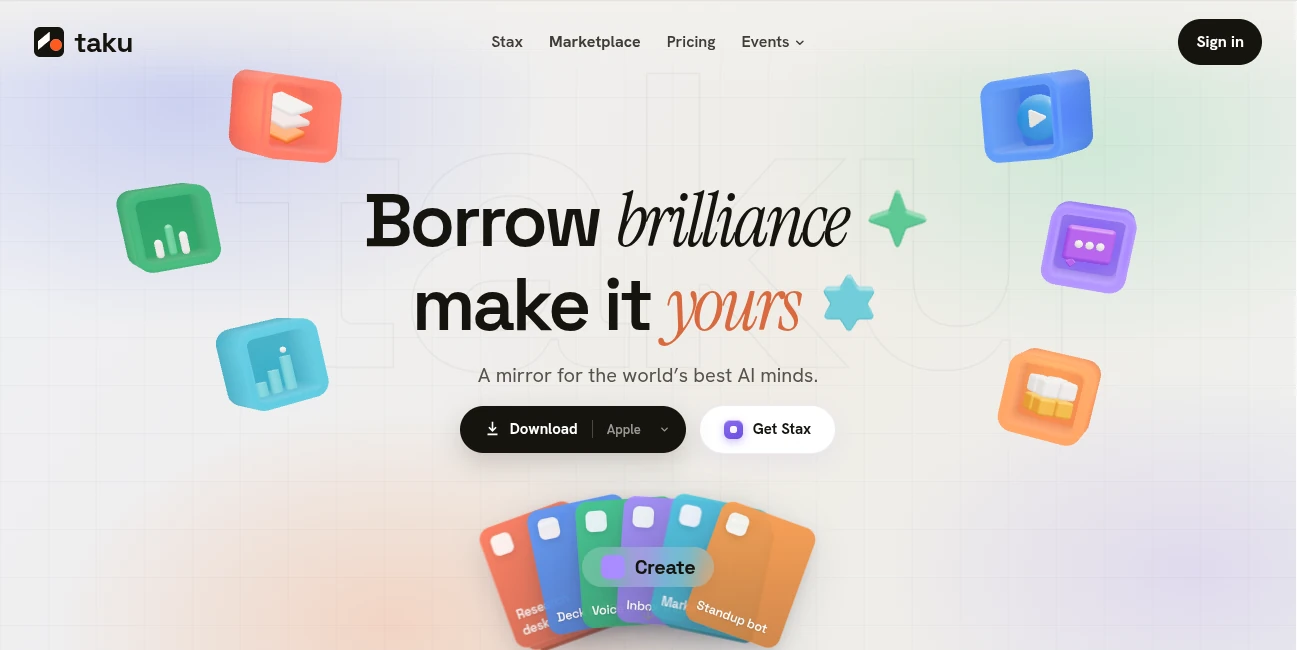
Taku is built around a simple but ambitious idea: AI should do more than answer questions. It should be able to use tools, assemble workflows, execute tasks, and turn useful ideas into something people can actually run. Instead of leaving users with a prompt, a block of generated code, or a list of instructions, the platform brings apps, agents, skills, and workflows together in one environment.
Its marketplace gives users access to ready-made AI apps and agents, while its workflow system can combine different capabilities into reusable setups. Users can also package their own workflows as Stax and share them with others. This makes the experience interesting for both people who simply want to get work done and creators who want to build reusable AI-powered systems.
The overall approach feels particularly useful for people who have plenty of ideas but do not want to spend hours configuring software, connecting services, or learning development tools. You describe what you need in ordinary language, and the system helps assemble something that can be run and refined.
Key Features
The strongest part of the platform is the combination of an AI marketplace with workflow creation and sharing. Rather than treating every AI capability as an isolated application, it lets users bring different tools together and turn them into practical systems.
- Marketplace for AI apps, agents, skills, and ready-to-use workflows
- Natural-language workflow creation without traditional configuration files
- Reusable Stacks that combine apps, agents, and skills
- Stax for publishing and sharing custom AI setups
- Community-driven discovery and remixing of workflows
- Support for productivity, research, content, development, data, marketing, and other tasks
- Developer access with API, CLI, webhooks, logs, and the option to use personal model and API keys
User Interface
The interface is designed around the idea of making complicated AI workflows feel approachable. Instead of forcing users to begin with technical configuration, the workflow process starts with a plain-language description of the desired outcome.
The marketplace also gives the experience a familiar discovery model. Users can browse existing apps and skills, see creator-made projects, and find workflows that are already close to what they need. For someone who prefers experimenting rather than building everything from scratch, this can save considerable time.
The Stax concept adds another useful layer. A successful workflow does not have to remain a private setup. It can be packaged, shared, installed, modified, and reused by other people.
Accuracy & Performance
Performance depends heavily on the AI models, applications, and workflows involved, so results will naturally vary from one task to another. The platform itself acknowledges that AI-generated outputs can contain mistakes, omissions, hallucinations, or bugs, which is an important consideration when workflows are allowed to perform actions.
For straightforward tasks such as summarizing information, organizing research, generating content, or turning repeated instructions into a reusable process, the workflow-oriented approach can be particularly practical. More sensitive tasks still require human review before important decisions or external actions are made.
Capabilities
The range of possible applications is one of the most appealing aspects of the platform. Its marketplace includes tools and skills for areas such as research, writing, data analysis, presentations, productivity, development, marketing, and finance.
Examples shown on the platform include research workflows that produce sourced outlines, inbox systems that summarize emails and identify messages requiring replies, content workflows that generate and schedule posts, and voice-note systems that turn spoken information into notes and tasks.
For developers, the Developer plan adds a different level of flexibility. Users can bring their own model and API keys, connect coding tools, and access API and CLI functionality, along with development-oriented logs and webhooks.
Security & Privacy
Privacy deserves attention because workflows can interact with user-generated content, connected services, files, and external applications. The privacy policy explains that information may include prompts, uploaded content, account information, and data associated with connected third-party services.
The service also states that de-identified prompts may be used to improve its AI generation capabilities. Its Browser Bridge feature is described as operating with specific limits, including not requesting or storing browser-saved passwords and not collecting a user's complete browsing history.
Users should nevertheless review permissions and connected services carefully, particularly when creating workflows capable of interacting with email, files, websites, or other accounts. AI-generated actions should be reviewed when they could have financial, professional, or privacy consequences.
Use Cases
The platform can fit a surprisingly broad range of workflows. A researcher could create a system for collecting information and preparing a structured research brief. A content creator might turn a repeatable writing process into a reusable content engine. Someone managing a busy inbox could use an automated workflow to summarize incoming messages and identify which ones need attention.
There are also interesting possibilities for small teams. Instead of documenting a complicated process in a long internal guide, a team could turn that process into a reusable AI workflow that members can run and modify.
Creators have another reason to explore it. A useful setup can be published as a Stax, allowing other users to install and remix the workflow while giving the creator an opportunity to earn when it is used.
Pros and Cons
Pros
- Combines AI apps, agents, skills, and workflows in one environment
- Natural-language approach makes workflow creation more approachable
- Large marketplace with community-created tools
- Workflows can be reused, shared, and remixed
- Useful for both everyday users and technical creators
- Developer options include API, CLI, logs, and webhooks
- Creator-focused publishing and monetization features add another dimension
Cons
- Results can vary depending on the models and applications used in a workflow
- AI-generated outputs still require human verification
- Advanced workflows may take time to understand and refine
- Users should pay close attention to permissions when connecting external services
- The higher-tier plans can become expensive for casual users
Pricing Plans
The platform offers a free starting point for users who want to run real workflows before committing to a paid subscription. Paid plans are structured around monthly credits and progressively broader access.
- Starter: $20 per month with 6,000 credits, free apps and agents, up to three Stacks, Stax installation and remixing, and creator following.
- Standard: $50 per month with 15,000 credits, access to paid apps, unlimited Stacks, and the ability to publish your own Stax.
- Pro: $200 per month with 60,000 credits, priority speed and queue access, private stacks, team seats, and premium bundles.
- Developer: A bring-your-own-key option with personal model and API keys, coding-tool connections, API and CLI access, development logs, and webhooks.
Annual billing is also offered with a stated 30% discount. For occasional experimentation, the free entry point may be enough to understand the concept. Businesses and creators with frequent workflows are more likely to benefit from the higher tiers.
How to Use Taku
Getting started is centered on describing an outcome rather than manually configuring every component.
- Start by describing what you want to accomplish in plain language.
- Let the system identify and assemble the relevant apps, agents, and skills.
- Run the resulting workflow and review the output.
- Adjust the workflow when the result needs improvement.
- Save useful workflows for repeated use.
- Share or publish a successful setup as a Stax if you want others to use and remix it.
A good first experiment is something repetitive but relatively low-risk, such as creating a research summary, organizing notes, preparing a content workflow, or turning incoming information into a structured digest. Once the process works reliably, it can be expanded into a more sophisticated system.
Comparison with Similar Tools
Traditional AI chatbots are excellent for conversation and generating information, but they often leave the final execution step to the user. AI coding environments provide more control, yet they can be intimidating for people who are not comfortable with development workflows.
This platform takes a different position by focusing on the space between an AI response and a completed task. Its marketplace supplies ready-made capabilities, while Stacks allow multiple components to work together. The result is closer to an AI-native workspace than a conventional chatbot.
It also differs from simple no-code automation services because the central building blocks are AI apps, agents, and skills rather than only fixed triggers and actions. For users who want workflows that can reason, generate content, work with information, or adapt to a task, that distinction can be meaningful.
Conclusion
The most compelling thing about this platform is not any single AI feature. It is the attempt to make AI workflows feel like usable software rather than experiments trapped inside a chat window.
The combination of a marketplace, workflow assembly, reusable Stacks, creator-published Stax, and developer capabilities gives it room to serve several different audiences. A casual user can start with an existing tool, while an experienced creator can build and publish a complete workflow for others.
There is still a learning curve, and AI-generated work should never be treated as automatically correct. But for people who want AI to move beyond answering questions and actually participate in repeatable work, this is a compelling direction worth exploring.
Frequently Asked Questions (FAQ)
What is this platform used for?
It is designed for discovering AI apps and agents, assembling them into workflows, running those workflows, and sharing reusable AI setups with other users.
Can I create workflows without coding?
Yes. The workflow creation experience is designed around describing your goal in plain language rather than requiring traditional configuration files.
Can I use existing AI tools?
Yes. The marketplace provides access to AI apps, agents, and skills that can be incorporated into workflows.
Can I publish my own AI workflow?
Yes. Users can package their setups as Stax and allow other people to install, run, and remix them.
Is there a free option?
Yes. The service provides a free starting point, allowing users to run real workflows before upgrading to a paid plan.
Does it offer developer features?
Yes. The Developer option includes support for personal model and API keys, coding tools, API and CLI access, development logs, and webhooks.
Should AI-generated results be reviewed?
Yes. AI output can contain errors or omissions, and workflows that perform actions on a user's behalf should be checked carefully before they are trusted with important tasks.
What makes the workflow approach different?
Instead of stopping after generating an answer, the system is designed to connect AI capabilities and tools into something that can actually be run, saved, modified, and reused.
AI Workflow Management , AI App Builder , AI No-Code & Low-Code , AI Developer Tools .
These classifications represent its core capabilities and areas of application. For related tools, explore the linked categories above.
Taku details
Website unavailable — View Alternatives
Pricing
- Freemium
Apps
- Windows App
- Mac App
Categories

Taku Alternatives Product

Screenshot t…

Jujutsu Zero…

Prelight

Chatref

ace.me

JustCopy.ai

AIQualityHQ

LPM 1.0

Neurohelper