
Domus
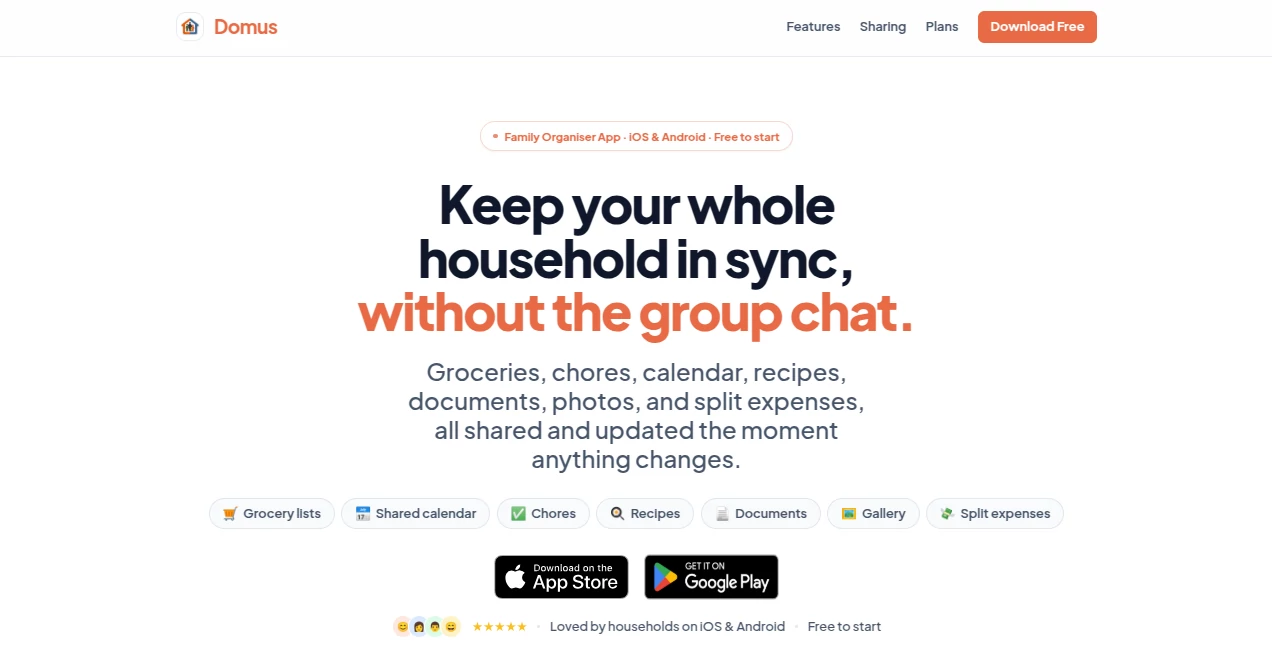
What is Domus?
Anyone living with family or roommates knows the drill: one person adds milk to the list, another forgets, someone else books a dentist appointment no one else knows about, and suddenly you’re arguing in the group chat about who owes what for the takeaway. This app quietly solves all that. It brings groceries, calendar, chores, recipes, documents, photos, and expenses into one calm, beautifully synced space. Changes appear instantly on everyone’s phone. No more “Did you see my message?” moments. Just one place where the whole household actually stays on the same page.
Introduction
Modern family life is fragmented—different apps for shopping, scheduling, cooking, and bills. The result is constant mental load and missed details. Domus replaces that scattered mess with one thoughtful app designed specifically for shared living. It’s not trying to be everything; it focuses on the daily things that actually cause friction in households and makes them effortless. Real families and roommates are already using it to cut down arguments, save time on shopping, and feel more organised without the usual digital noise. The real-time sync is so smooth it almost feels like magic—the moment someone checks off an item or adds an appointment, everyone sees it.
Key Features
User Interface
The design is refreshingly calm and intuitive. Everything lives in clean sections: grocery list with smart aisle sorting, shared calendar with multiple views, chores, recipes, documents, gallery, and expense splitting. Adding something is fast—type an item and it auto-categorises for shopping. The interface stays out of your way so you can actually focus on life instead of learning another complicated app. It works beautifully on both phones and feels consistent whether you’re on iOS or Android.
Accuracy & Performance
The real-time sync is rock-solid. Changes appear instantly across devices with almost zero delay. The AI grocery sorting puts items in sensible store order so you don’t waste time backtracking aisles. Recipe import pulls ingredients and steps reliably from URLs. Everything just works when you need it— no frustrating sync lags or missing updates that plague other shared apps.
Capabilities
It covers the full spectrum of household coordination: smart grocery lists, family calendar with recurring events and reminders, shared chores and to-dos, recipe saving with URL import, document and ID storage, private family photo gallery, and simple expense splitting with balances. You can create multiple circles if needed, but most households thrive with one central space. The combination of all these features in one well-designed app is what makes daily life noticeably smoother.
Security & Privacy
Your household data stays private within your circle. The app is designed with care around who sees what, and there are no intrusive ads or data selling. Real-time sync happens securely, and you control who’s in your household group. For anything involving family documents or expenses, that peace of mind matters a lot.
Use Cases
A busy couple with young kids finally stops forgetting appointments because the shared calendar actually gets checked. Roommates stop arguing over bills thanks to transparent expense tracking. One partner adds items to the grocery list from the couch, and the other sees them sorted by aisle before reaching the supermarket. A family stores health cards and important documents in one safe place everyone can access quickly. It shines anywhere multiple people share responsibilities and need to stay aligned without constant messaging.
Pros and Cons
Pros:
- Beautifully designed and genuinely pleasant to use every day.
- Real-time sync that actually feels instant and reliable.
- Smart AI touches like grocery sorting and recipe import save real time.
- Replaces multiple apps with one calm, focused space.
- Free tier is generous—most households can start without paying.
Cons:
- Some advanced AI features are behind the paid plan.
- Currently focused on core household needs rather than endless integrations.
Pricing Plans
It starts completely free with everything most families need. The Plus plan adds higher limits for bigger households, and AI Plus brings smarter grocery and recipe features. Pricing is reasonable and transparent— you only upgrade when your household grows or you want the extra AI help. No pressure, just clear value as your needs evolve.
How to Use Domus
Download the app, create or join a household circle, and invite family members with a simple link. Start adding grocery items—they sort themselves by aisle. Put appointments in the shared calendar. Scan or upload important documents. Save recipes by pasting a link. Add expenses as they happen. Everything updates instantly for everyone. Make it part of your daily routine and suddenly the small things that used to cause friction just… work.
Comparison with Similar Tools
Other family apps often feel cluttered or focus on only one or two features. Group chats create noise and missed details. This one stands out by being calm, comprehensive, and actually pleasant to use daily. The combination of smart AI assistance and rock-solid real-time sync gives it an edge that busy households notice immediately.
Conclusion
Domus doesn’t try to reinvent family life—it simply makes the everyday parts smoother and less stressful. When everyone sees the same up-to-date information without constant checking or arguing, life at home feels lighter. For couples, families, or roommates who want to stay organised without the digital headache, it’s one of the most practical tools available. Sometimes the best apps are the ones that quietly remove friction so you can focus on what actually matters.
Frequently Asked Questions (FAQ)
Is it really free to start?
Yes—core features work well for most households with no credit card required.
How does real-time sync actually feel?
Changes appear almost instantly across everyone’s devices. It’s reliable and surprisingly satisfying.
Can we have multiple households or circles?
Yes, though most people use one main circle for their home.
Does it work on both iOS and Android?
Perfectly—everyone in the household can use their preferred phone.
What makes the AI features special?
Smart grocery sorting by aisle and easy recipe import from URLs save noticeable time every week.
Other , AI Life Assistant , AI Productivity Tools , AI Notes Assistant .
These classifications represent its core capabilities and areas of application. For related tools, explore the linked categories above.

Domus Alternatives Product

Greetings Is…

Wafler

Liftburst

PDFgear

Traveleon

XreplyAI

KalonAI

Agent Grid

AI Job Risk …