
















TryInks
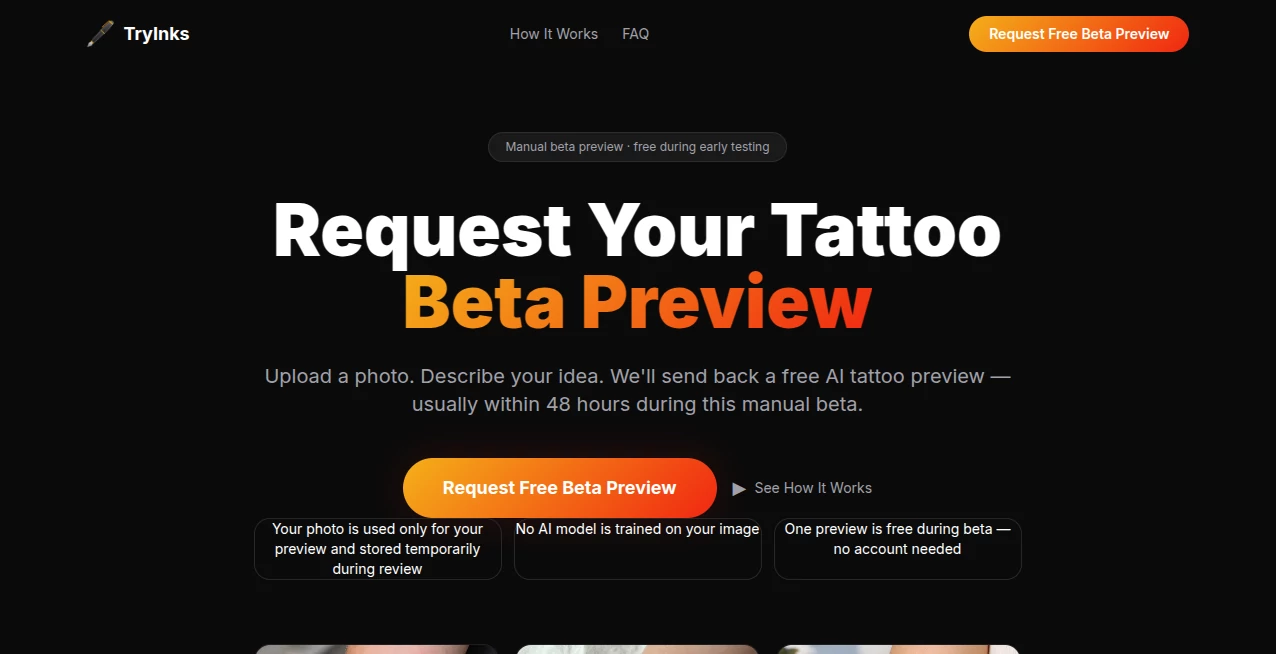
What is TryInks?
Let's be honest for a second. We’ve all been there. You have that amazing tattoo idea saved on your phone, but you just can’t quite picture how it will actually look on your body. Will it wrap around your arm weirdly? Is the placement on your ribs going to look as cool as you imagined? Getting inked is a big deal. It’s permanent, it costs money, and frankly, sitting in a chair for hours just to hate the placement is a nightmare scenario.
That’s where I found the solution I didn’t know I needed. Instead of guessing or relying on a sharpie sketch from your artist, there is now a way to see the future. You can literally upload a photo of yourself and your chosen design, and within seconds, you are looking at a realistic preview. It takes all the anxiety out of the booking process. It feels like magic the first time you see it, but it’s actually just really smart tech.
Key Features
This platform isn't just a one-trick pony. It packs a serious punch whether you are a first-timer getting a small symbol or a collector planning a full sleeve. The features are built to save time, money, and regret.
- Massive Design Library: You don't even need to bring your own art if you don't want to. There are over 180 ready-to-use designs ready to go.
- Extensive Style Options: Whether you love Fine Line, traditional Japanese, heavy Blackwork, or sharp Geometric patterns, they have 11 distinct styles covered.
- Total Body Coverage: It supports 18 different body parts. Wrist, forearm, chest, back, ankle, you name it, the system maps to it.
- Instant Rendering: The preview happens in real-time. No waiting for hours for a simulated image.
User Interface
I have to give credit where it’s due. Some tech tools look scary when you first open them, with sliders and buttons everywhere. This one breaks that mold. You don't need to be a Photoshop wizard to use this. The interface is minimal and friendly. You basically have two main buttons: one to upload your body photo and one to upload the tattoo flash. Once they are in, the AI does the heavy lifting. It automatically detects your skin and the contours of your body part, placing the design naturally rather than just slapping a PNG sticker on top. It feels smooth, responsive, and honestly, kind of fun to play with.
Accuracy & Performance
This was the part I was most skeptical about. "Is it actually going to look realistic?" I tried it with a tricky placement on the ribs, an area where the skin bends and moves. The software handled the curves better than I expected. It doesn't just flatten the image; it wraps the design to follow the natural flow of your muscles and bone structure. The shadows adjust, and the transparency effects are spot on. It mimics what real ink looks like sitting under that first layer of skin. For the artists out there, it’s accurate enough to use as a consultation tool to show clients exactly what they are approving before the needle even touches the gun.
Capabilities
What really sets this apart is the flexibility. Let’s say you have a specific design in mind that isn't in the library, that’s fine, upload your own. You can mix and match, trying out different sizes on the exact same body photo to see if "small and dainty" or "bold and loud" fits your vibe better. It handles everything from massive chest pieces to tiny finger tattoos.
Security & Privacy
I know, uploading a picture of your body (especially if it's a sensitive area) to the internet feels risky. The platform operates on a strict privacy model. The best part? You can test everything out completely for free without even signing up. No account creation means no data harvesting. You upload, you preview, you close the tab. That level of respect for user privacy is refreshing in 2026. You don't need to worry about your photos ending up in some training database.
Use Cases
This tool is a lifesaver for more than just the person getting the tattoo.
- The Nervous First-Timer: If you are scared of the pain and the commitment, seeing the final look on your own skin builds immense confidence before you walk into the studio.
- The Tattoo Artist: Instead of drawing the same design over and over on tracing paper to test placement, artists can use this to show the client exactly how the stencil will sit, saving time during the appointment.
- The Online Shopper: Thinking of buying a "Tattoo Ticket" or a custom design from an online artist? You can demo the design on your photo before you pay for the rights.
- The Collector: Trying to fit a new piece into an existing sleeve? Use the tool to map out spacing and gaps to ensure everything flows perfectly.
Pros and Cons
Nothing is perfect, so here is the honest breakdown of the good and the bad.
Pros:
- Zero Cost: It is completely free. No hidden fees or premium tiers locking basic features.
- No Sign-up Hassle: This is the biggest win. Just open and use.
- Massive Variety: 180+ designs across 11 styles is plenty to spark inspiration.
- API Access: For developers, there is a public API if you want to build this into your own app or website.
Cons:
- Lighting Dependency: Like most AR tools, the realism depends heavily on the quality of the photo you upload. A blurry photo gives a blurry tattoo.
- No Social Login: While the privacy is great, some users might miss the option to save their "favorite" mockups to an account to look at later.
Pricing Plans
This is the short and sweet section. It is free. Not a freemium trial where you get watermarked images after 3 uses. Not a "pay per render" model. The core tool is entirely accessible. For developers looking to integrate the rendering engine into their own platforms, the REST API is available, but for the average person just wanting to check out a cool design, your wallet stays closed.
How to Use the Tool
Getting started is incredibly straightforward. You don't need a manual, but here is the quick workflow to get the best results.
First, grab a clear photo. Stand in good natural lighting against a plain background. The AI needs to see the edges of your arm or leg clearly to map the design correctly. Avoid baggy clothes covering the area. Second, pick your poison. Choose one of the built-in designs or upload your own PNG file (images with transparent backgrounds work best). Finally, hit render. You can usually pinch and zoom to resize the design, dragging it around until it sits exactly where your artist would place the stencil. Once you love the look, screenshot it. That is your new reference photo for the appointment.
Comparison with Similar Tools
There are a few "tattoo filter" apps out there on the mobile stores, but most of them are built for fun selfies. They use face-mapping tech and fall apart when you try to put a design on your leg or back. Those apps also tend to put huge watermarks on the screen unless you pay a subscription. Other professional tools require a monthly fee and are aimed at high-end design studios. This specific tool hits the sweet spot: professional-grade placement rendering with a consumer-friendly price point of zero dollars. It beats the big studios on accessibility and beats the social media filters on raw accuracy for body contours.
Conclusion
If you are sitting on the fence about a tattoo design, stop guessing and start seeing. This tool bridges the gap between "I think I like this" and "I love this." It saves you from potentially awkward placement, gives you total control over the design process, and protects your privacy while doing it. For the artists out there, it is a killer client-convincer that will save you hours of consultation time. It is fast, accurate, and dangerously addictive to play with. You might come just to test one idea, and leave two hours later with a whole sleeve planned out.
Frequently Asked Questions (FAQ)
Do I need to create an account to try it out?
No, not at all. You can access the core preview tool instantly without signing up or handing over an email address.
Can I upload my own tattoo designs?
Absolutely. While there are over 180 free designs included, you can upload your own custom artwork to see how it looks on your skin.
Is the preview just a flat sticker?
No. The AI rendering engine wraps the design to follow the natural curves of the body part you selected, creating a realistic 3D effect.
How accurate is the sizing?
It is very accurate if you use a clear photo. You can manually adjust the scale using pinch-to-zoom on the preview screen to make sure the inches match reality.
Can I use this on my phone?
Yes, the platform is web-based and optimized for mobile browsers, so you can snap a selfie and test a design right in the studio chair.