video background changer
What is video background changer?
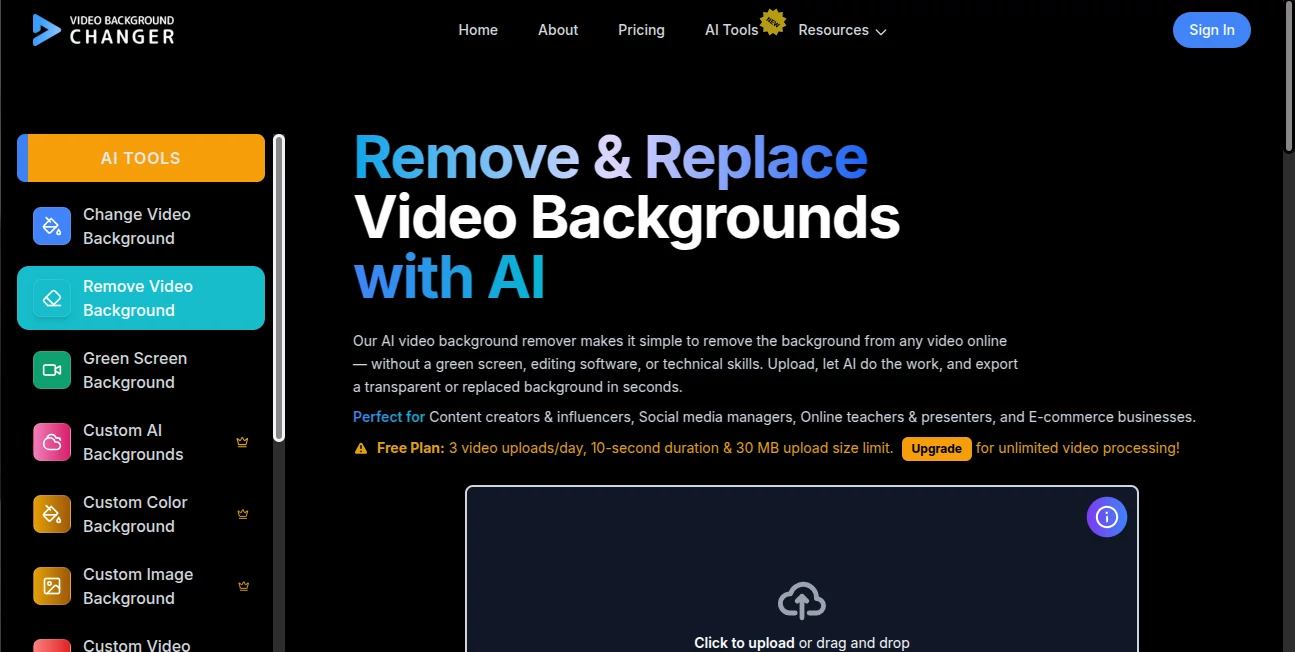
Video Background Changer makes it much easier to change the look of a video without spending hours working with masks, green screens, or complicated editing software. The platform uses AI to separate the main subject from the background, allowing creators to remove it, replace it with an image or video, blur it, or give the footage a different visual treatment.
What makes the service particularly practical is its browser-based workflow. You can upload a clip, let the AI process it, choose the background effect you want, and export the result without installing desktop editing software. It is a useful option for creators who regularly produce social media videos, marketing clips, presentations, tutorials, and other short-form content.
Key Features
- AI-powered video background removal without requiring a green screen.
- Background replacement with custom colors, images, and videos.
- Green screen and chroma key processing for suitable footage.
- Background blur for cleaner or more private-looking videos.
- Black-and-white background effects for creative edits.
- Custom AI backgrounds for creating a different visual setting.
- Support for MP4, WebM, MOV, and GIF exports.
- Video processing at resolutions up to 2K.
- Audio support so the original soundtrack can remain with the processed video.
- Browser-based access plus Android and iOS availability.
User Interface
The interface is designed around a straightforward upload-and-process workflow rather than a traditional editing timeline. That is a big advantage for someone who only needs to change a background and does not want to learn a full video editor.
After uploading footage, users can select the desired background treatment and review the result before exporting. The focused interface keeps the important controls close at hand, making the tool approachable even for people who have little experience with video editing.
Accuracy & Performance
Background replacement depends heavily on subject separation, and the platform is built to handle that task automatically. Its AI-powered processing focuses on edge detection and subject separation, reducing the need for frame-by-frame masking.
The service also states that processed videos retain their original resolution rather than being automatically downgraded, with support for up to 2K processing. Processing time varies according to the length and resolution of the uploaded footage, but the automated workflow can turn a task that normally takes considerable editing effort into a much quicker process.
Capabilities
The tool goes beyond simply deleting a background. A creator can replace the original setting with a solid color, a custom image, another video, or an AI-generated scene. There are also options for blur, black-and-white backgrounds, green screen effects, and chroma key workflows.
For more advanced production needs, higher plans support larger uploads and customized processing for large files. The Enterprise offering also provides larger upload limits, flexible usage options, centralized administration, SSO, and dedicated technical support.
Security & Privacy
Video files can contain personal or commercially sensitive material, so handling uploaded content is an important consideration. The service states that uploaded videos and temporary processing files are normally deleted from active servers within 24 hours after processing, except where longer retention is required for specific legal, billing, fraud, or user-requested reasons.
Users retain ownership of their uploaded content and processed outputs, subject to applicable third-party rights and licenses. For organizations with more demanding requirements, the Enterprise plan includes additional security and compliance provisions.
Use Cases
This type of background editing can be useful across a surprisingly broad range of projects. A TikTok creator can remove a distracting room from a talking-head video and place the subject in a cleaner setting. A YouTube creator can create consistent backgrounds for recurring videos. A business can produce product demonstrations without constructing a physical studio.
It can also work well for online courses, webinars, presentations, promotional videos, social media advertisements, UGC campaigns, interviews, and virtual presentations. For example, someone recording a product explanation at home could replace a cluttered background with a simple branded image without reshooting the entire clip.
Pros and Cons
- Pros: Easy browser-based workflow, automatic background removal, no green screen required, custom image and video backgrounds on paid plans, support for several export formats, up to 2K processing, audio support, and mobile availability.
- Pros: Paid plans provide unlimited video length, while higher tiers accommodate larger uploads and more demanding processing requirements.
- Cons: The free plan has restrictions on upload frequency, video length, and file size, and free exports may include a watermark.
- Cons: Very complex footage with difficult edges, rapid movement, fine hair, transparency, or heavy visual interference may still require additional editing in a professional video editor.
Pricing Plans
The platform offers a free option for testing the background-removal workflow. The Free plan allows up to three video uploads per day, supports videos up to 10 seconds and 30 MB, and includes core background tools with exports available in MP4, WebM, MOV, and GIF.
The Standard plan is designed for regular creators and includes custom color, image, and video backgrounds, unlimited video length, uploads up to 300 MB, and email support. The listed regular price is $15 per month, with the site currently showing a promotional price of $9.99 per month.
The Premium plan is aimed at professionals and supports uploads up to 500 MB, unlimited video length, customized processing for large files, and email support. Its listed regular price is $120 per year, with a promotional price of $59.99 per year currently displayed.
There is also a Lifetime option with a one-time listed regular price of $299.99, currently shown at $149.99, including lifetime updates. Businesses can choose an Enterprise arrangement with larger uploads, flexible pricing, multiple-user access, SSO, centralized administration, and dedicated support.
How to Use Video Background Changer
- Open the video background editing service in your browser.
- Upload the video you want to edit.
- Allow the AI to analyze the footage and separate the subject from its original background.
- Choose whether you want to remove, blur, or replace the background.
- Select a color, image, video, or available AI-generated scene when replacing the background.
- Preview the processed result and make sure the subject edges look natural.
- Choose an available export format and download the finished video.
Comparison with Similar Tools
Many modern video editors include background removal, but they often combine the feature with a much larger collection of editing and generative tools. That can be useful for users who need a complete production suite, but it can also mean dealing with timelines, credits, templates, and settings that are unnecessary for a simple background job.
This service takes a more focused approach. Its main strength is the dedicated background workflow, with removal, replacement, blur, green screen, and related options available without requiring users to become familiar with a full video-editing environment. The flat-rate paid plans are also attractive for creators who process videos frequently and prefer not to calculate usage on a per-minute basis.
For someone who needs advanced motion graphics, extensive editing, generative video production, or a complete post-production suite, a broader editor may still be the better choice. For background-focused work, however, the streamlined approach can save both time and effort.
Conclusion
Changing a video background used to be one of those jobs that could quickly become tedious, especially when the footage was not recorded against a proper green screen. This platform makes the process considerably more accessible by putting AI-powered subject separation and background replacement into a focused workflow.
Its combination of automatic processing, custom backgrounds, green screen tools, multiple export formats, 2K support, and browser-based access makes it a strong fit for creators who want professional-looking background changes without learning a complicated editing application. The free plan is also useful for testing the results on real footage before deciding whether a paid plan makes sense.
Frequently Asked Questions (FAQ)
Can I remove a video background without a green screen?
Yes. The AI can separate the subject from the original background without requiring a physical green or blue screen.
Can I replace the background with my own image?
Yes. Paid plans support custom image backgrounds, as well as custom colors and video backgrounds.
What video formats are supported?
Supported export formats include MP4, WebM, MOV, and GIF.
Does it support audio?
Yes. Audio support is available, allowing videos with sound to be processed while retaining their audio.
What is the maximum supported resolution?
The service currently supports video processing up to 2K across its plans.
Is there a free version?
Yes. The Free plan allows three uploads per day, supports videos up to 10 seconds and 30 MB, and provides access to the core background tools.
Can I use it on a phone?
Yes. The service is available through the browser and also has Android and iOS applications.
Are paid plans unlimited?
The Standard, Premium, and Lifetime plans support unlimited video length. Their upload-size limits and additional processing capabilities vary by plan.
These classifications represent its core capabilities and areas of application. For related tools, explore the linked categories above.
video background changer details
Website unavailable — View Alternatives
Pricing
- Free
Apps
- Web App
Categories

video background changer Alternatives Product

ModelsLab

Sora Waterma…

Banana 2 Edi…

VideoLens

Viewra

Motion Hero

Seedance 2.5

Screenify St…

Happyhorse 1…