
Video Gen Now
What is Video Gen Now?
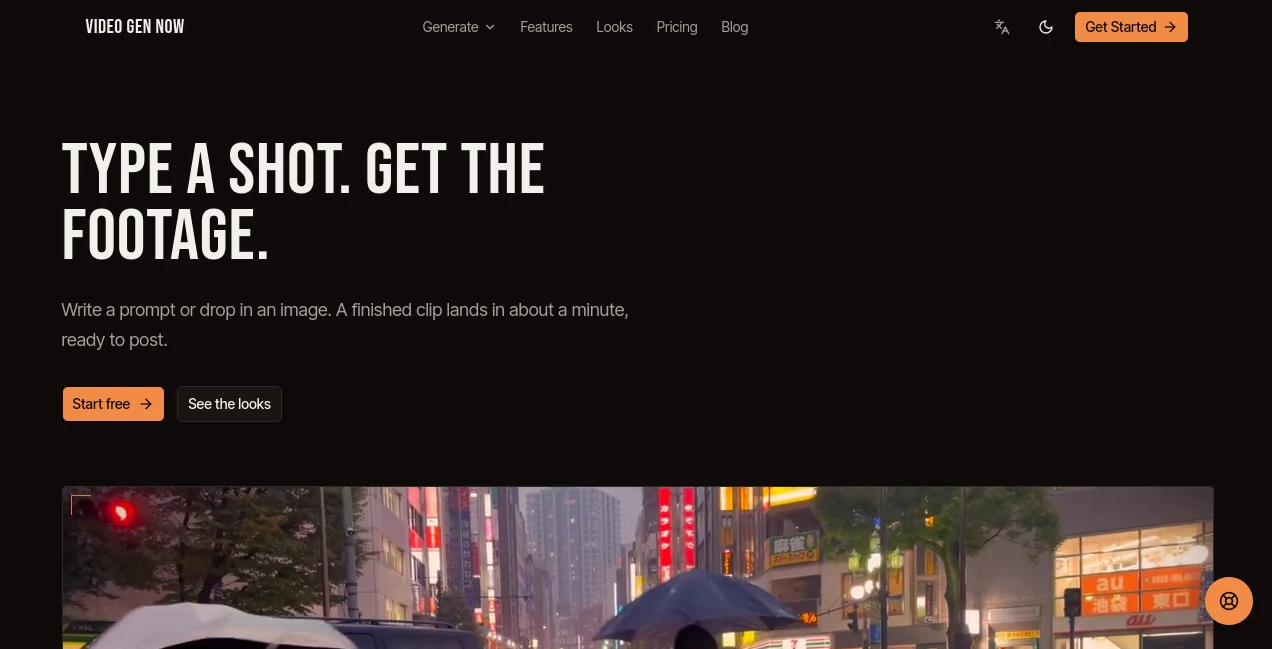
Video Gen Now is an AI video generation platform designed to turn simple text prompts and still images into finished video clips. Its approach is refreshingly direct: describe the shot you want, choose a model, and let the system handle the rendering. There is no traditional storyboard or timeline to manage before getting started.
The platform is particularly useful for creators, marketers, agencies, and businesses that need visual content without arranging a full production shoot. A product image can become a short advertisement, while a written scene description can be turned into moving footage suitable for social media, presentations, or early-stage creative concepts.
One of its practical advantages is the ability to work with several video models from the same editor. This makes it easier to experiment with different visual results while keeping the workflow familiar. Generated clips are also saved alongside their original prompts, which makes it simple to revisit an idea and create another version.
Key Features
- Text-to-video generation from natural-language prompts
- Image-to-video animation for existing still images and product shots
- Multiple video models available within one editor
- Support for multiple aspect ratios, including vertical, square, and widescreen formats
- MP4 exports ranging from 480p to 4K depending on the plan and generation
- Prompt history stored alongside generated renders
- Ability to fork existing shots and create variations
- Credit-based generation with costs displayed before submission
- Priority rendering on higher-tier plans
- API access for developers on the Studio plan
User Interface
The interface focuses on keeping the creative process compact. Instead of asking users to build a complicated sequence before seeing a result, the workflow centers around a prompt box, model selection, and a library of previous renders. This makes the platform approachable for someone who has never worked with conventional video-editing software.
The library is also useful when experimenting. Because each render remains connected to the prompt that produced it, creators can return to an earlier concept rather than trying to remember exactly what they typed. For fast iteration, that small detail can save considerable time.
Accuracy & Performance
Video generation quality naturally depends on the selected model, prompt, source image, and complexity of the requested scene. The platform addresses this by offering different engines and letting users choose between faster, more economical generations and higher-fidelity options.
The workflow is designed around short clips, with the site stating that a finished clip can arrive in roughly a minute. Users can also see the credit cost before submitting a generation, making experimentation easier to control. Higher plans add priority queue access, while the Studio tier supports multiple simultaneous renders.
Capabilities
The platform covers both text-to-video and image-to-video workflows. A written description can specify elements such as camera movement, lighting, atmosphere, and pacing, while an uploaded image can serve as the visual starting point for an animated shot.
There is also a strong emphasis on content distribution. The same prompt can be rendered for different formats, including 16:9, 9:16, and 1:1, reducing the need to manually reframe footage for different social platforms. Developers can take the workflow further through API access, available with the Studio plan.
Security & Privacy
When working with AI-generated media, users should always review the provider's current privacy policy and terms before uploading sensitive or commercially confidential material. The platform provides dedicated privacy and terms pages, while generated renders are stored in the user's library together with the prompts used to create them.
For commercial projects, it is also important to check the applicable plan and licensing terms. The Creator plan specifically includes a commercial license, while higher-tier plans build on those features.
Use Cases
- Product advertising: Turn packshots into short promotional clips for paid social campaigns and digital advertising.
- Social media content: Produce multiple visual concepts for vertical, square, and widescreen publishing without organizing a physical shoot.
- Creative prototyping: Bring an early concept to life so clients and teams can evaluate motion rather than relying only on static storyboards.
- Marketing campaigns: Create variations of a visual idea and test different looks before committing to a larger production.
- Product visualization: Animate existing product imagery to create more engaging promotional material.
- Client presentations: Demonstrate how a proposed visual direction might look in motion before production begins.
- Developer workflows: Use API access to integrate video rendering into an existing application or internal workflow.
Pros and Cons
Pros
- Simple prompt-based video creation workflow
- Supports both text-to-video and image-to-video generation
- Several video models can be accessed from one editor
- Multiple aspect ratios are available for different publishing formats
- Previous generations remain connected to their prompts
- Higher plans offer commercial licensing, priority rendering, and API access
Cons
- Video generation uses credits, so frequent experimentation can become expensive
- Advanced features are reserved for higher-priced plans
- Results can vary depending on the chosen model and prompt
- The platform is primarily focused on generated clips rather than traditional full-length video editing
Pricing Plans
The pricing system is based on monthly credits, with unused credits rolling over while the subscription remains active. The Starter plan is listed at $33.25 per month when billed annually and includes 1,000 credits. It supports exports from 480p through 4K and provides multiple aspect ratios.
The Creator plan costs $82.50 per month with annual billing and provides 2,600 monthly credits. It adds image-to-video generation, no watermark, a priority render queue, and a commercial license.
The Studio plan is $207.50 per month with annual billing and includes 7,000 credits. It adds API access, four simultaneous renders, and priority support. The site also offers monthly billing, so users can choose between shorter commitment and the discounted annual pricing.
How to Use Video Gen Now
- Create an account and access the generation workspace.
- Write a description of the shot you want to produce, or upload a still image for animation.
- Choose the video model that fits the desired balance between speed, cost, and visual fidelity.
- Review the credit cost shown before submitting the render.
- Start the generation and monitor its position in the rendering queue.
- Review the resulting clip and create another variation if the first version needs adjustment.
- Export the finished MP4 in the available resolution and aspect ratio.
Comparison with Similar Tools
Many AI video generators concentrate on producing clips from prompts, but this platform takes a more workflow-oriented approach. Its combination of multiple generation engines, image animation, prompt-linked history, and several output formats makes it appealing to users who expect to iterate rather than generate a single clip and move on.
For someone who wants extensive traditional editing controls, a conventional video editor may still be a better fit. On the other hand, creators primarily interested in generating footage from descriptions or images may appreciate the faster path from idea to render. The inclusion of API access also gives it an advantage for teams looking to incorporate generation into their own software workflows.
Conclusion
Video Gen Now offers a focused way to turn creative descriptions and existing images into usable video footage. Its strongest point is the simplicity of the workflow: describe a shot, select a model, render it, and refine the result. Features such as prompt-linked render history, multiple aspect ratios, image-to-video generation, and API access make it more than a basic text-to-video experiment.
For marketers producing social ads, creators building regular content, agencies preparing concepts, and developers exploring automated video workflows, it provides a practical environment for moving from an idea to a finished clip without a traditional production setup.
Frequently Asked Questions (FAQ)
What can I create with this AI video generator?
You can generate short video clips from text descriptions or animate existing still images. Common applications include product advertisements, social media clips, creative concepts, and visual storyboards.
Can I turn an image into a video?
Yes. Image-to-video generation is supported, allowing an uploaded still or product image to become the starting point for an animated clip.
Does it support different video formats?
Yes. The platform supports several aspect ratios, including 16:9, 9:16, and 1:1, making generated footage easier to adapt for different publishing channels.
Does it provide an API?
Yes. API access is available with the Studio plan, allowing developers to queue video renders from their own applications or technical workflows.
Is there a commercial license?
The Creator plan explicitly includes a commercial license. Users should review the current terms for the exact rights and restrictions that apply to their intended project.
How are generations charged?
Generations use credits. The available plans provide different monthly credit allowances, and the platform shows the credit cost before a render is submitted.
AI Image to Video , AI Video Generator , AI Video Editor , AI Text to Video .
These classifications represent its core capabilities and areas of application. For related tools, explore the linked categories above.

Video Gen Now Alternatives Product

Vidmix

Seedance 2.0…

FreeWanVideo

Wurt.app
RightAI

Neurohelper

Voor AI

seedance 2
seedance2-pro