
















Video to Prompt
What is Video to Prompt?
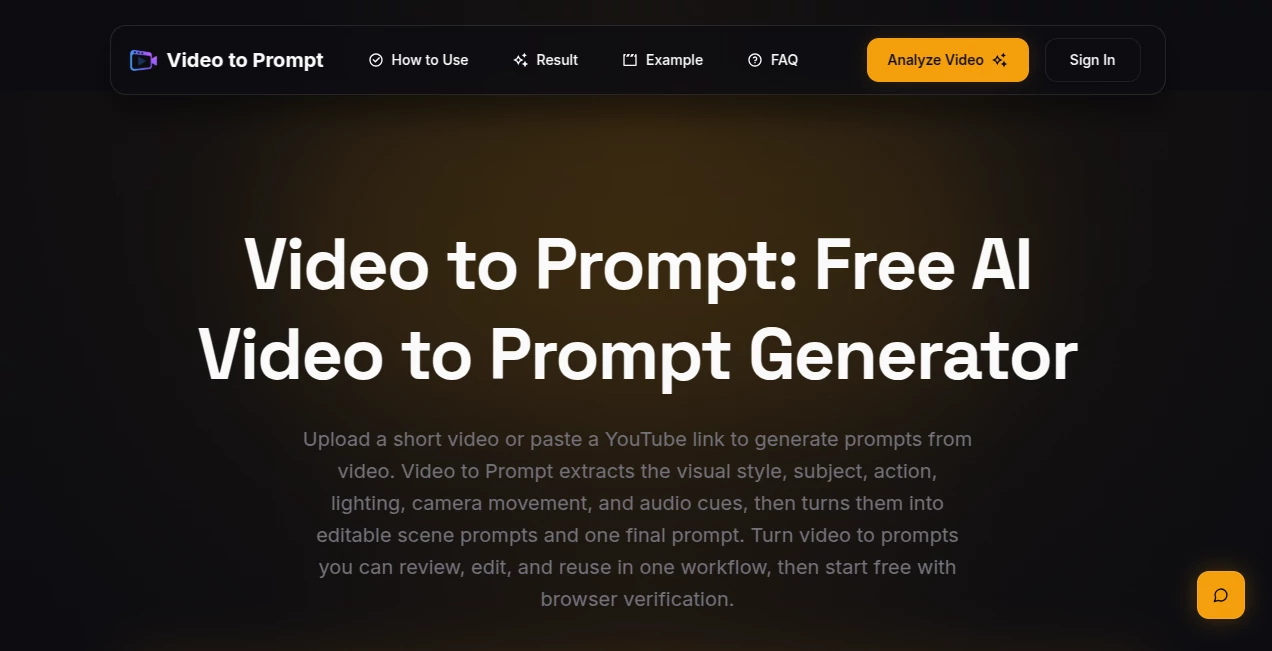
Video to Prompt is a practical tool for anyone who wants to understand the visual language of a video and turn it into a usable AI prompt. Instead of watching a clip repeatedly and manually writing down the subject, movement, lighting, camera work, and atmosphere, the tool analyzes the footage and turns those details into editable prompt text.
The workflow is particularly useful for creators working with AI video and image generation. A short film scene, music video, YouTube Short, or creative clip can become a starting point for a new prompt without requiring the user to describe every visual detail from scratch.
What makes the approach appealing is its focus on the actual scene. The generated result can describe what appears in the frame, what is happening, how the camera behaves, how the scene is lit, and even relevant sounds. Users can then review the result, remove anything inaccurate, and adapt the prompt for their preferred creative workflow.
Key Features
- Analyze short videos and extract useful prompt information.
- Generate editable English prompts from video content.
- Identify subjects, settings, actions, and visible scene details.
- Describe camera framing, movement, composition, and lens feel.
- Capture lighting, color palette, mood, texture, and visual style.
- Include relevant dialogue, ambience, music, and sound effects when an audio track is available.
- Accept YouTube videos and YouTube Shorts through their links.
- Support MP4, MOV, WebM, M4V, and MPEG uploads.
- Allow users to review and modify generated prompts before using them elsewhere.
User Interface
The interface keeps the process straightforward. The main workflow revolves around providing a video, starting the analysis, and reviewing the resulting prompt. Users can either upload a supported video file or provide a YouTube or publicly reachable direct video URL.
This focused design is useful because there is little to learn before getting started. Someone experimenting with prompt extraction for the first time can understand the basic workflow quickly, while experienced creators can move from a source clip to editable prompt text without unnecessary steps.
Accuracy & Performance
The analysis is designed to capture observable elements of a scene rather than simply producing a generic description. Results can include the main subject, setting, movement, framing, camera language, lighting, color, mood, and audio cues.
Users should still treat the generated prompt as a creative draft rather than a perfect transcript of every detail in the original footage. The website itself recommends reviewing the result and removing unsupported details before using it in another workflow. This makes the review stage an important part of getting the best result.
Shorter clips are generally easier to process, while the first analysis can take longer as processing begins. Local uploads currently have a 20MB limit, with direct video URLs offering another option for suitable files.
Capabilities
The tool goes beyond simply describing what is visible. Its output can cover several layers of a video scene at once. For example, it can identify the subject and surroundings, explain how the subject moves, describe camera positioning and movement, and translate lighting and visual style into language that can be reused in a prompt.
Audio can also contribute to the result when available. Dialogue, background ambience, music, and sound effects may be included as relevant cues. The final output is provided as editable English text, making it easy to copy into another AI workflow and customize.
Security & Privacy
Users should review the privacy and terms information provided by the service before uploading material that is confidential, copyrighted, or otherwise sensitive. As with any online video analysis service, it is sensible to avoid submitting private footage unless the service's current policies and data handling practices are appropriate for that material.
Use Cases
There are several situations where extracting a prompt from existing footage can save considerable time.
- AI video creators: Use an existing scene as a reference for building a new video prompt.
- Creative researchers: Break down cinematography, composition, lighting, and motion into written descriptions.
- Music video creators: Study visual style, color, camera movement, and atmosphere from short clips.
- YouTube creators: Turn Shorts and other supported videos into prompt drafts for creative experiments.
- Film and media students: Examine how a scene is constructed and translate visual choices into descriptive language.
- Prompt writers: Start with an observed scene instead of writing a detailed prompt entirely from scratch.
- Image creators: Reuse visual descriptions from video footage as a foundation for image-generation prompts.
Imagine finding a short cinematic clip with exactly the camera movement and lighting you want to recreate. Rather than trying to remember whether the camera was handheld, tracking, or static, the generated result gives you a structured starting point that you can refine yourself.
Pros and Cons
- Pros: Simple video-to-prompt workflow, support for YouTube and YouTube Shorts, multiple video upload formats, editable English output, detailed scene descriptions, camera and lighting analysis, and audio cues when available.
- Pros: Useful for both AI video and AI image workflows because the extracted descriptions can be adapted to different creative purposes.
- Cons: Local uploads are currently limited to 20MB.
- Cons: The current URL workflow is focused on YouTube and direct video URLs rather than direct links from every social platform.
- Cons: Generated prompts should be reviewed because automated analysis can occasionally introduce details that are not clearly supported by the source footage.
Pricing Plans
The service can be started for free. The current website offers free analysis access, allowing users to upload a short video or paste a YouTube link and generate a prompt. The site currently advertises five free analyses per day, although users may be asked to complete browser verification before using the analyzer.
For someone who only occasionally needs to reverse-engineer a scene into a prompt, the free access makes it easy to test the workflow before deciding whether it fits into a regular creative process.
How to Use Video to Prompt
- Choose a short video that you want to analyze.
- Upload an MP4, MOV, WebM, M4V, or MPEG file, or paste a supported YouTube or direct video URL.
- Start the video analysis.
- Wait for the generated scene information and prompt to appear.
- Read through the result and compare it with the original footage.
- Remove details that are inaccurate or add creative instructions that suit your target AI model.
- Copy the revised prompt into your preferred AI image or video workflow.
Comparison with Similar Tools
Many prompt-generation tools begin with a text idea and help turn it into a more detailed instruction. This approach is different because the starting point is an existing video. Instead of asking the user to imagine the scene and describe it, the workflow begins with actual visual material.
This makes it particularly interesting for creators who work from references. A conventional text-to-prompt assistant may be better when the idea exists only in the user's head, while a video-to-prompt workflow is more suitable when the desired composition, movement, lighting, or atmosphere already exists in a clip.
Another useful distinction is the emphasis on camera language and scene progression. The generated result can include framing, camera movement, depth cues, lighting, motion, and sound rather than focusing only on the objects visible in a single frame.
Conclusion
Video to Prompt offers a useful bridge between existing video references and AI-generated content. Its biggest strength is the simplicity of the idea: provide a clip, let the system break down its important visual and audio characteristics, then turn those observations into editable prompt text.
For creators who frequently save interesting film scenes, music videos, Shorts, or visual references, this can remove one of the more tedious parts of the creative process. The generated prompt is not meant to replace creative judgment; it gives users a solid starting point that they can adjust for their own model, style, duration, aspect ratio, or production requirements.
With support for common video formats and YouTube links, a focused interface, and free daily analyses, it is a worthwhile option for experimenting with video-to-prompt workflows and turning visual inspiration into something that can be reused.
Frequently Asked Questions (FAQ)
What is Video to Prompt?
It is an AI video analysis tool that turns short video footage into written prompts describing the scene, subject, movement, camera, lighting, visual style, and relevant audio details.
Is it free to use?
Yes. The service currently provides free access with five analyses per day. Browser verification may be required before starting an analysis.
What video formats are supported?
The current upload flow supports MP4, MOV, WebM, M4V, and MPEG files. Local uploads are limited to 20MB.
Can I use a YouTube video?
Yes. You can paste a YouTube video or YouTube Shorts link and use it as the source for prompt generation.
Can I upload videos from TikTok or Instagram?
The current URL workflow does not directly support every social platform. For unsupported platforms, a suitable local video file or publicly reachable direct video file URL can be used instead.
What information does the generated prompt contain?
The result can describe the subject, scene, action, motion, camera framing, camera movement, lighting, color palette, mood, visual style, and relevant audio cues.
Can I edit the generated prompt?
Yes. The generated text is intended to be reviewed and edited. You can remove inaccurate details, add instructions, and adapt the wording to the AI model you plan to use.
Where can I use the generated prompt?
The prompt can be copied into workflows where you create or refine AI-generated images and videos. It is best to adjust the prompt according to the controls and capabilities of the target model.
Why should I review the generated result?
Automated analysis can sometimes infer details that are not clearly visible in the source. Reviewing the prompt helps keep the final description faithful to the original scene while giving you the opportunity to add your own creative direction.
Are shorter videos better for analysis?
Shorter clips are generally easier to test and process. The service is designed around short video analysis, and the first analysis may take additional time while processing begins.