
VideotoRecipe
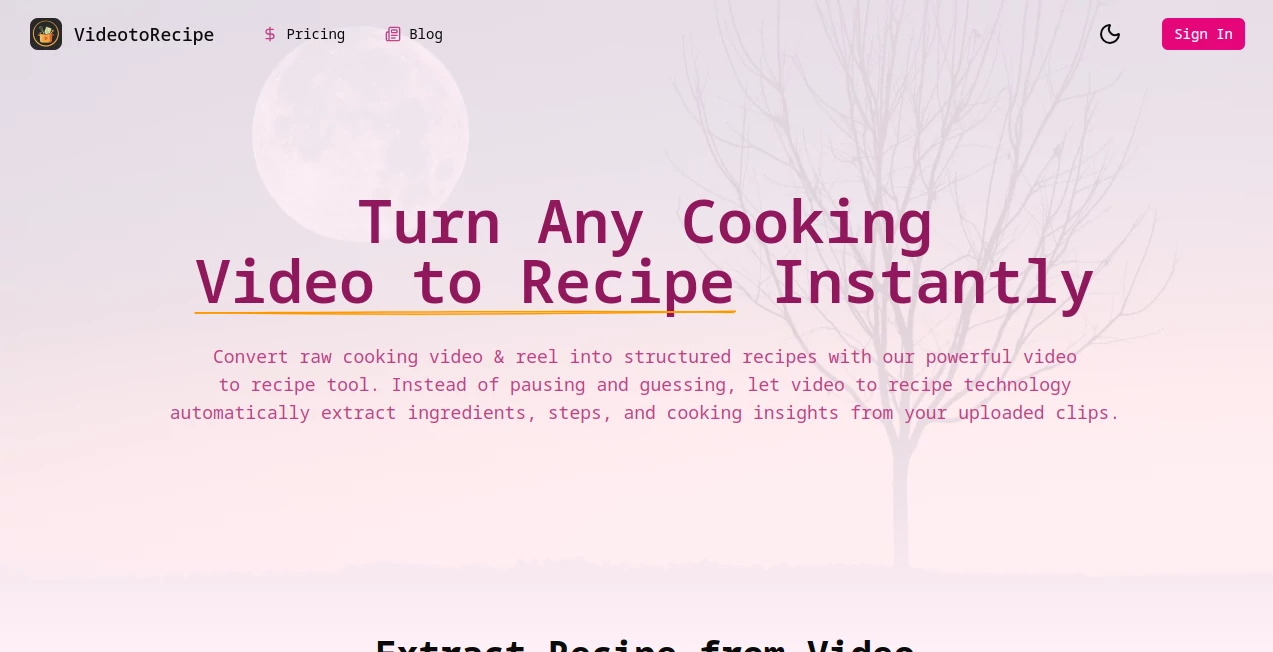
What is VideotoRecipe?
Finding an amazing dish on social media is exciting, but recreating it can quickly become frustrating. Important ingredients are often skipped, measurements are unclear, and replaying the same video over and over wastes valuable time. This AI-powered solution changes that experience by transforming cooking videos into clear, structured recipes within seconds.
Whether the source is a long cooking tutorial or a short-form reel, the platform analyzes both visual and audio information to identify ingredients, cooking techniques, preparation steps, and even estimated calorie information. Instead of manually taking notes, users receive an organized recipe that can be edited, saved, and used immediately. It is an excellent companion for home cooks, food bloggers, meal planners, and anyone who enjoys discovering recipes through video content.
Key Features
User Interface
The platform offers a clean and beginner-friendly interface that keeps the entire workflow simple. Users only need to upload a supported cooking video, start the analysis, and wait a few moments for the structured recipe to appear. The generated content is easy to read and can be edited before saving.
Accuracy & Performance
The AI engine examines both video frames and spoken instructions to recognize ingredients, cooking actions, and preparation order. Even when ingredient quantities are not explicitly mentioned, the system attempts to estimate them intelligently. Performance is particularly impressive with high-quality cooking videos where both visuals and narration are clear.
Capabilities
- Extracts complete recipes from cooking videos.
- Recognizes ingredients and cooking techniques automatically.
- Generates step-by-step cooking instructions.
- Provides estimated calorie information.
- Supports uploads from content originally created for popular social platforms.
- Works with multiple video formats including MP4, MPEG, WMV, FLV, and MOV.
- Allows users to edit generated recipes.
- Stores recipes in a personal library for future access.
- Exports recipes as editable text.
- Processes both short recipes and longer cooking tutorials.
Security & Privacy
Uploaded videos are processed through a secure online workflow designed specifically for recipe extraction. Since users upload files directly rather than sharing account credentials from other platforms, the overall process remains straightforward and privacy-conscious. As with any online AI service, users should avoid uploading private or sensitive videos unless they are comfortable sharing them for processing.
Use Cases
- Save recipes from cooking reels without manual note-taking.
- Create a personal digital cookbook from favorite videos.
- Help food bloggers organize recipe collections.
- Support meal planning with structured cooking instructions.
- Convert family cooking videos into written recipes.
- Prepare grocery shopping lists more efficiently.
- Study international recipes from online cooking creators.
- Reduce the need to repeatedly pause and replay videos.
Pros and Cons
- Pros
- Fast recipe extraction from uploaded cooking videos.
- Simple workflow with no technical knowledge required.
- Editable recipe output.
- Supports multiple popular video formats.
- Calorie estimation adds extra value for health-conscious users.
- Personal recipe library keeps everything organized.
- Cons
- Results depend on the quality of the uploaded video.
- Ingredient quantities may occasionally require manual adjustment.
- Only cooking-related videos are supported.
- Credit-based usage may not suit heavy users without a subscription.
Pricing Plans
The platform offers a limited free trial for new users, making it easy to experience the AI recipe extraction process before purchasing credits. Paid subscription plans provide additional monthly or yearly credits, support for longer videos, faster processing speeds, broader file format compatibility, and higher-priority customer support. Pricing is designed to accommodate casual home cooks as well as frequent content creators who process recipes regularly.
How to Use VideotoRecipe
- Upload a supported cooking video from your device.
- Start the AI analysis process.
- Allow the system to identify ingredients and cooking steps.
- Review the generated recipe.
- Edit any ingredient quantities or instructions if necessary.
- Save or export the finished recipe for future cooking.
Comparison with Similar Tools
Unlike traditional transcription tools that simply convert speech into text, this solution focuses specifically on understanding cooking content. Instead of producing a raw transcript, it organizes ingredients, preparation steps, cooking methods, and nutritional estimates into a practical recipe format.
Compared with general-purpose AI assistants, the specialized approach delivers a much better experience for food enthusiasts. It understands the structure of recipes, recognizes common cooking actions, and produces organized instructions that are immediately usable in the kitchen. This targeted functionality makes it especially valuable for anyone who frequently discovers recipes through YouTube videos or social media cooking reels.
Conclusion
Cooking inspiration increasingly comes from short videos, but following those recipes can be surprisingly difficult. This AI-powered recipe extraction platform bridges the gap between video entertainment and practical cooking by transforming visual content into organized, editable recipes in just a few clicks.
Its intuitive interface, intelligent ingredient recognition, editable output, and recipe management features make it a practical choice for home cooks, food creators, and anyone who wants to save time in the kitchen. Rather than repeatedly pausing videos or writing notes by hand, users can focus on what really matters—preparing delicious meals with confidence.
Frequently Asked Questions (FAQ)
Can it extract recipes from short cooking reels?
Yes. The platform supports both short-form cooking reels and longer instructional cooking videos.
Does it recognize ingredients automatically?
Yes. The AI analyzes visual and audio information to identify ingredients and generate structured cooking instructions.
Can I edit the generated recipe?
Yes. Every generated recipe can be modified before saving or exporting.
Which video formats are supported?
Common formats including MP4, MPEG, WMV, FLV, and MOV are supported.
Is there a free version available?
Yes. New users can access a limited free trial before choosing one of the paid credit-based plans.
AI Recipe Assistant , Video , AI Transcription , AI Cooking Assistant .
These classifications represent its core capabilities and areas of application. For related tools, explore the linked categories above.

VideotoRecipe Alternatives Product

Video Transl…

Video To Text

Read

UPDF AI

WhisperWebUI

Adobe Podcast

Transpocket

Whisper Web

EasyVC