
AI Video Upscaler Online
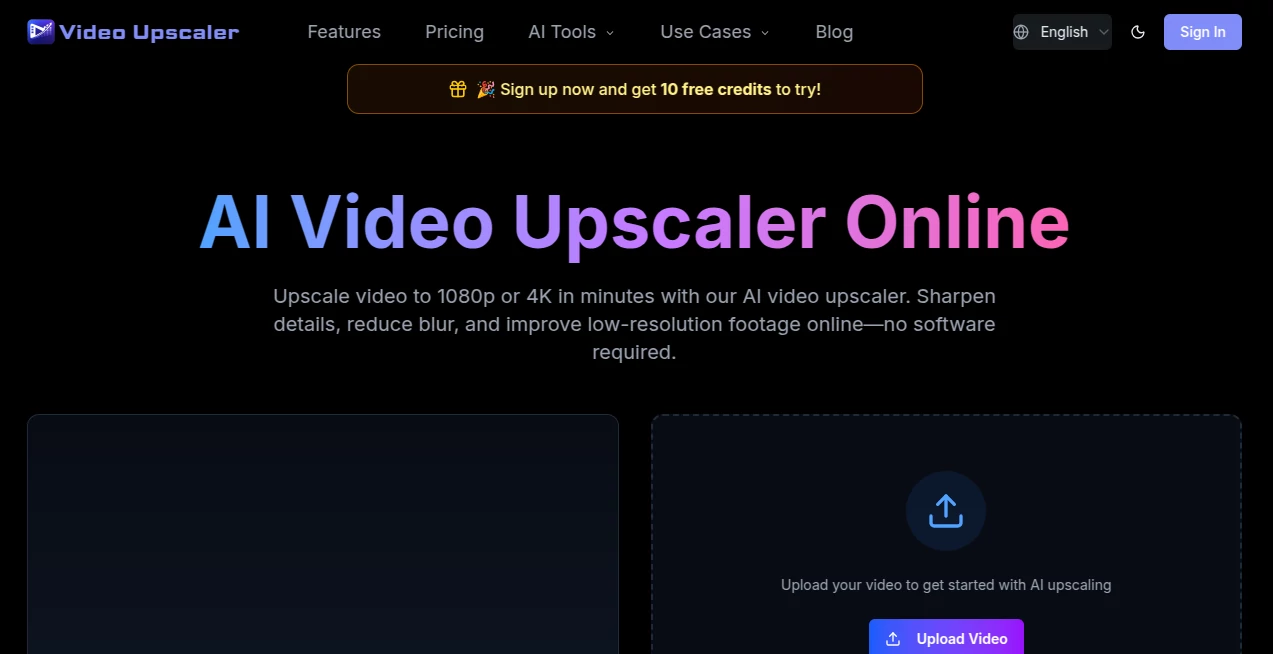
What is AI Video Upscaler Online?
Creating high-quality video content is no longer limited to professional studios. Whether you are working with old recordings, compressed social media clips, gaming footage, or marketing videos, improving visual quality can make a significant difference. This platform offers a practical way to enhance video resolution directly from a browser without requiring complex software installations or advanced editing skills.
Designed for creators, marketers, editors, and everyday users, the service focuses on transforming low-resolution footage into clearer, sharper, and more professional-looking videos. By combining AI-powered enhancement, noise reduction, and detail reconstruction, it helps users achieve results that would normally require expensive desktop applications and powerful hardware.
One of the most impressive aspects is its balance between simplicity and quality. Upload a video, select the desired output resolution, and let the AI handle the enhancement process. The experience feels approachable even for beginners while still offering enough flexibility for experienced content creators.
Key Features
User Interface
The platform features a clean and intuitive browser-based interface. Users can upload videos directly, select enhancement settings, preview expected results, and download processed files without navigating complicated menus. The workflow is straightforward, making it accessible to users with little or no video editing experience.
- Browser-based processing with no software installation.
- Simple upload and export workflow.
- Responsive design suitable for desktop and mobile devices.
- Clear quality selection options.
- Fast onboarding for first-time users.
Accuracy & Performance
The AI enhancement engine focuses on improving visual clarity while maintaining natural motion throughout the video. Rather than merely enlarging pixels, it analyzes textures, edges, and visible structures to reconstruct details and reduce common visual defects.
- Frame-by-frame video enhancement.
- Blur reduction and sharpening.
- Noise and compression artifact cleanup.
- Natural motion preservation.
- Support for HD, 2K, and 4K outputs.
Capabilities
The platform supports a variety of video improvement scenarios. From restoring family archives to upgrading content for modern displays, it delivers versatile enhancement options suitable for both personal and commercial projects.
- Video upscaling to 720p, 1080p, 2K, and 4K.
- Old video restoration.
- Social media video enhancement.
- Gaming footage improvement.
- Product demo optimization.
- Support for MP4, MOV, AVI, and WebM files.
- Multiple AI enhancement models for different content types.
Security & Privacy
Privacy is an important consideration when uploading media files. The platform emphasizes secure processing and cloud-based storage infrastructure. Uploaded content is handled solely for enhancement purposes, providing peace of mind for users working with personal or business-related footage.
- Secure video processing environment.
- Protected cloud storage infrastructure.
- No unnecessary sharing of uploaded content.
- Suitable for professional and commercial projects.
- Transparent usage policies.
Use Cases
The service can be used across many industries and creative workflows.
- Restoring old family videos and historical footage.
- Improving social media clips before reposting.
- Enhancing YouTube and short-form video content.
- Upgrading gaming recordings for streaming channels.
- Preparing product demonstrations for marketing campaigns.
- Improving tutorial and educational videos.
- Enhancing promotional and advertising materials.
For example, a small business owner may have an older product demo recorded years ago. Instead of reshooting the entire project, the footage can be enhanced to look significantly clearer and more professional, extending its value and usefulness.
Pros and Cons
Pros
- No software installation required.
- Easy-to-use browser-based workflow.
- Supports multiple output resolutions including 4K.
- Effective noise reduction and detail enhancement.
- Suitable for both personal and commercial projects.
- Multiple AI models for different video types.
- Works across various devices and operating systems.
Cons
- Large videos may require more processing time.
- Advanced professionals may prefer deeper manual controls.
- Higher-quality outputs consume more credits.
- Results depend on the quality of the original footage.
Pricing Plans
The platform operates using a flexible credit-based pricing system. Users can choose plans according to their workload and video processing requirements.
- Free plan available for initial testing.
- Monthly subscription options with included credits.
- Higher-tier plans designed for professional workloads.
- Pay according to processing requirements and output quality.
- Commercial usage rights included in paid plans.
This structure is particularly useful because users only pay for the resources they actually consume, making it easier to scale projects without committing to expensive long-term software licenses.
How to Use Video Upscaler
- Upload a supported video file.
- Select the desired output resolution.
- Choose an AI enhancement model if needed.
- Review estimated credit usage.
- Start the enhancement process.
- Preview the processed result.
- Download the enhanced video.
The entire process is designed to be completed in just a few steps, making professional-grade video enhancement accessible to users of all skill levels.
Comparison with Similar Tools
Compared with traditional desktop video enhancement software, this solution focuses heavily on convenience and accessibility. Users do not need powerful local hardware, lengthy installations, or complicated configurations.
Many competing tools require significant system resources and technical knowledge. In contrast, this platform delivers a streamlined online experience while still providing advanced enhancement capabilities such as resolution upscaling, denoising, blur reduction, and detail recovery.
Its combination of cloud-based processing, multiple AI models, and flexible credit-based pricing makes it an attractive option for creators who want professional results without the overhead of managing specialized software.
Conclusion
High-quality video has become essential across content creation, marketing, education, and entertainment. This platform successfully bridges the gap between professional enhancement technology and everyday usability. Its AI-powered processing can dramatically improve low-resolution footage while preserving natural motion and visual consistency.
Whether you are restoring archived recordings, upgrading social content, enhancing gaming footage, or preparing marketing materials, the platform offers an efficient and user-friendly solution. The browser-based workflow, flexible pricing structure, and strong enhancement capabilities make it a valuable addition to any creator's toolkit.
Frequently Asked Questions (FAQ)
Can I upscale videos to 4K?
Yes. The platform supports output resolutions up to 4K depending on the selected settings and available credits.
Do I need to install software?
No. Everything works directly through a web browser.
Which video formats are supported?
Common formats such as MP4, MOV, AVI, and WebM are supported.
Can it improve blurry videos?
Yes. The AI system can reduce blur, sharpen details, and improve overall clarity, although results vary depending on the original footage quality.
Is it suitable for commercial use?
Yes. Paid plans include commercial usage rights, making the platform suitable for professional projects and business applications.
What types of videos benefit the most from enhancement?
Old recordings, social media clips, gaming footage, tutorials, product demos, advertisements, and compressed videos typically show the most noticeable improvements.
AI Image to Video , AI Video Generator , AI Video Editor , AI Video Enhancer .
These classifications represent its core capabilities and areas of application. For related tools, explore the linked categories above.
AI Video Upscaler Online details
Website unavailable — View Alternatives
Pricing
- Free
Apps
- Web App
Categories

AI Video Upscaler Online Alternatives Product

Seedance 2.0…

Seedance 2 V…

brainrotkit

PZERO

RightAI

Sora 2 Video…

Gemini Omni

Meigen AI

VideoSnap