
VM0
What is VM0?
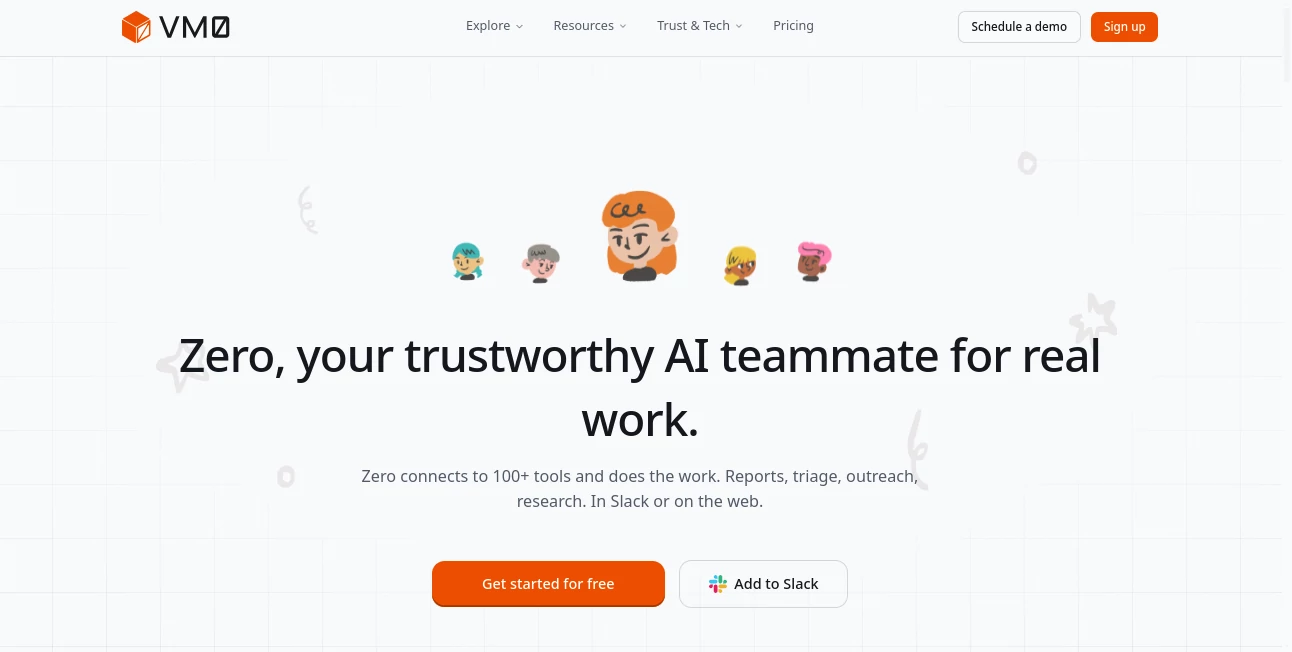
Modern teams rely on dozens of business applications every day, yet valuable information often ends up scattered across emails, chat platforms, project management software, documentation, and analytics dashboards. This AI-powered workspace brings everything together through a single intelligent teammate that can understand natural language, connect to business tools, and complete meaningful work instead of simply generating text.
Unlike traditional AI assistants that only answer questions, this platform focuses on executing real tasks. It can prepare reports, organize research, summarize conversations, draft emails, analyze engineering issues, monitor recurring workflows, and coordinate information across more than one hundred popular integrations. Whether the request starts inside Slack or the web application, users receive practical results that save hours of manual effort.
One of its biggest strengths is the ability to understand context. Instead of treating every conversation as a fresh request, the assistant remembers project details, previous decisions, and user preferences, making collaboration feel far more natural. For startups, agencies, engineering teams, marketers, and operations professionals, it acts like a dependable digital teammate that quietly handles repetitive work while people stay focused on strategic decisions.
Key Features
User Interface
The interface is intentionally simple. Users describe a goal in everyday language, and the assistant determines which connected services should be used. Every completed task includes an execution log that clearly shows each action, creating transparency instead of hiding automated processes behind a black box. The platform is available through the web and integrates directly with Slack, allowing teams to work inside familiar environments.
Accuracy & Performance
The platform combines large language models with live business data gathered from connected applications. Rather than relying solely on general AI knowledge, it pulls current information from calendars, email, GitHub repositories, project trackers, documentation, and many other services before producing results. Scheduled workflows, reusable skills, and specialized AI agents further improve consistency across recurring business tasks.
Capabilities
- Connects with more than 100 business applications.
- Creates reports, summaries, and business briefs automatically.
- Drafts professional emails and outreach campaigns.
- Researches prospects and gathers public information.
- Generates meeting summaries and action items.
- Automates recurring scheduled workflows.
- Supports reusable AI skills for repetitive tasks.
- Creates specialized AI agents for different departments.
- Works across Slack and web environments.
- Maintains long-term context for ongoing projects.
Security & Privacy
Security is clearly one of the strongest areas of the platform. Every task runs inside an isolated micro virtual machine, helping protect sensitive business information. Credentials remain protected and are never exposed directly to AI agents. Organizations also receive detailed audit logs showing which services were accessed, what actions were performed, and when they occurred. Granular permissions allow administrators to control access on a connector-by-connector basis.
Use Cases
- Preparing daily executive business summaries.
- Managing sales outreach and lead research.
- Generating investor and board reports.
- Summarizing Slack conversations.
- Organizing engineering tickets and bug reports.
- Monitoring technical debt and repository activity.
- Creating recurring marketing performance reports.
- Supporting employee onboarding workflows.
- Managing customer support follow-ups.
- Automating repetitive internal operations.
Pros and Cons
Pros
- Works with over 100 popular business integrations.
- Handles complete workflows instead of only answering prompts.
- Excellent transparency through execution logs.
- Strong security architecture with isolated execution.
- Natural language interaction requires little technical knowledge.
- Supports reusable AI skills and scheduled automations.
Cons
- Advanced collaboration features provide the greatest value after connecting multiple business tools.
- Some integrations require separate third-party accounts.
- AI-generated outputs should still be reviewed before important business decisions.
Pricing Plans
A free trial is available for new users, allowing them to explore core functionality before upgrading. Paid plans provide additional credits, expanded automation capabilities, team collaboration features, and higher usage limits suitable for growing organizations.
How to Use VM0
Create an account and connect the business applications you already use, such as Slack, GitHub, Gmail, Notion, or project management platforms. Describe a task using plain English, and the assistant automatically selects the appropriate tools, gathers information, completes the requested work, and returns a detailed result. Frequently used workflows can then be saved as reusable skills or scheduled to run automatically.
Comparison with Similar Tools
Compared with traditional AI chatbots, this solution focuses on execution rather than conversation. While many assistants stop after generating text, it actively connects with business systems, performs multi-step workflows, coordinates information across applications, and produces actionable results. Compared with workflow automation platforms, it also introduces reasoning and contextual decision-making, making automations significantly more flexible without requiring complex rule building.
Conclusion
For organizations looking to reduce repetitive work without introducing complicated automation software, this platform offers an impressive balance of intelligence, security, and usability. Its ability to connect with business applications, understand context, execute real workflows, and provide transparent audit trails makes it a practical AI teammate instead of just another chatbot. Teams that value productivity, collaboration, and secure automation will likely find it to be an excellent addition to their daily workflow.
Frequently Asked Questions (FAQ)
What does this platform do?
It automates business tasks, connects with workplace applications, performs research, drafts content, and completes multi-step workflows using natural language instructions.
Does it support business integrations?
Yes. It connects with more than one hundred business tools, including communication, productivity, development, and documentation platforms.
Can teams use it collaboratively?
Yes. Shared AI skills, scheduled workflows, and collaboration through Slack make it suitable for both individuals and organizations.
Is business data protected?
Yes. Tasks run inside isolated environments, credentials remain protected, and detailed audit logs provide visibility into every action performed.
Is there a free version?
New users can begin with a free trial before choosing a paid subscription that offers additional credits and advanced collaboration capabilities.
AI Workflow Management , AI Productivity Tools , AI Task Management , AI Team Collaboration .
These classifications represent its core capabilities and areas of application. For related tools, explore the linked categories above.

VM0 Alternatives Product

AI Business …

Resyfy AI

TierCove

Zivy

Kaamfu

Your Own AI

Flitz AI

Sourcetable

Nifty