

















Voice to Text
What is Voice to Text?
Typing is not always the easiest way to get an idea onto the screen. Sometimes the fastest option is simply to say what you mean and let your browser handle the writing. Voice to Text: Speech to Text Transcription is a Chrome extension built around that simple idea, turning spoken words and audio into editable text without requiring an account.
The extension is designed to work from a convenient browser side panel, allowing users to dictate while they browse and then copy the result into places such as Gmail, Google Docs, ChatGPT, or Notion. It supports transcription in more than 110 languages through its current Whisper-powered setup, while also offering AI-assisted cleanup and translation features.
Its appeal is easy to understand: instead of stopping to type every sentence, you can speak naturally, review the result, make a few edits, and continue with your work.
Key Features
- Speech and audio transcription powered by Whisper AI.
- Support for more than 110 languages according to the Chrome Web Store listing.
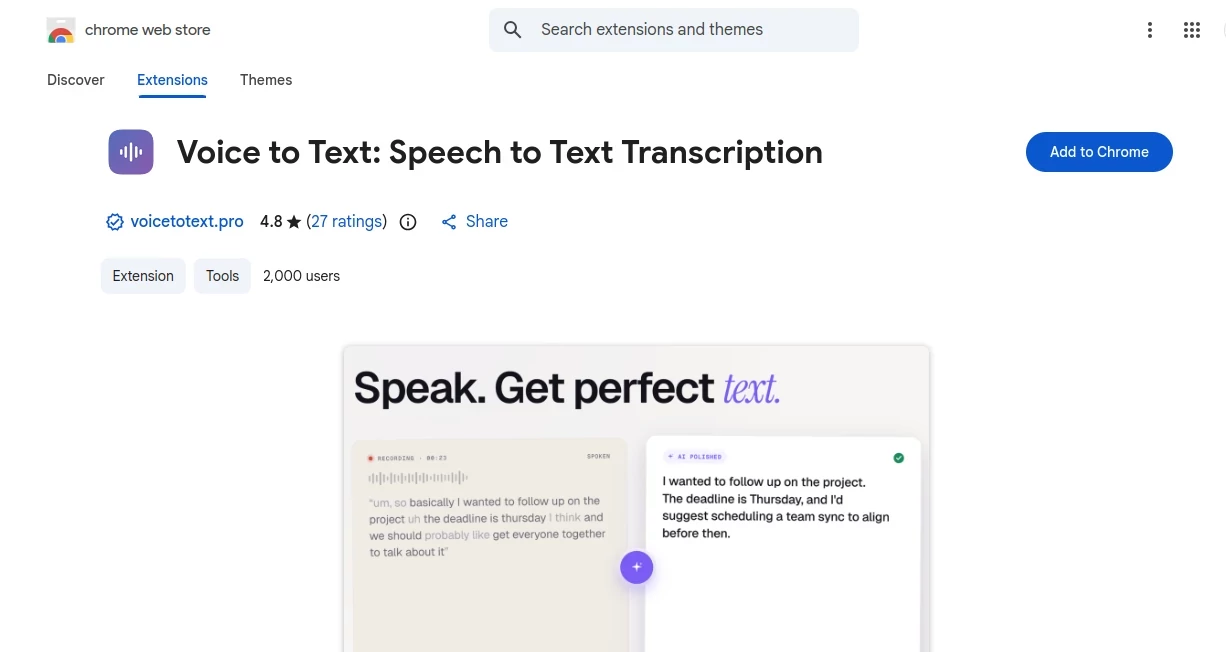
- Two transcription approaches: an exact transcript and an AI-enhanced version that improves grammar and structure.
- Real-time voice-to-text recording.
- Direct editing inside the extension.
- Copy-to-clipboard functionality for quickly moving text into another application.
- Local downloading of generated text.
- Light and dark interface options.
- No account required for basic use.
- Privacy-focused handling with no stated audio or transcript retention on the service's servers.
The extension was updated to version 4.5.0 on August 18, 2026, and its Chrome Web Store listing currently shows more than 2,000 users and a 4.8-star rating from 27 ratings.
User Interface
The interface takes a practical approach rather than trying to turn transcription into a complicated workspace. The side panel remains available while browsing, so you can open it, activate the microphone, speak, and work with the resulting text without constantly switching between separate applications.
The workflow is particularly useful when writing in web-based applications. Once the transcript is ready, it can be copied and pasted into an email, document, chatbot, note-taking application, or another text field. The ability to edit the transcript before using it also makes the experience feel more like a writing assistant than a simple recorder.
Accuracy & Performance
Transcription quality is one of the most important considerations with any voice-to-text application. This extension uses OpenAI Whisper for transcription, while its AI mode can clean up spoken language and produce more polished text.
Real-world accuracy will naturally depend on microphone quality, pronunciation, accents, background noise, and how clearly someone speaks. The developer also notes these factors in its terms, so users should still review important transcripts before relying on them professionally.
For everyday dictation, notes, messages, and first drafts, the combination of fast transcription and optional text cleanup can save a surprisingly large amount of typing.
Capabilities
The most useful aspect is the choice between keeping speech close to the original wording or asking the AI-powered mode to improve grammar and structure. That distinction matters. Someone taking a meeting note may want an almost exact transcript, while someone dictating an email may prefer a cleaner version that needs little editing.
The extension can also be used for drafting longer pieces of writing. A writer can speak an initial idea, copy the transcript into a document, and then refine it manually. Students can dictate study notes, professionals can prepare emails and meeting notes, and users who simply think faster than they type can use it as a practical alternative to keyboard input.
Security & Privacy
Privacy is an important part of the product's positioning. The developer states that audio and transcripts are not stored or retained on its servers. The service also explains that it uses third-party services, including OpenAI Whisper, for transcription.
The Chrome Web Store's current disclosure also indicates that the extension handles personally identifiable information, location, and website content. Users should therefore review the provider's privacy information and consider the sensitivity of anything they dictate, particularly when working with confidential business or personal material.
Use Cases
Professionals: Dictate emails, meeting notes, project ideas, internal drafts, and quick responses without spending time typing every sentence.
Students: Capture lecture ideas, study notes, research thoughts, or explanations while keeping attention on the subject rather than the keyboard.
Writers: Speaking can be a useful way to overcome a blank page. Dictating a rough paragraph or story idea creates material that can later be edited into polished writing.
Content creators: Voice notes can become social posts, video ideas, outlines, descriptions, and other written content with considerably less manual typing.
Multilingual users: With support for a broad range of languages, it can be useful when switching between languages or working with spoken material that is not in English.
AI users: The ability to copy text into ChatGPT and other browser-based AI services makes it convenient for people who prefer speaking their prompts instead of typing long instructions. The developer's own site specifically highlights Gmail, Docs, ChatGPT, and Notion as examples.
Pros and Cons
- Pros: Easy browser-based workflow, no account required, Whisper-powered transcription, extensive language support, raw and polished transcription modes, editable results, local downloads, and a useful side-panel design.
- Pros: The extension is especially convenient for users who frequently move between web applications and want to dictate text without leaving their current workflow.
- Cons: Transcription accuracy can still vary with audio quality, pronunciation, accents, and background noise.
- Cons: Users handling confidential information should review the privacy policy and third-party processing arrangements before using it for sensitive material.
- Cons: Important professional or legal transcripts should always be checked manually rather than treated as automatically perfect.
Pricing Plans
The service is currently provided free of charge. Its terms state that the developer reserves the right to introduce paid features or change the service in the future.
For someone who wants to experiment with voice-based writing without committing to a subscription, this makes the extension particularly approachable. There is no account requirement for getting started with the basic experience listed in the Chrome Web Store.
How to Use the Extension
Getting started is straightforward. Install the Chrome extension, grant microphone access when requested, and open its side panel from the browser toolbar. From there, select the transcription approach that fits the task and begin speaking.
For a meeting note, you might keep the wording close to what was spoken. For an email or article draft, the AI-enhanced option can be more useful because it can improve grammar and structure. After transcription, review the text, make any necessary corrections, and copy or download the result.
A simple workflow is: open the side panel, start the microphone, speak naturally, review the transcript, edit it, and paste it into the application where you want to use it. The developer specifically demonstrates a workflow involving Gmail, Google Docs, ChatGPT, and Notion.
Comparison with Similar Tools
Many browser dictation extensions focus primarily on inserting spoken words into text fields. This one takes a slightly broader approach by combining live transcription with an optional AI cleanup mode, editable results, local downloads, and a side-panel workflow.
Compared with basic browser dictation, the biggest advantage is flexibility: users can decide whether they want a close transcription or a more polished version. Compared with dedicated transcription platforms, the extension is more convenient for short, everyday tasks because the entire workflow stays inside Chrome.
It is not necessarily intended to replace specialist transcription software for highly complex production workflows, extensive speaker management, or professional-grade transcription projects. Its strength is everyday accessibility: speak, clean up the result when needed, and move on.
Conclusion
For anyone who spends a significant part of the day typing, voice-based writing can be more than a convenience. It can change how quickly ideas move from the mind to the screen. This Chrome extension keeps that process simple, with a side panel, real-time transcription, broad language support, and an optional AI-powered cleanup mode.
The combination is particularly appealing for emails, notes, content drafts, study material, and prompts where the goal is to get thoughts written down quickly. Add the fact that the service is currently free and does not require an account to get started, and it becomes an easy option to try for anyone interested in replacing some keyboard time with speaking.
Frequently Asked Questions (FAQ)
Does it require an account?
No. The Chrome Web Store states that users can start using the basic features without creating an account.
How many languages are supported?
The current Chrome Web Store listing states that transcription is available in more than 110 languages, while the extension listing itself displays 52 interface languages.
Can the transcript be edited?
Yes. Text can be edited directly within the extension before it is copied or downloaded.
Can it create polished text instead of an exact transcript?
Yes. Users can choose an AI-enhanced mode designed to improve grammar and structure rather than simply reproducing every spoken phrase.
Is the service free?
Yes. The current terms state that the service is provided free of charge, although the developer reserves the right to introduce paid features in the future.
Does it store my recordings?
The developer states that audio and transcripts are not stored or retained on its servers. However, the service uses third-party services for transcription, so users should review the privacy information before processing sensitive material.
Who can benefit most from it?
Professionals, students, writers, content creators, multilingual users, and anyone who frequently writes long messages or notes can benefit from replacing some manual typing with natural speech.
AI Productivity Tools , AI Transcription , AI Speech to Text , AI Writing Assistants .
These classifications represent its core capabilities and areas of application. For related tools, explore the linked categories above.
Voice to Text details
Website unavailable — View Alternatives
Pricing
- Freemium
Apps
- Chrome Extensions
Categories

Voice to Text Alternatives Product

VideoLens

Gemini Omni

Translators …

Glanced

LyricStudio

AutoDub

Notion

Futurwise
AI Wire
