VoiceOS
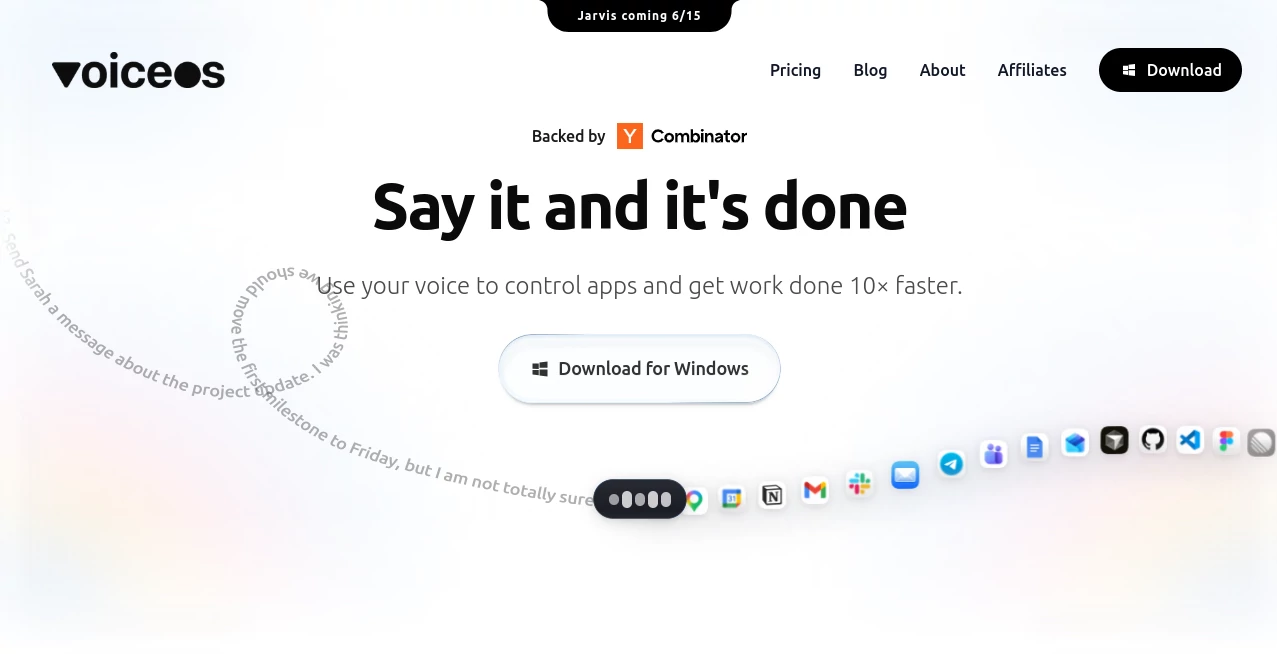
What is VoiceOS?
I’ve always hated how much of my workday disappears into tiny repetitive tasks — switching between apps, writing emails, scheduling meetings, cleaning up notes. One afternoon I tried this tool on a whim, spoke a single sentence, and watched it handle an entire email reply plus calendar invite while I kept thinking about the next big thing. That moment sold me. It doesn’t just transcribe your voice; it understands intent and gets actual work done across the apps you already use. For anyone tired of context-switching and typing everything, it feels like finally having the assistant you’ve always wanted.
Introduction
VoiceOS turns your computer into something that actually listens and acts. Press a shortcut, speak naturally, and it handles dictation with impressive intelligence or jumps into Agent Mode to complete multi-step tasks across Gmail, Slack, Calendar, Notion, and more. No complex setup, no heavy learning curve — just speak and watch things happen. It’s built for real productivity, not gimmicks. Whether you’re a founder juggling a hundred things, a writer who thinks faster than they type, or anyone who wants their computer to feel more natural, this tool quietly removes friction and gives you back hours every week.
Key Features
User Interface
The experience stays delightfully out of your way. A simple keyboard shortcut wakes it up, you speak, and results appear where you need them. Dictation Mode cleans up your words into polished text with proper formatting and tone. Agent Mode understands context across your open apps and executes actions without you touching the mouse. Everything feels light and responsive, never bloated or distracting. You stay in flow instead of fighting with yet another interface.
Accuracy & Performance
It doesn’t just transcribe — it understands what you meant. Filler words disappear, grammar gets fixed, and the tone matches how you naturally speak. Agent Mode reliably chains actions across apps with very few mistakes. In daily use, it consistently saves time on tasks that used to break focus. The speed is impressive too — responses feel instant, keeping momentum alive instead of killing it with delays.
Capabilities
Dictation that writes what you meant, not just what you said. Agent Mode that sends messages, creates calendar events, searches the web, updates documents, and more — all by voice. It works across your favorite apps without constant switching. You can even customize vocabulary for your specific workflow. It’s powerful enough for power users yet simple enough that you can start being productive in minutes.
Security & Privacy
Your audio isn’t stored on their servers unless you explicitly choose to. Everything runs with strong privacy controls, giving you confidence when speaking about sensitive work or personal matters. The team clearly thought about trust, which matters when a tool has this much access to your workflow.
Use Cases
A founder dictates long emails while walking between meetings and has them sent perfectly formatted. A writer speaks rough ideas and gets clean, structured drafts ready for editing. An operations manager creates calendar invites and updates project docs entirely by voice while keeping their hands free for other work. Teams use it to reduce meeting fatigue by handling follow-ups instantly. Anyone who spends too much time typing repetitive things finds their day suddenly feels lighter.
Pros and Cons
Pros:
- Turns natural speech into polished, actionable output across apps.
- Agent Mode actually completes tasks instead of just transcribing.
- Fast, responsive, and stays out of your way during deep work.
- Privacy-first approach that respects sensitive information.
- Works on both Mac and Windows with minimal setup.
Cons:
- Best results come with a decent internet connection (like most AI tools).
- Very complex multi-app workflows may need occasional clarification.
- Some advanced team features are still rolling out.
Pricing Plans
It starts with a free tier generous enough to experience the difference in your daily work. Paid plans unlock unlimited usage, priority performance, advanced agent capabilities, and team features. Pricing feels reasonable for how much time and mental energy it returns — many users say they get the investment back in the first week through reclaimed focus and faster execution.
How to Use VoiceOS
Download the app for Mac or Windows, press the shortcut (usually fn or a custom key), and start speaking. For simple dictation, just talk and watch clean text appear. For Agent Mode, describe what you want done — “reply to Sarah’s email and schedule a follow-up for Thursday” — and let it handle the rest. Review quickly, make small tweaks if needed, and continue your work. The more you use it, the better it feels like a natural extension of how you think.
Comparison with Similar Tools
Many voice tools stop at transcription. Others try to be assistants but feel clunky or limited. This one combines excellent dictation with real agent capabilities that actually complete tasks across your apps. It avoids the heaviness of full meeting platforms while delivering more practical daily value than simple dictation apps. The balance of simplicity, power, and privacy sets it apart in a crowded space.
Conclusion
Your voice is the most natural interface you have. VoiceOS finally makes computers understand that. It removes friction, saves hours, and lets you stay in creative or strategic flow instead of getting pulled into mechanical tasks. For anyone who talks faster than they type or simply wants their computer to feel more human, it’s a meaningful upgrade that grows more valuable the longer you use it.
Frequently Asked Questions (FAQ)
Do I need to install anything?
Yes, a lightweight desktop app for Mac or Windows — no heavy bloat.
How accurate is the agent mode?
It handles most common tasks very reliably and improves quickly with feedback.
Is my data private?
Yes — audio isn’t stored unless you choose, and privacy controls are strong.
Can I use it for team workflows?
Yes — paid plans include team features and shared capabilities.
What kind of tasks work best?
Email replies, calendar management, document updates, web searches, and similar repetitive work.
AI Productivity Tools , AI Voice Assistants , AI Speech Recognition , AI Voice & Audio Editing .
These classifications represent its core capabilities and areas of application. For related tools, explore the linked categories above.
VoiceOS details
Website unavailable — View Alternatives
Pricing
- Free
Apps
- Web App
- Windows App
Categories

VoiceOS Alternatives Product

OG Online Ru…

Referent

Fina Money

WhatIsThisMo…

SuperAI

FLINT AI

Krisp

Free Email V…

Chrome Sidek…