

















VoiceStudio
What is VoiceStudio?
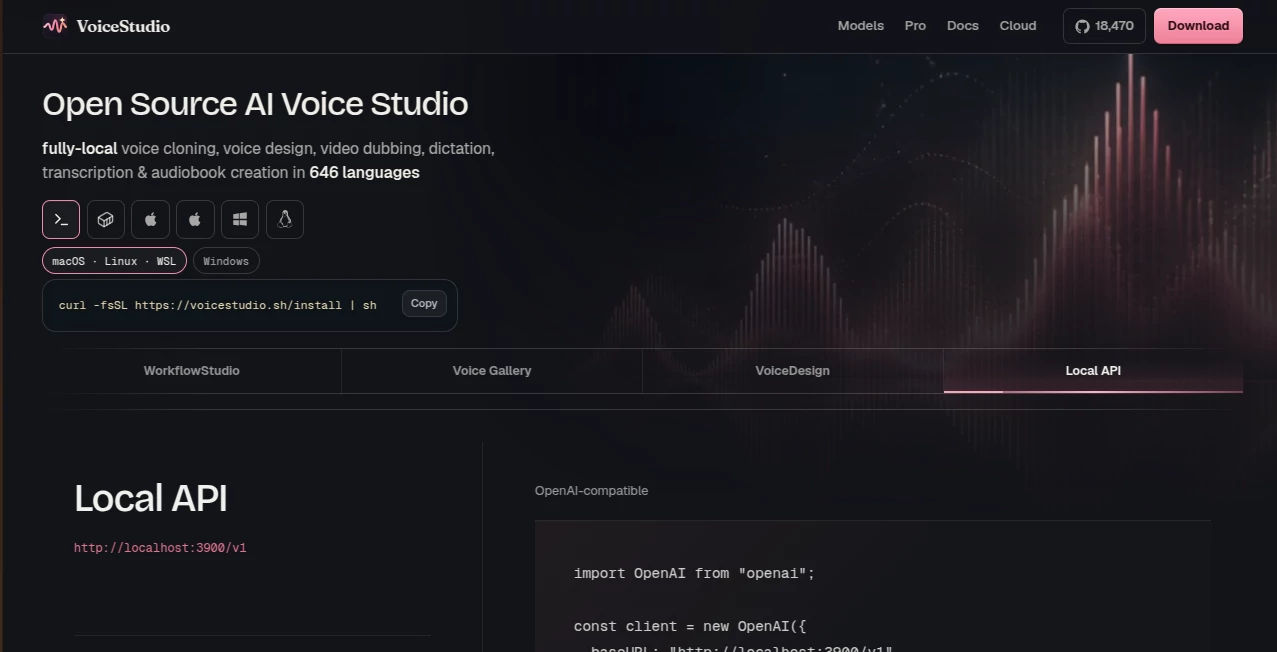
VoiceStudio is an open-source desktop voice platform built for people who want serious voice AI without handing their recordings and projects to a cloud service. It brings voice cloning, voice design, video dubbing, transcription, dictation, stories, and audiobook creation into one local workspace. The platform supports 646 languages and is designed to run directly on your own computer, making it especially interesting for creators, developers, and teams that care about control over their audio workflows.
One of its biggest advantages is the local-first approach. Instead of requiring an account or an API key for the desktop experience, users can install the application and work with compatible speech engines on their own hardware. For someone producing voiceovers or experimenting with cloned voices, that can make the workflow feel considerably more private and less restrictive.
Key Features
- Local AI voice cloning from a short reference recording, with the site noting that around three seconds can often be enough to begin.
- Voice design that lets users create a new voice by describing characteristics such as gender, age, accent, pitch, and emotion.
- Video dubbing with transcription, translation, speaker handling, timing alignment, and re-voicing.
- Multi-voice story and audiobook creation for scripts with multiple characters.
- EPUB and long-script audiobook workflows with chapter organization.
- Voice Gallery with ready-made voices organized around characteristics such as accent, age, and style.
- Audio and video transcription that turns spoken content into editable, searchable text.
- A local OpenAI-compatible API for developers who want to integrate voice generation into their own applications.
User Interface
The desktop application is organized around dedicated workflows rather than forcing every task into one complicated screen. The Launchpad provides access to voice cloning, voice design, dubbing, stories, audiobooks, the voice gallery, and transcripts.
The Studio workspace includes a script editor and voice controls, while the dubbing interface presents the source waveform alongside speaker-specific transcript rows and language columns. There are also separate areas for projects, model management, logs, settings, and updates. This structure makes the application feel closer to a complete production environment than a simple text-to-speech utility.
Accuracy & Performance
Performance naturally depends on the computer, installed speech engine, and model being used because the processing happens locally. That is an important distinction from browser-based voice services where much of the computation is handled remotely.
The platform supports multiple speech engines and includes a model catalogue showing compatibility, compute support, installation options, and status. Users can also switch the active engine directly from the application. For creators who are comfortable with their own hardware, this gives considerably more control over how voice generation is handled.
Voice cloning is particularly useful when consistency matters. Once a voice profile has been created, it can be reused across generation, dubbing, and cloning workflows rather than rebuilding the voice for every project.
Capabilities
The strongest part of the platform is the range of tasks covered by a single application. A creator can clone a voice, generate narration, design an entirely new voice, dub a video, transcribe recordings, or turn a long script into an audiobook without jumping between several unrelated services.
The voice design workflow is also worth highlighting. Instead of always starting with an existing recording, users can describe the type of voice they want and adjust characteristics such as age, accent, pitch, and emotion. This makes the tool useful for fictional characters, narration experiments, game projects, and creative storytelling.
For developers, the local API adds another layer of flexibility. The OpenAI-compatible interface can make it easier to connect local speech capabilities with existing applications and development workflows.
Security & Privacy
Privacy is one of the clearest reasons to consider this platform. The desktop version is designed around local processing, so voice recordings and generated projects can remain on the user's own computer rather than automatically being sent to an external voice service.
The documentation also takes a careful approach to voice profiles. Local profile creation does not automatically upload biometric source audio, while synchronization to hosted services is treated as an explicit action. That approach gives users more visibility into when voice data moves beyond their local environment.
Of course, users are still responsible for having the appropriate permission to clone or reproduce a person's voice. Local processing improves control over data, but it does not remove the legal or ethical responsibilities associated with voice cloning.
Use Cases
- Content creators: Produce narration, voiceovers, short-form videos, and translated versions of existing content.
- YouTubers and video producers: Dub videos into other languages while keeping speakers and timing organized.
- Audiobook creators: Convert long scripts or EPUB files into structured, chapter-based audiobooks.
- Game developers: Create character voices and maintain reusable voice profiles across projects.
- Podcast creators: Generate voice content, transcribe recordings, and experiment with different narration styles.
- Developers: Connect local speech generation to applications through the OpenAI-compatible API.
- Privacy-conscious users: Work with sensitive recordings locally instead of relying entirely on cloud-based voice platforms.
- Creative teams: Build multiple voices for stories, characters, educational projects, and other productions.
Pros and Cons
- Pros: Local processing, open-source approach, voice cloning, voice design, dubbing, transcription, audiobook creation, multi-voice workflows, no account required for the local desktop experience, and a developer-friendly local API.
- Pros: Support for 646 languages gives the platform a particularly broad reach for multilingual projects.
- Pros: Users have greater control over models, storage, projects, and voice profiles than with many conventional cloud-only services.
- Cons: Local AI processing means the experience depends heavily on the user's hardware and the selected model.
- Cons: Beginners who have never installed local AI models may find the initial setup less straightforward than a simple browser-based service.
- Cons: Some hosted and commercial features are separate from the local desktop experience and may have different availability.
Pricing Plans
The local desktop application is presented as a free personal-use experience with no account requirement and no API key needed for the core local workflow. Because processing takes place on the user's machine, there is also no conventional cloud usage counter for the local application.
For organizations and professional users, a Pro offering is available through an enquiry-based model, with commercial rights and hosted access positioned separately from the standard local application. The cloud service is currently described as being in early access, so users interested in hosted functionality should check the latest availability before making purchasing decisions.
How to Use the Tool
- Download and install the desktop application for your supported operating system.
- Install a compatible speech engine and model through the model catalogue.
- Choose a workflow such as voice cloning, voice design, transcription, dubbing, or audiobook creation.
- For cloning, provide a suitable voice recording and create a reusable voice profile.
- For voice design, describe the desired characteristics and adjust the available voice parameters.
- Enter or import your script, audio, video, or EPUB content depending on the project.
- Generate the audio locally and review the result in the Studio workspace.
- Organize finished projects and voice profiles inside the application for future use.
Comparison with Similar Tools
Compared with cloud-first voice platforms, the biggest difference is where the work happens. Many popular voice services are designed around hosted generation, subscriptions, API usage, and online accounts. This platform takes a different route by putting local processing at the center of the experience.
That makes it particularly appealing to users who want more control over their recordings or who dislike usage limits. It also gives developers the opportunity to build around a local OpenAI-compatible audio API. On the other hand, cloud services can be easier for newcomers because they remove much of the responsibility for hardware, model installation, and local configuration.
In practical terms, the better choice depends on priorities. If convenience and managed infrastructure are the main concerns, a hosted service may be simpler. If privacy, local ownership, experimentation, and open-source flexibility matter more, this approach is much more compelling.
Conclusion
VoiceStudio stands out by treating AI voice generation as something users can run and control on their own machines rather than simply renting access to a cloud service. The combination of cloning, voice design, dubbing, transcription, audiobook production, voice galleries, and developer APIs gives it a surprisingly broad range for an open-source project.
It is especially attractive for creators and developers who want to experiment beyond basic text-to-speech. Someone working on an audiobook can use the same environment for multiple characters, while a video creator can move from transcription to translation and dubbing in a single workflow. For privacy-conscious users, keeping the core processing local is an equally strong reason to give it a closer look.
Frequently Asked Questions (FAQ)
Does the application require an account?
The local desktop experience is designed to work without an account, allowing users to download and run the software directly on their own computer.
Can I clone a voice?
Yes. The voice cloning workflow allows users to create a reusable voice profile from a reference recording. The website states that a short clip can be enough to get started.
Can I design a voice without a recording?
Yes. The voice design feature lets users describe a desired voice using characteristics such as gender, age, accent, pitch, and emotion.
Does it support video dubbing?
Yes. The dubbing workflow can transcribe, translate, re-voice, handle multiple speakers, and align generated lines with the original timing.
Can it create audiobooks?
Yes. Long scripts and EPUB files can be converted into chaptered audiobooks, and multi-voice story workflows can be used for character-based productions.
Does it work offline?
The platform is designed around local processing, although individual features can depend on the installed model, engine, and whether an optional hosted feature is being used.
Is there an API for developers?
Yes. A local OpenAI-compatible audio API is available, making it possible to integrate speech functionality into other applications and development workflows.
How many languages are supported?
The official website currently describes support for 646 languages, making multilingual voice work one of the platform's notable strengths.
Is it suitable for commercial projects?
The local project is primarily positioned for personal use, while commercial rights and hosted access are offered separately through the professional offering. Users should review the current licensing terms for their specific commercial use case.
AI Voice Cloning , AI Speech Recognition , AI Speech to Text , AI Voice & Audio Editing .
These classifications represent its core capabilities and areas of application. For related tools, explore the linked categories above.
VoiceStudio details
Website unavailable — View Alternatives
Pricing
- Freemium
Apps
- Web App
Categories

VoiceStudio Alternatives Product

Omni Voice
vo4 ai

Qwen3 TTS

SAM Audio

OLVA

Muse Voice
TikoTranscri…

TonesMatch
Video To Text
