Woopicx
What is Woopicx?
Creating visuals for websites, social campaigns, presentations, and product pages often turns into a time-consuming process. Designers search through endless stock libraries, marketers struggle to find visuals that match a brand identity, and content teams frequently settle for generic graphics. This platform changes that experience entirely.
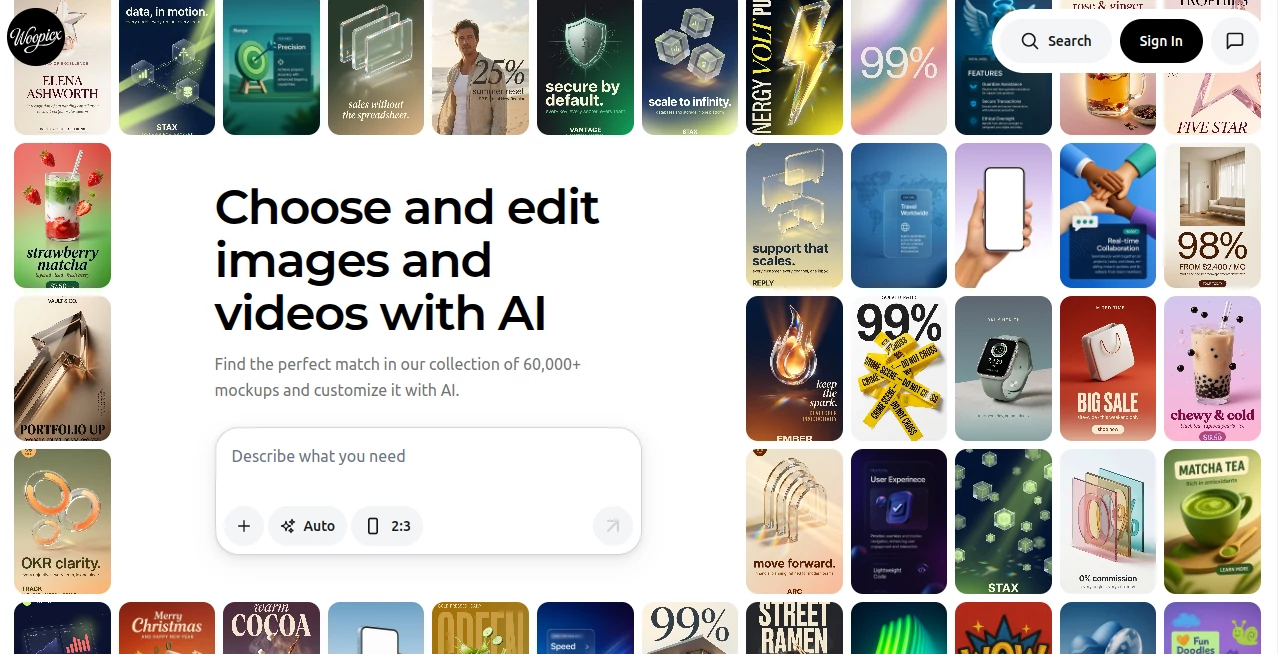
Built around AI-powered image creation and editing, it combines ready-made stock visuals, mockups, and 3D assets into a streamlined environment. Instead of spending hours looking for the right design element, users can browse thousands of professional-quality graphics and customize them with simple instructions. The result feels refreshingly practical. A startup founder preparing landing page assets or a creator designing social media campaigns can move from idea to finished visuals in minutes rather than days.
One of the most impressive aspects is the balance between speed and flexibility. Instead of forcing users to start from scratch, it provides editable visual assets that already look polished and production-ready.
Key Features
User Interface
The interface feels clean and direct. Navigation is simple enough for beginners while still offering enough control for creators who work with visual assets regularly. Large previews, organized collections, and quick search functionality make asset discovery smooth and enjoyable.
Rather than overwhelming users with dozens of complicated controls, the experience focuses on accessibility. Users can move from browsing to editing with very little friction.
Accuracy & Performance
Performance matters when dealing with graphics, especially for professionals working under deadlines. Pages load quickly, search results appear without noticeable delay, and image generation remains responsive.
Visual outputs maintain strong consistency across styles and formats. Mockups and generated graphics appear professionally structured, making them useful for commercial work, presentations, and branding projects.
Capabilities
- Access to pre-generated AI stock photos
- Large collections of mockups and visual assets
- AI-powered editing through simple text instructions
- Professional 3D icons and illustrations
- Custom visual generation workflows
- Commercial-friendly image usage
- Search and discover assets quickly
- High-quality export options
A particularly useful capability is editing images through natural prompts. Instead of opening traditional design software and navigating dozens of settings, users can simply describe changes and let AI handle the heavy work.
Security & Privacy
Modern creative tools increasingly require user trust, especially when files and project assets are involved. The platform operates with secure browsing practices and encrypted connections. Users working on client projects or business campaigns can feel more confident knowing their workflow happens in a protected environment.
As with any cloud-based creative platform, checking privacy documentation for commercial projects remains a good practice.
Use Cases
- Creating visuals for social media campaigns
- Building website and landing page graphics
- Generating startup marketing assets
- Producing product mockups
- Creating presentation visuals
- Developing branded design materials
- Generating custom 3D illustrations
- Creating content for blogs and online publications
A small business owner launching a product could easily create promotional graphics, website banners, and social content without hiring an entire design team.
Pros and Cons
Pros
- Large library of ready-made AI visuals
- Fast workflow for non-designers
- Easy editing through prompts
- Useful 3D assets and mockups
- Professional visual quality
- Beginner-friendly interface
Cons
- Newer platforms naturally have smaller communities
- Some advanced users may want deeper customization controls
- Availability of premium content may depend on subscription level
Pricing Plans
The platform appears to follow a freemium structure, allowing users to access certain resources at no cost while providing premium options for expanded usage and additional benefits. Free access is useful for testing workflows before committing to larger creative projects.
Subscription upgrades can remove limitations and provide access to broader libraries and commercial features.
How to Use Woopicx
Getting started is straightforward:
- Create an account
- Browse visual collections or search assets
- Select stock images, mockups, or 3D resources
- Customize visuals using AI editing prompts
- Preview changes
- Download completed assets for projects
The process feels remarkably simple even for users with little design experience.
Comparison with Similar Tools
Traditional stock image platforms mainly focus on static asset libraries. AI image generators usually require users to create everything from empty prompts. This solution sits somewhere in the middle.
Instead of choosing between pre-made assets or complete generation, users receive both. Ready-to-use content speeds up projects, while editing flexibility preserves creativity.
That combination creates a more practical workflow for marketing teams, creators, startups, and businesses looking for visual consistency.
Conclusion
Creative work often becomes slower because finding good assets takes more time than building actual ideas. This platform solves that problem in an elegant way by combining AI editing, stock visuals, mockups, and 3D design elements inside one experience.
For creators who value speed but still care deeply about quality, it delivers an enjoyable balance. Instead of replacing creativity, it removes repetitive tasks and allows users to focus on bringing ideas to life.
Frequently Asked Questions (FAQ)
Is this suitable for beginners?
Yes. The interface is approachable and requires no advanced design knowledge.
Can generated assets be used for commercial projects?
Commercial use appears supported, though users should review licensing details for specific content.
Does it include 3D assets?
Yes. Users can access collections of 3D illustrations, icons, and visual elements.
Can users edit existing images?
Yes. Images can be customized using AI-powered editing instructions.
Is there a free plan available?
Yes. A freemium option appears available for users who want to explore features before upgrading.
AI Photo & Image Generator , AI 3D Model Generator , AI Design Generator , AI Graphic Design .
These classifications represent its core capabilities and areas of application. For related tools, explore the linked categories above.

Woopicx Alternatives Product

AI Hairstyle…

MakeMyOC

Try FLux2

AILogoCreator

Grayscale Im…

ai image cre…

Image By Qwen

Blur & Unblu…

Imgezy