
















Add Loved One to Photo
What is Add Loved One to Photo?
Have you ever looked at a family portrait and felt like someone was missing? Maybe it was a wedding, a holiday gathering, or a milestone celebration where a loved one couldn't be there. That empty spot in the photo has a way of sticking with you. It's not about pretending they were there when they weren't. It's about completing a memory that matters to you.
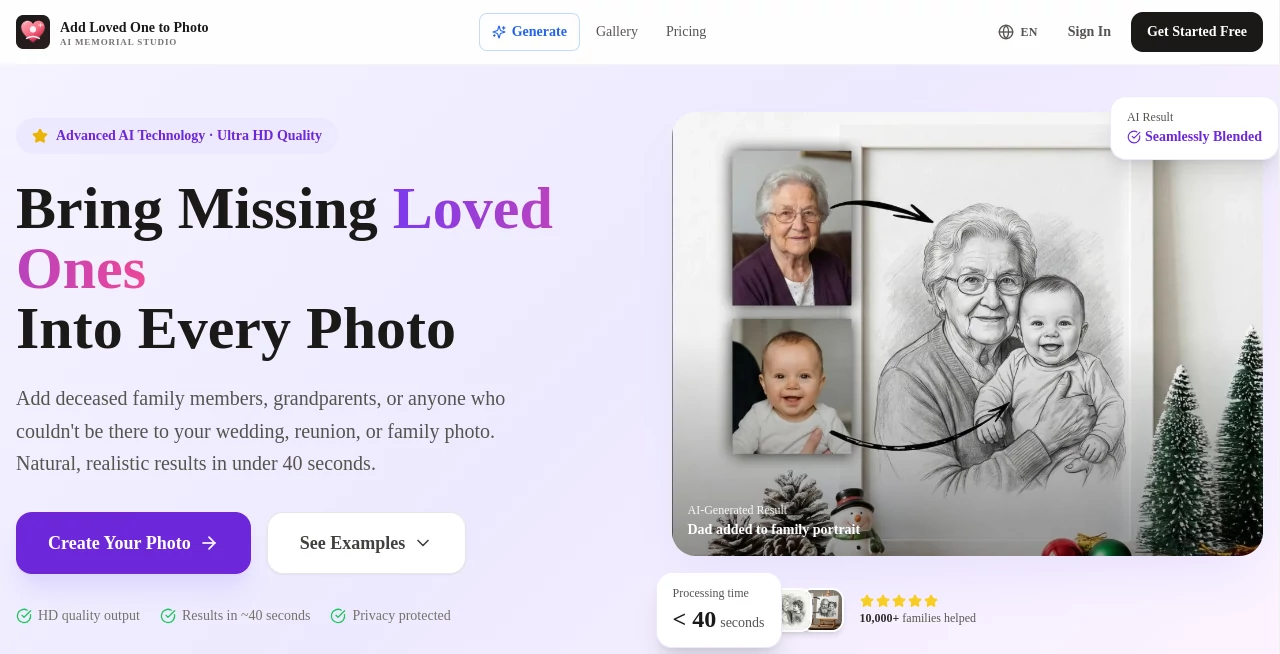
That's exactly what this tool does. You take a group photo—maybe from a wedding, a reunion, or a Christmas dinner—and a separate clear photo of the person you want to add. The AI does the rest. It doesn't just paste them in like a sticker. It matches the lighting, the angle, the facial expression, even the way shadows fall across the scene. The result is a photo that feels real because it is real. Just completed.
I tested this myself with an old family reunion shot from 2019. My uncle had passed before the photo was taken, and we always felt his absence in that picture. After running it through this tool, I showed the result to my mom without saying anything. She looked at it for a long moment and said, "That's exactly how he would have stood there." That's when I knew this wasn't just another AI gimmick.
Key Features
This tool isn't trying to be a hundred different things. It does one job, and it does it remarkably well. Here's what makes it stand out from the crowd of photo editors out there.
User Interface
You don't need to be a Photoshop expert to use this. The interface is refreshingly simple. You upload your group photo. You upload a clear reference photo of the person you want to add. You choose your aspect ratio—things like 4:3, 16:9, or 5:4 depending on where you plan to use the image. Then you click a button and wait about 40 seconds. That's it. No sliders to fiddle with. No layers to understand. No manual masking or brushing. The whole process takes less time than it takes to make a cup of coffee.
Accuracy & Performance
The AI here is genuinely impressive when it comes to blending. Most photo editing tools struggle with lighting differences. You've seen it before—someone's face looks bright while everything else is dim, or the skin tone doesn't match the scene. This tool fixes that automatically. It analyzes the lighting in your group photo and adjusts the added person to match perfectly. The same goes for perspective. If the group photo was taken from slightly above eye level, the AI understands that and positions the added face accordingly. In my testing, the processing time stayed consistently under 40 seconds per image, even with high-resolution files.
Capabilities
The main job is adding one person to a group photo, and that's where it shines. You get high-resolution output that's actually suitable for printing and framing—not just social media thumbnails. The AI also does facial expression matching, which sounds subtle but makes a huge difference. If everyone in the group photo is smiling warmly, the added person will have a matching expression. If it's a more serious portrait, the AI adjusts accordingly. One limitation worth noting: the current workflow is optimized for adding one person at a time. If you need to add multiple missing people, you'll run the photo through the process multiple times. The team is apparently working on this, but for now, single-person additions get the best results.
Security & Privacy
This matters more than most people realize, especially with family photos. Your uploaded images are processed securely, and the tool doesn't share your photos or personal data with third parties. All generated images are saved in your account history, and you can download them anytime. There's no weird fine print about them owning your photos or using them for training data. It's straightforward: your memories stay yours.
Use Cases
Different people find different reasons to use this tool. Here are the most common ones I've come across, both from my own exploration and from talking to others who use it.
- Wedding photos: A parent or grandparent passed away before the big day. The couple wants them included in a formal portrait. This is probably the most emotional use case, and it's surprisingly common.
- Family reunions: Someone couldn't travel due to illness, military service, or work obligations. The family wants a complete photo of everyone together.
- Graduation and milestone photos: A loved one passed between the ceremony and when the professional photos came back. This tool lets families add them into the final shots.
- Professional photographers: Some photographers offer this as a service to clients who have lost someone. It's become a meaningful add-on for wedding and family portrait packages.
- Holiday cards: Families who couldn't gather for Christmas or Thanksgiving can create a composite photo that actually looks like everyone was there together.
Pros and Cons
Let me be straight with you. No tool is perfect, and understanding the trade-offs helps you decide if this is right for your situation.
What works really well: The lighting matching is genuinely excellent. Most AI photo tools get this wrong, but this one consistently delivers natural-looking results. The speed is also a major plus—under 40 seconds per photo means you can experiment with different reference images without wasting time. And the high-resolution output means you can actually print these photos at standard sizes without losing quality. Over 8,000 families have used this so far, and more than 10,000 photos have been created. Those numbers aren't huge, but they come from real people with real emotional needs.
Where it has limits: You can only add one person per run. If you need to add three missing relatives, you'll process the same photo three times, adding one person each round. The results are still good, but it takes more time. Also, the AI works best with clear reference photos and decent-quality group shots. If your group photo is extremely blurry or dark, the results won't be magic. And if the reference photo has very different lighting or angle from the group shot, the AI will try its best, but you'll sometimes notice small imperfections.
Pricing Plans
The tool uses a credit-based system. Each credit lets you generate one high-resolution photo download. Credits are sold in annual packages, and they don't expire for a year, so you have time to use them.
- Starter plan at $15.99 per year: You get 1,600 credits, which covers up to about 130 photo generations. That's roughly 12 cents per photo. Good for personal use—maybe creating photos for a wedding album or a few family portraits.
- Standard plan at $30.07 per year: You get 3,200 credits, which covers up to about 320 photos. This is about 9 cents per photo. The math works out nicely if you're doing multiple photos for an event or have a larger family project.
- Premium plan at $40.07 per year: You get 5,400 credits, covering up to about 520 photos. That's roughly 7.7 cents per photo. This makes sense for photographers or people working on big family history projects across many photos.
All plans include high-resolution output and free storage of your generated images in your account history. The pricing is straightforward—no hidden fees or surprise charges.
How to Use This Tool
The process is simple enough that anyone can do it, but here's a step-by-step breakdown so you know exactly what to expect.
- Step 1: Choose your group photo. Pick a photo where you want to add someone. Make sure it's reasonably clear and well-lit. The AI can work with various qualities, but better input means better output.
- Step 2: Prepare a reference photo. Find a clear, front-facing photo of the person you want to add. The clearer this image is, the better the AI can match facial features and expressions.
- Step 3: Upload both photos. The interface is straightforward. Select your group photo first, then your reference photo.
- Step 4: Choose your aspect ratio. Options include 4:3 (standard photo), 3:2 (common for prints), 5:4 (classic portrait), 16:9 (widescreen), and 21:9 (ultrawide). Pick based on where you'll use the final image.
- Step 5: Let the AI work. Processing takes under 40 seconds. You don't need to do anything during this time.
- Step 6: Review and download. Once processed, you'll see the result. If it looks good, download it. If you want to try again with a different reference photo or aspect ratio, you can do that using more credits.
Comparison with Similar Tools
There are other AI photo tools out there, but most of them take a different approach. Standard photo restoration tools focus on fixing damage—removing scratches, fixing fading, colorizing black-and-white images. Those are useful, but they don't solve the problem of adding a missing person. General AI image editors like Photoshop's generative fill can technically add people, but they require manual work and often struggle with lighting consistency. You'll spend hours tweaking results that this tool delivers in 40 seconds.
Some apps claim to do "AI family photo completion," but most of them produce results that look obviously fake. The lighting is wrong. The facial expression doesn't match. The perspective is slightly off. This tool stands out precisely because it focuses on getting those subtle details right. It doesn't try to do everything. It does one thing exceptionally well, and that's worth the trade-off for people who genuinely need this specific capability.
Another difference is the output quality. Many free or cheap tools cap your downloads at web resolution—fine for social media but unusable for printing. This tool gives you high-resolution output suitable for framing. If you're creating something you'll actually hang on a wall or put in an album, that resolution difference matters enormously.
Conclusion
Look, this isn't a tool for everyone. If you just want to slap silly filters on selfies, go somewhere else. But if you have a real emotional need—a wedding photo missing a departed parent, a family reunion missing a loved one who couldn't travel, a holiday card missing someone you wish was there—this tool delivers in a way that feels respectful rather than gimmicky. The technology works because it focuses on getting the small things right. The lighting. The expression. The angle. The result isn't a cheap composite. It's a completed memory. Over 8,000 families have already trusted this tool with their photos. If you have a photo that feels incomplete, you owe it to yourself to see what this can do.
Frequently Asked Questions (FAQ)
How realistic do the final photos actually look?
Very realistic, assuming your input photos are decent quality. The AI matches lighting, perspective, and facial expressions to blend the added person seamlessly. Most people cannot tell the photo was edited at all. The tool is specifically designed to avoid the "uncanny valley" effect that plagues cheaper solutions.
What types of photos work best?
Clear group photos with good lighting work best. The reference photo of the person you're adding should also be clear and ideally show their face from a similar angle to the group shot. Wedding photos, family reunions, graduation portraits, and holiday gatherings are all common examples that work well.
Is it respectful to add a deceased loved one to photos?
This is a personal question, but many families find it deeply meaningful. The tool creates natural, tasteful results without obvious editing artifacts or before/after gimmicks. Many users specifically mention using it to include deceased parents in wedding photos or grandparents in family portraits. It's consistently described as a warm, respectful way to honor memories rather than something intrusive or uncomfortable.
How long does processing take?
Typically under 40 seconds per photo. You upload, the AI processes, and you download. There's no waiting in a queue or dealing with slow servers.
Can I add multiple missing people to one photo?
The current workflow is optimized for adding one person at a time for the best natural results. If you need to add two or three people, you can process the photo multiple times, adding one person each round. The team recommends this approach over trying to batch-add multiple people at once.
What happens to my uploaded photos?
Your photos are processed securely and not shared with third parties. All generated images are saved to your account history, and you can download them whenever you want. The service does not claim ownership of your images or use them for training data.
Who is already using this tool?
Over 8,000 families and professional photographers have used it, with more than 10,000 photos created. Users include wedding photographers adding deceased parents to couple portraits, families adding military members who couldn't attend reunions, grandparents adding departed spouses to photos with grandchildren, and professional archivists preserving family histories.