
AI Stem Splitter
What is AI Stem Splitter?
I still remember the first time I tried pulling vocals from a favorite track using old-school EQ tricks — hours of frustration for mediocre results. Then I found this tool and everything changed. You drop in a mixed song, wait less than a minute, and suddenly you have clean, isolated stems: crisp vocals, punchy drums, deep bass, piano, guitar, and the rest. No plugins, no complicated setup, just surprisingly good separation right in your browser. It’s become one of those tools I reach for whenever I want to remix, sample, practice, or just understand how a track was built.
Introduction
Stem separation used to be something only pros with expensive software could do reliably. This platform brings that power to everyone — producers, DJs, singers, teachers, and bedroom creators alike. Upload any song (up to 50MB), and the AI quickly breaks it into clean, usable tracks. The results are often good enough to drop straight into your DAW or use for practice and remixing. What makes it special is how effortless it feels: no accounts forced on you, no heavy installs, and your files are processed privately and deleted afterward. It turns what was once a technical headache into a simple, satisfying click.
Key Features
User Interface
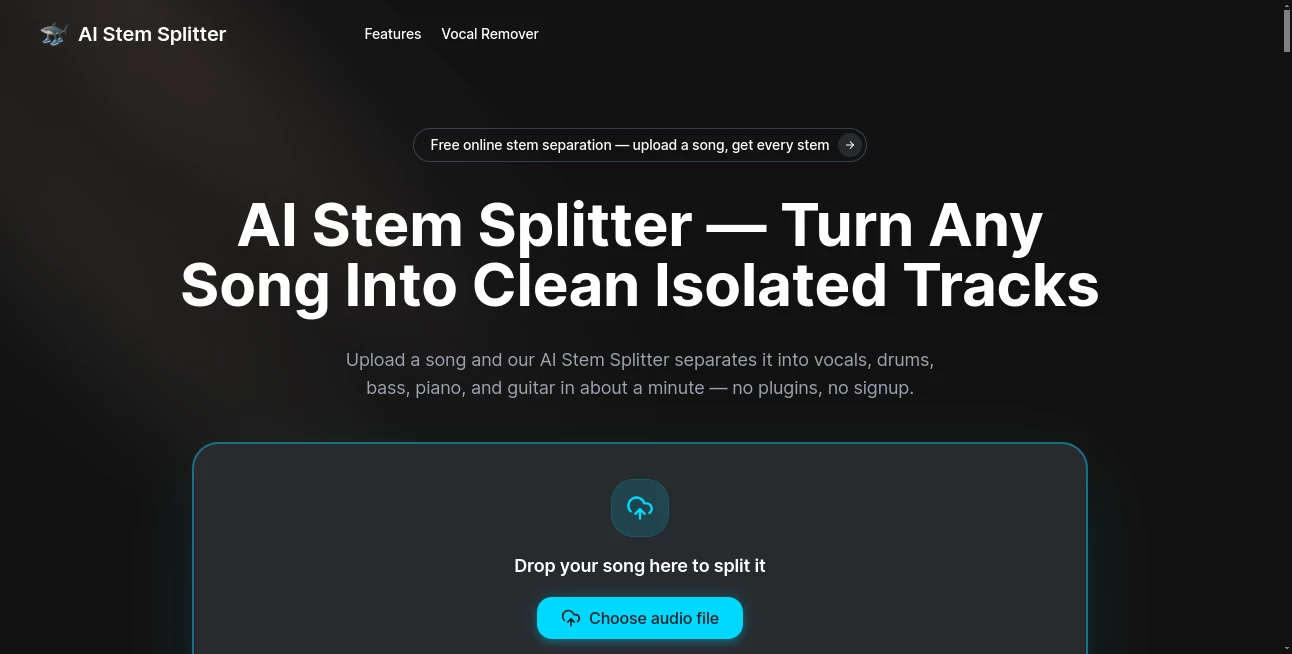
The design is wonderfully straightforward. Big upload area in the center, supported formats listed clearly, and a simple “split” button. Once processing starts, you see progress and then individual playable stems appear. You can preview each one, mute or solo, and download exactly what you need. It never feels intimidating — even my non-producer friends figured it out in seconds. The whole flow is built for speed and simplicity.
Accuracy & Performance
The separation quality impresses, especially on modern mixes. Vocals come out remarkably clean with minimal bleed, drums hit hard and tight, and bass stays deep without muddying everything else. It usually finishes in under a minute, and the output sounds natural rather than artificially processed. Cleaner source files give even better results, but it handles average MP3s surprisingly well too. In real use, it consistently delivers stems good enough for serious work.
Capabilities
It splits into up to six stems: Vocals, Drums, Bass, Piano, Guitar, and Other/Instrumental. You get lossless-quality downloads ready for your DAW, sampler, or karaoke setup. Perfect for creating acapellas, instrumental versions, remixes, mashups, or isolating elements for sampling and practice. Educators use it to break down songs for students, while producers and DJs love pulling clean parts for live sets or new creations.
Security & Privacy
Your uploaded files are processed securely and automatically deleted after separation. No forced signups, no long-term storage, and nothing lingers on the server. That respect for privacy makes it comfortable to upload personal tracks or client material without worry.
Use Cases
A producer drops in a reference track and quickly pulls clean vocals and drums for a remix. A singer isolates the instrumental to practice over before recording her own version. A DJ prepares acapellas and instrumentals the night before a set. A music teacher breaks a song into stems so students can clearly hear each instrument’s role. A beatmaker samples a clean guitar riff or vocal phrase without fighting bleed from the full mix. The possibilities keep expanding the more you use it.
Pros and Cons
Pros:
- Fast, high-quality separation directly in the browser.
- No signup or software installation required.
- Multiple useful stems including piano and guitar.
- Private processing with automatic file deletion.
- Free to try with strong results on most tracks.
Cons:
- Very dense or poorly mixed tracks can still have some bleed.
- File size limit of 50MB (though sufficient for most songs).
- Advanced batch processing or extra features may need upgrades.
Pricing Plans
The core tool is free to use with generous daily limits — enough for regular personal and creative work. Paid options unlock higher usage, faster processing, and additional capabilities for heavier users and professionals. It’s priced sensibly so you only pay when your needs grow beyond casual splitting.
How to Use AI Stem Splitter
Go to the main page, drag and drop your audio file (MP3, WAV, FLAC, etc.), or click to browse. Choose the stems you want if options appear, then hit split. Wait a short moment while it processes. Preview each isolated track, then download the ones you need. Simple, fast, and effective — most people get usable stems on their very first try.
Comparison with Similar Tools
Many stem splitters require downloads, accounts, or deliver mediocre quality with heavy artifacts. This one stands out for its clean browser experience, solid separation quality, and respectful privacy approach. It gives you more usable stems (including piano and guitar) than basic vocal removers while staying faster and simpler than complex desktop software. For everyday creative work, it hits a sweet spot many alternatives miss.
Conclusion
AI Stem Splitter takes one of the most tedious parts of music production and turns it into something quick, accessible, and genuinely useful. Whether you’re remixing, practicing, teaching, sampling, or just experimenting, it removes barriers and lets you focus on creativity. In a world full of complicated tools, its simplicity and effectiveness make it a quiet favorite for anyone who works with music.
Frequently Asked Questions (FAQ)
What file formats are supported?
MP3, WAV, FLAC, M4A, OGG — up to 50MB.
How many stems does it separate?
Up to 6: Vocals, Drums, Bass, Piano, Guitar, and Other.
Is it really free?
Yes, with generous daily usage. Paid plans are available for heavier use.
Are my files stored?
No — files are processed securely and deleted after separation.
Can I use it for commercial projects?
Yes — stems you create are yours to use in your music and productions.
AI Audio Enhancer , AI Music Generator , AI Voice & Audio Editing .
These classifications represent its core capabilities and areas of application. For related tools, explore the linked categories above.
AI Stem Splitter details
Website unavailable — View Alternatives
Pricing
- Free
Apps
- Web App
Categories

AI Stem Splitter Alternatives Product

Solmi AI

Audio Convert

PureMIDI

Seedance 2.5

AI ASMR Gene…

AI Rap Gener…

Lyrics to So…

happyhorse

WhisperWebUI