
Ara
What is Ara?
Ara is an autonomous code factory built to take software issues from the first signal all the way to a proposed code change. Instead of stopping after generating a snippet or suggesting a possible fix, it works with connected repositories, creates a working environment, investigates problems, makes changes, runs verification, and prepares a pull request or merge request for human review.
This approach is particularly useful for development teams that spend a significant amount of time dealing with bugs, failing tests, maintenance work, repetitive engineering tasks, and operational issues. A developer can describe a task and let the coding agent work through the repository rather than manually moving between logs, source files, terminals, tests, and version-control tools.
The platform supports repositories connected through GitHub or GitLab. Once a repository is indexed, the system can build an understanding of its codebase, generate repository knowledge, and use that context during development sessions. This makes it much more practical for larger projects where simply pasting a few files into a chatbot would not provide enough context.
Key Features
- Autonomous software development sessions that work directly against connected repositories.
- Support for GitHub repositories and GitLab projects.
- Repository indexing for improved code understanding and generated wiki information.
- Cloud-based development sandboxes for running coding tasks.
- Automated reproduction and investigation of software problems.
- Code implementation followed by testing and verification.
- Pull request and merge request creation with supporting evidence.
- Persistent repository context and native coding-agent memory.
- Encrypted secrets that can be injected into development sessions.
- Support for MCP servers and external development tools.
- Scheduled automations for recurring engineering workflows.
- API access for integrating autonomous coding sessions into existing systems.
User Interface
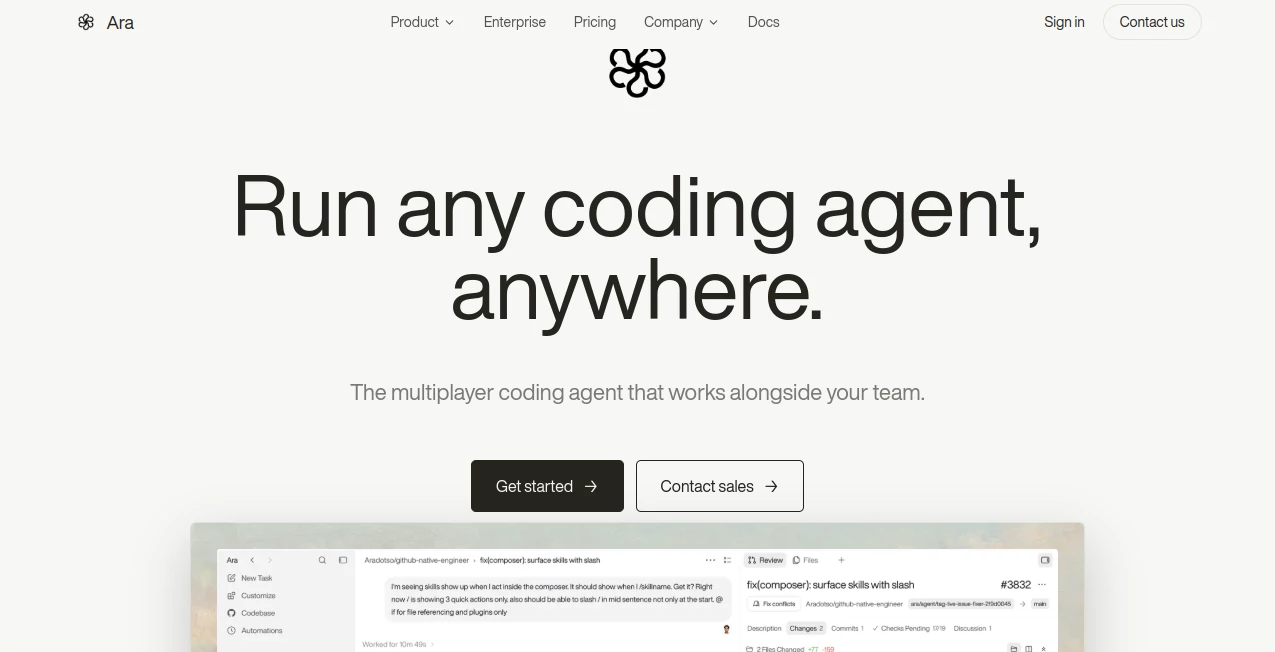
The web application is designed around repositories, sessions, environments, and change requests rather than a conventional chat-only coding experience. Developers can connect a project, prepare its environment, open a session, and monitor the agent while it works.
The workflow feels closer to handing a task to another engineer than asking a chatbot for an answer. A session can have a specific repository, prompt, tags, status, and eventually a pull request or merge request. For teams that prefer automation, the API provides another way to launch and monitor sessions without relying entirely on the web interface.
Accuracy & Performance
The biggest advantage of this approach is context. The coding agent is not expected to solve every problem from a short code fragment. Connected repositories can be indexed first, giving the agent a broader map of the project and its structure.
For example, a request such as fixing a flaky authentication test can be associated with a real repository and executed inside a prepared environment. The agent can inspect the project, modify the relevant files, run tests, and continue through the verification process before presenting the resulting change for review.
That does not remove the need for engineering judgment. Generated changes still deserve review, particularly when they affect authentication, payments, infrastructure, databases, or other sensitive parts of an application. The human review stage remains an important part of the workflow.
Capabilities
The platform covers much more than basic code generation. Its session model can be used for bug fixing, feature implementation, test work, repository maintenance, and other engineering tasks.
Each connected repository can have a prepared environment containing its dependencies, environment variables, tools, setup commands, runbooks, and other useful context. Custom base images are also supported, allowing teams to tailor the development environment to the requirements of a particular project.
Developers can also create API-driven sessions. A request can specify the repository and describe the task, after which the session runs asynchronously. This opens interesting possibilities for CI workflows, internal developer platforms, scheduled maintenance, and automated engineering operations.
Security & Privacy
Security is especially important when an autonomous coding system is connected to real source code. The platform provides scoped API keys and encrypted secrets that can be injected into sessions. Secrets are stored in encrypted form and are not exposed through normal API read operations.
Development sessions run inside cloud sandboxes, while repository access is controlled through connected GitHub or GitLab integrations. Teams can also control access through capability-scoped API keys covering areas such as repositories, sessions, secrets, reviews, analytics, and organization management.
Because the system can execute code and interact with repositories, teams should still follow their normal security practices. Sensitive production credentials should not be provided unnecessarily, and generated changes should pass the organization's existing review and deployment controls.
Use Cases
- Bug fixing: Give the agent a reproducible issue and let it investigate the codebase, implement a fix, and verify the result.
- Test maintenance: Repair failing or flaky tests and add regression coverage where appropriate.
- Feature development: Assign a clearly defined feature to a repository and let the agent work through implementation and verification.
- Repository maintenance: Handle recurring engineering tasks that would otherwise consume valuable developer time.
- Codebase investigation: Use repository indexing and generated knowledge to help an agent understand unfamiliar projects.
- DevOps workflows: Combine prepared environments, secrets, tools, and automated sessions for repeatable engineering operations.
- Scheduled engineering: Run recurring sessions for tasks such as maintenance or automated code reviews.
- API automation: Trigger coding sessions programmatically from internal systems and development workflows.
Pros and Cons
- Pros: Works directly with real repositories rather than isolated code snippets.
- Pros: Supports both GitHub and GitLab projects.
- Pros: Combines coding, testing, verification, and change-request creation in one workflow.
- Pros: Repository indexing provides additional codebase context.
- Pros: Cloud environments can be customized for different projects.
- Pros: API access makes the system suitable for automation and internal tooling.
- Pros: Supports secrets, MCP servers, knowledge, memory, and scheduled workflows.
- Cons: Autonomous development still requires human review before important changes are merged.
- Cons: Setting up repositories, environments, permissions, and secrets may require engineering knowledge.
- Cons: Complex autonomous sessions consume compute and model resources, so usage should be monitored.
Pricing Plans
The current documentation focuses on workspace usage, sessions, API access, sandbox consumption, and organization-level controls rather than presenting a simple fixed feature list in the documentation. Usage can include model tokens and sandbox time, and session information can expose associated usage and cost data.
For teams evaluating the service, the most useful approach is to check the current pricing and account options directly in the product before committing to a larger workflow. This is particularly important for organizations planning frequent autonomous sessions or large-scale automation.
How to Use the Tool
Getting started is relatively straightforward for developers familiar with Git repositories and APIs.
- Connect a GitHub repository or GitLab project.
- Index the repository so the system can build code understanding and repository knowledge.
- Prepare the development environment with the required dependencies, tools, secrets, and startup commands.
- Create an API key if you plan to control sessions programmatically.
- Open a session and provide a clear description of the engineering task.
- Let the coding agent investigate, implement, and verify the requested change.
- Review the generated changes and the verification evidence.
- Merge the pull request or merge request only after the change meets your normal engineering standards.
A good first task is something concrete and easy to verify, such as fixing a failing test or correcting a small bug. Once the workflow is trusted, teams can gradually move toward larger tasks and scheduled automations.
Comparison with Similar Tools
Many AI coding products are designed primarily as assistants inside an editor. They can explain code, generate functions, suggest completions, or help developers reason through a problem. This platform takes a different route by focusing on autonomous work against an actual repository.
The distinction becomes clearer when a task involves several steps. Instead of asking for a code suggestion and then manually copying it into a project, a repository-based workflow can involve investigation, environment setup, implementation, testing, verification, and preparation of a change request.
It is therefore better suited to teams looking for an agent that can take ownership of a defined engineering task, while traditional coding assistants can remain preferable when a developer wants close, interactive control over every line being written.
Conclusion
For developers who want AI to move beyond code suggestions and participate in the actual software delivery process, this is a compelling direction. Its repository-aware workflow, cloud environments, testing capabilities, API, integrations, and automated change-request process make it useful for both individual engineers and development teams.
The strongest part of the experience is the complete loop: identify a problem, give the agent access to the right project context, allow it to work inside a prepared environment, verify the result, and bring the proposed change back to a human for approval.
It will not replace thoughtful engineering review, but it can take a substantial amount of repetitive implementation and investigation work off a developer's plate. For teams experimenting with autonomous software development, it offers a practical way to turn AI coding from a conversational tool into a more operational part of the development workflow.
Frequently Asked Questions (FAQ)
What type of developer is this platform designed for?
It is primarily designed for developers and engineering teams that want AI agents to work directly with real software repositories and complete defined development tasks.
Does it support GitHub and GitLab?
Yes. Connected GitHub repositories and GitLab projects can be used as the source repositories for development sessions.
Can it fix bugs automatically?
It can investigate reported problems, reproduce failures, implement fixes, run verification, and prepare a pull request or merge request. The final change should still be reviewed by a developer before merging.
Can developers use an API?
Yes. An API is available for creating and monitoring sessions programmatically, making it possible to integrate autonomous coding workflows into other engineering systems.
Does it support automated or scheduled tasks?
Yes. Scheduled automations can open development sessions at predefined times, which can be useful for recurring maintenance and other repetitive engineering workflows.
Can the development environment be customized?
Yes. Repositories can have prepared environments with dependencies, environment variables, setup commands, secrets, tools, runbooks, and custom base images.
Is human review still required?
Human review remains an important part of the workflow. The system can prepare a pull request or merge request, but developers retain control over whether the proposed change should actually be merged.
AI Testing & QA , AI Code Assistant , AI Developer Tools , AI DevOps Assistant .
These classifications represent its core capabilities and areas of application. For related tools, explore the linked categories above.

Ara Alternatives Product

Interview Co…

Nimbalyst

Layven

Mage Flow AI…

DeepSeek

cznull

ShipAhead

freellm.net

RepoClip