
Bunny Transcribe AI
What is Bunny Transcribe AI?
Transcribing video content can quickly become one of those tasks that takes far more time than expected. Interviews, webinars, online courses, customer conversations, and internal meetings all contain useful information, but finding and organizing that information is difficult when it remains locked inside spoken audio.
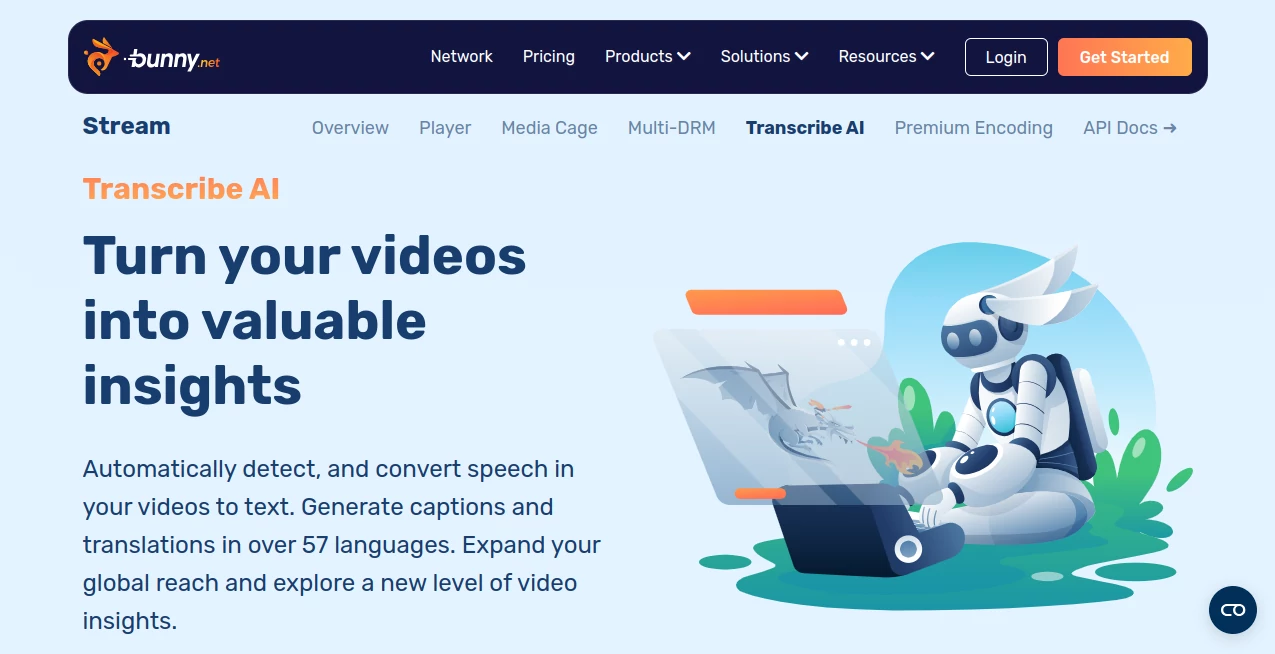
Transcribe AI takes a practical approach to this problem by automatically detecting speech in uploaded videos and converting it into text. It can also create captions, translate video content, generate meeting notes, and provide access to raw transcriptions through an API. The service is designed to fit directly into an existing video workflow rather than forcing teams to manage several separate transcription and video-processing services.
For creators, educators, businesses, and developers working with large amounts of video, that integration can make the entire process considerably easier. Upload a video, let the platform process it, and the resulting transcription and timestamped captions become part of the same workflow.
Key Features
- Automatic speech-to-text transcription for uploaded videos
- Automated caption generation during video transcoding
- Translations across more than 50 languages, with the service advertising support for up to 57 languages
- Timestamped captions that can be used with video content
- Meeting transcription with automatically generated summaries and titles
- Video insights from meetings, customer conversations, and engagement data
- API access for developers who want to integrate transcription into their own applications
- Integration with an existing video processing workflow
- Pay-as-you-use pricing based on transcription minutes
User Interface
The workflow is deliberately straightforward. Videos can be uploaded through the web interface or through an API, after which transcription takes place as part of the video transcoding process. This means users do not have to learn a complicated transcription dashboard before they can get useful results.
For a content team, this can be particularly convenient. Instead of downloading a finished video, sending it to another transcription service, importing the transcript, and then connecting the captions back to the video, the process happens within the same video workflow. Developers can take the same approach through the available API.
Accuracy & Performance
The service is built around automated speech recognition and is designed to turn spoken video into usable text without requiring manual transcription. The provider has described the underlying transcription technology as being powered by Whisper, an AI speech recognition model trained on a very large collection of audio and video data.
In practical terms, performance will still depend on the recording itself. Clear speech, good microphones, and limited background noise generally provide better transcription results than crowded rooms or heavily distorted recordings. Even so, automatic timestamping and integration with the video processing workflow can save substantial editing time.
The platform also emphasizes cost efficiency, stating that its video transcription workflow can offer up to three times lower costs than some legacy cloud providers. This makes the service particularly interesting for developers and businesses processing video at scale.
Capabilities
The strongest aspect of the service is that transcription is only one part of the workflow. Once speech has been converted into text, the resulting information can support captions, translations, meeting summaries, titles, and broader video analysis.
For example, a recorded business meeting can be converted into a searchable transcript and summarized into useful notes. A video course can receive captions and translated versions for international students. A customer-support recording can become structured text that helps a company understand recurring questions or customer concerns.
Developers also get API support, making it possible to build transcription into custom applications instead of relying exclusively on manual uploads.
Security & Privacy
Because the service operates as part of a broader video hosting and delivery environment, it is intended for organizations that want to keep video processing and delivery within a unified infrastructure. Developers can also interact with the transcription functionality through APIs rather than manually moving files between unrelated services.
For businesses handling confidential recordings, it is still important to review the provider's current privacy documentation, data-retention policies, and terms before processing sensitive material. These details should be evaluated according to the type of information contained in the videos and the organization's own compliance requirements.
Use Cases
Online education: Teachers and course creators can add captions to recorded lessons, generate transcripts, and make educational videos more accessible to students in different regions.
Business meetings: Recorded meetings can be transcribed and summarized, making it easier to review decisions and important discussion points without watching an entire recording again.
Content creators: Video transcripts can provide a useful starting point for subtitles, translated content, articles, social media material, and other forms of repurposing.
Customer conversations: Businesses can analyze conversations with customers to uncover recurring questions, concerns, or opportunities that may otherwise remain hidden inside recordings.
Video platforms: Developers building video products can integrate transcription and caption generation directly into their applications through API support.
International audiences: Automatic translation makes it easier to offer video content to viewers who speak different languages, reducing the amount of manual subtitle work required.
Pros and Cons
- Pros: Automatic transcription, caption generation, translation support, API access, timestamped captions, meeting summaries, and direct integration with the video workflow.
- Pros: Pay-as-you-use pricing can be attractive for projects that do not need a large recurring subscription.
- Pros: A 14-day free trial is available without requiring a credit card to get started.
- Pros: Particularly useful for developers already working with the platform's video infrastructure.
- Cons: Users primarily looking for a simple standalone transcription editor may find the broader video infrastructure more than they need.
- Cons: Transcription quality can vary depending on audio clarity, accents, overlapping speakers, and background noise.
- Cons: Translation is charged separately for each language or translation, so multilingual projects should account for those additional minutes.
Pricing Plans
The pricing model is based on usage rather than traditional subscription tiers. The current advertised rate is $0.10 per minute of video, with transcription costs applied separately for each language or translation.
A 14-day free trial is available, and the provider states that there is no credit card requirement to start the trial. After the trial, the service uses pay-as-you-go pricing, with a $1 monthly minimum and the full feature set included rather than separating features into multiple paid tiers.
This approach can work particularly well for occasional projects because customers pay according to the amount of video they actually transcribe. Teams processing large volumes can also estimate costs directly from their expected video minutes.
How to Use Transcribe AI
- Upload a video through the web-based video interface or API.
- Allow the video to move through the normal transcoding process.
- Let the automated speech recognition system detect and transcribe spoken content.
- Use the resulting timestamped captions for the video.
- Choose translation options when captions are needed in additional languages.
- Access raw transcription data through the API when integrating the feature into another application.
- Use transcripts for meeting notes, summaries, titles, accessibility, or video analysis.
Comparison with Similar Tools
Many transcription services focus primarily on converting audio into text. This solution takes a different route by placing transcription directly inside a broader video workflow. That distinction matters for developers and businesses that already need video storage, encoding, delivery, captions, and playback.
A standalone transcription application may be more convenient for someone who only needs to upload an occasional audio recording and edit the resulting text. On the other hand, teams building video products can benefit from having transcription, captions, translation, and video processing connected through the same environment.
The API support is another important difference. Rather than treating transcription as a separate manual step, developers can build it into automated video pipelines. For organizations processing hundreds or thousands of videos, eliminating those extra handoffs can be more valuable than having a long list of standalone editing features.
Conclusion
Transcribe AI is a strong option for anyone who wants to make spoken video content easier to understand, search, translate, and reuse. Its biggest advantage is not simply converting speech into text; it is the way transcription fits into a complete video workflow.
The combination of automatic captions, multilingual translation, meeting summaries, timestamped transcripts, and API access gives creators and developers several ways to turn existing video libraries into more useful content. The usage-based pricing also makes the service approachable for smaller projects while remaining suitable for larger video workloads.
If your work already involves online video and you want transcription to happen without adding another disconnected service to the workflow, this is a particularly practical solution worth considering.
Frequently Asked Questions (FAQ)
What does Transcribe AI do?
It automatically detects speech in videos and converts it into text. It can also generate captions, translate content, create meeting notes, and provide transcription data through an API.
How many languages are supported?
The service advertises transcription and translation support across more than 50 languages, with the current product page stating support for up to 57 languages.
Can developers use an API?
Yes. Full API support is included, allowing developers to access raw transcriptions and integrate the functionality into custom video applications and automated workflows.
Can it generate subtitles?
Yes. Speech is automatically transcribed and converted into timestamped captions during the video transcoding process.
Can it translate video captions?
Yes. Automated translations can be generated for supported languages, making it easier to distribute video content to international audiences.
Can it summarize meetings?
Yes. The service can transcribe meetings and generate summaries and titles, helping teams capture important information without manually reviewing every minute of a recording.
How much does transcription cost?
The advertised price is $0.10 per minute of video. Transcription or translation in each additional language is charged separately.
Is there a free trial?
Yes. A 14-day free trial is available, and the provider states that no credit card is required to start the trial.
Who is this service best for?
It is particularly well suited to video creators, educators, businesses, developers, video platforms, and teams that need transcription and captions as part of a larger video processing workflow.
AI Translate , AI Transcription , AI Speech to Text , AI Captions or Subtitle .
These classifications represent its core capabilities and areas of application. For related tools, explore the linked categories above.
Bunny Transcribe AI details
Website unavailable — View Alternatives
Pricing
- Freemium
Apps
- Web App
Categories

Bunny Transcribe AI Alternatives Product

WhisperWebUI

TikoTranscri…

MachineTrans…

Zeemo AI

SkipBait

Whisper Web

Transcribe A…

Image Transl…

ekstrakt