
Cadrant
What is Cadrant?
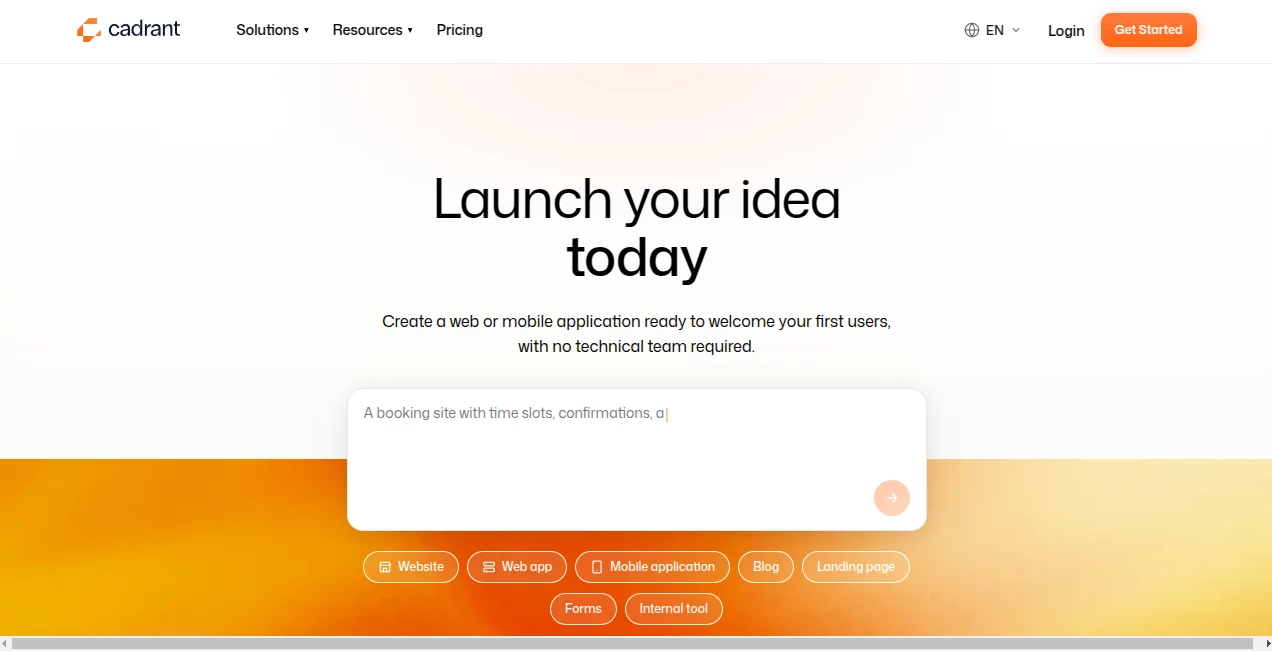
Cadrant is an AI-powered development platform designed to help founders, professionals, designers, and teams turn ideas into working websites, web applications, mobile apps, and internal tools without starting from a blank code editor. Instead of manually building every screen and connecting every service, you describe what you want in plain language and the platform generates the structure, interface, business logic, data layer, and publishing setup.
What makes the approach particularly interesting is that the result is not simply a clickable prototype. Web applications are built with a React front end and a Supabase backend, giving projects a real database, authentication, storage, and server-side functionality. The generated source code can also be exported, helping users keep control as a project grows.
Key Features
- AI-powered generation from natural-language descriptions
- Full-stack web application creation with React and Supabase
- Website builder for fast, SEO-ready business sites
- Native mobile application generation using Expo
- Internal tools with databases, dashboards, roles, and permissions
- Authentication, database, file storage, and server-side functions
- Live preview and conversational editing
- One-click publishing with HTTPS
- Custom domain support
- GitHub integration and source-code export on supported plans
- Version history with the ability to roll back changes
User Interface
The interface follows a conversational approach rather than forcing users through a long sequence of technical configuration screens. A project can begin with a simple description covering its purpose, users, main screens, and desired functionality. From there, users can inspect a visual preview and continue refining the project through additional instructions.
This workflow is especially appealing when an idea is still changing. Instead of rebuilding a page manually after every decision, you can ask for another screen, modify a workflow, or adjust the structure and continue from the existing project.
Accuracy & Performance
Performance ultimately depends on the complexity of the application and the quality of the instructions provided, but the platform takes a practical approach by generating standard technologies rather than hiding the application inside a proprietary runtime. Web applications use React on the front end and Supabase for backend services, while hosting and HTTPS deployment are handled as part of the platform.
The iterative workflow also gives users an opportunity to catch problems early. A first generation does not have to be perfect; the project can be reviewed, refined, and rolled back when an experiment does not work as expected.
Capabilities
The platform covers several different types of digital products. Users can create websites, full-stack web applications, native mobile applications, and internal business tools from the same environment.
For web applications, generated projects can include authentication, protected routes, databases, file storage, role-based access, business logic, and integrations. Supabase provides Postgres, authentication, storage, Row Level Security, and Edge Functions through the user's own account.
Mobile projects can be created as native Expo applications for iOS and Android, with preview capabilities through Expo Go and guided publishing workflows. For simpler projects, the website builder focuses on fast, responsive pages with SEO-related elements and custom-domain publishing.
Security & Privacy
One of the stronger aspects of the platform is its approach to ownership. When users connect their own Supabase account, their database, authentication users, and stored files remain within their own Supabase organization. This reduces dependence on a proprietary backend controlled by the builder.
Server-side functionality can also be handled through Supabase Edge Functions, allowing sensitive API keys and other secrets to remain outside the browser. For larger organizations, an enterprise offering includes features such as SSO/SAML, role and permission management, audit logs, dedicated support, SLA options, and on-premise deployment.
Use Cases
The platform can be useful in situations where someone has a clear product idea but does not want development work to become the first major obstacle. A startup founder could use it to build an MVP and test an idea with real users. A freelancer could create client projects without maintaining a large development workflow for every small assignment.
It can also be useful for internal business software. A company that currently relies on spreadsheets, shared folders, or manual processes could turn those workflows into a dedicated dashboard or internal application with accounts, permissions, and persistent data.
Other practical examples include SaaS products, client portals, booking systems, CRM workflows, marketplaces, membership platforms, event applications, online stores, and administrative dashboards.
Pros and Cons
- Pros: Natural-language development, real application backends, multiple project types, fast prototyping, custom domains, hosting, version history, and strong code-ownership principles.
- Pros: Supabase integration allows users to keep their database and backend services in their own account.
- Pros: Projects can evolve through conversation instead of requiring every change to be implemented manually.
- Cons: More complex applications may still require technical review and refinement before production use.
- Cons: AI-generated applications can vary depending on how clearly requirements are described.
- Cons: Some advanced capabilities, including code export and GitHub integration, are reserved for higher-tier plans.
Pricing Plans
A free option is available for users who want to experiment before paying. The Freemium plan provides 15 credits per day, along with the ability to test sites and applications, use the content editor, and publish to a subdomain.
The Starter plan costs $20 per month and includes 200 credits, unlimited projects, hosting, custom-domain publishing, websites, web applications, native mobile applications, and Supabase integration. The Pro plan costs $40 per month and includes 500 credits, code export, GitHub integration, and access to beta features. Enterprise pricing is available on demand and adds advanced organizational features and support.
The platform explains that roughly 10 credits correspond to one application generation or modification, although the exact usage can depend on the work being performed.
How to Use Cadrant
- Create an account and start with the free option without requiring a credit card.
- Choose whether you want to build a website, web application, or mobile application.
- Describe the product in plain language, including its purpose, users, screens, and important features.
- Review the generated project through the visual preview.
- Continue the conversation to add screens, modify workflows, or improve the design.
- Connect your own Supabase account when your project needs a real backend, authentication, storage, or database.
- Publish the finished project using a platform URL or your own custom domain.
- Use version history to experiment safely and roll back when necessary.
Comparison with Similar Tools
Traditional no-code platforms often rely heavily on visual editors, templates, and manually configured workflows. AI-first development takes a different route: the user describes the desired result and the system generates much of the implementation.
Compared with a conventional visual builder, this approach can feel considerably faster when the idea is easier to explain than to construct manually. It also has an important advantage for teams thinking beyond the prototype stage: the generated web application uses recognizable technologies such as React and Supabase rather than requiring the entire product to remain inside a proprietary application runtime.
That does not mean it replaces professional development in every situation. Highly specialized products, unusual architectures, demanding performance requirements, or complicated enterprise systems may still benefit from experienced developers. For MVPs, business applications, internal tools, and many standard web products, however, the combination of AI generation and real source code makes the approach compelling.
Conclusion
Cadrant offers a practical way to move from an idea to a working digital product without making traditional development the first hurdle. Its biggest strength is the combination of conversational AI generation with a genuine application stack: React for the interface, Supabase for backend services, and standard source code that can remain under the user's control.
For entrepreneurs validating an MVP, freelancers delivering projects, professionals building their own business tools, or teams that need to turn an internal process into software, it provides a particularly straightforward starting point. The free plan also makes experimentation accessible, while paid plans add the infrastructure and publishing features needed to move from testing toward real-world use.
Frequently Asked Questions (FAQ)
Do I need programming experience?
No. Projects can be described using ordinary language, and the platform handles much of the interface, application logic, database setup, and publishing process. Technical knowledge can still be useful for reviewing complex projects or making advanced changes.
What can I build?
You can create websites, full-stack web applications, native mobile applications, and internal business tools. Examples include SaaS products, dashboards, portals, booking systems, CRM tools, marketplaces, and online stores.
Does it create real applications?
Yes. Web applications can include a React front end and a Supabase backend with database, authentication, storage, and server-side functions rather than being limited to static mockups.
Can I use my own domain?
Yes. Paid plans support publishing on a custom domain, with HTTPS deployment handled by the platform.
Do I own the generated application?
Yes. The platform states that users retain ownership of their generated applications and can export source code on supported plans. When a personal Supabase account is connected, the backend data and related resources remain in that account.
Is there a free plan?
Yes. The Freemium plan provides 15 credits per day and lets users test projects and publish to a subdomain. Paid plans provide additional credits, hosting, custom domains, and application capabilities.
Can I connect Supabase?
Yes. Supabase integration allows applications to use a real Postgres database, authentication, storage, Row Level Security, and Edge Functions through the user's own Supabase project.
Can I publish a mobile application?
Yes. Native mobile applications can be generated with Expo for iOS and Android, with tools for previewing and guided publishing to the major app stores.
Can I continue working with a developer later?
Yes. The use of conventional technologies and source-code export means a developer can take over the project, inspect the generated code, make changes, and deploy it outside the platform when appropriate.
AI Website Builder , AI No-Code & Low-Code , AI Developer Tools , AI App Builder .
These classifications represent its core capabilities and areas of application. For related tools, explore the linked categories above.

Cadrant Alternatives Product

BootstrapKing

Sento AI

AntForms

ModelsLab

Claude and C…

tanship

CatDoes

Tate-A-Tate

DDS Gub