


















Choicely
What is Choicely?
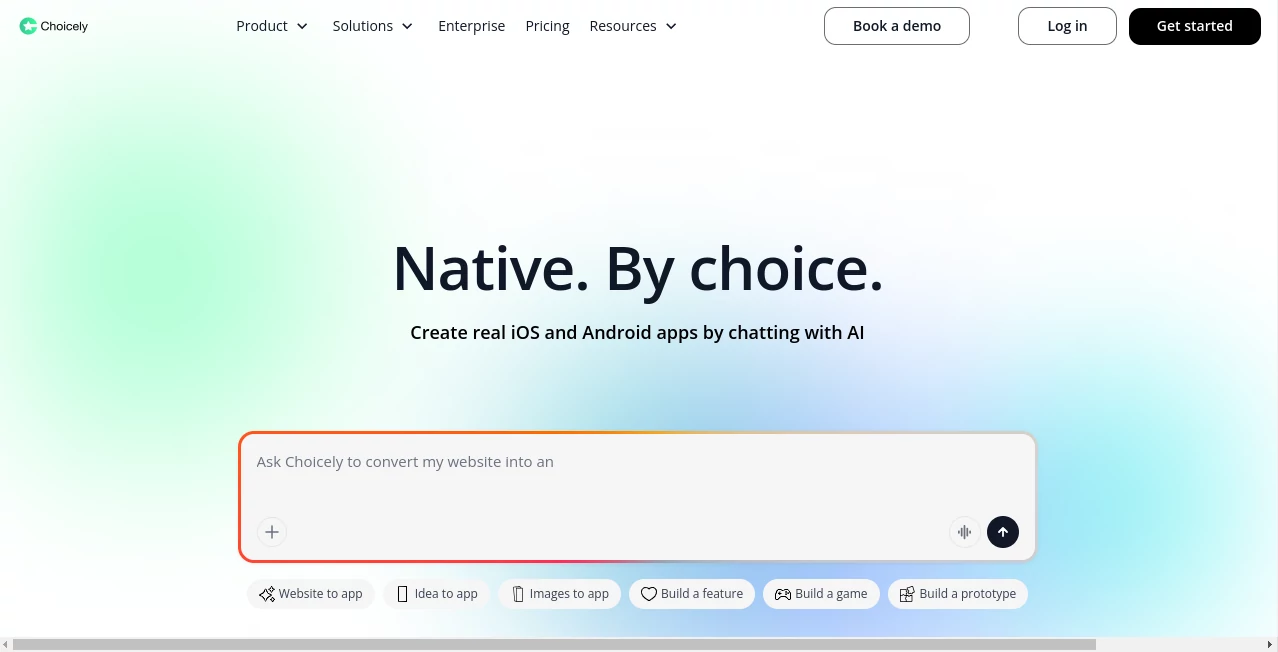
Building a mobile app used to mean choosing between a long development cycle, a large budget, or a simplified builder that could not quite deliver the experience you wanted. Choicely takes a different approach by combining AI-assisted development with a visual app builder for creating real native iOS and Android applications.
The platform lets users describe an app or feature in plain language, import an existing website, start from a template, or build visually with drag-and-drop tools. The result is designed for businesses, publishers, events, communities, entertainment brands, and other organizations that want a dedicated mobile experience without starting every project from scratch.
One particularly useful feature is the ability to keep website content connected to the mobile experience. Instead of maintaining completely separate content workflows, teams can bring existing content into an app and continue managing it through a dedicated CMS.
Key Features
- AI-assisted app creation using natural-language prompts
- Native iOS and Android app development
- Website-to-app conversion
- Visual drag-and-drop app builder
- Built-in content management system
- Ready-made templates for different types of applications
- Push notifications and targeted messaging
- In-app purchases and subscription support
- Voting, ratings, polls, surveys, and contest features
- Third-party integrations through APIs, SDKs, web views, and custom development
- Support for multiple app experiences within a parent application
- Real-time content and app updates
User Interface
The visual editor is designed to make app construction approachable even for people who are not professional developers. Users can work with screens, menus, feeds, profiles, registration areas, content blocks, and navigation elements rather than having to build every interface component manually.
The AI workflow adds another layer of simplicity. Instead of beginning with a blank canvas, a user can describe what they want to create and then refine the result. This makes the platform especially interesting for founders, marketers, publishers, event organizers, and small teams that have a clear product idea but limited development resources.
Accuracy & Performance
Performance is an important distinction here because the platform is focused on native mobile applications rather than simply placing a website inside a mobile wrapper. Its AI app builder is designed to produce native iOS and Android applications, while the platform also provides infrastructure for publishing and managing those applications.
The company states that its applications are designed to scale to millions of simultaneous users. For a growing content platform or a high-traffic event, that focus on scalability can be more valuable than having an enormous number of visual customization options.
Capabilities
The platform covers much more than basic screen creation. Its CMS can manage native iOS, Android, and web content, while the app builder supports registration, profiles, navigation, subscriptions, in-app purchases, article layouts, feeds, and third-party integrations.
Engagement features are another strong point. Teams can create voting experiences, ratings, polls, surveys, contests, contestant profiles, rankings, and interactive campaigns. Push notifications can also be sent to all users, groups, or specific audiences, with the option to direct users toward particular content or sections.
For businesses looking to monetize an application, available options include premium subscriptions, consumable purchases, advertising, sponsored content, shops, lead capture, and other revenue-oriented features.
Security & Privacy
For organizations building a customer-facing application, control over data and integrations is an important consideration. The platform emphasizes ownership of data and code while allowing applications to be extended through SDKs, APIs, third-party services, and custom development.
Teams can also connect external systems rather than forcing every part of their business workflow into one platform. This can be useful when an existing website, database, commerce system, or internal service needs to remain part of the overall architecture.
Use Cases
This platform is particularly well suited to projects where mobile engagement is central to the business rather than simply being an optional website companion.
- Events: Build applications with schedules, maps, announcements, notifications, and interactive content.
- News and publishing: Turn existing editorial content into a dedicated mobile experience with feeds and push notifications.
- Sports: Create fan applications with live content, schedules, rankings, voting, and engagement features.
- Entertainment: Build companion apps for television programs, competitions, and entertainment brands.
- E-commerce: Provide customers with a branded shopping experience and connect external commerce services.
- Contests and voting: Run voting campaigns, surveys, ratings, contestant profiles, and live result experiences.
- Organizations: Create employee communication or community-focused applications without developing every component independently.
Pros and Cons
Pros:
- AI-assisted app development reduces the initial technical barrier.
- Produces native iOS and Android applications rather than relying solely on web-based experiences.
- Website content can be brought into an app and managed through a dedicated CMS.
- Strong collection of engagement and monetization features.
- Visual editing makes ongoing changes easier for non-developers.
- Supports APIs, SDKs, web views, and custom extensions.
- Offers a free starting option without requiring a credit card.
Cons:
- The credit-based pricing model requires users to understand usage limits as their projects grow.
- Developers looking for complete low-level control may prefer a traditional development environment.
- More advanced customization can require technical knowledge or developer assistance.
- Publishing to major app stores still involves the developer accounts and fees required by Apple and Google.
Pricing Plans
The platform offers a free starting plan with up to 150 credits per month, allowing users to build and preview applications without entering payment details. The free tier also includes features such as public mobile apps, unlimited collaborators, push notifications, website-to-app functionality, third-party integrations, and cloud services.
The Premium plan starts at $25 per month and includes 1,000 monthly credits, usage-based Cloud and AI features, credit rollovers, optional credit top-ups, dynamic links, in-app purchases, and GitHub connection and synchronization.
The Business plan costs $50 per month and adds Pro AI models, extended AI context, and priority support. Larger organizations can use the Enterprise option, which provides services such as app design and development, onboarding, dedicated support, publishing assistance, strategy services, and custom integrations. Enterprise pricing is tailored to the project.
How to Use the AI App Builder
- Start by describing the application you want to create in natural language.
- Alternatively, import an existing website, choose a template, or start with a specific app idea.
- Use the AI-assisted workflow to create an initial structure and features.
- Open the visual builder and adjust screens, navigation, content, feeds, and branding.
- Connect external services, APIs, or other integrations when required.
- Add engagement features such as notifications, voting, surveys, subscriptions, or purchases.
- Preview and test the application on mobile devices throughout the development process.
- When the app is ready, prepare it for publication through the appropriate app store accounts.
Comparison with Similar Tools
Many app builders focus primarily on making web applications or simplified cross-platform experiences. This platform takes a more mobile-first approach, with native iOS and Android output at the center of its offering.
Another difference is the combination of AI-assisted creation and a mature visual platform. A user can begin with a conversation about an app idea and then move into a drag-and-drop environment for refinement. That combination can be useful when speed matters but the project still needs structured content management, engagement tools, monetization, and integrations.
For a simple internal prototype, a lightweight web app builder may be enough. For a public-facing application where push notifications, subscriptions, voting, content feeds, native mobile experiences, and app-store distribution matter, a more complete platform can provide a stronger foundation.
Conclusion
Choicely stands out by bringing AI-assisted development into a platform that goes beyond basic app generation. The combination of natural-language creation, native mobile output, visual editing, content management, integrations, engagement features, and monetization tools gives teams a practical way to move from an idea to a functioning mobile product.
It is especially appealing for organizations that already have valuable web content or an established audience and want to extend that experience into native mobile applications. The free starting tier also makes it possible to explore the workflow before committing to a paid plan.
For founders and teams that want to launch a serious mobile application without building every component from the ground up, this approach offers a compelling balance between speed, flexibility, and long-term extensibility.
Frequently Asked Questions (FAQ)
Can I build an app without coding?
Yes. The platform is designed to let users create applications through AI prompts and a visual drag-and-drop editor. Developers can still use custom code and extensions when more advanced functionality is required.
Does it create native iOS and Android apps?
Yes. The AI app builder is designed to create native applications for both iOS and Android rather than simply wrapping a website inside an app.
Can I turn an existing website into a mobile app?
Yes. A website-to-app workflow is available, allowing existing website content to become part of a native mobile experience.
Is there a free plan?
Yes. Users can start for free with up to 150 credits per month and can build and preview their application without providing a credit card.
Can I monetize my application?
Yes. Available monetization options include subscriptions, in-app purchases, advertising, sponsored content, shops, and lead capture features.
Can I connect third-party services?
Yes. The platform supports third-party integrations through APIs, SDKs, web views, and custom development, making it possible to connect an application with existing services and business systems.
Is it suitable for large organizations?
Yes. Enterprise services include dedicated support, onboarding, design, strategy, publishing assistance, custom integrations, and professional app development services.
What types of applications can I create?
Common examples include news apps, sports and fan apps, event applications, entertainment and TV companion apps, e-commerce apps, voting platforms, community applications, and branded content experiences.
AI Website Builder , AI No-Code & Low-Code , AI Developer Tools , AI App Builder .
These classifications represent its core capabilities and areas of application. For related tools, explore the linked categories above.

Choicely Alternatives Product

Nimbalyst

Dedoctive

Project Genie

Firefox

VercelAPP

BootstrapKing

GPTLocalhost

Xvibe
Timestamp Ro…
