
CinLink
What is CinLink?
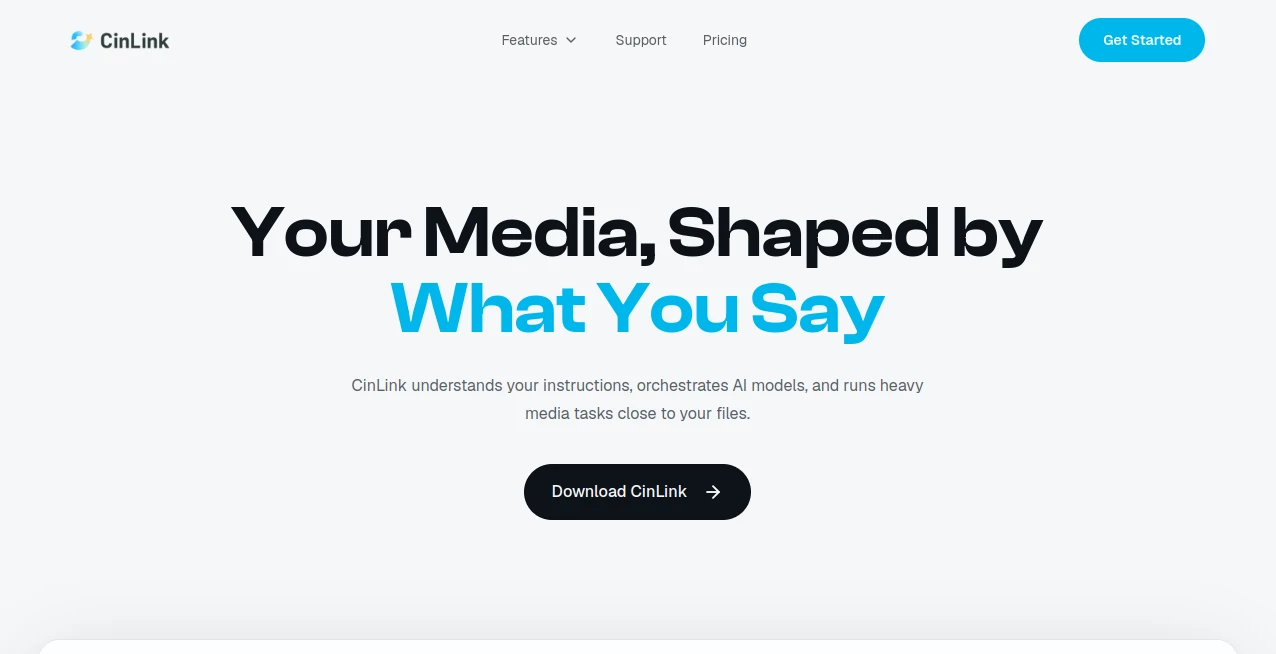
Creating and managing video content often means moving between several different tools. One application handles editing, another takes care of subtitles, another translates the dialogue, and yet another is needed for repurposing long videos into short clips. CinLink takes a different approach by bringing these tasks into a natural-language media workspace.
Instead of learning a complicated editing interface for every small change, you can describe what you want in everyday language. Whether the task is finding a particular moment in a recording, creating subtitles, translating dialogue, cutting a social media clip, or preparing a video for another audience, the workflow is built around instructions rather than a collection of disconnected tools.
One of its most interesting qualities is its local-first approach. Media can remain on the user's device, which is particularly useful when working with private footage, internal recordings, client material, or other files that should not unnecessarily be uploaded to a cloud service.
The result is a practical workspace for creators, marketers, businesses, and teams that regularly turn raw footage into finished or reusable media.
Key Features
- Natural-language instructions for media creation and editing
- AI-assisted video generation and visual asset creation
- Natural-language search for finding specific moments in video footage
- Video trimming, rearranging, summarizing, and transformation
- Automatic subtitle creation and transcription
- Subtitle translation for multilingual content
- Dialogue localization and multilingual voiceovers
- Content repurposing for short clips and social media
- Highlight extraction from longer recordings
- Support for reviewing and refining generated results
- Local-first media processing
- Desktop, mobile, CLI, and AI-agent workflow support
- Batch processing for repetitive media tasks
User Interface
The interface is designed around a simple idea: describe the result you want instead of manually navigating through a long list of editing controls. A creator can give an instruction, review the result, and then continue refining it with another request.
This approach can feel especially convenient for straightforward production jobs. For example, someone working with an interview could ask for three short clips containing the most important moments and subtitles. A marketer could request a short product video from a collection of product images. A team working with a webinar could ask for a summary and several social-ready highlights.
The platform also extends beyond a traditional desktop application. Its ecosystem includes desktop and mobile workflows, a command-line interface for automation, and capabilities that can be connected to AI-agent workflows.
Accuracy & Performance
Performance depends on the type and complexity of the media task, but the workflow is built to connect multiple steps instead of treating every operation as an isolated job. Searching, transcription, subtitles, translation, dubbing, editing, repurposing, review, and export can form part of the same process.
This is useful when a project involves several related operations. Rather than exporting a file from one service and manually moving it into another, users can continue working through a connected workflow.
Natural-language search is another practical feature. Instead of manually scanning a long recording, users can describe the moment they are looking for, such as the section where a speaker discusses pricing. For interviews, webinars, podcasts, and large footage libraries, this can save considerable time.
Capabilities
The platform covers a surprisingly broad part of the media production process. It can generate images, videos, and visual assets from ideas, prompts, references, and creative directions. Existing footage can then be trimmed, rearranged, subtitled, summarized, restyled, or otherwise transformed through instructions.
Localization is another strong area. Subtitles can be translated, dialogue can be localized, and multilingual voiceovers can be created for audiences in different markets. This makes the workflow useful for businesses that want to reuse existing video content instead of producing completely separate versions from scratch.
Content repurposing is equally important. A long-form recording can become short clips, highlights, multilingual versions, social content, or other reusable assets. For creators who publish across several platforms, this can turn one recording into a much larger content package.
Security & Privacy
Privacy is one of the more distinctive aspects of the platform. Its local-first processing model is designed to keep media on the user's device and reduce unnecessary cloud uploads.
This can be valuable for professionals working with client footage, unpublished campaigns, internal meetings, product demonstrations, interviews, or other sensitive media. Keeping files closer to the user's own environment also provides a more private workflow than automatically sending every piece of footage to a remote service.
For organizations with more demanding requirements, the enterprise offering includes private deployment options, workspace management, API integration, dedicated support, and other business-oriented features.
Use Cases
Social Media Content: Long videos can be turned into shorter clips, highlights, and reusable social content. This is useful for creators who need a steady stream of short-form material without manually reviewing every minute of a recording.
Video Localization: Businesses can translate subtitles and localize spoken dialogue for audiences in other languages. Multilingual voiceovers can help extend the reach of existing video campaigns.
Webinars and Interviews: A long webinar or interview can be summarized and divided into useful highlights. Specific sections can also be located using natural-language descriptions.
Marketing Campaigns: Product images, captions, and brand information can be combined into campaign teasers and promotional videos. This makes the workflow appealing to small marketing teams that need to produce content quickly.
User-Generated Content: Multiple customer or user videos can be organized into testimonial montages or other branded compilations.
Product Videos: A product image or collection of product assets can serve as the starting point for a short promotional video.
Media Libraries: Natural-language search can make large folders of footage easier to navigate when users remember what they need but not exactly where it appears.
Automated Workflows: The command-line interface and agent-oriented capabilities make the platform relevant to users who want to automate repetitive media operations or connect video tasks to broader AI workflows.
Pros and Cons
- Pros: Natural-language media workflows make many common tasks easier to describe.
- Pros: Local-first processing is a strong advantage for privacy-conscious users.
- Pros: Editing, subtitles, translation, dubbing, and repurposing are brought together in one workflow.
- Pros: Useful for both individual creators and professional teams.
- Pros: Desktop, mobile, CLI, and AI-agent workflows provide flexibility.
- Cons: Credit usage means heavier video workflows can require a paid plan or additional credits.
- Cons: Users looking for a traditional, highly manual timeline editor may prefer software built specifically around conventional editing controls.
- Cons: More advanced team and business requirements are reserved for the enterprise offering.
Pricing Plans
The pricing structure is based on credits used for AI video processing tasks. There is a free option for testing the workflow before committing to a subscription.
- Free: $0 per month with 100 one-time credits. It includes basic subtitles, transcription, translation testing, and short test video exports. No credit card is required.
- Creator: $19 per month with 2,500 credits. It is aimed at individual creators working with short videos, subtitles, translation, and basic localization workflows.
- Studio: $59 per month with 8,500 credits. It adds higher-volume processing and batch video workflows, making it better suited to frequent creators, teams, and agencies.
- Enterprise: Custom pricing with custom credit packages, team seats, workspace management, private deployment options, API integration, invoice and SLA support, and dedicated support.
Additional credits can also be purchased when needed. Current top-up options include 1,000 credits for $10 and 3,300 credits for $30, while a larger 12,000-credit package is available at a custom price.
How to Use It
- Start by adding the video, image, or other media you want to work with.
- Describe the result you want using natural language.
- Let the system connect the relevant media operations, such as search, transcription, subtitles, translation, editing, or dubbing.
- Review the generated result and identify anything that needs improvement.
- Give follow-up instructions to refine the result rather than starting the project again.
- Export the finished media when it is ready for publication or continue refining it.
A useful example would be an interview that needs to become social content. Instead of manually watching the entire recording, you could ask for the sections discussing a particular topic, turn the strongest moments into short clips, add subtitles, and prepare the result for export. The same workflow can then be adapted for another language or another audience.
Comparison with Similar Tools
Traditional video editors are usually built around timelines, panels, menus, and manual controls. They can provide extremely detailed control, but even a simple operation may require several steps. This platform takes a more conversational approach.
Dedicated subtitle and transcription services are excellent when the main requirement is turning speech into text, while localization platforms often concentrate on translation and dubbing. Here, those functions sit alongside editing, generation, search, and repurposing.
Another distinction is the local-first philosophy. Many modern media tools are designed around uploading footage to remote infrastructure. A workflow that keeps media on the user's device can be a more attractive option when privacy and control are important considerations.
The strongest reason to choose this approach is therefore not necessarily that it replaces every specialized editing application. Instead, it offers a convenient layer for connecting several common media tasks through natural-language instructions.
Conclusion
For anyone who spends a significant amount of time creating, editing, translating, or repurposing video, a workflow that understands plain-language instructions can remove a surprising amount of friction. The combination of AI-assisted creation, editing, transcription, subtitles, translation, dubbing, search, and repurposing gives creators a broad toolkit without forcing every task into a separate application.
The local-first design is another meaningful advantage, particularly for people who work with private or client-owned footage. Add support for desktop, mobile, command-line automation, and AI-agent workflows, and the platform becomes useful beyond the typical social video creator.
It is especially worth considering for creators, marketers, agencies, and teams that repeatedly turn long recordings or collections of media assets into multiple pieces of content. The free plan also provides an easy way to test the workflow before deciding whether the larger credit packages fit a regular production schedule.
Frequently Asked Questions (FAQ)
What can this AI media workspace do?
It can help create and edit images and videos, search local footage, generate subtitles, transcribe recordings, translate subtitles, localize dialogue, create multilingual voiceovers, summarize content, extract highlights, and repurpose long videos into shorter assets.
Does it keep video files private?
The service uses a local-first approach designed to keep media on the user's device and reduce unnecessary cloud uploads. This makes it particularly interesting for privacy-conscious video workflows.
Is there a free plan?
Yes. The Free plan costs $0 and provides 100 one-time credits for testing features such as subtitles, transcription, basic translation, and short test video exports.
How much does the Creator plan cost?
The Creator plan costs $19 per month and includes 2,500 credits each month. It is designed primarily for individual creators working with short videos, subtitles, and basic localization tasks.
Is there a plan for teams?
Yes. The Studio plan provides 8,500 credits per month and supports higher-volume workflows and batch processing. Larger organizations can use the Enterprise plan with custom credits, team management, private deployment options, API integration, and dedicated support.
Can it be used for video translation and dubbing?
Yes. The platform supports subtitle translation, dialogue localization, and multilingual voiceovers, making it suitable for adapting existing video content for international audiences.
Can long videos be turned into short clips?
Yes. Content repurposing is one of its core capabilities. Long videos can be transformed into short clips, highlights, social content, multilingual versions, and other reusable assets.
Does it support automation?
Yes. In addition to desktop and mobile workflows, it provides a command-line interface for repetitive and batch media tasks and can connect its media capabilities with AI-agent workflows.
AI Video Generator , AI Video Editor , Video , AI Transcription .
These classifications represent its core capabilities and areas of application. For related tools, explore the linked categories above.

CinLink Alternatives Product

See dance 2.…

Gemini AI vi…

Mimo AI

Meigen AI

happyhorse

Sora 2 Video

animearc

AudioVideoGe…

GenVideo AI