
Clawly
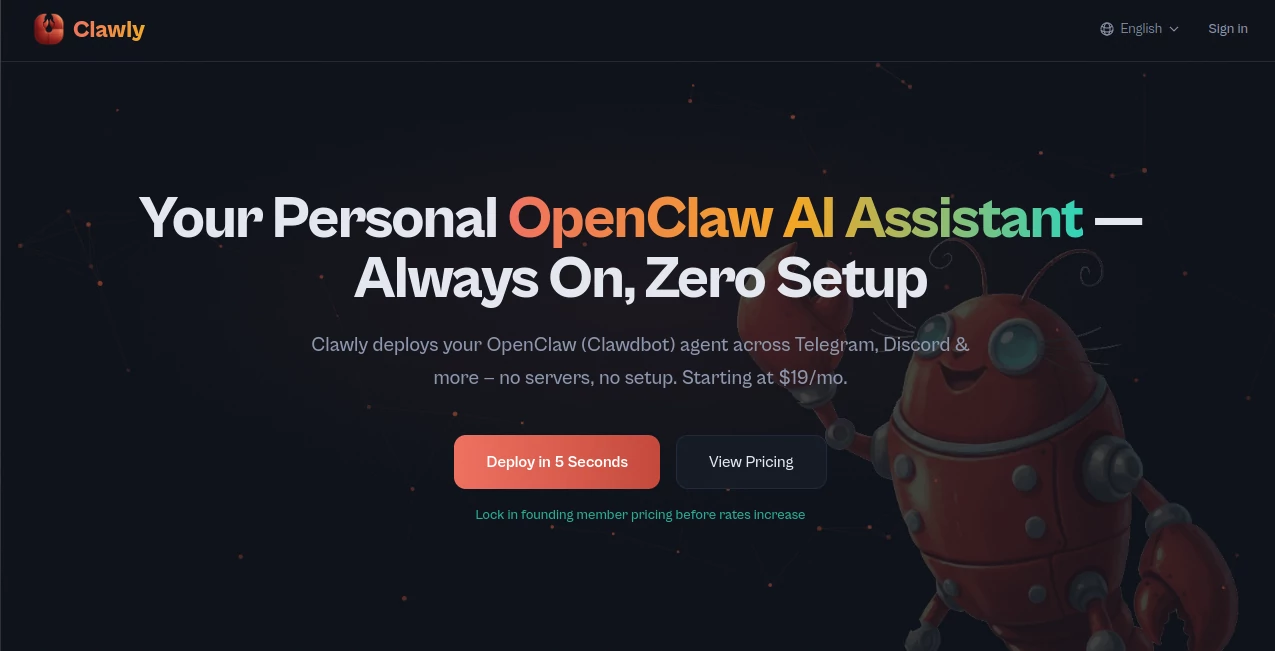
What is Clawly?
Managing an AI agent should not require hours of server configuration, technical troubleshooting, or constant monitoring. This platform simplifies the entire process by providing a managed environment where AI agents can be deployed, monitored, and controlled through an intuitive dashboard. Whether you need an intelligent assistant for productivity, content creation, research, customer communication, or business operations, everything is designed to work with minimal setup.
One of the most appealing aspects of the platform is its focus on accessibility. Users can launch an AI agent in seconds and connect it to popular communication channels without dealing with infrastructure, hosting environments, or complex deployment procedures. The result is a reliable AI companion that remains active around the clock and continues working even when your computer is offline.
For individuals, creators, developers, and businesses looking to automate repetitive tasks while maintaining full visibility into usage and costs, this solution delivers a remarkably practical experience.
Key Features
User Interface
The dashboard is clean, organized, and built for everyday use. Users can start, stop, restart, and monitor their AI agents from a centralized control panel. Important metrics such as uptime, activity status, memory consumption, and usage information are displayed clearly, making agent management straightforward even for non-technical users.
The guided setup process removes much of the complexity typically associated with AI deployments. Instead of configuring servers manually, users simply choose their preferred model and communication channel before launching an agent.
Accuracy & Performance
The platform supports several advanced AI models, allowing users to select the option that best fits their workflow. Because agents operate continuously in cloud infrastructure, they remain available 24/7 and can respond consistently without interruptions caused by local hardware limitations.
Real-time monitoring tools provide visibility into token consumption and operational costs, helping users maintain performance while avoiding unexpected expenses.
Capabilities
The platform supports a wide range of practical workflows across multiple industries and personal use cases.
- Email triage and inbox management
- News summarization and research assistance
- Content repurposing and marketing automation
- SEO research and content generation workflows
- Lead enrichment and sales intelligence
- Customer support automation
- Meeting notes and team collaboration tasks
- Website generation and development assistance
- Server monitoring and DevOps workflows
- Community moderation and engagement management
Support for channels such as Telegram, Discord, WhatsApp, Slack, GitHub, Gmail, Notion, Trello, and other popular services expands the range of possible automations significantly.
Security & Privacy
Security is treated as a core feature rather than an afterthought. Each AI agent operates within an isolated environment, reducing interference between deployments and improving operational safety.
API credentials are encrypted, and users can either bring their own provider keys or utilize managed options. Additional features such as import/export functionality, rollback capabilities, and secure infrastructure management provide extra confidence for professional users and organizations.
Use Cases
- Personal Productivity: Manage email, summarize articles, organize reading lists, and receive daily briefings.
- Marketing Operations: Automate content production, monitor reviews, and support SEO campaigns.
- Sales Intelligence: Research prospects, enrich lead data, and identify buying signals.
- Customer Support: Route tickets, answer common questions, and summarize customer feedback.
- Development Teams: Monitor logs, review pull requests, manage documentation, and track dependencies.
- Research Projects: Analyze information sources, monitor trends, and generate structured reports.
- Community Management: Moderate online communities and automate engagement workflows.
Pros and Cons
Pros
- Fast deployment without server setup
- Runs continuously 24/7
- Supports multiple communication channels
- Comprehensive usage and cost tracking
- Flexible AI model options
- Secure and isolated environments
- Useful for both personal and business workflows
Cons
- Advanced workflows may require some experimentation
- Cloud-based operation may not suit users seeking fully local deployments
- Premium features require a paid subscription
Pricing Plans
The platform offers several pricing options designed for different user needs.
- Developer Plan: Affordable entry-level option with support for personal API keys and essential management features.
- Easy Plan: Includes managed AI credits, full channel support, and simplified deployment for non-technical users.
- Pro Plan: Designed for advanced users and teams requiring multiple agents, analytics, and priority support.
This structure makes it easy to start small and scale as automation requirements grow.
How to Use Clawly
Getting started is remarkably straightforward.
- Select a subscription plan.
- Choose an AI model.
- Connect a preferred communication channel.
- Deploy the AI agent.
- Configure workflows and automations.
- Monitor usage through the management dashboard.
- Adjust settings and integrations as needs evolve.
Most users can launch their first working AI assistant within minutes rather than spending hours configuring infrastructure.
Comparison with Similar Tools
Many AI agent platforms focus exclusively on deployment, leaving users responsible for monitoring, budgeting, and infrastructure management. This solution distinguishes itself by combining deployment, administration, analytics, cost visibility, and multi-channel connectivity in a single environment.
Compared with traditional self-hosted approaches, it significantly reduces technical overhead. Compared with lightweight automation services, it provides greater visibility and control over agent operations. The combination of simplicity and operational insight makes it particularly attractive for users who want reliable automation without dedicating time to server management.
Conclusion
For anyone interested in running AI agents continuously without dealing with technical infrastructure, this platform offers an impressive balance of convenience, flexibility, and control. Its support for multiple communication channels, detailed monitoring capabilities, secure deployment model, and broad range of practical use cases make it a compelling option for individuals, creators, developers, and businesses alike.
The ability to launch an intelligent assistant in seconds while maintaining visibility into costs and performance creates a smooth experience that feels both practical and professional. As AI-powered automation becomes increasingly important, solutions like this help make advanced agent technology accessible to a much wider audience.
Frequently Asked Questions (FAQ)
What is this platform used for?
It allows users to deploy and manage always-on AI agents for productivity, business automation, research, communication, and development workflows.
Does it require technical knowledge?
No. The platform is designed to simplify deployment and management through a guided setup process.
Can I connect multiple communication channels?
Yes. Supported integrations include messaging, collaboration, development, and productivity platforms.
Can I use my own AI provider API keys?
Yes. Users can connect their own provider credentials or choose managed billing options.
Is the platform suitable for businesses?
Absolutely. Its monitoring tools, security controls, analytics, and automation capabilities make it suitable for professional and organizational use.
AI Workflow Management , AI Productivity Tools , AI Team Collaboration , AI Developer Tools .
These classifications represent its core capabilities and areas of application. For related tools, explore the linked categories above.

Clawly Alternatives Product

Vibebot.gg

Helploom

Nifty

cznull

Duct Tape 3

Remove My Me…

Receipt AI

HeyZinc

KronoPrompt