


















ClawShip
What is ClawShip?
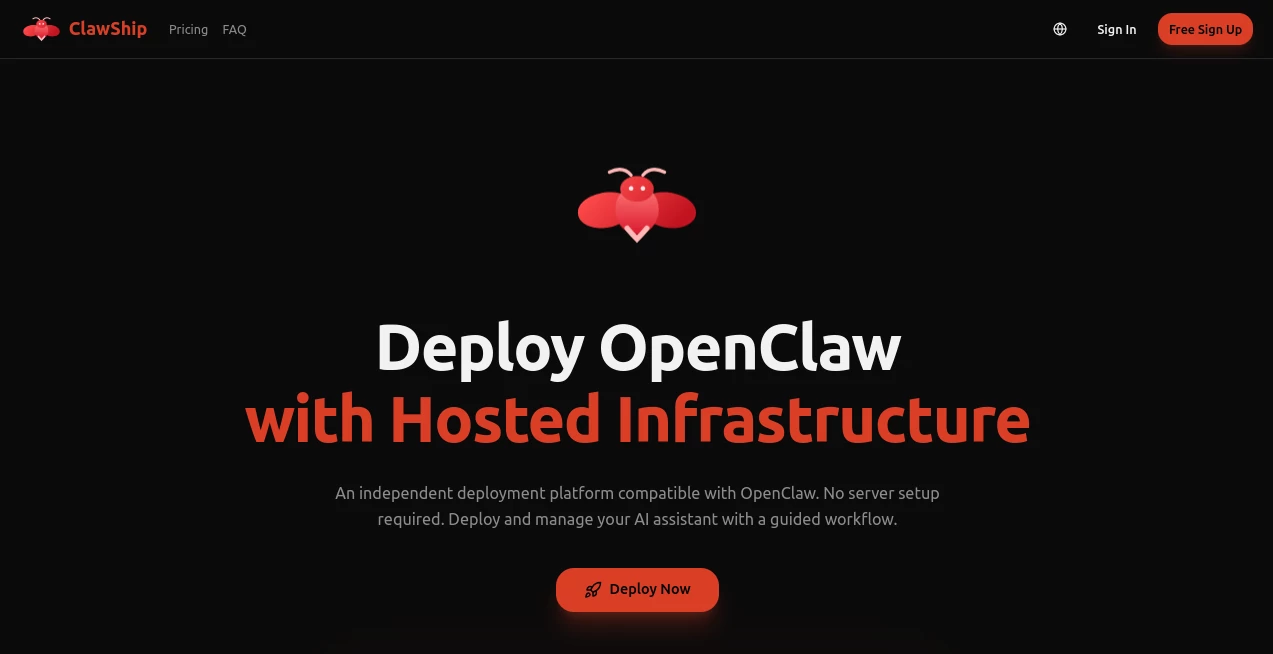
Launching an AI assistant often involves configuring servers, managing infrastructure, handling updates, and maintaining reliable uptime. For many creators and businesses, these technical tasks become a barrier before an idea can even reach users. This platform removes that complexity by offering a fully managed deployment environment designed specifically for OpenClaw-powered AI assistants.
Instead of spending hours configuring VPS instances, networking, or deployment pipelines, users can launch intelligent assistants through a guided setup process. Multiple communication channels such as Telegram, Discord, and WhatsApp are supported, allowing a single AI assistant to interact with audiences across different platforms from one managed environment.
The service is particularly appealing for developers, startups, customer support teams, and communities that want dependable AI automation without becoming infrastructure experts. Hosting, scaling, monitoring, and updates are handled behind the scenes, allowing users to focus entirely on building better AI experiences.
Key Features
User Interface
The dashboard is clean, modern, and built around simplicity. Deployment follows a guided workflow that minimizes technical decisions while still offering enough flexibility for advanced users. Configuration is organized logically, making it easy to connect messaging platforms, configure assistant behavior, and monitor activity from one place.
Accuracy & Performance
The managed infrastructure emphasizes fast response times and reliable performance through multi-region deployment and optimized routing. Automated infrastructure management helps maintain consistent uptime while reducing the operational overhead typically associated with hosting AI assistants.
Capabilities
- One-click deployment for OpenClaw-based AI assistants.
- Supports Telegram, Discord, WhatsApp, and additional messaging platforms.
- No VPS configuration or infrastructure management required.
- Guided deployment workflow suitable for beginners.
- Fully managed hosting with automatic updates.
- Built-in scaling for growing workloads.
- Support for premium AI models on paid plans.
- Centralized management dashboard.
- Low-latency global deployment.
- Hosted environment designed for production use.
Security & Privacy
Security is treated as a core feature rather than an afterthought. The platform uses encrypted storage, TLS encryption during data transmission, access controls, and enterprise-grade security practices to protect deployments. Operational monitoring and privacy-focused infrastructure provide additional confidence for organizations running customer-facing assistants.
Use Cases
- Deploy AI customer support assistants for messaging platforms.
- Create intelligent community moderators for Discord servers.
- Launch Telegram AI bots without server administration.
- Build internal business assistants for team communication.
- Prototype AI products before investing in infrastructure.
- Host personal productivity assistants.
- Manage AI-powered FAQ and support automation.
- Operate multi-channel conversational assistants from a single deployment.
Pros and Cons
Pros
- Very simple deployment process.
- No infrastructure management required.
- Supports multiple communication platforms.
- Managed hosting with automatic maintenance.
- Enterprise-focused security features.
- Suitable for both individuals and teams.
- Scalable pricing options.
Cons
- Advanced AI models require paid subscriptions.
- Designed primarily around OpenClaw deployments.
- Large production workloads may require higher-tier plans.
Pricing Plans
The platform offers a free entry option with limited monthly usage for new users who want to explore the service. Paid subscriptions begin with a Basic plan intended for individual users, followed by Pro and Max plans that provide additional computing resources for power users and teams. Token top-ups are also available for customers who require additional usage without changing their subscription.
How to Use ClawShip
Start by creating an account and selecting a deployment plan that matches your expected workload. Follow the guided setup to connect your preferred messaging platform, configure your assistant's personality and behavior, and complete the deployment process. Once published, the dashboard allows you to monitor activity, manage configurations, and maintain your AI assistant without dealing with servers or infrastructure.
Comparison with Similar Tools
Unlike traditional cloud hosting providers that require manual server provisioning and DevOps knowledge, this solution focuses specifically on AI assistant deployment. While generic cloud platforms offer maximum flexibility, they also demand significantly more technical expertise. Dedicated AI deployment services simplify the process, but this platform stands out through its guided setup, managed infrastructure, multi-channel support, and optimization for OpenClaw deployments. It provides an excellent balance between ease of use and production reliability.
Conclusion
Organizations and developers increasingly want AI assistants that are reliable, secure, and easy to maintain. Managing servers should not become the biggest challenge in launching conversational AI. This platform delivers an impressive managed hosting experience that removes operational complexity while preserving flexibility for real-world deployments. Whether the goal is building customer support automation, community assistants, or productivity bots, it offers an efficient path from idea to production with minimal technical overhead.
Frequently Asked Questions (FAQ)
Can beginners deploy an AI assistant?
Yes. The guided deployment process is designed for users without server administration experience.
Which messaging platforms are supported?
The platform supports Telegram, Discord, WhatsApp, and additional communication channels for AI assistants.
Do I need to manage my own server?
No. Infrastructure, updates, hosting, and scaling are handled by the managed platform.
Is the platform suitable for businesses?
Yes. Multiple pricing tiers, enterprise-grade security, and scalable infrastructure make it appropriate for professional deployments.
Are premium AI models available?
Paid plans provide access to premium AI models, while free users receive limited access according to the selected plan.
AI Workflow Management , AI Chatbot , AI Developer Tools , AI Productivity Tools .
These classifications represent its core capabilities and areas of application. For related tools, explore the linked categories above.

ClawShip Alternatives Product

Calculadora …

Keepmind

freellm.net

Hands Off

DocReplacer

SalaryHow

Hairstyle An…
Wisegrid

LorePanic
