
Clriti AI
What is Clriti AI?
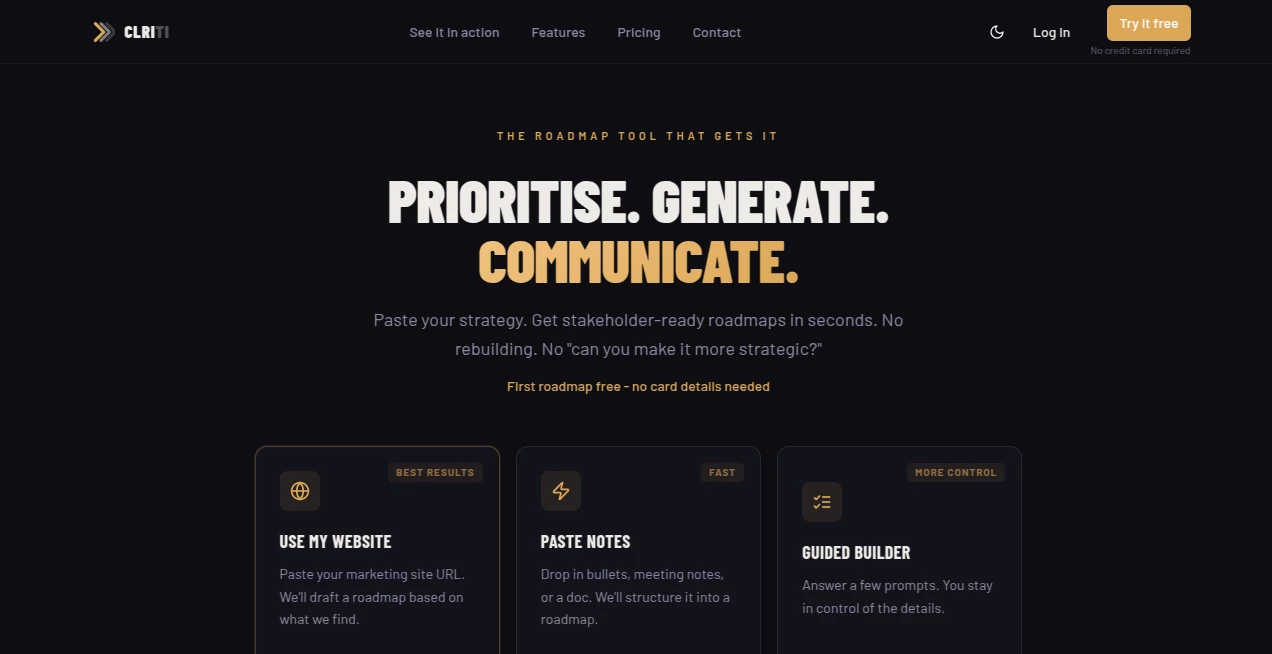
Turning product ideas into a roadmap that satisfies executives, engineers, and commercial teams is rarely simple. Planning usually begins with scattered notes, meeting summaries, strategy documents, or feature requests, followed by hours of manual formatting. This platform removes that repetitive work by transforming raw information into polished, presentation-ready roadmaps within seconds.
Instead of rebuilding the same roadmap for different audiences, users can generate multiple stakeholder-focused views from a single source of truth. Built specifically for product managers, founders, startup teams, and strategic planners, the platform combines AI-powered roadmap generation with proven prioritization methods to help teams make better decisions while communicating them more effectively. It also supports document uploads, website analysis, editable presentations, and collaborative workspaces, making roadmap planning significantly faster and far more consistent. :contentReference[oaicite:0]{index=0}
Key Features
User Interface
The interface is designed around simplicity rather than complexity. Users can either paste strategy notes, upload documents, enter a website URL, or build a roadmap through guided prompts. Navigation remains clean, while drag-and-drop editing and natural language commands make updates feel effortless. Multiple roadmap layouts can be switched instantly without rebuilding the project from scratch. :contentReference[oaicite:1]{index=1}
Accuracy & Performance
The platform applies structured prioritization techniques such as MoSCoW and RICE scoring before generating roadmap views. Rather than producing generic timelines, it organizes initiatives according to strategic goals, dependencies, business priorities, and delivery schedules. This results in roadmaps that are both visually appealing and logically organized for different business audiences. :contentReference[oaicite:2]{index=2}
Capabilities
- Generate multiple roadmap formats from one strategy document.
- Create executive, engineering, and commercial roadmap views.
- Import strategy documents, meeting notes, PDFs, or website content.
- Support Timeline, Gantt, Swimlane, Strategic, Priority, Goals, and Now/Next/Later layouts.
- Apply built-in MoSCoW and RICE prioritization frameworks.
- Edit roadmaps using natural language commands.
- Collaborate with team members through shared workspaces.
- Export projects as PDF, PNG, or editable PowerPoint presentations.
- Present roadmaps directly in presentation mode.
- Customize themes and branding for stakeholder meetings.
Security & Privacy
Business planning often contains confidential information. The platform includes sharing options that allow teams to distribute stakeholder-ready roadmaps while protecting internal planning details. Collaboration features, view-only links, and controlled sharing help organizations communicate strategy without exposing unnecessary project information. :contentReference[oaicite:3]{index=3}
Use Cases
- Preparing quarterly product roadmaps.
- Presenting strategic plans to executives.
- Aligning engineering teams with business objectives.
- Creating launch timelines for sales departments.
- Prioritizing product backlogs using RICE and MoSCoW.
- Converting meeting notes into structured development plans.
- Building investor or board presentations.
- Planning startup product development.
Pros and Cons
Pros
- Produces multiple roadmap formats from a single input.
- Significantly reduces manual planning work.
- Supports industry-standard prioritization frameworks.
- Simple interface with natural language editing.
- Excellent export options for presentations and documentation.
- Built specifically for modern product teams.
- Collaboration features improve stakeholder alignment.
Cons
- Best suited for product planning rather than general project management.
- AI-generated roadmaps may still benefit from human review before final approval.
- Advanced collaboration capabilities are primarily available on paid plans.
Pricing Plans
A free roadmap can be generated without providing payment details, allowing new users to evaluate the platform before committing. Paid plans unlock additional exports, collaboration features, branding options, and expanded functionality for teams with ongoing roadmap management needs. The service follows a flat pricing approach instead of charging per individual user. :contentReference[oaicite:4]{index=4}
How to Use CLRITI
Start by choosing how you want to provide your strategy. Paste planning notes, upload a document, analyze your website, or answer the guided questions. After the AI processes your information, review the automatically generated roadmap and select the layout that best fits your audience. Refine priorities using built-in scoring models, make edits through natural language commands, then export the final roadmap as a PDF, PowerPoint, or image for presentations and team collaboration. :contentReference[oaicite:5]{index=5}
Comparison with Similar Tools
Many roadmap platforms require extensive manual formatting before a presentation is ready. Traditional planning software often focuses on visualization but leaves prioritization and stakeholder communication to the user. This solution combines AI-assisted roadmap generation, multiple audience-specific views, integrated prioritization models, editable presentation exports, and collaboration into one streamlined workflow. Teams spend less time rebuilding the same roadmap and more time refining product strategy. :contentReference[oaicite:6]{index=6}
Conclusion
For teams that regularly communicate product strategy across multiple departments, this platform delivers a refreshing approach to roadmap creation. Instead of maintaining several versions of the same plan, users can generate professional roadmaps tailored to executives, engineers, and commercial teams from a single source. Its combination of AI automation, prioritization frameworks, flexible visualizations, and presentation-ready exports makes it a valuable productivity solution for modern product organizations.
Frequently Asked Questions (FAQ)
Who is this platform designed for?
It is primarily built for product managers, startup founders, strategic planners, engineering leaders, and product teams.
Can I upload existing documents?
Yes. Strategy documents, PDFs, meeting notes, and website content can be used as inputs for roadmap generation.
Does it support different roadmap formats?
Yes. Users can switch between multiple roadmap views including Timeline, Gantt, Swimlane, Strategic, Goals, Priority, and Now/Next/Later.
Can roadmaps be shared with stakeholders?
Yes. Projects can be exported in multiple formats or shared using collaboration features and presentation-ready views.
Is there a free version?
Yes. New users can generate their first roadmap for free before upgrading to paid plans for additional features. :contentReference[oaicite:7]{index=7}
AI Workflow Management , AI Project Management , AI Roadmap Generator , AI Productivity Tools .
These classifications represent its core capabilities and areas of application. For related tools, explore the linked categories above.

Clriti AI Alternatives Product

Zapier

Denoisr

Alai

Weekly Brief

VercelAPP

Speechara

Carmatec

Block Poster…

Discord Time…