
CoderPlan
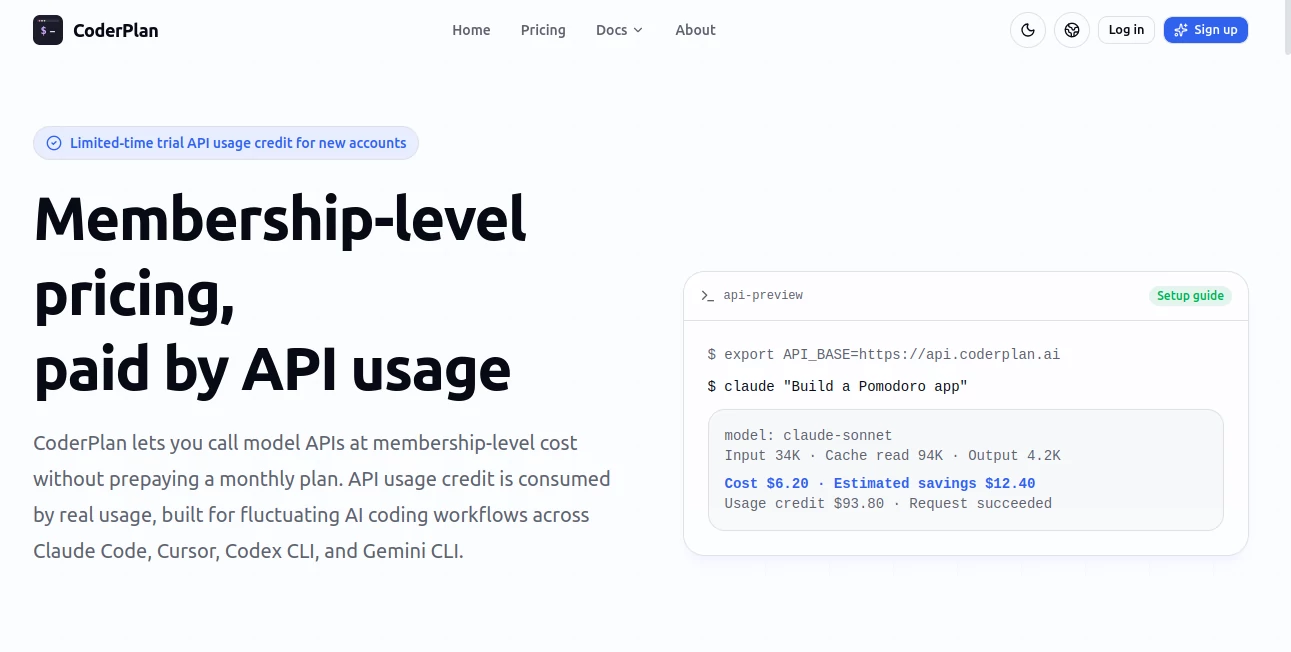
What is CoderPlan?
I got tired of guessing how much I’d actually use Claude or Cursor every month and committing to big prepaid plans that often went to waste during slower weeks. Then I found this platform and it finally felt fair. You top up usage credit as needed, call the models through their gateway, and only pay for what you actually consume — often at a fraction of the official rate thanks to smart routing and cache hits. No more monthly lock-ins or wasted budget. It’s become my default way to connect coding tools without the usual financial stress.
Introduction
AI coding tools are incredibly powerful, but the pricing models behind them don’t always match how developers actually work — some weeks you’re deep in heavy refactoring, others you’re mostly planning. This platform solves that mismatch by acting as a smart gateway. You get access to top models like Claude, GPT, and Gemini at membership-level pricing without the monthly commitment. Just top up credit when you need it, run your tasks, and see exactly where every cent went. It’s built by developers for developers who want flexibility, transparency, and real savings without sacrificing quality or speed.
Key Features
User Interface
The dashboard is clean and practical. You see your remaining credit balance clearly, recent call history with detailed breakdowns, and simple top-up options. Setting it up for tools like Cursor or Claude Code is as easy as adding one environment variable and your API key. No complicated configuration or hidden settings — everything you need is right there when you need it, and nothing you don’t.
Accuracy & Performance
It routes your requests intelligently to deliver significant savings (often 85-95% compared to direct pricing) while maintaining full model performance. Cache hits are frequent on repeated context, which dramatically stretches your credit. Calls feel just as fast as direct connections, and the transparency after each request — showing model used, tokens, cache savings, and exact cost — builds real confidence in the system.
Capabilities
It supports major AI coding tools including Claude Code, Cursor, Codex CLI, and Gemini CLI. You get access to the latest models without monthly plans, pay-as-you-go credit that never expires, detailed per-call analytics, and high cache efficiency for long-context work. It’s perfect for fluctuating workloads — heavy coding sprints or lighter exploration phases — without forcing you to overcommit budget upfront.
Security & Privacy
Your code and conversation content aren’t stored long-term. The platform focuses on routing and optimization while keeping your actual prompts and outputs private. Transparent logging shows costs and usage without compromising sensitive project details. For developers handling client work or proprietary code, that balance of visibility and privacy feels right.
Use Cases
A freelance developer runs intensive refactoring sessions during project crunches and then coasts on lighter tasks without wasting prepaid credits. A small team uses it across multiple coding tools and gets unified billing with clear per-project visibility. An indie hacker experiments with new models and workflows without committing to expensive monthly subscriptions. Power users love the detailed analytics that help them understand which tasks deliver the best value per credit spent.
Pros and Cons
Pros:
- Real pay-as-you-go pricing that matches actual usage patterns.
- Impressive cost savings through smart routing and cache optimization.
- Full transparency with detailed per-call breakdowns.
- Easy setup for popular AI coding tools.
- Credit never expires — top up only when you need more.
Cons:
- You still need to top up credit in advance (though trial credit helps you test first).
- Very heavy continuous usage may still benefit from official enterprise plans.
Pricing Plans
New users get trial API usage credit to test real tasks before committing. After that, you simply top up the amount you need — $30 for light evaluation, $100–$500 tiers for serious work, with extra bonuses on larger amounts. There are no forced monthly subscriptions. You only spend when you actually code, which feels fair and stress-free compared to traditional prepaid plans.
How to Use CoderPlan
Sign up, claim your trial credit, and generate an API key. Set the base URL in your coding tool (Cursor, Claude Code, etc.) following their simple guide. Start making calls as usual. After each request, check the dashboard to see exact costs, cache savings, and which model was used. Top up credit whenever you need more — it’s that straightforward. You’ll quickly see how much you’re saving compared to direct billing.
Comparison with Similar Tools
Official model subscriptions force you to guess usage and commit monthly. Other proxies or gateways often lack transparency or meaningful savings. This one stands out by combining honest pay-as-you-go flexibility, strong cost optimization through caching, and detailed visibility into every call. It’s built specifically for the unpredictable nature of AI coding work rather than forcing a one-size-fits-all subscription model.
Conclusion
For developers who live in AI coding tools daily, budgeting shouldn’t be a guessing game. This platform brings welcome sanity — flexible credit, real savings, and full transparency without locking you into monthly plans. It lets you focus on building great code instead of worrying about usage fees. If your AI coding workload varies week to week, this might be one of the smartest quality-of-life upgrades you can make right now.
Frequently Asked Questions (FAQ)
Are these the real official models?
Yes — you’re calling the actual Claude, GPT, Gemini models. Savings come from routing and cache optimization, not cheaper replacements.
How much can I actually save?
Many users see 85-95% lower effective costs on heavy coding tasks thanks to cache hits and better pricing tiers.
Do I need to pay monthly?
No — top up credit only when you need it. Credit doesn’t expire.
Which tools does it work with?
It works great with Claude Code, Cursor, Codex CLI, Gemini CLI, and other tools that support custom API endpoints.
Can I try it before buying credit?
Yes — new accounts get trial usage credit to run real tasks and evaluate the savings firsthand.
AI Code Assistant , AI API Design , AI Developer Tools .
These classifications represent its core capabilities and areas of application. For related tools, explore the linked categories above.

CoderPlan Alternatives Product

Geekflare AI

Discord Time…

JSON to TOON…

DeepSeek V4

BootstrapKing

Sourcetable

ChatFlowchart

SuperAI

Claude and C…