
Cosmos
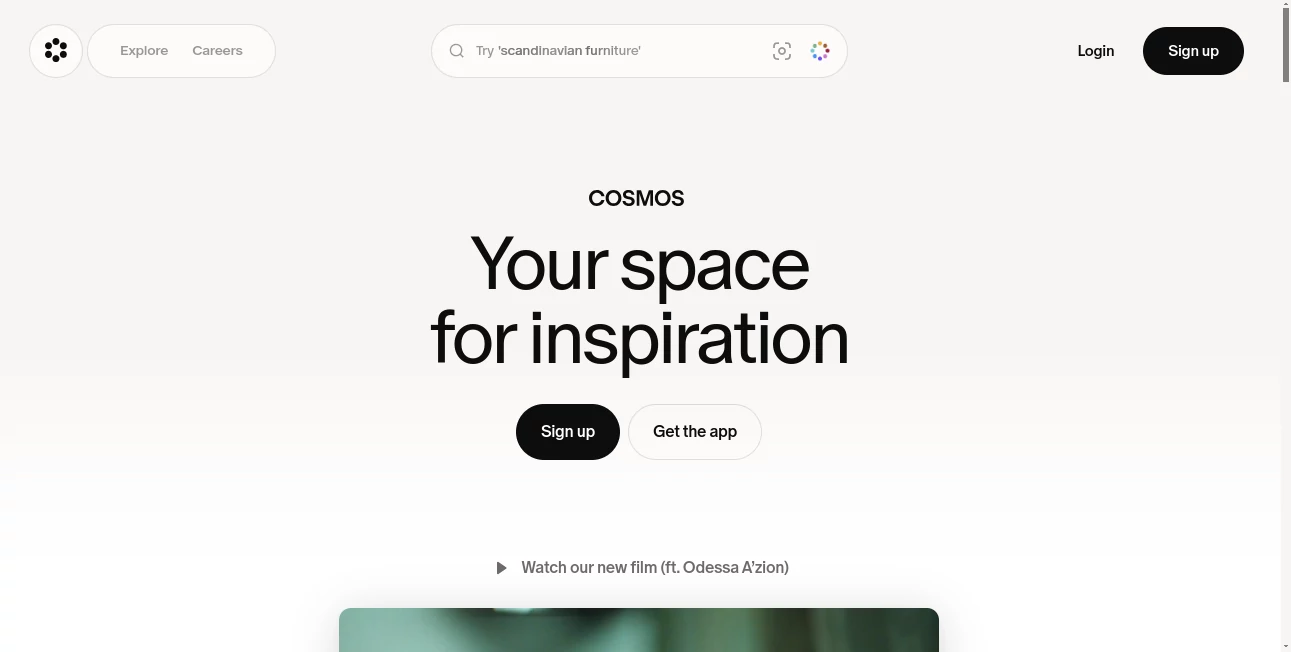
What is Cosmos?
Creative professionals collect ideas everywhere. A striking photograph, an insightful article, a product design reference, a memorable quote, or a video that sparks a new concept can appear at any moment. Keeping all of that inspiration organized is often more difficult than finding it in the first place.
This platform was created to solve that problem by providing a dedicated space where inspiration can be saved, organized, searched, and rediscovered. Designed for designers, photographers, artists, curators, and creative teams, it transforms scattered bookmarks and forgotten references into a structured knowledge hub. Instead of endless scrolling and digital clutter, users gain a thoughtful environment focused on collecting and exploring ideas that matter.
What makes the experience especially appealing is the balance between visual discovery and intelligent organization. Every saved item becomes easier to find, understand, and connect with future projects, helping creative work move from inspiration to execution more naturally.
Key Features
User Interface
The interface is clean, visual, and intentionally distraction-free. Saved content is presented in an attractive and highly browsable format, making exploration feel natural rather than overwhelming. Collections can be arranged into clusters, allowing users to build themed spaces around projects, interests, or creative directions.
The experience encourages discovery while maintaining organization, making it easy to move between references without losing context.
Accuracy & Performance
One of the strongest aspects of the platform is its intelligent search capability. Users can locate saved content using keywords, images, colors, and automatically generated tags. Even large libraries remain searchable and manageable, reducing the frustration that often comes with traditional bookmarking systems.
Fast retrieval ensures that valuable references are never buried under months of saved content.
Capabilities
The platform supports a wide variety of content types including articles, products, photographs, videos, links, notes, and quotes. AI-powered tagging automatically analyzes and categorizes saved items, helping users build a searchable archive without manually organizing every piece of content.
Collaboration features allow teams and creative partners to build shared collections, exchange ideas, and curate inspiration together. Public and private spaces offer flexibility for personal research as well as collaborative projects.
- Save content from multiple sources instantly.
- Organize references into visual clusters.
- Search by keyword, image, or color.
- Use AI-generated tags for faster discovery.
- Create public or private collections.
- Collaborate with friends, clients, and teams.
- Access content across web and mobile devices.
Security & Privacy
Users maintain control over their collections through private workspaces and customizable sharing settings. The platform focuses on curation and discovery rather than engagement metrics, creating a more focused environment without unnecessary social distractions.
Private clusters can remain visible only to selected collaborators, while public collections can be shared with broader audiences when desired.
Use Cases
- Designers building mood boards and visual research collections.
- Photographers organizing references for upcoming shoots.
- Creative agencies collecting inspiration for campaigns.
- Writers saving articles, quotes, and research materials.
- Brand strategists curating visual directions for projects.
- Students and researchers building searchable knowledge libraries.
- Content creators collecting trends and creative references.
For example, a designer preparing a branding project might gather packaging examples, typography references, color palettes, editorial photography, and competitor research into a single organized collection. Months later, those assets remain instantly searchable and useful for future work.
Pros and Cons
Pros
- Beautiful visual interface designed for creatives.
- AI-powered tagging reduces manual organization.
- Powerful search across saved content.
- Supports many content formats.
- Collaboration features for teams and partners.
- Available across web and mobile platforms.
- Focuses on inspiration rather than social engagement.
Cons
- May offer more features than casual bookmark users need.
- Large creative libraries require some initial organization.
- Advanced collaboration workflows may have a learning curve for new users.
Pricing Plans
The platform offers free access for users who want to begin organizing inspiration and building collections. Additional features, premium capabilities, or expanded functionality may vary over time. Users should review the official pricing page for the latest details and subscription options.
How to Use Cosmos
Getting started is straightforward:
- Create an account.
- Install the available browser extensions or mobile application.
- Save articles, images, products, videos, links, and notes.
- Organize saved content into themed clusters.
- Allow AI tagging to categorize references automatically.
- Use visual search tools to rediscover content quickly.
- Share collections with collaborators when needed.
Within a short time, users can build a personalized inspiration library that grows more valuable with every saved item.
Comparison with Similar Tools
Traditional bookmarking tools focus primarily on storing links, while visual inspiration platforms often emphasize browsing and discovery. This solution successfully combines both approaches.
Compared with standard bookmark managers, it provides stronger visual organization and creative workflows. Compared with image-focused inspiration platforms, it supports a broader range of content types and introduces AI-powered categorization that improves long-term retrieval.
The result is a more complete environment for collecting, organizing, and rediscovering ideas.
Conclusion
For creative professionals, inspiration is valuable only when it can be found again at the right moment. This platform addresses that challenge with a thoughtful blend of visual curation, intelligent search, AI-powered organization, and collaborative workflows.
Its elegant design, powerful discovery tools, and focus on meaningful creative exploration make it a compelling choice for anyone who regularly collects ideas online. Whether building a personal archive of inspiration or collaborating with a creative team, it provides a structured home for the content that drives great work.
Frequently Asked Questions (FAQ)
What types of content can be saved?
Users can save articles, images, videos, products, links, notes, quotes, and other digital references.
Does it use artificial intelligence?
Yes. AI is used to automatically tag and categorize saved content, making organization and retrieval significantly easier.
Can teams collaborate on collections?
Yes. Shared collections and collaborative spaces allow multiple users to contribute and organize content together.
Is it suitable for professional creative work?
Absolutely. Designers, photographers, agencies, researchers, and content creators can all benefit from its organization and discovery features.
Can saved content be searched later?
Yes. Users can search using keywords, images, colors, and AI-generated tags to quickly locate previously saved references.
AI Knowledge Management , AI Research Tool , AI Team Collaboration , AI Notes Assistant .
These classifications represent its core capabilities and areas of application. For related tools, explore the linked categories above.

Cosmos Alternatives Product

JSON to TOON…

PrompTessor

SciFig

Rabbitholes …

Notion

Luffy

IdeaHunter

Candidate Sc…

Futurwise