
Desiome
What is Desiome?
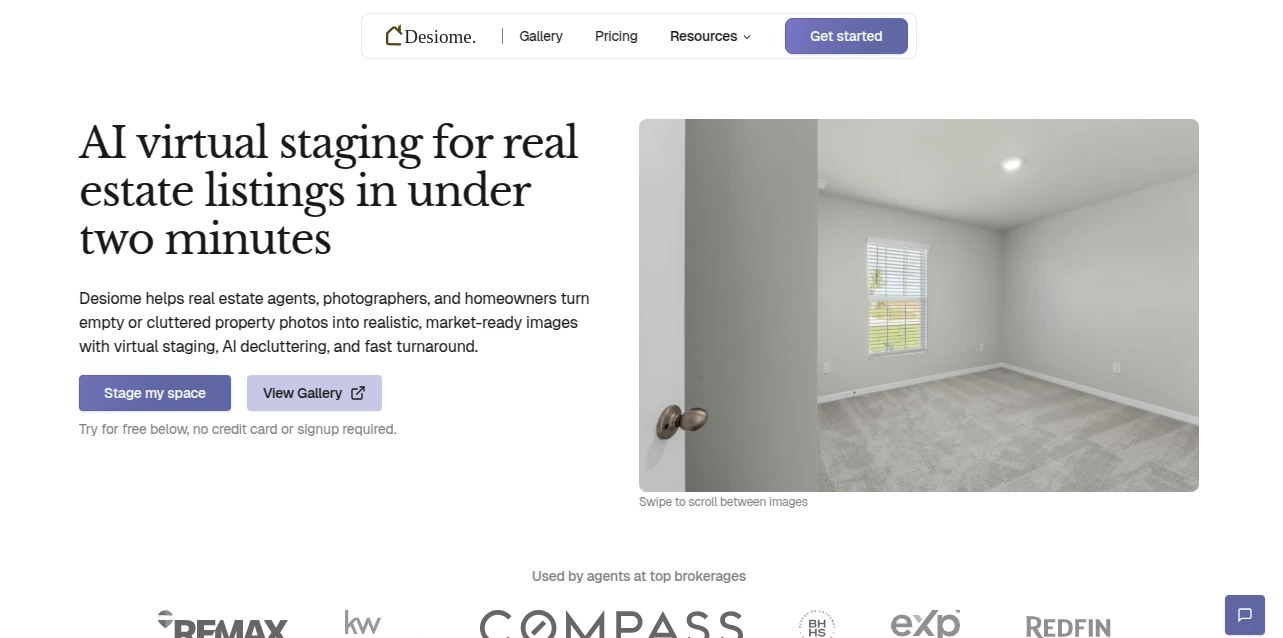
Empty rooms rarely inspire buyers. A beautifully furnished space, on the other hand, helps people imagine themselves living there. This platform makes that transformation simple by using advanced artificial intelligence to convert vacant or cluttered property photos into polished, photorealistic interiors without the time and expense of traditional staging.
Designed with real estate agents, photographers, homeowners, and interior designers in mind, it delivers professional-quality virtual staging in just a few minutes. Beyond furnishing rooms, it can declutter interiors, improve lighting, replace outdoor skies, and preserve the original layout so every image remains realistic and trustworthy. Whether preparing a single listing or an entire portfolio of properties, users can create attractive marketing images quickly and at a fraction of the usual cost.
Key Features
User Interface
The interface is refreshingly straightforward. Upload a property image, choose the room type and preferred interior style, then let the AI generate a fully staged version. The workflow requires almost no learning curve, making it suitable even for users with no design experience.
- Simple image upload process
- Multiple room categories
- Various interior design styles
- Fast editing workflow
- Supports common image formats
- Preview before downloading
Accuracy & Performance
One of the strongest qualities of the platform is its ability to preserve room proportions while adding realistic furniture placement, lighting, and shadows. Instead of creating artificial-looking renders, it focuses on producing natural results that complement the original architecture.
- Photorealistic virtual staging
- Maintains original room layout
- Natural lighting and shadow generation
- Consistent furniture positioning
- Fast processing, often completed within minutes
- Suitable for high-volume property listings
Capabilities
Its functionality extends well beyond furnishing empty spaces. Users can improve listing photos with decluttering, lighting enhancement, and outdoor sky replacement to create a more inviting presentation for potential buyers.
- AI virtual staging
- Furniture removal and decluttering
- Interior lighting enhancement
- Blue sky and twilight sky replacement
- Multiple décor themes
- Bulk image processing for businesses
- Image editing with AI assistance
- API access for larger workflows
Security & Privacy
The service is built for professionals who regularly work with client property images. Uploaded files are stored within user accounts, and the platform emphasizes responsible handling of customer data while providing permanent storage options and business-oriented infrastructure.
Use Cases
- Real estate agents marketing vacant homes
- Professional real estate photographers
- Homeowners preparing properties for sale
- Interior designers presenting renovation concepts
- Property management companies
- Real estate marketing agencies
- Developers showcasing newly completed apartments
Pros and Cons
Pros
- Produces realistic virtual staging results
- Very fast image generation
- Affordable compared to traditional staging
- Easy enough for beginners
- Supports decluttering and lighting enhancement
- Multiple design styles available
- Bulk processing for professional users
Cons
- Focused primarily on real estate photography
- Advanced features may require paid credits
- Image quality depends on the uploaded photo
Pricing Plans
The platform offers a flexible credit-based pricing system that accommodates both occasional users and professionals. New users receive free credits to explore the service, while paid plans provide lower per-image costs, unlimited projects for professionals, API access, priority support, and additional business features.
How to Use Desiome
- Upload a clear property photograph.
- Select the room category.
- Choose an interior design style.
- Optionally remove clutter or enhance lighting.
- Generate the staged image.
- Review the result and download the finished version.
Comparison with Similar Tools
Compared with many virtual staging services that rely on manual editing, this solution dramatically reduces turnaround time while maintaining impressive visual realism. Traditional staging often requires significant labor and higher costs, whereas AI-powered processing delivers consistent results in minutes. It is especially attractive for agencies handling multiple listings thanks to bulk generation capabilities, flexible credits, and integrated enhancement features beyond simple furniture placement.
Conclusion
For professionals looking to create more engaging property listings without the delays and expense of physical staging, this platform delivers an excellent balance of quality, speed, and affordability. The realistic rendering engine, decluttering tools, lighting improvements, and business-ready workflow make it a valuable companion for anyone involved in real estate marketing. It transforms ordinary listing photos into polished visual presentations that can capture attention and help properties stand out in competitive markets.
Frequently Asked Questions (FAQ)
Can beginners use this platform?
Yes. The workflow is designed to be simple and requires no interior design or editing experience.
Can existing furniture be removed?
Yes. AI-powered decluttering allows unwanted furniture and objects to be removed before virtual staging.
Does it preserve the original room layout?
Yes. The generated images maintain the room's proportions and architectural structure while adding realistic furnishings.
Who benefits the most from this service?
Real estate agents, photographers, homeowners, developers, and interior designers are among the primary users.
Can multiple property images be processed?
Yes. Professional plans support bulk staging, making it suitable for agencies and businesses managing large property portfolios.
AI Photo & Image Generator , Photo & Image Editor , AI Interior & Room Design .
These classifications represent its core capabilities and areas of application. For related tools, explore the linked categories above.

Desiome Alternatives Product

Tryonr

JPG to Small

GPT Imagine

Pixal3D

Zilivo AI

Photo Retouch

string art g…

clothes swap…

GPT Image Pr…