Draftbit
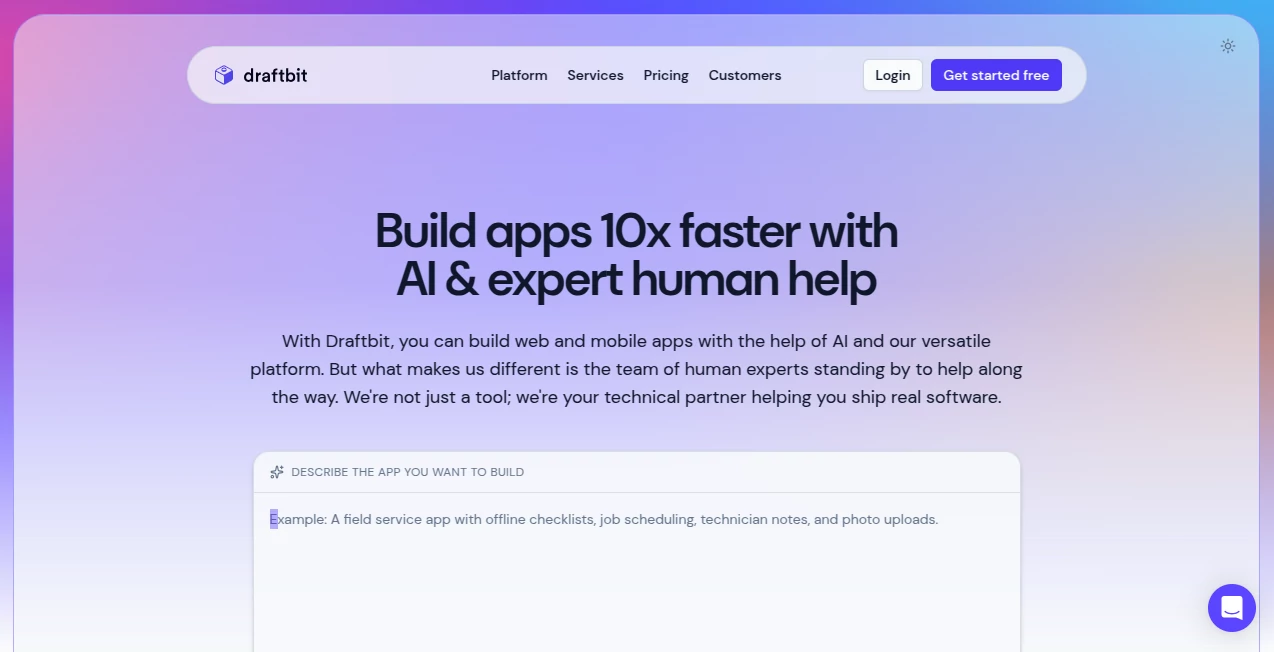
What is Draftbit?
I still remember the first time I dragged a few components onto a screen and saw a real, native-looking mobile app come together in minutes. No wrestling with Xcode or Android Studio, no fighting with endless configuration files—just a visual builder that actually respects how real apps should feel. That’s the experience Draftbit delivers. It turns the complex world of mobile development into something approachable, fast, and genuinely enjoyable, even for teams who never thought they could ship native iOS and Android apps without a big engineering crew.
Introduction
Mobile app development has always been expensive and slow. You either hire an agency, learn two completely different codebases, or settle for web wrappers that don’t feel right. Draftbit changes the equation. It gives you a powerful visual editor built specifically for native mobile apps, backed by clean React Native code that you can export and own completely. Whether you’re a solo founder validating an idea, a designer bringing interfaces to life, or a team that wants to ship faster, it removes the usual roadblocks while keeping the final product professional and performant. The best part? It doesn’t force you to choose between speed and quality—you get both.
Key Features
User Interface
The editor feels thoughtful and calm. A clean canvas in the center, component library on the left, properties panel on the right. Everything is drag-and-drop, but with the precision designers expect. You can preview your app instantly on different device frames, tweak styles with real-time updates, and even connect real data sources without leaving the interface. It never feels overwhelming, even when building more complex flows. I’ve watched non-technical founders go from zero to a working prototype in a single afternoon.
Accuracy & Performance
The generated code is clean React Native, not some locked-down proprietary format. Apps built here run smoothly on both iOS and Android because they’re truly native under the hood. Performance stays snappy even with complex screens and animations. What you design is what users get—no surprises when you publish. The attention to detail shows in small things like proper gesture handling, native navigation patterns, and consistent behavior across platforms.
Capabilities
You get a rich library of pre-built components, powerful data integration with APIs and databases, custom code support when you need it, visual navigation and state management, push notifications, in-app purchases, and one-click publishing to the App Store and Google Play. You can start simple and gradually add complexity—auth flows, user accounts, dynamic content—without ever hitting a wall. It’s flexible enough for both MVPs and more advanced applications.
Security & Privacy
Your projects stay private by default. Code export gives you full ownership, and there are no hidden backdoors or forced cloud dependencies. For teams handling user data or building client apps, that level of control and transparency is reassuring. You build in the cloud but ship apps that live completely on the user’s device.
Use Cases
A fitness coach builds and launches her own workout tracking app in weeks instead of months. An e-commerce brand creates a beautiful mobile experience that matches their website without hiring a mobile team. A nonprofit turns their volunteer management process into a simple field app. Indie developers use it to validate ideas quickly before committing to full custom development. The common story is the same: faster time to market without sacrificing the native feel users expect.
Pros and Cons
Pros:
- Truly native performance and feel on both iOS and Android.
- Visual development that doesn’t lock you in—you can always export the code.
- Excellent balance between ease-of-use and customization depth.
- Active development and regular feature updates.
- Great for both designers and developers working together.
Cons:
- Some very advanced custom logic still benefits from exported code tweaks.
- Learning curve exists if you’ve never used visual builders before.
- Enterprise features and high-volume publishing require higher plans.
Pricing Plans
Draftbit offers a generous free tier that lets you build and test real apps. Paid plans unlock more projects, team collaboration, advanced components, priority support, and higher publishing limits. Pricing is reasonable for the time and cost it saves compared to traditional development. Many teams find they recoup the investment after shipping their first or second app.
How to Use Draftbit
Sign up and start a new project. Browse the component library and drag what you need onto your screens. Connect your data sources, set up navigation between screens, and style everything visually. Preview on real device frames as you go. When you’re ready, export the code or publish directly to the app stores. You can iterate quickly, test with users, and scale as your app grows. The whole process feels closer to designing than traditional coding.
Comparison with Similar Tools
Many no-code tools focus on web or produce hybrid apps that don’t feel truly native. Draftbit stands out by targeting real native iOS and Android experiences with clean, exportable React Native code. It gives you more design freedom than most drag-and-drop builders while staying more approachable than pure code solutions. For teams that want beautiful, performant mobile apps without massive engineering overhead, it hits a sweet spot that’s hard to find elsewhere.
Conclusion
Mobile apps shouldn’t be reserved for teams with huge budgets and months of development time. Draftbit proves you can move fast, keep quality high, and still own your product completely. It brings the joy back to building by removing the repetitive pain points and letting you focus on what actually matters: creating great experiences for your users. If you’ve been dreaming of a mobile app but kept putting it off because of complexity or cost, this might be the push you’ve been waiting for.
Frequently Asked Questions (FAQ)
Do I need to know how to code?
No. You can build complete apps visually. Code export is there if you want it, but not required.
Are the apps truly native?
Yes—built with React Native, they compile to real native code for iOS and Android.
Can I publish to the App Store and Google Play?
Absolutely. Many apps built with Draftbit are already live on both stores.
Is my code portable if I want to leave later?
Yes. You can export clean React Native code at any time and continue development elsewhere.
AI App Builder , AI No-Code & Low-Code , AI Developer Tools .
These classifications represent its core capabilities and areas of application. For related tools, explore the linked categories above.

Draftbit Alternatives Product

PatentFig AI
JustCopy.ai

Scillus

Nestify

Mage Flow AI…

Where Is Thi…

Discord Time…

AI Agent Ski…

CtrlOps