


















EachLabs
What is EachLabs?
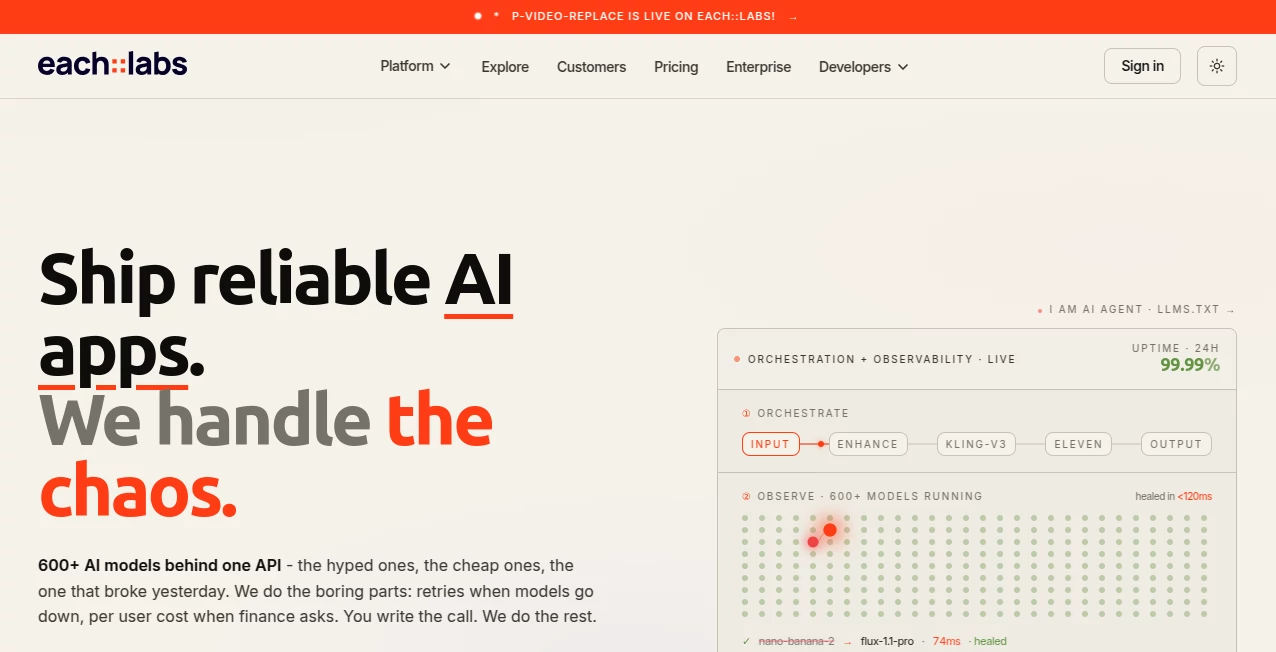
In today’s fast-moving AI ecosystem, developers and creators need more than just models—they need infrastructure that turns ideas into working products quickly. This platform is designed exactly for that purpose. It gives users access to a unified environment where multiple AI capabilities can be connected, tested, and deployed through simple workflows and APIs.
Instead of juggling separate providers for image generation, video processing, or audio intelligence, everything is centralized. This makes it especially valuable for startups, developers, and product teams who want to move fast without building heavy backend systems from scratch.
Key Features
User Interface
The interface is clean and developer-focused, yet still accessible for non-technical users. Workflows can be created visually, allowing users to connect different AI services like building blocks. This reduces the barrier to entry for AI product development.
Accuracy & Performance
Performance is optimized for production-level usage. Requests are processed quickly, and the system is built to handle scalable workloads. This makes it suitable not only for prototypes but also for real-world applications.
Capabilities
- Multi-model AI integration (image, video, audio, and text)
- API-based workflow creation
- Prebuilt AI modules for rapid development
- Scalable infrastructure for production apps
- Support for automation and chaining AI tasks
Security & Privacy
The platform is designed with modern security standards, ensuring that data flows through secure API connections. It is built for developers who require reliability and safe handling of user-generated content in production environments.
Use Cases
- Building AI-powered SaaS products
- Creating generative media applications
- Automating content creation workflows
- Developing AI-driven marketing tools
- Integrating AI features into mobile and web apps
Pros and Cons
Pros:
- Unified access to multiple AI models
- Fast workflow creation and deployment
- Scalable for production use
- Reduces need for multiple third-party integrations
- Developer-friendly API system
Cons:
- May require technical understanding for advanced usage
- Some features depend on external model providers
- Learning curve for building complex workflows
Pricing Plans
The platform typically follows a flexible pricing structure based on usage. Users can start with entry-level access to explore features, then scale up as their API demands grow. This makes it suitable for both solo developers and larger teams.
How to Use the Platform
Getting started is straightforward. Users begin by creating an account, then access a visual or API-based workspace. From there, they can select AI modules, connect them into workflows, and deploy endpoints. Each workflow can be tested in real time before integration into an application.
For developers, API keys allow direct integration into backend systems, while non-technical users can rely on prebuilt templates to launch AI-powered features quickly.
Comparison with Similar Tools
Compared to traditional AI model providers, this platform stands out by focusing on orchestration rather than isolated APIs. While many tools offer single-model access, here users can combine multiple AI capabilities into a single workflow.
This makes it closer to a full AI infrastructure layer rather than just an API provider, giving it an advantage for teams building complex AI products.
Conclusion
For developers and businesses looking to build AI-powered applications without dealing with fragmented tools, this platform offers a practical and scalable solution. Its ability to unify multiple AI services into a single workflow system makes it a strong choice for modern AI product development.
Frequently Asked Questions (FAQ)
Is it suitable for beginners?
Yes, although it is developer-oriented, visual workflows make it accessible for beginners.
Can it be used for production apps?
Yes, it is designed to support scalable, production-level workloads.
Does it support multiple AI types?
Yes, it supports image, video, audio, and text-based AI workflows.
Do I need coding knowledge?
Basic understanding helps, but prebuilt templates reduce the need for heavy coding.
Is it customizable?
Yes, workflows and API integrations are highly customizable for different use cases.
AI No-Code & Low-Code , AI API Design , AI Developer Tools , AI Workflow Management .
These classifications represent its core capabilities and areas of application. For related tools, explore the linked categories above.

EachLabs Alternatives Product

Toonifyit

Agent Grid

Workik

BuildrShip

Zapier

Latency Atlas

Miro

Referent

ace.me
