
EcomVisual
What is EcomVisual?
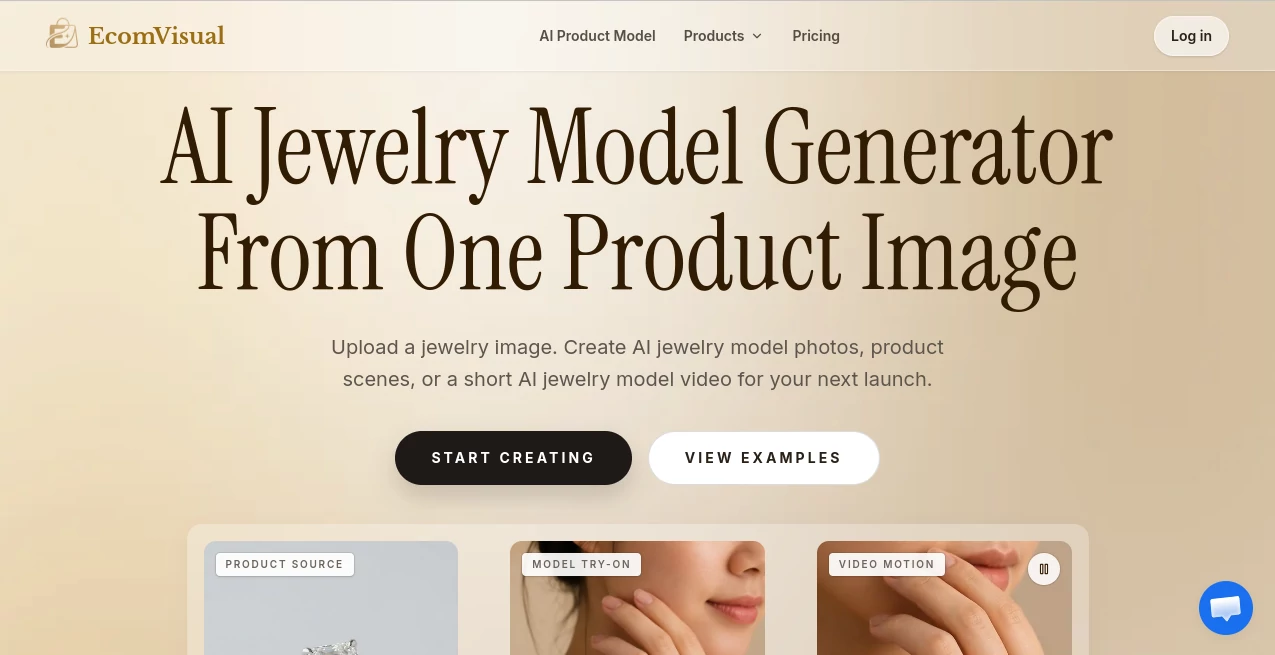
EcomVisual is an AI-powered visual creation platform built for jewelry businesses that need more than a single product photograph. Starting with one clear jewelry image, it can create model try-ons, lifestyle product scenes, detail-focused visuals, and short videos designed for product listings, campaigns, and social media.
The idea is particularly useful for smaller ecommerce teams. A new ring, necklace, bracelet, or pair of earrings may arrive with only one good packshot, while the product page needs several images to look complete. Instead of arranging another studio session for every variation, sellers can use the original product photo as a starting point and generate additional visual material around it.
The platform is clearly designed with real ecommerce workflows in mind. Its examples cover everything from daylight lifestyle scenes and close-up product compositions to gift-oriented campaign imagery. There is also an emphasis on showing jewelry on a person, which can help shoppers understand scale, placement, and how a piece may look when worn.
Key Features
- AI-generated jewelry model try-ons
- Product and lifestyle scene generation
- AI jewelry photography from an existing product image
- Support for rings, necklaces, earrings, and bracelets
- Short AI jewelry model videos
- Text-to-image and image-to-image creation
- High-resolution image output
- Different visual directions for product listings and campaigns
- Model reference support for specific people, poses, or campaign styles
- Credit-based image and video generation
User Interface
The workflow is straightforward: start with a product image, decide what kind of visual you need, generate several directions, and review the results before publishing. This makes the platform easier to approach than a traditional production workflow where every new scene can involve photographers, models, locations, lighting, and post-production.
The site also encourages users to begin with their strongest existing packshot. That is sensible advice because the quality and clarity of the source image have a direct effect on the generated result. A sharp, evenly lit product that is large in the frame gives the system much better visual information to work with.
Accuracy & Performance
Product accuracy matters considerably more for jewelry than for ordinary lifestyle imagery. Small changes to a ring setting, necklace clasp, earring fitting, bracelet proportions, or gemstone details can make an otherwise attractive image unsuitable for a product listing.
The platform itself recommends checking generated images against the original packshot, particularly around metal tones, stones, settings, silhouettes, proportions, and markings. This is an important part of the workflow rather than something sellers should skip. AI-generated visuals can be highly useful for presentation, but the original product remains the reference point for customer-facing accuracy.
For intricate pieces, reflective materials, or mixed-metal designs, generating more than one variation may be worthwhile. The ability to try different scenes and keep only the strongest results makes experimentation practical without requiring another complete photoshoot.
Capabilities
The strongest capability is turning a single product photograph into a broader collection of ecommerce visuals. A basic packshot can become a lifestyle scene, a close-up detail image, a seasonal campaign composition, or an on-model reference.
Model try-ons are especially useful for products where scale is difficult to understand from a flat photograph. A necklace can be shown around a neckline, earrings can be presented on an ear, a ring can be shown on a hand, and a bracelet can be placed on a wrist. These images give shoppers additional visual context while keeping the original product photograph available for closer inspection.
The image workflow can also be extended into short video. A generated model image can be turned into a brief moving asset for launch posts, Stories, advertisements, and other social content. Image and video generations share the same credit balance, with longer videos requiring more credits.
Security & Privacy
Users should still review the platform's privacy and terms documentation before uploading commercially sensitive product assets or proprietary campaign material. For ecommerce businesses, this is particularly relevant when images contain unreleased products, brand marks, or designs that have not yet reached the market.
Generated visuals should also be reviewed before publication. The platform specifically recommends checking details such as engravings, hallmarks, metal finishes, stones, and product proportions. This protects both the brand and the customer from visual discrepancies.
Use Cases
- Jewelry product listings: Add supporting images to product pages that currently have only one packshot.
- Model try-ons: Show rings, necklaces, earrings, and bracelets in a more realistic wearing context.
- New product launches: Create additional visuals while a full professional photoshoot is still being planned.
- Seasonal campaigns: Produce gift-oriented, spring, evening, or other campaign scenes around existing product photography.
- Marketplace listings: Create secondary visual assets while keeping the required primary product image compliant with each marketplace's rules.
- Social media: Turn still model imagery into short motion content for launch posts and paid campaigns.
- Advertising tests: Create several creative angles for the same product and compare their performance.
- Catalog refreshes: Give older product collections additional lifestyle imagery without arranging a new shoot for every SKU.
Pros and Cons
- Pros: Starts from an existing product photo, supports several major jewelry types, creates model try-ons and lifestyle scenes, includes short video generation, offers high-resolution output, and provides both monthly plans and one-time credit packs.
- Cons: Generated images still need human quality control, intricate jewelry details can sometimes require another generation, and the credit system means image and video usage must be monitored.
Pricing Plans
The pricing model is based on credits, with images and videos drawing from the same credit balance. There are monthly subscriptions as well as one-time credit packs for users who want to test the workflow without committing to an ongoing plan.
- Basic: $19 per month for 300 credits, intended for lighter creative work.
- Pro: $39 per month for 1,600 credits, aimed at regular creators.
- Max: $160 per month for 9,200 credits, designed for studios and heavier usage.
Annual billing is also available with advertised savings of 40%. The estimated output depends on the selected image mode and resolution. For example, the Basic plan is estimated at roughly 21–37 images per month, while the Pro plan is estimated at around 114–200 images. Video generation consumes credits as well, so actual capacity depends on how the credits are divided between images and videos.
How to Use EcomVisual
- Upload a sharp, well-lit photograph of the jewelry item.
- Choose the type of visual you want to create, such as a product scene or model try-on.
- Select a suitable visual direction, model reference, or campaign style.
- Generate several variations when the product has intricate details.
- Compare each result with the original packshot.
- Check the jewelry's silhouette, metal, stones, fittings, proportions, and any visible text or markings.
- Keep the strongest images and regenerate anything that does not accurately represent the original product.
- Use approved visuals across product pages, campaigns, marketplaces, social media, or advertising according to each platform's current requirements.
Comparison with Similar Tools
Many AI image generators are designed for broad creative experimentation, but this platform takes a more focused ecommerce approach. Its workflow revolves around an existing jewelry product photograph and the practical visual requirements of selling that product online.
That distinction can matter for jewelry brands. Instead of starting with a completely fictional concept, sellers can work from an image of the actual item and build supporting scenes around it. The combination of product scenes, model try-ons, and short video generation also gives ecommerce teams several types of marketing material from the same starting asset.
For a business that mainly needs general-purpose AI artwork, a broader image generator may offer more creative flexibility. For jewelry sellers who repeatedly need product-focused imagery, model presentation, and campaign assets, a specialized workflow can be considerably more convenient.
Conclusion
Creating professional jewelry imagery has traditionally required careful photography, styling, models, locations, and post-production. This platform offers a practical alternative for businesses that already have good product photographs but need more visual variety for their online stores and marketing campaigns.
Its biggest advantage is the way it connects AI image generation with everyday ecommerce needs. A single packshot can become several supporting images, a model try-on, or even a short video. That makes it particularly interesting for growing jewelry stores, small creative teams, and brands managing catalogs with frequent new arrivals.
The most sensible approach is to treat the generated material as an extension of the original photography rather than an automatic replacement for it. Review every important detail, keep accurate packshots available, and use the AI visuals where they add context, variety, and stronger presentation. Used this way, the platform can help jewelry brands produce a fuller visual catalog without organizing a new photoshoot for every campaign or product update.
Frequently Asked Questions (FAQ)
What type of jewelry can I create visuals for?
The platform currently supports rings, necklaces, earrings, and bracelets. Each category has different visual considerations, so checking proportions and small fittings before publication is recommended.
Can I create a model try-on from one product image?
Yes. You can start with a clear product photograph and generate an on-model visual showing how the jewelry may look when worn. Model references can also be used when a specific person, pose, or campaign direction is required.
Can the generated jewelry image be turned into a video?
Yes. A generated jewelry model image can be used as the starting point for a short AI video. Video duration and resolution affect credit consumption.
Will the generated image exactly match my real jewelry?
Not necessarily. The uploaded product is used as the visual reference, but fine details can change during generation. Always compare the result with the original product image, especially around stones, settings, links, clasps, proportions, and engravings.
Can I use the images for ecommerce advertising?
Yes, generated visuals can be useful for product pages, campaigns, social media, and advertising. However, sellers should check the current image, disclosure, and advertising requirements of the specific platform before publishing.
Is a subscription required?
No. One-time credit packs are available for users who want to test a smaller batch of generations, while monthly and yearly plans are available for ongoing production.
What is the best source image to upload?
A sharp, evenly lit product photo with the jewelry clearly visible and relatively large in the frame is recommended. Cleaning fingerprints, dust, harsh shadows, and unwanted color casts before uploading can also improve the starting point.
Which plan is suitable for a small jewelry business?
The Basic plan is positioned for lighter creative work, while the Pro plan provides substantially more monthly credits for regular production. Businesses with large catalogs or frequent visual generation may find the Max plan more appropriate.
AI Photo & Image Generator , AI Video Generator , AI Photography , AI Image to Image .
These classifications represent its core capabilities and areas of application. For related tools, explore the linked categories above.

EcomVisual Alternatives Product

AI Pixel Ani…

Banana Promp…

AI Hug

AI Family Ph…

ArchOne AI

Image 2 AI

ReelsBuilder…

renderpop

Nano Banana 2