

















What is FINEVOICE AI?
There’s a moment when you hear a voice so natural it makes you pause — warm tone, perfect emotion, no robotic edges. That’s what FineVoice delivers. Whether you need narration for a video, a podcast intro, customer service responses, or even a cloned voice for personal projects, it creates audio that feels alive. I’ve used it to turn rough scripts into polished narration, and the difference compared to older tools is night and day. People actually stop scrolling to listen instead of skipping past robotic voices.
Introduction
AI voices have come a long way, but many still sound flat or slightly off. FineVoice focuses on that final leap toward truly natural speech — the kind that carries emotion, rhythm, and personality. It’s fast, flexible, and built for both casual creators and professional use. You can generate speech from text, clone real voices with impressive accuracy, or fine-tune tone and pacing to match exactly what you need. For content creators, educators, marketers, and developers, it removes the last barriers between idea and high-quality audio.
Key Features
User Interface
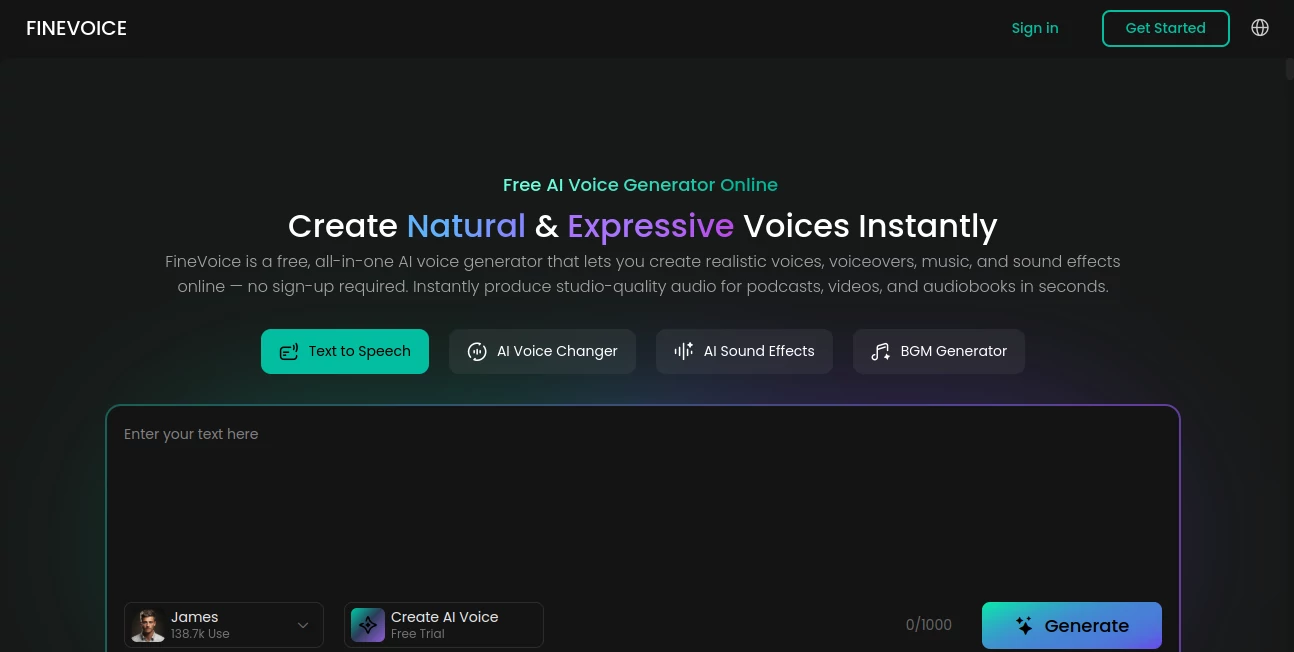
The platform is clean and welcoming. You type or paste text, choose a voice (or clone your own), adjust emotion and speed, and hit generate. Previews play instantly so you can tweak before downloading. The dashboard keeps everything organized — saved voices, recent projects, and history — without feeling cluttered. Even first-time users get great results quickly because the controls feel intuitive rather than technical.
Accuracy & Performance
The voices consistently sound human — natural breathing, proper emphasis, emotional nuance, and smooth flow. Cloning captures not just the sound but the subtle style of a speaker. Generation is fast, even for longer scripts, and the output quality holds up for professional use. It handles multiple languages and accents well, making it reliable for global projects.
Capabilities
You get instant text-to-speech, high-quality voice cloning from short samples, emotional controls (happy, calm, excited, etc.), speed and pitch adjustments, and support for long-form content. It works great for videos, podcasts, audiobooks, e-learning, customer support, and game characters. The ability to fine-tune and regenerate specific sections makes it practical for real workflows.
Security & Privacy
Your voice samples and generated audio are handled securely. Cloning is private by default, and the platform respects user data. For creators working with client material or personal voices, this careful approach builds important trust.
Use Cases
A YouTuber turns script drafts into natural narration in minutes instead of booking studio time. An e-learning creator produces entire courses with consistent, engaging voices. A marketer generates localized versions of ads for different regions. A game developer brings characters to life with unique voices. Even individuals use it to create personalized messages or preserve a loved one’s voice for special occasions. It fits naturally into almost any project that needs high-quality spoken audio.
Pros and Cons
Pros:
- Voices sound remarkably natural and emotionally expressive.
- Voice cloning works impressively well even with short samples.
- Fast generation and easy editing tools speed up workflows.
- Supports long-form content without losing quality.
- Great balance between ease of use and professional results.
Cons:
- Best cloning results still benefit from clear, good-quality samples.
- Very long or highly specialized content may need some manual refinement.
Pricing Plans
It offers a solid free tier to test quality and create shorter projects. Paid plans unlock longer generations, commercial usage rights, higher cloning quality, and more voices. The pricing feels reasonable for the professional results it delivers — many users find the time and cost savings compared to traditional voice work make it worthwhile quickly.
How to Use FineVoice
Sign up (quick and free to start), go to the text-to-speech or cloning section, paste your script or upload a voice sample. Choose or create a voice, adjust emotion and pacing if needed, then generate. Listen to the preview, make small tweaks, and download the final audio. For cloning, a clear 30–60 second sample works best. The process is fast enough that you can create multiple versions in one sitting.
Comparison with Similar Tools
Many AI voice tools still sound mechanical or limited in emotion. FineVoice stands out with more natural prosody, stronger cloning capabilities, and better overall flow. It feels less like a robot reading text and more like a real person delivering the message with feeling — which makes a huge difference in listener engagement.
Conclusion
Voice is one of the most powerful ways to connect with people. FineVoice makes creating high-quality, natural-sounding audio accessible to everyone — from solo creators to large teams. It removes technical barriers without sacrificing quality, letting you focus on the message instead of the mechanics. In a world where audio content keeps growing, having a tool this capable and easy to use feels like a real advantage.
Frequently Asked Questions (FAQ)
How long does voice cloning take?
Usually just a few minutes from sample upload to usable cloned voice.
Can I use the voices commercially?
Yes — paid plans include commercial rights for your generated audio.
What’s the minimum sample needed for cloning?
Clear 30–60 second recordings work best, though shorter samples can still produce good results.
Does it support multiple languages?
Yes, with strong performance across major languages and accents.
Are the voices customizable?
Absolutely — you can adjust emotion, speed, pitch, and style for each generation.