


















Floto
What is Floto?
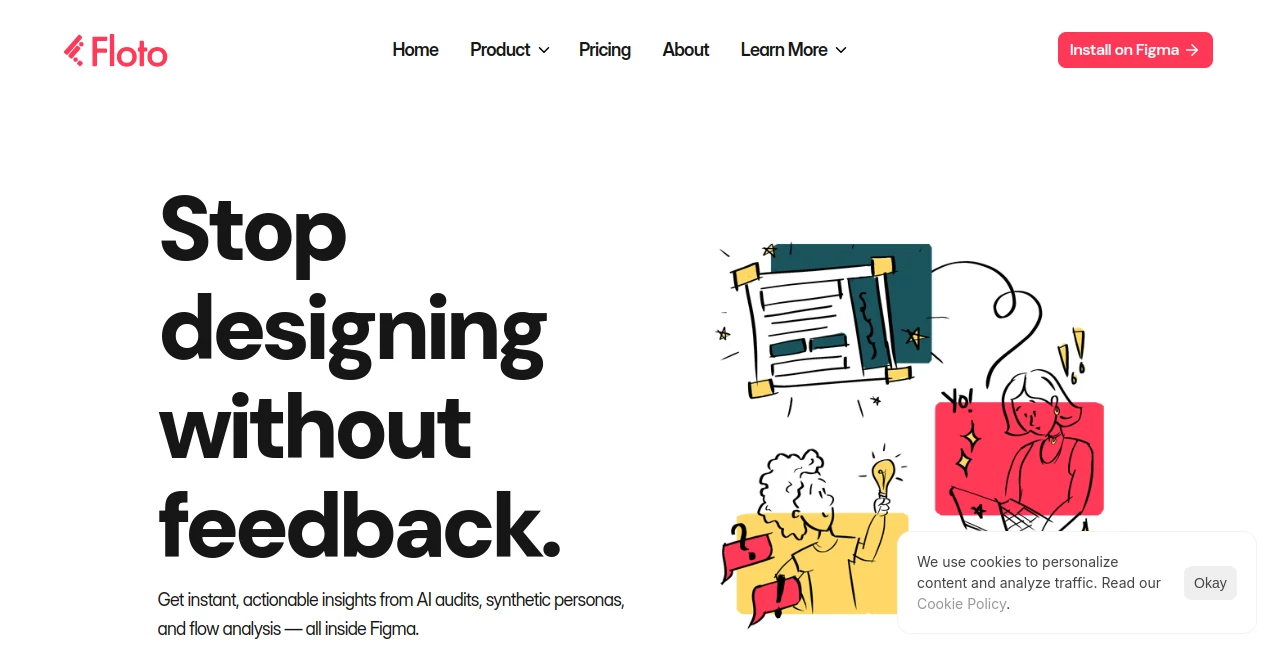
Modern product teams move quickly, but collecting meaningful design feedback often becomes the biggest bottleneck. Instead of relying on scattered comments, lengthy review meetings, or manual usability checks, this platform introduces a smarter approach by bringing AI-powered feedback directly into the design workflow. Built specifically for Figma users, it helps designers, product managers, and UX researchers validate ideas before development begins.
The platform combines intelligent design audits, synthetic persona testing, flow validation, and design comparison into one seamless experience. Rather than replacing human creativity, it strengthens decision-making by highlighting usability concerns, accessibility issues, inconsistent design systems, and potential user frustrations early in the design process. This results in faster iterations, fewer revisions, and products that better reflect real user expectations.
Whether you're building a startup MVP or managing enterprise design systems, the platform makes every feedback cycle more structured, measurable, and actionable.
Key Features
User Interface
The interface is thoughtfully integrated into Figma, allowing designers to review projects without interrupting their workflow. Navigation is intuitive, reports are well-organized, and AI-generated recommendations are grouped logically so teams can quickly identify high-priority improvements.
Accuracy & Performance
Instead of producing generic suggestions, the platform evaluates real design elements such as accessibility, consistency, navigation flows, design tokens, and usability patterns. AI-generated personas simulate different user perspectives, making the feedback feel practical rather than theoretical. Recent improvements also organize feedback by project, making collaboration easier across larger teams.
Capabilities
- AI-powered design audits
- Persona-based usability testing
- Flow testing with or without prototypes
- Design system validation
- Design Diff for comparing production and design files
- Accessibility checks based on WCAG 2.2 guidelines
- Automatic token detection and replacement
- Missing state identification
- Structured project-based feedback organization
- Figma-native workflow
Security & Privacy
The service operates directly within the Figma environment and is designed for professional product teams. Account management, team workspaces, and controlled access help organizations collaborate securely while keeping project ownership centralized. As with any professional SaaS platform, users should review organizational policies before uploading confidential design assets.
Use Cases
- Review UI designs before developer handoff.
- Validate user flows before launching new features.
- Improve accessibility compliance during the design phase.
- Identify inconsistencies across large design systems.
- Run AI-powered usability testing without recruiting participants.
- Compare production interfaces with original Figma designs.
- Help product managers prioritize UX improvements.
- Support agencies managing multiple client projects.
Pros and Cons
Pros
- Deep integration with Figma.
- Excellent AI-driven design feedback.
- Supports accessibility validation.
- Persona testing provides realistic UX insights.
- Reduces manual review time significantly.
- Improves collaboration across design teams.
- Useful for both startups and enterprise products.
Cons
- Primarily designed for Figma users.
- Some advanced capabilities may require paid credits.
- AI recommendations should still be reviewed by experienced designers.
Pricing Plans
The platform offers multiple pricing options depending on usage. Individual users can start with available introductory access, while growing teams can purchase additional credits and collaborative plans. Enterprise organizations benefit from scalable team management and advanced collaboration capabilities. Pricing may evolve as new AI agents and features are released.
How to Use Floto
Install the Figma plugin and connect your workspace. Open a design file, choose the type of analysis you want to perform, and let the AI evaluate your interface. Review accessibility reports, persona feedback, flow testing results, or design audits, then apply the suggested improvements. Teams can repeat the process throughout product development to continuously improve user experience before shipping.
Comparison with Similar Tools
Unlike traditional design review platforms that mainly collect comments, this solution actively analyzes interfaces using specialized AI agents. While many UX tools focus on surveys or heatmaps after a product is released, this platform works during the design stage, allowing issues to be discovered before development begins. Its combination of design audits, persona testing, accessibility analysis, design system validation, and production comparison creates a much more comprehensive feedback workflow than conventional design review software.
Conclusion
For teams that believe great products begin with great feedback, this platform offers an impressive solution. By combining intelligent design reviews, accessibility testing, synthetic user personas, and workflow validation inside Figma, it transforms feedback from a slow manual process into an ongoing design advantage. Designers gain confidence before launch, developers receive cleaner specifications, and product teams spend less time fixing avoidable UX issues. It is a valuable addition for anyone serious about building better digital experiences.
Frequently Asked Questions (FAQ)
What is this platform mainly used for?
It helps product teams collect AI-powered design feedback, validate usability, and improve interfaces directly inside Figma.
Does it support accessibility testing?
Yes. It includes accessibility audits aligned with WCAG 2.2 recommendations to identify potential compliance issues.
Can it test user flows?
Yes. User journeys can be evaluated with or without interactive prototypes using AI-generated testing scenarios.
Who benefits most from this tool?
UX designers, product managers, design agencies, startups, and enterprise product teams can all benefit from its automated feedback capabilities.
Does it replace human UX research?
No. It accelerates design validation and highlights potential problems, but expert review and real user testing remain valuable for final product decisions.
AI Workflow Management , AI Design Assistant , AI Productivity Tools , AI Team Collaboration .
These classifications represent its core capabilities and areas of application. For related tools, explore the linked categories above.

Floto Alternatives Product

Hintder AI
Wisegrid

VexImg

FigForm

LogoAI

GPT Image 2 …

AllInOneTools

Whisper Web

Skygen AI
