

















What is GeekBye?
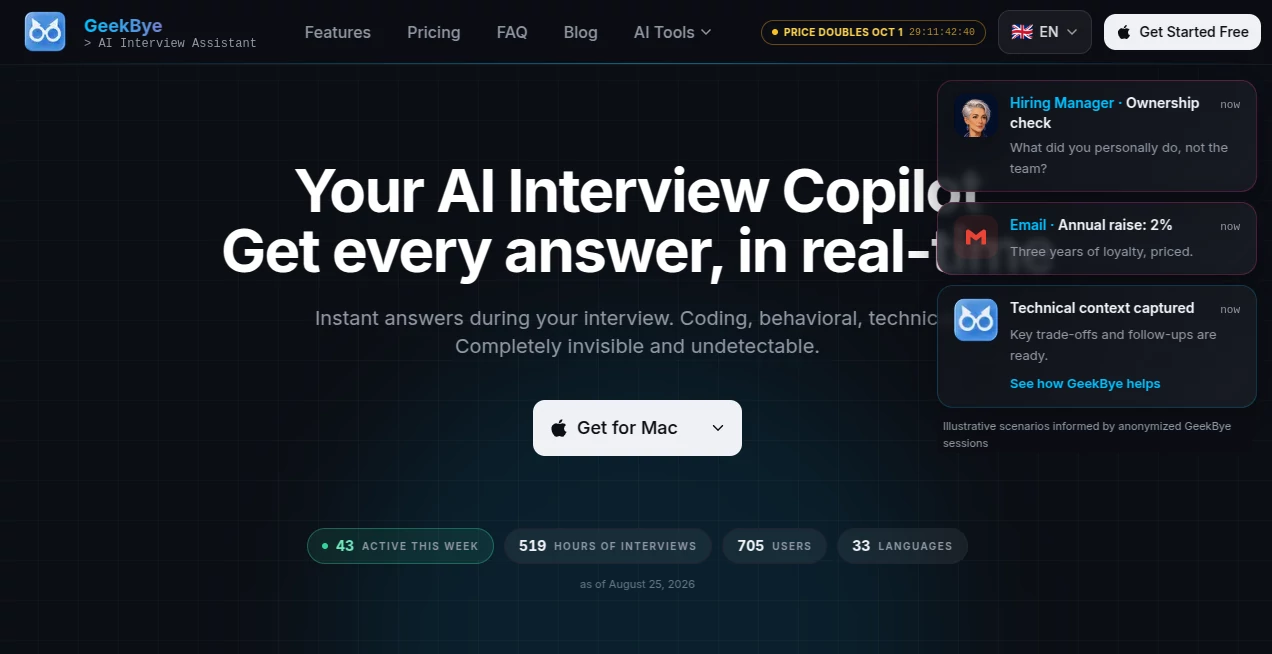
Job interviews can become difficult for reasons that have little to do with preparation. A familiar programming concept can suddenly disappear from memory, a behavioral question can arrive from an unexpected direction, or a technical discussion can move faster than you expected. GeekBye is designed as a real-time AI interview copilot that provides contextual assistance while a conversation is happening rather than waiting until the meeting is finished.
The desktop application can listen to conversations, transcribe speech in real time, understand questions, and provide suggestions while the discussion continues. It is particularly focused on technical, behavioral, coding, and sales interviews, although its real-time assistance can also be useful in other high-pressure conversations.
The product currently supports 33 languages and is available for both macOS and Windows. Its approach is noticeably different from conventional meeting assistants because the emphasis is on immediate guidance rather than simply producing a transcript or summary afterward.
Key Features
- Real-time AI assistance during interviews and conversations
- Live transcription with support for 33 languages
- Instant answers for technical and coding questions
- Behavioral interview guidance and STAR-method support
- Real-time code generation and debugging assistance
- System design and technical interview support
- Live suggestions, follow-ups, recaps, and action items
- Meeting summaries and post-session reports
- Screen-share protection designed to keep the application out of captured content
- Support for Google Meet, Microsoft Teams, Zoom, Slack, and Webex
User Interface
The application uses a compact desktop overlay rather than forcing users to constantly switch between browser tabs. This makes sense for an interview environment where attention is already divided between the interviewer, the question, the screen, and the answer.
Keyboard shortcuts are another practical part of the experience. Users can trigger assistance quickly instead of searching through menus. The application also includes live suggestions and reporting features, allowing users to move from immediate assistance to reviewing their performance afterward.
The interface has been designed around a simple idea: the assistant should stay close enough to be useful without becoming the main thing on the screen. For practice sessions, this can make the experience feel considerably less distracting.
Accuracy & Performance
Real-time assistance is only useful when the system can keep up with the conversation. The platform uses live transcription to capture what is being said and then uses that context to generate responses. Its development history shows several performance-focused improvements, including a reported 40% improvement in AI response speed in version 2.4.0.
The application also introduced Deepgram Nova-3 integration for transcription and added confidence information to saved transcripts. The company states that AI responses can begin streaming within a few seconds after the user triggers assistance, which helps reduce the uncomfortable delay that can make a live assistant difficult to use.
For coding interviews, the system can handle algorithm questions, debugging, system design discussions, and code-generation requests. The practical advantage is not simply receiving an answer, but having relevant context available while the question is still being discussed.
Capabilities
The strongest part of the product is its breadth. A technical interview can jump from algorithms to system architecture, while a behavioral interview may suddenly require a concise story about leadership or conflict. The assistant is built to adapt to these changes instead of focusing on a single question type.
For developers, real-time coding support can help with algorithms, syntax, debugging, and system design. For behavioral interviews, suggestions can help structure responses around approaches such as the STAR method. Sales professionals can use live coaching to think through objections and negotiation points.
The system also provides meeting summaries, action items, and areas for improvement after a session. This makes it more useful for interview preparation than a tool that disappears as soon as the conversation ends.
Security & Privacy
Privacy is an important part of the product's architecture. The application uses local-first storage for transcripts, notes, profiles, and recordings, with data kept on the user's device rather than automatically placing the entire interview history on a cloud server.
The product documentation also describes on-device OCR for screenshots. Extracted text can then be sent through authenticated and encrypted connections when AI processing is required. Optional cloud backup is available with user control and is disabled by default according to the product's recent documentation.
Screen-share protection is implemented at the operating-system level. On supported systems, the application can be excluded from screen captures and recordings, including common meeting and capture software. This should be viewed as a privacy feature rather than a guarantee that every form of human or enterprise monitoring can be bypassed.
Users should also consider the rules of the interview or assessment they are participating in. Technical capabilities do not change an employer's policies, and the responsibility for using an AI assistant appropriately remains with the user.
Use Cases
Technical Interviews: Developers can use real-time assistance for algorithms, coding questions, debugging, architecture, and system design discussions. This can be especially helpful when a candidate understands the subject but struggles to recall a particular implementation detail under pressure.
Behavioral Interviews: Candidates can receive help organizing responses, identifying relevant talking points, and keeping answers structured rather than drifting into long explanations.
Mock Interviews: The application can be used during practice sessions to capture conversations, generate transcripts, summarize answers, and highlight areas that could be improved before the real interview.
Sales Conversations: Sales professionals can receive suggestions for handling objections, negotiating, and deciding what to say next during important conversations.
Interview Preparation: Reusable role profiles allow users to keep job descriptions, expected questions, personal stories, and research together for repeated practice sessions.
Multilingual Interviews: Support for 33 languages makes the application useful for candidates who interview internationally or need transcription and responses in languages other than English.
Pros and Cons
Pros
- Real-time assistance rather than only post-meeting summaries
- Strong focus on technical and coding interviews
- 33-language transcription and multilingual responses
- Useful behavioral interview guidance
- Local-first approach to transcripts and preparation data
- Screen-share protection built into the desktop application
- Works with major meeting platforms
- Free Starter plan available for testing the core experience
Cons
- The most powerful features require a paid plan
- The application is primarily designed for desktop use
- Some macOS audio setups may require an additional virtual audio driver
- Real-time AI assistance depends on a reliable internet connection for AI processing
- Users should verify whether AI assistance is permitted in the interview or assessment they are taking
Pricing Plans
The product offers a free Starter option alongside paid Pro plans. The Starter plan includes essential real-time interview assistance, limited AI responses, basic code generation, screen-share protection, and English-language support.
The Pro plan is designed for heavier users and adds unlimited AI responses, enhanced coding capabilities, multilingual transcription, and multilingual responses. The Pro Lifetime option provides continued access to Pro features through a one-time purchase.
The company announced a pricing change effective August 31, 2026. The monthly Pro list price increased from $149.99 to $299.99, while the annual list price remains $1,200 and the Lifetime list price remains $1,500. The company has also stated that a 50% discount is applied automatically at checkout, making the currently stated amounts $149.99 per month, $600 per year, and $750 for Lifetime. Pricing can change, so users should verify the final amount at checkout before purchasing.
How to Use It
Start by downloading the desktop application for your operating system and completing the initial setup. The application supports macOS and Windows, with keyboard shortcut options that can be adjusted to avoid conflicts with other software.
Before an interview or practice session, prepare a role profile containing useful information such as the job description, expected questions, personal experience, and relevant research. This gives the assistant additional context when generating suggestions.
During a session, use the configured keyboard shortcut to request assistance. The system can capture the relevant screen and conversation context, transcribe spoken content, and generate an answer or suggestion. For coding interviews, the same workflow can provide explanations, code, debugging ideas, and system design guidance.
After the session, review the transcript and report. Looking at questions you struggled with, repeated mistakes, and areas for improvement can turn a single practice interview into preparation for the next one.
Comparison with Similar Tools
Traditional AI meeting assistants are generally built around recording conversations and producing summaries after the meeting. That approach works well when the main goal is documentation, but it is less useful when an answer is needed immediately.
General-purpose AI chatbots can provide excellent explanations when a user manually enters a question, yet they usually require the user to leave the conversation, type or paste the question, and then return to the meeting. A dedicated real-time interview assistant removes much of that friction by combining conversation context, transcription, screen information, and rapid suggestions in one workflow.
Compared with ordinary note-taking software, the biggest difference is timing. Instead of asking what happened after a conversation, this type of assistant is designed to help while the conversation is still happening. For interview preparation and high-pressure discussions, that distinction can be significant.
Conclusion
GeekBye takes a focused approach to AI assistance: stay close to the conversation, understand what is happening, and provide useful guidance before the moment has passed. Its combination of real-time transcription, technical interview support, coding assistance, behavioral coaching, multilingual capabilities, and local-first data handling makes it a particularly interesting option for people preparing for demanding interviews.
The free Starter plan also gives newcomers a straightforward way to experience the workflow before committing to a paid subscription. For candidates who regularly face technical interviews, multilingual conversations, or stressful question-and-answer sessions, having contextual assistance available in real time can make preparation more structured and less dependent on memory alone.
Frequently Asked Questions (FAQ)
What is this AI interview assistant designed for?
It is designed to provide real-time assistance during technical, coding, behavioral, sales, and other high-pressure conversations. It can transcribe conversations, understand context, and generate relevant suggestions while the session is in progress.
How many languages are supported?
The platform currently supports 33 languages for transcription and AI responses. Transcription and output languages can be configured independently, which can be useful for multilingual interview situations.
Does it work on Mac and Windows?
Yes. The desktop application supports both macOS and Windows. Screen-capture protection is implemented using native operating-system capabilities on the supported platforms.
Can it help with coding interviews?
Yes. Coding assistance includes real-time code generation, debugging, algorithm questions, and system design support. It is particularly suited to technical interviews where questions can change quickly.
Does it provide meeting summaries?
Yes. After a session, users can access recaps, action items, transcripts, and areas that may need improvement. This makes the tool useful for both live assistance and interview practice.
Where is interview data stored?
The product uses a local-first architecture for transcripts, notes, profiles, and recordings. Its documentation states that this information is stored locally on the user's device, while AI processing can involve authenticated and encrypted communication with its backend.
Is the screen-share protection guaranteed against every monitoring system?
No technology should be treated as a universal guarantee. The application uses operating-system content-protection mechanisms to exclude its window from supported screen captures and recordings, but this does not defeat physical observation, managed-device monitoring, or every possible form of supervision.
Is there a free plan?
Yes. The Starter plan is free and includes limited AI responses, basic code generation, real-time interview assistance, screen-share protection, and English-language support.
Can a Pro subscription be cancelled?
Yes. Paid subscriptions can be cancelled, with access continuing through the current billing period. Users should review the current terms before purchasing because refund conditions and billing policies can apply.
Is the Lifetime plan a recurring subscription?
No. The Lifetime option is presented as a one-time purchase that provides continued access to the Pro feature set.
Should an AI interview assistant be used in every interview?
Not necessarily. Candidates should always consider the rules of the employer, assessment platform, school, certification body, or other organization conducting the interview. A tool can be technically capable of providing assistance while still being inappropriate or prohibited in a particular assessment.