
GetLogit
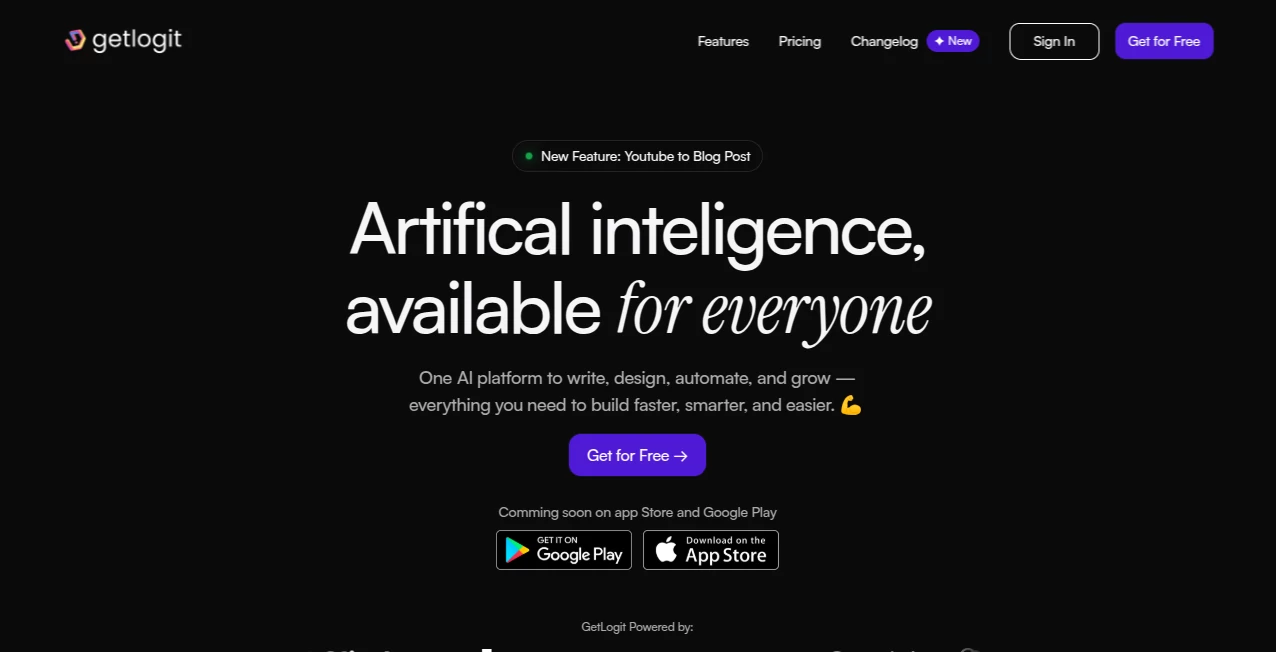
What is GetLogit?
Artificial intelligence has become an essential part of modern work, but switching between different platforms for writing, design, coding, voice generation, and automation can quickly become overwhelming. This platform brings those capabilities together in one place, creating a streamlined workspace that helps individuals and teams accomplish more with less effort.
Instead of forcing users to learn multiple interfaces, it offers an intuitive experience where content creation, AI conversations, image generation, workflow automation, coding assistance, and business productivity tools work side by side. Whether you are a marketer creating campaigns, a developer looking for coding support, a freelancer producing client content, or an entrepreneur managing daily operations, everything is organized within a single dashboard designed to save time and reduce complexity.
With more than 35 integrated AI-powered tools and an expanding feature set, it serves as an all-in-one creative and productivity platform that allows users to focus on ideas instead of repetitive tasks.
Key Features
User Interface
The interface is clean, modern, and easy to navigate, making it approachable even for people with little experience using AI software. Every tool is grouped logically, allowing users to move from writing an article to generating images or interacting with AI chat assistants without unnecessary steps. The organized dashboard keeps projects accessible while maintaining a smooth workflow.
Accuracy & Performance
The platform delivers fast responses across multiple AI-powered services, helping users create high-quality content, generate visuals, rewrite text, summarize information, and assist with coding in just a few moments. The combination of specialized AI tools allows users to complete complex projects more efficiently while maintaining consistent output quality.
Capabilities
- More than 35 AI tools in one workspace.
- AI chat assistants for conversations and problem solving.
- Writing assistant with numerous content templates.
- Article generation for blogs and marketing content.
- Content rewriting and text improvement.
- AI image generation and creative design tools.
- Speech-to-text transcription.
- Text-to-speech and AI voice generation.
- AI coding assistance for developers.
- Website and file chat capabilities.
- Chatbot training with custom knowledge.
- Workflow automation and productivity support.
- Social media content creation.
- YouTube content conversion into written posts.
- Growing collection of upcoming AI features.
Security & Privacy
User accounts are protected through standard authentication, while privacy policies and service terms clearly explain data handling and account management. Business users can manage subscriptions, while individual users benefit from account-based workspaces that keep projects organized and accessible across supported devices.
Use Cases
- Writing blog posts, newsletters, and articles.
- Generating SEO-friendly marketing content.
- Creating social media posts for multiple platforms.
- Producing AI-generated images for branding.
- Generating programming code and development assistance.
- Creating voiceovers for videos and presentations.
- Converting speech into editable text.
- Building AI-powered chatbots.
- Researching information with AI assistants.
- Improving business productivity through automation.
Pros and Cons
- Pros
- Large collection of AI tools inside one platform.
- Simple interface suitable for beginners and professionals.
- Supports writing, coding, design, voice, and automation.
- Free plan available for new users.
- Frequent addition of new capabilities.
- Useful for creators, businesses, developers, and marketers.
- Cons
- Some announced features are still marked as coming soon.
- Advanced users may only need a subset of the available tools.
- Premium functionality requires a paid subscription.
Pricing Plans
A free plan provides access to the platform and allows users to explore many of its core capabilities before upgrading. Paid subscription plans unlock additional features, higher limits, expanded productivity options, and business-focused functionality for professionals and growing teams. Annual plans are also available with discounted pricing compared to monthly billing.
How to Use GetLogit
Create a free account and access the AI workspace. Select the tool that matches your task, whether it is writing content, generating images, creating code, producing voiceovers, or chatting with AI assistants. Enter your prompt or upload supporting files when needed, review the generated results, make adjustments, and export or publish your work. The unified dashboard makes it easy to switch between different creative tasks without changing platforms.
Comparison with Similar Tools
Unlike many AI products that specialize in only one category such as writing or image generation, this platform combines content creation, AI chat, coding assistance, image generation, voice technology, automation, transcription, and productivity tools within one ecosystem. This integrated approach reduces the need for multiple subscriptions while offering a consistent user experience across creative and business workflows.
Conclusion
For anyone looking to simplify daily work with artificial intelligence, this platform provides an impressive combination of versatility and convenience. Bringing together dozens of creative and productivity tools under one roof makes it easier to produce content, automate repetitive work, generate visuals, develop software, and communicate more effectively. Its beginner-friendly interface, expanding feature library, and flexible pricing make it an excellent choice for creators, freelancers, startups, educators, and businesses seeking a practical AI workspace.
Frequently Asked Questions (FAQ)
Is there a free plan available?
Yes. Users can create a free account and access many core features before upgrading.
Who is this platform designed for?
It is suitable for marketers, developers, content creators, entrepreneurs, students, educators, and business teams.
Can it generate different types of content?
Yes. It supports written content, AI-generated images, voice generation, transcription, coding assistance, chatbot features, and more.
Does it support workflow automation?
Yes. Various productivity and automation tools help users streamline repetitive tasks and improve efficiency.
Is it appropriate for business use?
Yes. Individual creators, freelancers, startups, and larger organizations can all benefit from its collection of AI-powered productivity tools.
AI Writing Assistants , AI Content Generator , AI Code Assistant , AI Productivity Tools .
These classifications represent its core capabilities and areas of application. For related tools, explore the linked categories above.
GetLogit details
Website unavailable — View Alternatives
Pricing
- Free
Apps
- Web App
- iOS App
- Android App
Categories

GetLogit Alternatives Product

ekstrakt

ChatGPT

hd image con…

Remove My Me…

LLaMaRush

Agent Grid

Period Calcu…

TranslateAI

ViraFlow