


















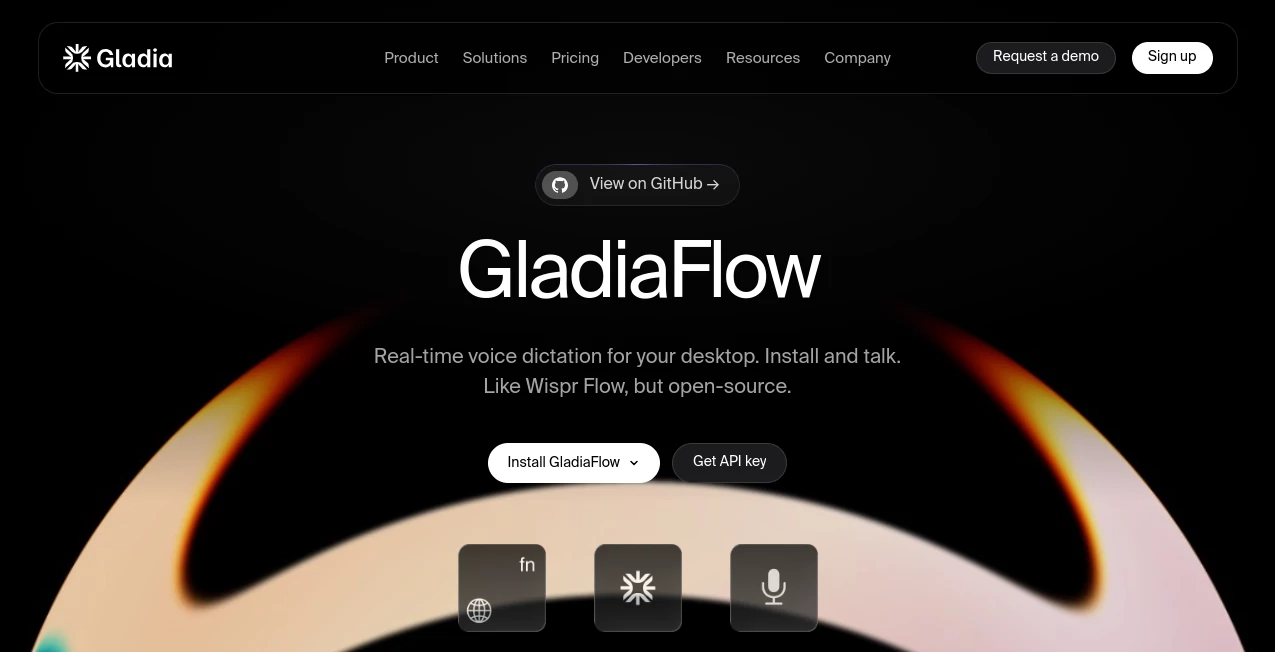
GladiaFlow
What is GladiaFlow?
GladiaFlow is a macOS dictation app built for people who would rather speak than stop and type. It turns spoken words into text using advanced speech recognition, making it easier to write notes, messages, ideas, and everyday content without constantly reaching for the keyboard.
What makes the experience particularly appealing is its simplicity. Instead of treating voice input as a complicated productivity workflow, it lets you speak naturally and get your words into text. For developers and technically minded users, it is also an interesting example of how modern speech AI can be turned into a practical desktop application.
For anyone who spends a large part of the day writing, taking notes, brainstorming, or moving between applications, voice dictation can remove a surprisingly large amount of friction. A quick spoken thought can become usable text in moments.
Key Features
- Native macOS dictation experience designed for everyday desktop use
- Speech-to-text conversion powered by modern AI audio infrastructure
- Fast conversion of spoken language into written text
- Useful for notes, messages, drafts, ideas, and general computer work
- Designed around a straightforward voice-first workflow
- Built using advanced speech recognition technology
- Suitable for users who want to reduce keyboard-heavy work
User Interface
The appeal of the interface is its lack of unnecessary complexity. Dictation tools work best when starting a recording does not feel like opening a full editing suite. The desktop-focused approach keeps the experience centered on the one thing users actually want to accomplish: speaking and getting clean text back.
This makes it especially convenient for short bursts of work. Imagine having an idea while reading an article, needing to write a quick response, or wanting to capture a thought before it disappears. Speaking can be considerably faster and more natural than opening a document and typing everything manually.
Accuracy & Performance
Speech recognition quality is what ultimately determines whether a dictation application becomes part of someone's daily routine. The underlying technology is designed around real-world speech recognition rather than simply converting carefully recorded sentences into text.
The broader audio infrastructure behind the application supports multilingual transcription, automatic language detection, speaker recognition, custom vocabulary, and real-time speech processing. These capabilities are useful indicators of the technology powering the experience, particularly for users who regularly work with different accents, terminology, or languages.
Performance also matters. A dictation tool should feel responsive enough that users do not have to constantly wonder whether their words have been captured. For everyday writing, that low-friction interaction can make voice input feel much closer to normal typing.
Capabilities
The application is focused primarily on dictation, but its underlying speech technology opens the door to a much broader range of audio-based workflows. Speech can be converted into text and then used as the starting point for notes, documents, messages, brainstorming sessions, and other written tasks.
The underlying platform also provides features such as multilingual transcription, speaker diarization, sentiment analysis, named entity recognition, summarization, and audio-to-LLM processing. For developers, this makes the technology particularly interesting because voice data can become structured information rather than simply a block of raw transcription.
Security & Privacy
Privacy is an important consideration whenever voice recordings are processed by an online service. The underlying infrastructure provides encryption for data in transit and at rest, access controls, monitoring, and compliance measures designed for business use.
The platform supports GDPR and HIPAA compliance and has SOC 2 Type II controls. Paid customers can also use stronger data-retention controls, including zero-data-retention options. Data-training policies differ by plan, so users handling sensitive information should review the applicable plan and privacy terms before using the service for confidential recordings.
Use Cases
- Writing and drafting: Speak rough ideas instead of typing every sentence from scratch.
- Quick notes: Capture thoughts, reminders, or observations while working on a Mac.
- Brainstorming: Talk through an idea naturally and turn the conversation into usable written material.
- Productivity: Reduce the amount of repetitive keyboard input during everyday computer work.
- Emails and messages: Dictate longer replies when typing feels slower or inconvenient.
- Content creation: Create first drafts of articles, social posts, outlines, or scripts through voice.
- Accessibility: Provide an alternative input method for people who find extended keyboard use uncomfortable.
Pros and Cons
- Pros: Simple voice-first workflow, macOS-focused experience, AI-powered speech recognition, useful for everyday dictation, and backed by sophisticated audio processing technology.
- Pros: The underlying technology supports multilingual speech, real-time processing, custom vocabulary, and other advanced speech features.
- Cons: It is specifically aimed at macOS users, so people working primarily on Windows or Linux will need another solution.
- Cons: Cloud-based speech processing may not be appropriate for every highly sensitive workflow, particularly when users have strict requirements around local-only processing.
- Cons: Users with specialized terminology may still need to review transcripts, especially when dealing with unusual names, technical language, or difficult audio.
Pricing Plans
No separate public pricing structure for the desktop dictation application is clearly presented in the available product information. The speech infrastructure powering the experience uses usage-based pricing, with a Starter option at $0.61 per hour for asynchronous transcription and $0.75 per hour for real-time transcription. A Growth option starts at $0.20 per hour for asynchronous processing and $0.25 per hour for real-time transcription, while enterprise customers can receive customized arrangements.
For the underlying speech platform, a free tier is also available, making it possible for developers and smaller projects to experiment before committing to higher usage levels.
How to Use GladiaFlow
- Install the macOS application and open it on your computer.
- Start the dictation workflow when you are ready to speak.
- Talk naturally rather than trying to pronounce every sentence unnaturally slowly.
- Allow the speech recognition system to convert your voice into text.
- Review the generated text and make any small corrections that may be necessary.
- Use the resulting text in your document, message, notes, or other workflow.
The best results usually come from treating dictation as a first draft rather than expecting every spoken word to be perfect. Speaking naturally, using clear phrasing, and briefly reviewing the result can make the process both faster and more reliable.
Comparison with Similar Tools
There are plenty of speech-to-text products available, but desktop dictation has a slightly different requirement from a general transcription API. Someone looking for an API may care about webhooks, concurrency, SDKs, model configuration, and integration options. Someone dictating on a Mac usually cares about something much simpler: speed, accuracy, and how quickly speech becomes usable text.
This product sits closer to the second category while benefiting from sophisticated speech infrastructure underneath. That combination is attractive for users who want the convenience of a dedicated desktop dictation experience without having to build their own speech-recognition workflow.
For developers, the underlying technology is also worth considering separately. It provides APIs, SDKs, real-time WebSocket streaming, asynchronous transcription, multilingual support, speaker diarization, and audio intelligence features. That makes the broader platform considerably more flexible than a conventional dictation application.
Conclusion
GladiaFlow takes a simple idea and makes it practical: speak to your computer and let AI handle the transcription. It is particularly appealing for Mac users who write frequently but do not want every idea to begin with a keyboard.
The strongest part of the experience is the technology underneath it. Modern speech recognition, multilingual capabilities, and audio intelligence can turn voice from a basic input method into a genuine productivity tool. For everyday notes and writing, that can save time while making the process feel considerably more natural.
If you regularly find yourself thinking faster than you can type, voice dictation is worth trying. A tool like this can turn those spoken thoughts into a useful first draft before the idea has time to disappear.
Frequently Asked Questions (FAQ)
What is GladiaFlow used for?
It is a macOS dictation application designed to convert spoken language into text. It can be useful for writing, notes, brainstorming, messages, and other everyday productivity tasks.
Is it suitable for content creators?
Yes. Writers and creators can use voice dictation to produce rough drafts, outlines, ideas, and other written material without typing everything from the beginning.
Does the underlying technology support multiple languages?
Yes. The underlying speech platform supports more than 100 languages and includes automatic language detection and language switching capabilities.
Can the technology handle real-time speech?
Yes. The underlying platform supports real-time speech-to-text through streaming technology, allowing applications to receive partial transcription results while someone is speaking.
Is the underlying platform suitable for developers?
Yes. Developers can access speech recognition through APIs and official SDKs, with support for Python, Node.js, WebSocket streaming, webhooks, and integrations with modern voice and automation platforms.
Is user data used for AI model training?
Data-training policies depend on the plan. Free users may have their audio data used for model training, while paid plans provide model-training opt-out protections. Users working with sensitive information should review the current data-processing terms for their specific plan.
AI Productivity Tools , AI Speech Recognition , AI Speech to Text , AI Voice Assistants .
These classifications represent its core capabilities and areas of application. For related tools, explore the linked categories above.

GladiaFlow Alternatives Product

Productivity…

Whisper AI

Klyra AI
Wisegrid

Flitz AI
YT Video Sum…
Speechara

VercelAPP

AllInOneTools
