

















GPT Image 2.5
What is GPT Image 2.5?
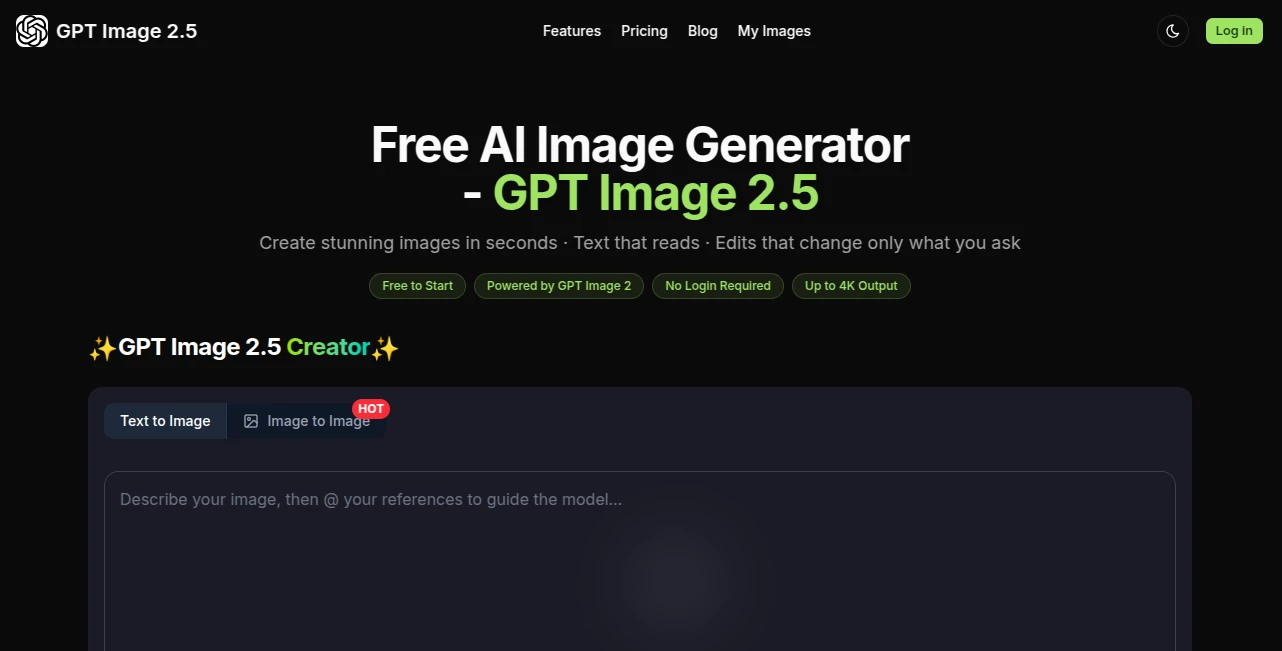
GPT Image 2.5 is a web-based AI image generator designed for people who want polished visuals without spending time wrestling with complicated controls. The service is free to start, requires no login, and supports image generation with outputs reaching up to 4K resolution.
What makes the experience particularly appealing is its focus on following detailed instructions. Instead of simply turning a short prompt into a generic picture, it is designed to handle layouts, readable text, reference images, image edits, and visual consistency across multiple generations.
For marketers, designers, content creators, product teams, and anyone who regularly needs visual material, that combination can make the creative process considerably more practical.
Key Features
- Text-to-image generation from natural-language prompts
- Reference-guided image creation and editing
- Multi-reference composition with up to eight images
- High-quality text rendering for posters, packaging, diagrams, and other graphics
- Search-grounded image generation for visuals involving current facts, places, and products
- Precise natural-language editing without requiring masks or manual selections
- Image exports up to 4K resolution
- C2PA content credentials for verifiable image provenance
- Batch processing on higher-tier plans
User Interface
The interface is intentionally lightweight. Users can focus on describing what they want rather than learning a complicated collection of sliders, layers, and technical settings. The workflow is particularly convenient for people who already know how to describe a visual concept in ordinary language.
For example, someone working on a product campaign can provide a product reference, describe the desired setting, specify the typography and composition, and refine individual elements through subsequent instructions. That makes the tool feel closer to a creative conversation than a traditional image editor.
Accuracy & Performance
The platform places considerable emphasis on instruction following and consistency. Its website highlights accurate typography, multi-step editing, reference-based composition, and the ability to preserve important elements while changing a specific part of an image.
It also promotes search-grounded generation, which can be useful when an image needs to represent real-world places, products, or current information rather than relying entirely on the model's internal knowledge.
Generation time can vary depending on the selected model, resolution, and workload. Higher plans provide multiple simultaneous jobs and priority generation, which is useful for users producing visual assets in larger batches.
Capabilities
The strongest part of the platform is the range of creative tasks it brings into one workflow. Users can create posters, social media graphics, product visuals, illustrations, diagrams, photorealistic scenes, and other marketing assets from prompts.
Reference images can also be combined to maintain visual relationships between subjects, styles, and scenes. The service states that as many as eight reference images can be used together, opening up interesting possibilities for campaign design and character consistency.
Editing is another notable capability. Instead of rebuilding an image from scratch, users can describe a change in plain English, such as replacing a background, changing an object, adjusting a color, or modifying text while keeping the rest of the composition intact.
Security & Privacy
The service provides private generations on its Standard and Premium plans. It also uses C2PA credentials with supported exports to provide information about image provenance. Users working with commercial or sensitive creative projects should still review the platform's privacy policy and terms before uploading confidential material.
Use Cases
This image generator fits a wide range of creative workflows. Social media managers can create campaign graphics and promotional variations, while ecommerce teams can develop product imagery and visual concepts without starting every design in traditional software.
Designers can use reference-guided editing for early concepts, room redesigns, posters, and visual experiments. Content creators can generate thumbnails, illustrations, portraits, and supporting graphics for articles or videos.
It can also be useful for advertising teams that need several variations of a visual concept. Rather than creating each version independently, a campaign can be developed from a shared visual direction and refined through successive prompts.
Pros and Cons
- Pros: Free to start, no login required, up to 4K output, strong natural-language editing, reference image support, readable text generation, multi-reference composition, and multiple workflow options.
- Cons: Advanced capabilities are tied to paid plans, generation speed can depend on workload and settings, and users handling sensitive assets should carefully review the platform's privacy and usage terms.
Pricing Plans
The platform uses a credit-based subscription model with three main tiers. The Starter plan is listed at $12 per month when billed yearly and provides 400 credits per month, with up to 80 images per month. It includes HD downloads, standard generation quality, one running job, no ads, and no watermark.
The Standard plan costs $24 per month when billed yearly and includes 900 credits, up to 180 images per month, higher generation quality, private generations, four simultaneous jobs, and 4K resolution.
The Premium plan is listed at $48 per month when billed yearly and provides 2,000 credits, up to 400 images per month, access to Basic and Pro models, the highest generation quality, eight simultaneous jobs, priority generation, advanced editing, and batch processing.
The service also states that users can start for free, making it possible to test the workflow before committing to a paid plan.
How to Use GPT Image 2.5
- Open the image generator and begin with a clear description of the visual you want.
- Include useful details such as subject, composition, environment, lighting, typography, style, and desired result.
- Add reference images when you need the generated result to follow an existing subject, character, product, or visual style.
- Generate the image and review the result.
- Use natural-language instructions to make targeted changes rather than rebuilding the entire image.
- Choose an appropriate resolution and export the finished visual when it is ready.
Comparison with Similar Tools
Compared with conventional AI image generators that concentrate primarily on turning prompts into pictures, this platform puts more emphasis on editing and instruction following. The ability to work from multiple references is especially useful when a project requires continuity between people, products, or visual styles.
It also takes a more practical approach to graphic design tasks by emphasizing readable typography, diagrams, QR codes, and layouts. For users who regularly need images containing meaningful text, this can be more valuable than simply producing attractive artwork.
Another distinction is the combination of generation and editing in the same workflow. Someone creating a marketing image can start with a concept, make several targeted adjustments, and maintain the overall composition instead of repeatedly regenerating the entire scene.
Conclusion
For anyone looking for a straightforward way to create and refine AI-generated visuals, this platform offers a compelling combination of generation, editing, reference control, and high-resolution output. Its emphasis on following detailed prompts makes it particularly interesting for practical design work rather than purely experimental image creation.
The free starting option lowers the barrier to trying it, while the higher plans add the processing capacity and advanced features needed for heavier creative workflows. Whether the goal is a social media graphic, product visual, poster, presentation asset, or a more involved campaign concept, it provides a flexible environment for turning an idea into a finished image.
Frequently Asked Questions (FAQ)
What is GPT Image 2.5?
It is a web-based AI image generation and editing platform built around the GPT Image family, offering prompt-based creation, reference-guided editing, multi-reference composition, and high-resolution exports.
Can I use it for free?
Yes. The website states that users can start for free without logging in or providing a credit card.
What is the maximum image resolution?
The platform supports exports of up to 4K resolution, with 4K output available on the Standard and Premium plans.
Can I edit an existing image?
Yes. You can provide an existing image or reference material and describe the changes you want using natural language.
Can it generate images with text?
Yes. The platform specifically emphasizes readable typography for applications such as posters, packaging, diagrams, slides, and other graphics.
How many reference images can I use?
The platform states that its multi-reference workflow can combine up to eight images into a coherent result.
Does it support commercial projects?
The website states that its plans include a commercial license. Users should review the current terms of service for the exact conditions that apply to their intended use.
Does it require design skills?
No advanced design skills are required for the basic workflow. Images can be created and refined using natural-language instructions, making the service approachable for non-designers as well as professionals.
Does it provide private image generation?
Private generations are listed as a feature of the Standard and Premium plans.
Does it offer high-volume generation?
Yes. Higher-tier plans support multiple simultaneous jobs, priority generation, and batch processing, making them better suited to users producing larger numbers of assets.
AI Photo & Image Generator , AI Image to Image , AI Text to Image .
These classifications represent its core capabilities and areas of application. For related tools, explore the linked categories above.
GPT Image 2.5 details
Website unavailable — View Alternatives
Pricing
- Freemium
Apps
- Web App
Categories

GPT Image 2.5 Alternatives Product
GPT Image 2
Kirkified AI
Ghibli Image…
Imagine2

Chainsaw Man…

Nano Banana …
Maginary
China Brush
ComicsMaker
