


















Happy Horse AI
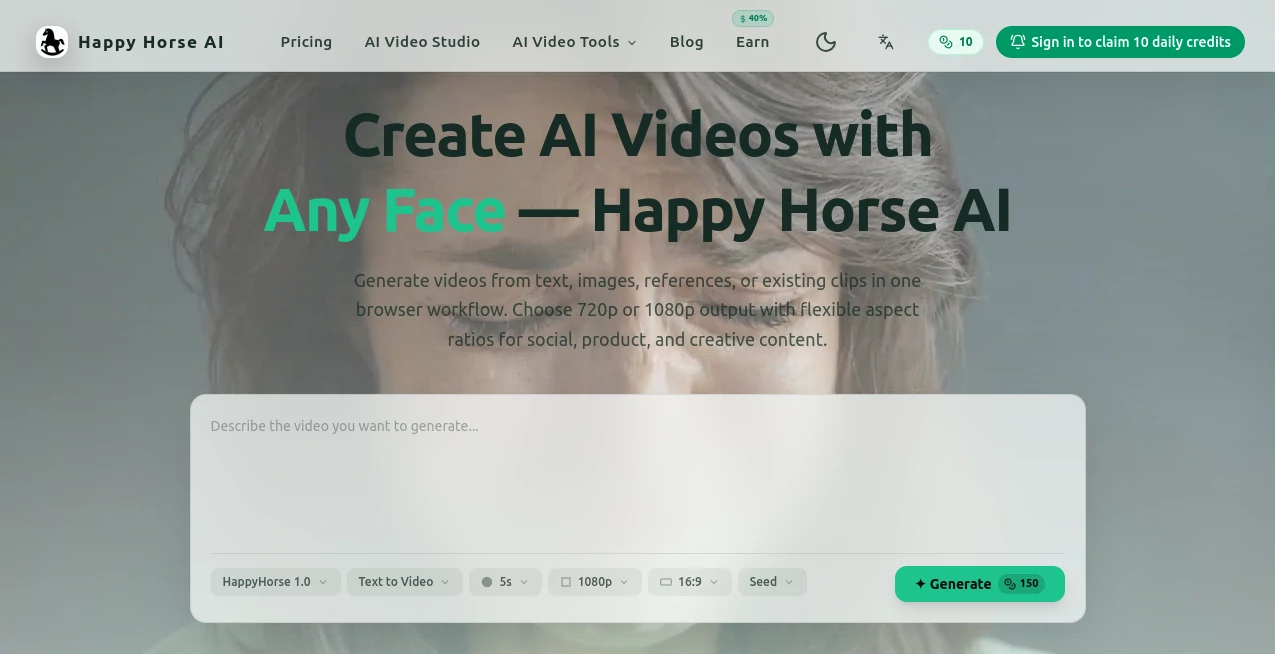
What is Happy Horse AI?
HappyHorse AI is a creative video generation platform that helps users transform ideas into engaging videos using text prompts, images, reference materials, or existing clips. Designed for creators, marketers, businesses, and content teams, it provides a simple browser-based workflow for producing professional-looking videos without requiring advanced editing skills.
The platform makes video creation more accessible by combining multiple input options in one place. Whether you want to create social media content, product showcases, creative concepts, or visual experiments, it offers flexible tools that help bring ideas to life faster. With support for different aspect ratios and high-quality outputs, it is built for modern content creation needs.
Key Features
- Text-to-Video Generation: Turn written ideas and descriptions into visually engaging videos.
- Image-Based Video Creation: Animate images and transform static visuals into dynamic content.
- Reference-Based Generation: Use existing references to guide the style and direction of generated videos.
- Existing Clip Transformation: Enhance or create new variations from uploaded video materials.
- HD Video Output: Export videos in 720p or 1080p quality depending on your needs.
- Flexible Aspect Ratios: Create videos optimized for different platforms and formats.
- Browser-Based Workflow: Generate content directly online without complex software installation.
User Interface
The platform focuses on keeping the creative process simple and accessible. Users can work directly from their browser and move through the video generation workflow without dealing with complicated editing panels. The straightforward design makes it suitable for beginners while still offering useful flexibility for experienced creators.
Accuracy & Performance
The tool is designed to deliver consistent video generation results from different types of inputs, including text descriptions, images, and references. By supporting multiple resolutions and aspect ratios, it helps creators produce content that matches their intended platform and audience.
For social media managers and creative professionals, having the ability to quickly test ideas and generate different versions can significantly improve the content production process.
Capabilities
The platform supports a variety of creative workflows, from generating videos from simple concepts to adapting existing visual materials. Users can experiment with different ideas, create promotional content, and develop unique visual stories without needing traditional video production resources.
Security & Privacy
As a browser-based creative platform, responsible handling of user-generated content is an important part of the experience. Users should review the platform’s privacy policies and terms of service to understand how uploaded files and generated content are managed.
Use Cases
- Social Media Content: Create engaging videos for platforms such as TikTok, Instagram, and other social channels.
- Marketing Campaigns: Produce promotional videos and creative advertisements for brands and products.
- Product Demonstrations: Turn product images and concepts into attractive visual presentations.
- Creative Projects: Explore new storytelling ideas and visual experiments.
- Content Creation: Help creators generate more video content in less time.
Pros and Cons
Pros
- Supports multiple video creation methods including text, images, and references.
- Works directly in the browser with a simple workflow.
- Offers different output resolutions and aspect ratios.
- Useful for marketers, creators, and businesses.
- Reduces the complexity of traditional video production.
Cons
- Advanced professional editing features may require dedicated video software.
- Generation quality can vary depending on input quality and creative direction.
- Users may need experimentation to achieve specific visual styles.
Pricing Plans
Pricing details may vary depending on available plans and updates from the platform. Users should check the official website for the latest information about free access options, subscription plans, and available features.
How to Use HappyHorse AI
- Create an account or access the platform through your browser.
- Select the type of video creation workflow you want to use.
- Upload text prompts, images, references, or existing clips.
- Choose your preferred resolution and aspect ratio.
- Generate the video and review the result.
- Download or use the created content for your project.
Comparison with Similar Tools
Compared with traditional video editing applications, this platform focuses on speed and AI-assisted generation rather than manual editing. While professional editing tools provide deeper control over timelines and effects, AI video generators offer a faster way to transform ideas into visual content.
Its advantage comes from combining several generation methods in one workflow, allowing users to move between text concepts, image inspiration, and existing footage without switching between multiple tools.
Conclusion
HappyHorse AI provides a practical solution for anyone looking to create videos faster using artificial intelligence. By supporting text prompts, images, references, and existing clips, it gives creators more freedom to explore ideas and produce content for different purposes.
For marketers, entrepreneurs, and creative professionals who need efficient video production without complicated workflows, this platform offers a convenient way to turn concepts into polished visual experiences.
Frequently Asked Questions (FAQ)
What can I create with this AI video tool?
You can create videos from text descriptions, images, references, and existing clips for marketing, social media, and creative projects.
Does it support HD video output?
Yes, the platform supports video exports in 720p and 1080p resolutions.
Can I create videos for social media platforms?
Yes, flexible aspect ratios make it suitable for different social media formats and content requirements.
Do I need professional video editing experience?
No. The browser-based workflow is designed to make AI video creation easier for users with different skill levels.
Can I use my own images and clips?
Yes, users can provide images, references, and existing clips as inputs for creating new video content.
AI Image to Video , AI Video Generator , AI Video Editor , AI Text to Video .
These classifications represent its core capabilities and areas of application. For related tools, explore the linked categories above.

Happy Horse AI Alternatives Product

Viewra

Gemini Omni …

uni-1

HappyHorse A…

Banana 2 Edi…

Yevideo

Aura AI

Motion Contr…

Veo 4 AI
