

















Havi
What is Havi?
There’s something powerful about seeing a person speak directly to you, even when you know it’s digital. This platform makes that moment feel natural and effortless. You type some text, choose or upload a face, and a few minutes later you have a video of a realistic person delivering your message with proper lip sync, natural head movements, and expressive eyes. I’ve watched small business owners use it to create welcome videos that feel personal, and content creators turn scripts into polished talking-head clips without ever turning on a camera. The results are warm, convincing, and surprisingly human.
Introduction
Creating video content with a real person is expensive and time-consuming—lighting, recording, editing, revisions. Havi removes most of that friction while keeping the emotional connection intact. It lets you generate professional-looking avatar videos from simple text, with voices that sound natural and faces that maintain consistency across takes. Whether you’re a solopreneur who wants to appear in your own marketing or a team producing training materials, it gives you a fast, scalable way to add that human touch without the usual production headaches. The quality has reached a point where viewers often can’t immediately tell it’s AI-generated, which is exactly when the tool becomes truly useful.
Key Features
User Interface
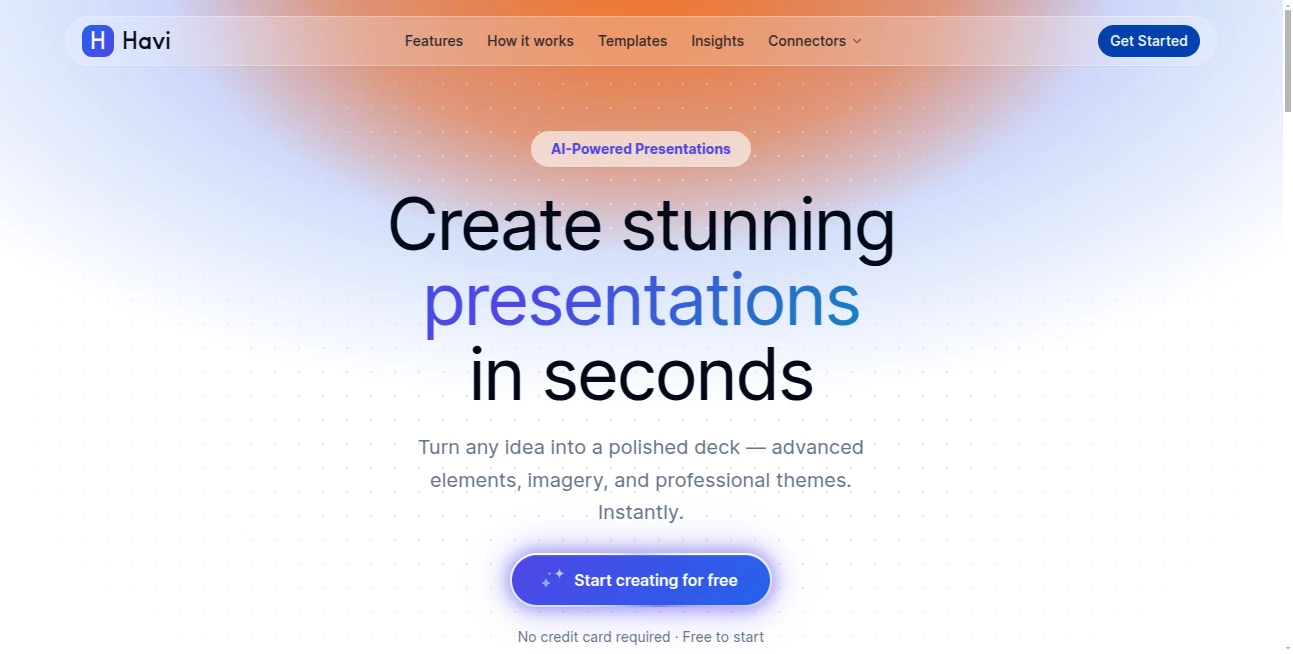
The dashboard is refreshingly straightforward. You paste your script, pick a voice from a diverse library, choose or upload a face (or use one of their realistic avatars), adjust a few style settings, and hit generate. Previews load quickly so you can tweak tone, pacing, or emotion before finalizing. Everything is visual and intuitive—no steep learning curve, no buried menus. It feels like writing an email but getting a full video back.
Accuracy & Performance
Lip synchronization is tight, even on longer scripts. Head movements and subtle facial expressions feel natural rather than robotic. Voices carry appropriate emotion based on context, and the generated video maintains consistent lighting and skin tone throughout. Generation speed is impressive for the quality—most clips are ready in under two minutes. The consistency across different faces and accents is one of its strongest points.
Capabilities
You can create videos from text alone, use custom photos for personalized avatars, choose from dozens of realistic voices in multiple languages, adjust speaking speed and emotional tone, add background music or images, and export in various resolutions. It supports both portrait and landscape formats, making it perfect for social media, websites, presentations, or e-learning. The ability to reuse the same avatar across multiple videos builds strong brand recognition over time.
Security & Privacy
Your scripts and uploaded photos are processed securely and not used to train models without explicit permission. Generated videos belong to you with full commercial rights on paid plans. The platform maintains clean data practices, which matters when you’re creating content that might include client messages or internal training material.
Use Cases
A fitness coach creates weekly motivational update videos using her own face without filming every time. An online course creator turns long lessons into engaging talking-head modules with different expert avatars. A real estate agent sends personalized property walkthrough narrations to potential buyers. A nonprofit uses it to deliver consistent founder messages across languages for global campaigns. The common thread is saving massive time while keeping the human connection strong.
Pros and Cons
Pros:
- Impressively natural lip sync and facial expressions.
- Fast generation that actually fits into real workflows.
- Good variety of voices and avatar options.
- Commercial rights included on paid plans.
- Simple enough for non-technical users.
Cons:
- Very long scripts may need to be broken into multiple clips.
- Custom photo avatars work best with clear, well-lit source images.
- Free tier has limitations suitable for testing but not heavy production.
Pricing Plans
The free plan lets you create several videos to test quality and workflow. Paid tiers unlock longer videos, higher resolutions, more voices, priority generation, and commercial usage rights. Pricing is reasonable for the time it saves—many users find that one month pays for itself after replacing just a few traditional video shoots or voiceover recordings.
How to Use Havi
Sign up (quick and painless), go to the video creator, paste or write your script in the text box. Choose a voice that matches your desired tone, select or upload a face, adjust any style settings (speed, emotion, background), and click generate. Review the preview, make small adjustments if needed, then download or share directly. For longer content, break scripts into logical segments and stitch them together later. The whole process from idea to finished video can take under ten minutes once you’re familiar.
Comparison with Similar Tools
Many talking avatar tools still produce stiff movements or robotic voices. This one stands out with more natural expressions, better lip sync, and a cleaner overall aesthetic. Where others feel experimental, Havi feels production-ready for everyday use. The balance of quality, speed, and ease makes it especially strong for creators who need consistent output without a full video team.
Conclusion
Video is still one of the most effective ways to connect with people, but not everyone has time or budget for traditional production. This tool bridges that gap beautifully, letting you create polished, personal videos at scale without losing warmth or authenticity. Whether you’re building a brand, teaching students, or communicating with customers, it gives you a powerful way to show up on camera consistently—without actually being on camera every time. In a noisy digital world, that kind of reliable human touch is incredibly valuable.
Frequently Asked Questions (FAQ)
How long can my videos be?
Most plans support up to several minutes per video, with longer content handled by combining multiple generations.
Can I use my own face?
Yes—upload a clear photo and the system will generate a realistic avatar based on it.
Are the voices natural?
Very much so—multiple languages and emotional tones are available with good prosody and intonation.
Do I own the generated videos?
Yes—paid plans grant full commercial usage rights.
Is there a free way to try it?
Absolutely—the free tier lets you create several videos to evaluate quality before upgrading.
AI Animated Video , AI Video Generator , AI Text to Video , AI Voice & Audio Editing .
These classifications represent its core capabilities and areas of application. For related tools, explore the linked categories above.

Havi Alternatives Product

PropertyPhot…

Wan 2.7
Kling-4 Vide…

Speech Text

Speech Notes

AI Dog Dance

Seedance2 Vi…

seedance 3.0

Vidtool AI
