
IndexFox
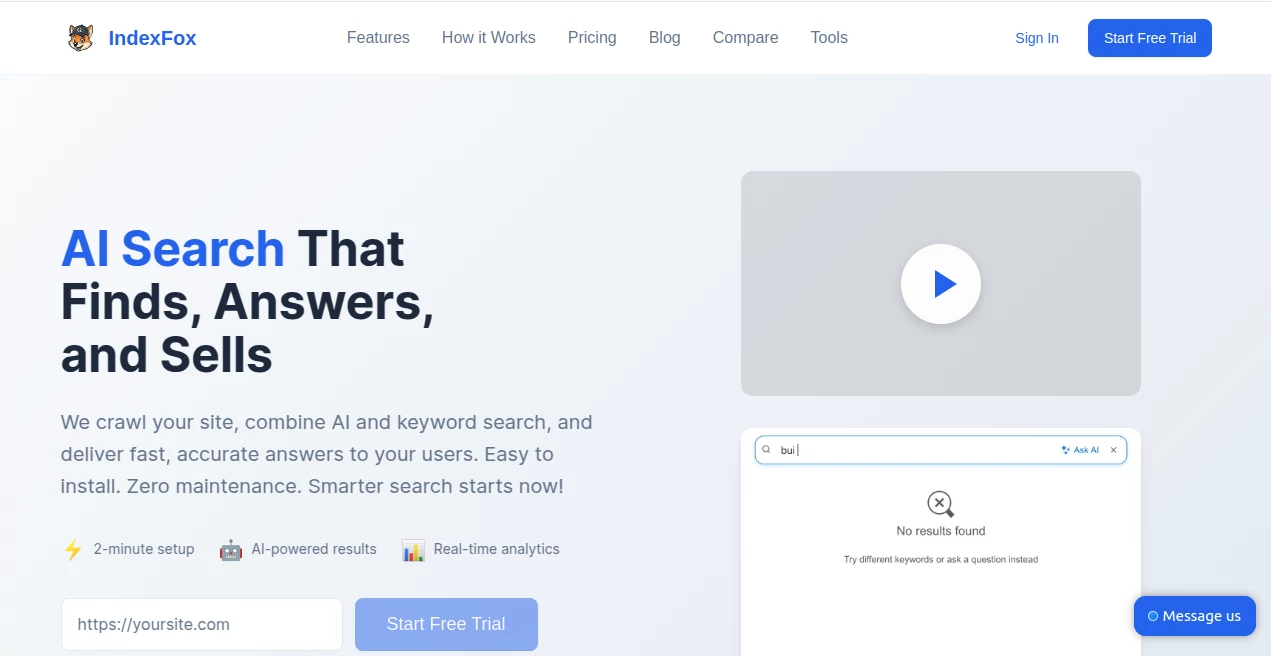
What is IndexFox?
Getting a new website noticed can feel like throwing a message in a bottle into the ocean and hoping someone finds it. This tool changes that. It intelligently analyzes your site, suggests fixes, and helps search engines understand and index your pages more effectively. I’ve seen small business owners go from zero organic traffic to steady visitors after using it for just a couple of weeks. It doesn’t promise overnight miracles, but it gives you a real, practical edge in a crowded digital world.
Introduction
Most new websites suffer from the same problem: great content, poor discoverability. Search engines need clear signals to understand what your pages are about, and many owners don’t have the time or knowledge to optimize everything manually. IndexFox steps in as a smart assistant that scans your site, spots indexing issues, and gives you actionable steps to improve visibility. It’s particularly helpful for indie makers, small teams, and growing businesses who want to focus on creating rather than constantly tweaking technical SEO. The best part? It feels like having an experienced SEO friend who actually explains why something matters instead of just listing problems.
Key Features
User Interface
The dashboard is clean and welcoming. You enter your website URL, it crawls the site, and presents findings in plain English with color-coded priority levels. No overwhelming technical jargon or endless dashboards—just clear recommendations with one-click actions where possible. I appreciate how it shows before-and-after potential impact estimates so you can decide what’s worth fixing first.
Accuracy & Performance
It catches real issues that actually affect indexing: missing meta tags, slow-loading pages, duplicate content signals, poor internal linking, and more. The crawler is thorough yet gentle on your server, and suggestions are based on current search engine behavior rather than outdated checklists. Users often report seeing pages start appearing in search results faster after implementing the top recommendations.
Capabilities
Beyond basic crawling, it generates optimized meta titles and descriptions, suggests internal linking opportunities, creates XML sitemaps, identifies thin content, and even gives mobile-friendliness checks. It tracks indexing status over time and sends gentle reminders when new issues appear. For growing sites, the bulk optimization features save hours compared to doing everything manually.
Security & Privacy
Your site data stays private during the crawl—no unnecessary sharing or storage of sensitive information. The tool doesn’t require login credentials or access to your backend, which gives peace of mind, especially for business websites. Everything is handled with standard security practices so you can focus on growth without worrying about risks.
Use Cases
A new online store owner uses it to ensure product pages get indexed properly before launching a marketing campaign. A blogger discovers and fixes crawl errors that were hiding half their archive from search engines. A local service business improves their service pages and starts ranking higher in “near me” searches. Freelancers and agencies use it to quickly audit client sites and show clear value before proposing bigger projects.
Pros and Cons
Pros:
- Actionable advice that regular business owners can actually understand and implement.
- Fast crawling with minimal impact on site performance.
- Clear prioritization helps you focus on what matters most first.
- Tracks progress over time so you can see real improvement.
Cons:
- Very large or complex sites may need multiple crawls for full coverage.
- Some advanced technical issues still benefit from developer help.
- Free tier has usage limits for frequent monitoring.
Pricing Plans
It starts with a generous free plan that lets you scan and optimize smaller sites or get a taste of what’s possible. Paid tiers unlock unlimited crawls, advanced reporting, priority support, and team access. Pricing is reasonable—many users say it pays for itself quickly through increased organic traffic and time saved on manual SEO work.
How to Use IndexFox
Enter your website address, let it run its initial crawl, and review the prioritized recommendations. Start with the highest-impact items (usually meta tags, sitemap, and indexing status). Make the suggested changes on your site, then re-scan to confirm improvements. Set up regular monitoring so new pages get picked up quickly. It becomes part of a healthy routine rather than a one-time fix.
Comparison with Similar Tools
Many SEO platforms overwhelm you with data or require technical expertise. This one focuses on clarity and speed—giving practical steps instead of endless reports. It’s lighter than enterprise tools but more insightful than basic free checkers. For growing websites that need results without a full-time SEO specialist, it hits a sweet spot that’s hard to find elsewhere.
Conclusion
Building a great website is only half the battle—getting it seen is the other half. IndexFox makes that second part much less painful and far more effective. It respects your time, speaks clearly, and delivers results you can actually measure. Whether you’re launching something new or breathing life into an existing site, it’s the kind of practical helper that turns “I hope people find me” into “people are finding me.” That shift is worth celebrating.
Frequently Asked Questions (FAQ)
How long does the first crawl take?
Usually between 30 seconds and a few minutes, depending on site size.
Do I need technical knowledge to use it?
Not really—the recommendations are written in plain language with clear next steps.
Can it handle large websites?
Yes, though very large sites may benefit from paid plans for faster and more frequent crawls.
Is my site data safe?
Yes—crawling is done respectfully and no sensitive backend access is required.
How soon can I expect to see results?
Many users notice indexing improvements within days to a couple of weeks after fixing key issues.
AI SEO Assistant , AI Marketing Plan Generator , AI Digital Marketing Generator , AI Research Tool .
These classifications represent its core capabilities and areas of application. For related tools, explore the linked categories above.

IndexFox Alternatives Product

AISEOMate
Distro

Skygen AI

Free Marketi…

Grow Creator

LocalRAG!

Ecom Mediate…

LLaMaRush

Empiriolabs …