

















LaunchRepo
What is LaunchRepo?
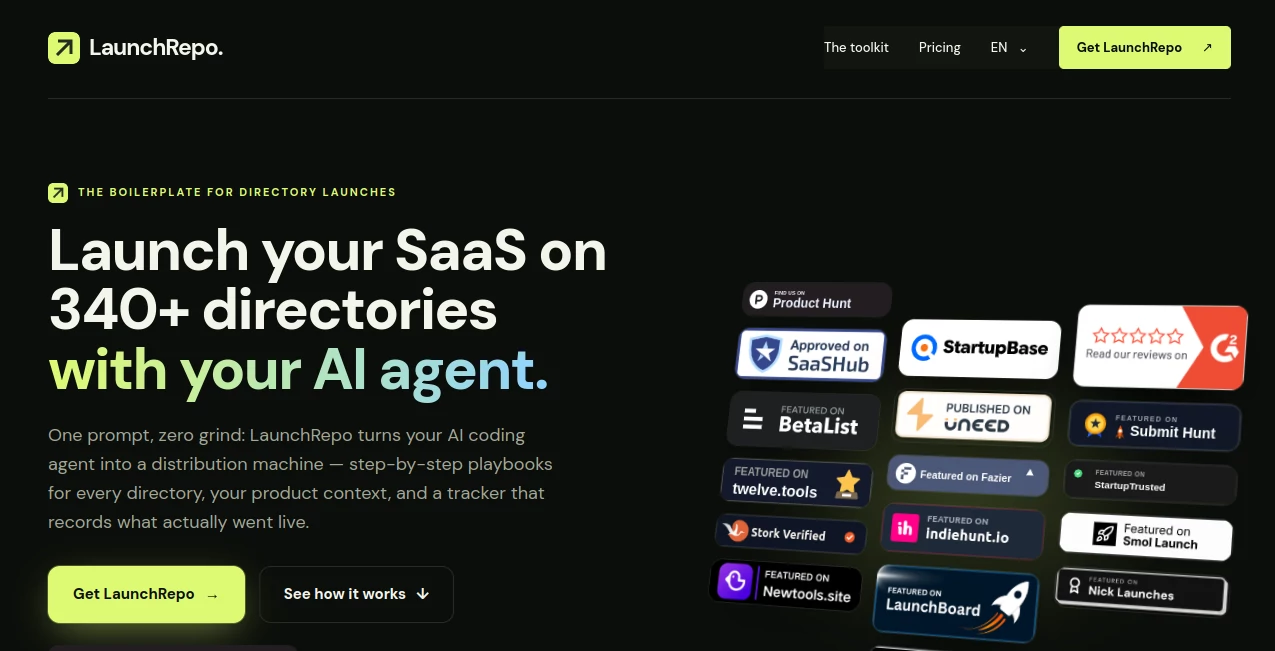
LaunchRepo is a developer-focused toolkit designed to make SaaS directory launches much easier to manage. Instead of spending hours creating accounts, filling out different submission forms, adjusting descriptions to fit character limits, and checking which listings have actually gone live, the toolkit gives an AI coding or browser agent a structured workflow to handle the repetitive work.
The approach is straightforward: describe your product once, provide the necessary assets and information, and let your agent work through a collection of directory-specific playbooks. The system is aimed at developers, indie hackers, and SaaS founders who already use tools such as Claude Code, Codex, or Cursor and want a more repeatable distribution process.
What makes the concept particularly useful is that it is not positioned as a managed submission service. Your accounts remain yours, your agent performs the work, and the supplied tracker records whether a submission is still a draft, has been submitted, is awaiting review, or is live.
Key Features
User Interface
The experience is centered around a repository rather than a traditional dashboard. At the heart of the workflow is a product context file where developers can provide product facts, descriptions, pricing information, copy variations, and assets.
This repository-based approach will feel familiar to developers because the workflow uses files, instructions, playbooks, and a CSV tracker. Once the initial product information is prepared, the same structure can be reused for future products without rebuilding the launch process from scratch.
Accuracy & Performance
The platform uses individual playbooks for different directories, including information about preparation, required fields, character limits, blockers, and confirmation steps. This is important because directory submission forms are rarely identical.
Instead of blindly submitting the same text everywhere, the agent can use the product context and the instructions for each platform to work through the appropriate process. The tracker also separates submitted, pending, and live results, helping users avoid assuming that a completed form automatically means a published listing.
The company says its own SaaS has been submitted to more than 160 directories, with listings either live or awaiting publication. That real-world workflow provides a useful example of how the system is intended to be used.
Capabilities
The core package includes 275 directory playbooks, a product context template, a submission tracker, agent instructions, browser setup documentation, and a recording script.
- Directory-specific submission playbooks
- Product information stored in a reusable product.json file
- Submission tracking from draft to live
- Agent instructions through AGENTS.md and a runbook
- Browser setup for logged-in Chrome sessions
- Support for AI agents capable of reading files and driving a browser
- Reusable workflows for multiple SaaS products
- Recording of evidence and submission outcomes
The supported workflow is particularly interesting for developers who already have an AI coding agent as part of their daily toolkit. Instead of introducing another isolated application, the repository becomes a set of instructions and operational data that the agent can work with.
Security & Privacy
A major part of the model is keeping control with the product owner. This is not a service where credentials and directory accounts are handed to a third party. The user operates their own accounts and their own agent.
The browser setup documentation is designed to allow an agent to work through an existing logged-in Chrome environment, including situations involving OAuth, email verification, or captchas. Importantly, the workflow can stop when human intervention is required rather than pretending that every submission was completed automatically.
Users should still review the permissions and browser access granted to their chosen AI agent before running automated workflows, particularly when the agent is operating inside authenticated accounts.
Use Cases
The strongest use case is launching a new SaaS product across multiple startup, software, and product directories without repeating the same manual research and form-filling process.
For an indie hacker launching several products during the year, the reusable nature of the repository can be especially valuable. The product context changes from project to project, while the underlying directory playbooks and operational workflow can remain available.
It can also be useful for small development teams that treat directory distribution as part of their launch checklist. A team can prepare product information once, let the agent work through the appropriate directories, and then review the tracker to see which listings require attention.
For example, a founder launching a new SaaS could prepare the product description, pricing, screenshots, and other assets in the product context file. The agent can then work through relevant directories, handle each platform according to its playbook, and record whether each submission is pending, blocked, or live.
Pros and Cons
- Pros: Large collection of directory playbooks, reusable product context, support for multiple products, submission tracking, perpetual access, and compatibility with several AI-agent workflows.
- Pros: Keeps the user in control of their own accounts and submissions rather than operating as an outsourced submission service.
- Pros: Useful for developers who already work with AI coding agents such as Claude Code, Codex, or Cursor.
- Cons: It requires familiarity with AI agents and developer-oriented workflows rather than functioning like a simple point-and-click submission platform.
- Cons: Directory publication is not guaranteed because every platform has its own moderation rules, requirements, and approval process.
- Cons: AI agent usage is billed separately by the provider, and some directories may charge for optional featured placements.
Pricing Plans
The product currently follows a one-time purchase model rather than a monthly subscription. The full package includes the directory playbooks, product context template, submission tracker, agent instructions, browser setup guide, and related repository tools.
The pricing page states that access is designed for unlimited products and unlimited agents, with perpetual use. Repository access is tied to one GitHub account.
The displayed launch pricing is subject to change, with the website stating that the price increases after sales milestones. The current page also indicates that agent usage is not included and is billed separately by the user's AI provider.
Because directory rules and pricing can change over time, users should check the current purchase page for the latest price and terms before buying.
How to Use LaunchRepo
Getting started follows a simple three-stage workflow.
- Clone and describe: Prepare the product.json file with the product's facts, copy, pricing information, and assets.
- Run your agent: Point a compatible AI coding or browser agent at the repository so it can read the playbooks and work through the relevant directory list.
- Review the results: Check the tracker, handle tasks that require human approval, and collect the URLs of listings that have gone live.
The same repository can then be reused for another SaaS product. Only the product-specific context needs to be updated, making the workflow more practical for founders who launch multiple projects.
Comparison with Similar Tools
Traditional directory submission services generally involve handing the submission process to another person or agency. That can save time, but it also means giving up some control over the process and relying on someone else to manage accounts, copy, and submission status.
This approach is different. It provides the instructions and operational framework while allowing the user's own AI agent to perform the work. The product owner remains responsible for their accounts and can see the recorded status of individual submissions.
Compared with manually maintaining a spreadsheet of directories, the repository-based workflow is also more structured. Directory-specific instructions, product context, agent rules, and submission records are kept together rather than scattered across browser tabs and documents.
It is therefore best suited to developers who are comfortable with AI agents and want an infrastructure-like solution for repeatable product distribution rather than a conventional marketing dashboard.
Conclusion
LaunchRepo takes one of the less exciting parts of launching a SaaS product and turns it into a repeatable developer workflow. Directory submissions can consume a surprising amount of time, especially when every platform has different forms, requirements, character limits, verification steps, and publication rules.
The combination of directory playbooks, reusable product context, AI-agent instructions, browser setup, and submission tracking gives developers a practical way to organize that process. The biggest advantage is arguably the ability to reuse the same infrastructure across multiple products rather than starting a new manual checklist every time.
It will not eliminate every human step, and it does not promise that directories will approve every submission. Instead, it provides a structured system for letting an AI agent handle repetitive work while keeping the founder in control of the accounts and final decisions.
Frequently Asked Questions (FAQ)
What is LaunchRepo?
It is a repository-based toolkit containing directory submission playbooks, product context templates, agent instructions, browser setup guidance, and a submission tracker for SaaS launches.
How many directories are supported?
The current package includes up to 275 directory playbooks. The number of directories that are actually suitable for a particular product depends on the product and each directory's requirements.
Which AI agents can work with it?
The workflow is designed for agents that can read files and interact with a browser. The website specifically mentions Claude Code, Codex, Cursor, and browser-based agents with similar capabilities.
Are directory listings guaranteed?
No. Each directory controls its own moderation and publication process. The tracker is designed to distinguish between submitted, pending, blocked, and live outcomes rather than treating every attempt as a successful publication.
Can it be used for multiple SaaS products?
Yes. The purchase model provides perpetual use for unlimited products owned by the user. The product-specific information is maintained separately so the same directory launch infrastructure can be reused.
Is it a managed directory submission service?
No. The system provides the playbooks and workflow for the user's own AI agent to perform submissions through the user's accounts. The product owner remains in control of the process.
Does the purchase include AI agent usage?
No. The software purchase and AI agent usage are separate. Agent usage is billed by the provider of the AI agent being used.
Can the agent handle captchas?
The workflow includes instructions for handling blockers such as captchas and defines situations where the agent should stop and request human involvement rather than attempting to bypass the obstacle.
Is there a subscription?
The product is offered as a one-time purchase rather than a recurring subscription. The current pricing information describes perpetual access to the repository and its included playbooks.