


















MCP360
What is MCP360?
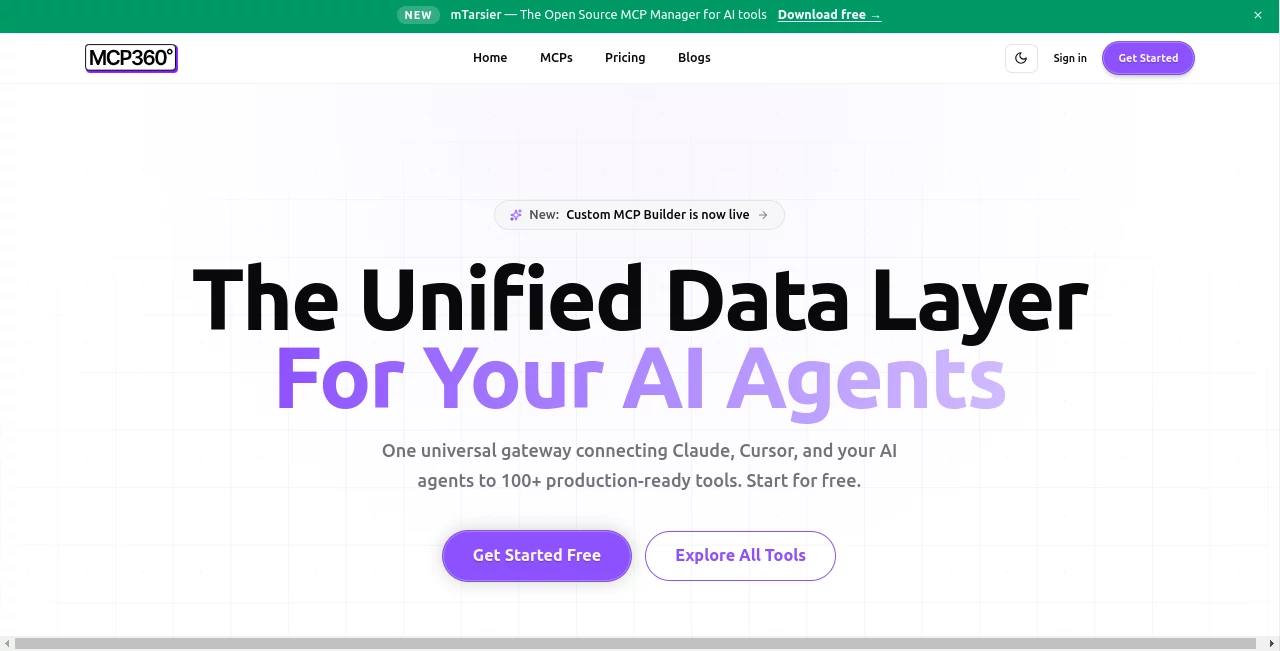
In today’s fast-moving digital ecosystem, businesses and developers are constantly searching for ways to connect artificial intelligence models with real-world tools, data sources, and workflows. This platform emerges as a modern solution designed to bridge that gap, offering a structured way to integrate AI capabilities into practical applications without unnecessary complexity.
Instead of juggling multiple APIs, scattered services, and fragmented workflows, users can rely on a centralized environment that simplifies interaction between AI systems and external tools. The result is a smoother, more scalable, and more intelligent automation experience.
Key Features
User Interface
The interface is designed with clarity and functionality in mind. Developers and non-technical users can both navigate its structure without feeling overwhelmed. The dashboard focuses on simplicity while still offering advanced controls for power users who need deeper customization.
Accuracy & Performance
Performance is optimized for real-time responsiveness and reliable execution of AI-driven tasks. The system is built to minimize delays while maintaining consistent output quality across integrations and workflows.
Capabilities
- Connects AI models with external tools and services
- Enables workflow automation across multiple systems
- Supports scalable integration for developers and teams
- Facilitates structured data exchange between applications
- Reduces complexity in multi-tool AI environments
Security & Privacy
Security is a core focus, ensuring that data transfers and integrations remain protected. The architecture is designed to support controlled access, safe handling of sensitive information, and reliable operational boundaries for enterprise-level usage.
Use Cases
- Building AI-powered automation systems for businesses
- Connecting multiple APIs into a unified workflow
- Enhancing SaaS platforms with AI capabilities
- Supporting developers in rapid prototyping
- Streamlining internal operations and data processing
Pros and Cons
Pros
- Simplifies complex AI integrations
- Flexible for both developers and enterprises
- Reduces time spent on manual workflow setup
- Scalable architecture for growing projects
Cons
- May require technical understanding for advanced features
- Dependence on external integrations for full functionality
- Learning curve for non-developers in initial setup
Pricing Plans
The platform typically follows a flexible pricing structure that may include entry-level access for individuals, as well as more advanced plans for teams and enterprises. These plans are usually designed to scale based on usage, features, and integration requirements.
How to Use MCP360.ai
Getting started is generally straightforward. Users begin by creating an account, setting up their workspace, and connecting desired tools or APIs. From there, workflows can be built by defining triggers, actions, and AI-powered logic. The system allows gradual expansion, making it suitable for both small experiments and large-scale deployments.
Comparison with Similar Tools
Compared to traditional integration platforms, this solution focuses more heavily on AI-native workflows rather than simple data piping. While other tools may prioritize generic automation, this platform emphasizes intelligent decision-making, contextual processing, and structured AI interactions. This makes it particularly valuable for modern AI-driven applications.
Conclusion
As AI continues to reshape how digital systems interact, tools like this play a critical role in simplifying complexity. By offering a unified approach to integration, automation, and AI orchestration, it provides a practical foundation for developers and businesses aiming to build smarter systems without unnecessary overhead.
Frequently Asked Questions (FAQ)
What is this platform used for?
It is used to connect AI systems with external tools, APIs, and workflows to enable automation and intelligent processing.
Is it suitable for beginners?
Yes, although some advanced features may require basic technical knowledge, the interface is designed to remain accessible.
Can it be used for enterprise solutions?
Yes, it is built with scalability in mind and can support enterprise-level integrations and workflows.
Does it support API integrations?
Yes, it is designed specifically to work with APIs and external services in a structured way.
Is coding required?
Basic setups may not require heavy coding, but advanced customization often benefits from development knowledge.
AI Workflow Management , AI API Design , Large Language Models (LLMs) , AI Developer Tools .
These classifications represent its core capabilities and areas of application. For related tools, explore the linked categories above.

MCP360 Alternatives Product

Empiriolabs …

BootstrapKing

LocaFlow

NetlifyAPP

KaneAI

Mage Flow AI…

Standard Com…

Skygen AI

GPTZero
