

















Monty
What is Monty?
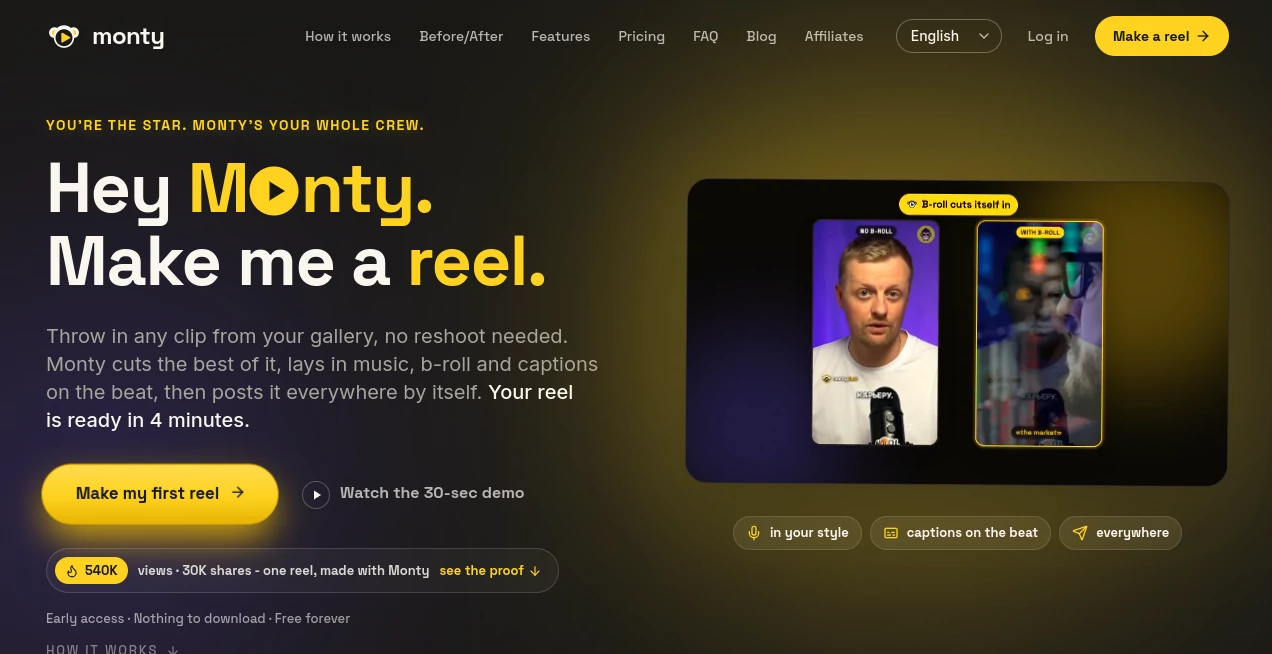
Monty is an AI-powered video creation and publishing platform built for creators who want to turn a simple recording into a polished short-form video without spending hours behind an editing timeline. The workflow is refreshingly simple: start with an idea or an existing clip, let the system shape the script and edit, review the result if you want to, and publish it across your channels.
What makes the approach particularly interesting is that the platform is designed around the creator's existing style rather than forcing every video into the same generic template. Its Brand Brain feature studies a creator's archive, hooks, wording, humor, and rhythm to help produce content that feels more consistent with their established voice.
The entire process is designed to take around four minutes from idea to posted video. Creators can also skip filming altogether and use footage already sitting in their gallery, which makes the service useful for anyone with a backlog of recordings that never quite made it to publication.
Key Features
- AI-assisted script creation based on the creator's style.
- Automatic video editing with cuts, music, b-roll, effects, and captions.
- Captions synchronized to speech and the rhythm of the video.
- Automatic preparation and publishing for multiple social platforms.
- Brand Brain for learning a creator's established content style.
- Approval mode for creators who want to review videos before publishing.
- Scheduled publishing for a more hands-off workflow.
- Translation and subtitle rebuilding for different languages and markets.
- Support for YouTube Shorts, Instagram Reels, TikTok, and Telegram.
User Interface
The experience is built around a straightforward creator workflow rather than a traditional professional editing interface. You do not need to understand timelines, layers, transitions, or complicated editing panels to get started. The idea is to provide the raw material and let the platform handle most of the production work.
This is especially useful for creators who know what they want to say but do not enjoy the editing stage. Someone can record a single take, upload it, and move toward a finished short without opening a separate editor, captioning application, or publishing dashboard.
Accuracy & Performance
Performance is one of the strongest parts of the workflow. The service says a video can move from an idea to a published post in roughly four minutes, while its automated editing handles the repetitive work that normally slows down short-form production.
Its captioning system is designed to follow speech closely and place captions in rhythm with the video. The platform also creates versions for individual publishing destinations rather than simply sending the exact same file everywhere. That matters because short-form platforms have different presentation requirements and audience expectations.
Capabilities
The platform covers considerably more than basic video trimming. It can help write a script from the hook, edit footage, select supporting b-roll and music, add effects, synchronize captions, translate clips, rebuild subtitles for different languages, and distribute finished content.
One of the more distinctive capabilities is Brand Brain. Instead of treating every creator as a blank slate, it uses an existing content archive to understand patterns in their writing and presentation. For creators who have already developed a recognizable online personality, this can make automated production feel much less disconnected from their usual content.
Security & Privacy
Privacy should always be considered when uploading personal recordings, unpublished content, brand material, or access credentials for social accounts. The service provides links to its Privacy Policy and Terms of Service, and creators should review those documents before connecting important channels or uploading sensitive footage.
For professional teams and agencies, it is also sensible to establish an internal review process before enabling automated publishing. The approval option provides a useful layer of control for creators who want automation without giving up the final decision over what goes live.
Use Cases
Content creators: Turn one-take recordings into polished short videos without spending an afternoon editing.
Influencers: Maintain a regular publishing schedule while keeping the tone and style consistent across multiple channels.
Small businesses: Transform product explanations, behind-the-scenes footage, tips, and announcements into social-ready videos.
Podcasters: Repurpose recorded conversations and existing clips into shorter pieces suitable for social feeds.
Marketing teams: Produce multiple variations from existing footage and distribute them across several platforms.
Agencies: Manage content production for multiple brands using separate Brand Brain profiles and team-oriented features.
International creators: Translate existing clips and rebuild subtitles for audiences in different languages without recording every version from scratch.
Pros and Cons
- Pros: Very fast end-to-end workflow.
- Pros: Combines scripting, editing, captioning, and publishing in one process.
- Pros: Can work with existing clips, so recording again is not always necessary.
- Pros: Brand Brain helps preserve a creator's established style.
- Pros: Supports approval before publication as well as scheduled automation.
- Pros: Handles content distribution across four major destinations.
- Pros: Offers a free plan for trying the workflow.
- Cons: The free plan is limited to three videos per month and includes a watermark.
- Cons: Creators who want detailed frame-by-frame control may still prefer a traditional video editor.
- Cons: Advanced features require a paid subscription.
Pricing Plans
The platform offers a free tier alongside paid plans aimed at creators, prolific publishers, and agencies.
- Free: $0, with three videos per month, videos up to three minutes, one channel, synchronized captions, automatic posting, and a platform watermark.
- Creator: $29 per month, with 15 videos per month, videos up to three minutes, two channels, one Brand Brain, no watermark, and scheduling.
- Pro: $49 per month, with 30 videos per month, videos up to five minutes, all channels, full Brand Brain, simultaneous publishing, priority rendering, and early access to new features.
- Studio: $149 per month, with 100 videos per month, videos up to five minutes, all channels, up to five Brand Brains, API access, white-label output, and team access.
Annual billing is also available, with the site advertising a 17% saving. Paid plans can be canceled at any time, and the service advertises a 14-day money-back period.
How to Use the Tool
- Start with an idea, a prepared script, or an existing video clip.
- Upload the footage or record the take you want to turn into a short video.
- Let the platform create the script and assemble the edit with cuts, music, b-roll, effects, and captions.
- Review the finished video and make sure the message and presentation match your expectations.
- Connect the social channels where you want the content published.
- Choose whether to approve each video manually or use scheduled publishing.
- Publish the finished versions to YouTube Shorts, Instagram Reels, TikTok, and Telegram.
Comparison with Similar Tools
Traditional video editors generally give creators much more manual control, but that control also means more time spent cutting footage, creating captions, choosing music, formatting content, and exporting different versions.
Social scheduling platforms solve another part of the problem by helping users publish content, but they do not necessarily create the video itself. This platform takes a broader approach by combining content creation, editing, captioning, platform preparation, and publishing into a single workflow.
That makes it particularly appealing to creators who value speed over detailed manual editing. If your priority is producing a large number of short videos while keeping your own voice and appearance at the center, the all-in-one approach can be considerably more practical.
Conclusion
For creators, the hardest part of short-form content is often not having ideas. It is everything that happens after recording: editing, captions, formatting, scheduling, and publishing. This platform addresses that bottleneck directly by putting those tasks into one automated workflow.
The Brand Brain concept is an especially useful touch for creators who care about maintaining a recognizable personality. Add automatic captions, multilingual subtitles, platform-specific versions, scheduling, and cross-platform publishing, and the result is a strong option for anyone trying to turn occasional recordings into a consistent content operation.
It is not intended to replace every professional editing workflow. Instead, its strength is making everyday short-form production dramatically less labor-intensive. For solo creators and small teams that want to publish more without turning editing into a second job, that can be a compelling advantage.
Frequently Asked Questions (FAQ)
What does the tool do?
It helps creators turn an idea or existing video clip into a finished short-form video by handling scripting, editing, captions, and publishing.
Do I need to record a new video every time?
No. Existing clips from your gallery can be used, so you can experiment with content you have already recorded.
Which platforms are supported?
The service currently supports YouTube Shorts, Instagram Reels, TikTok, and Telegram.
Can I review videos before they are published?
Yes. Approval mode allows creators to review a finished video and approve it before publication. Scheduled publishing is also available for a more automated workflow.
What is Brand Brain?
Brand Brain is designed to learn from a creator's existing content, including their hooks, language, humor, and rhythm, so generated scripts and edits can better match their established style.
Can videos be translated?
Yes. The platform can translate clips and rebuild subtitles for different languages and markets, allowing one recording to be adapted for international audiences.
Is there a free plan?
Yes. The free plan allows three videos per month, with videos up to three minutes and one connected channel. It includes synchronized captions and automatic posting but adds a watermark.
Is it suitable for agencies?
Yes. The Studio plan is designed for agencies and multiple brands and includes higher video limits, multiple Brand Brains, API access, white-label output, and team access.