
MyClaw AI
What is MyClaw AI?
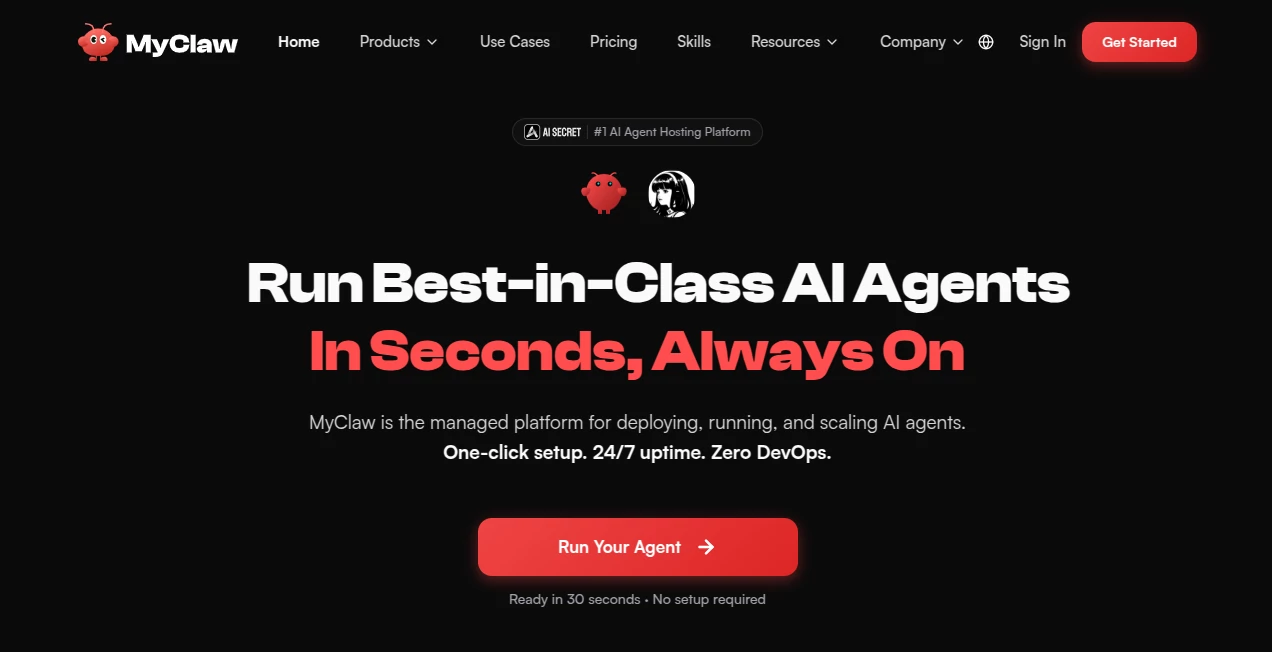
Running an autonomous AI agent often involves server setup, infrastructure management, software updates, and constant monitoring. For many individuals and businesses, those technical requirements become a barrier long before they experience the real value of intelligent automation. This platform removes that complexity by providing a fully managed environment where AI agents are deployed, maintained, and kept online without requiring DevOps knowledge.
Designed for developers, startups, entrepreneurs, and growing teams, the service allows users to launch production-ready AI agents within minutes instead of spending hours configuring cloud servers. Whether the goal is automating repetitive workflows, writing code, generating reports, monitoring websites, or managing communication channels, everything runs continuously in the background while users stay focused on meaningful work.
One of its biggest strengths is combining cloud reliability with impressive flexibility. Users can connect popular productivity applications, choose from hundreds of AI models, automate recurring jobs, and interact with their agents through familiar messaging platforms such as Telegram, WhatsApp, email, and web browsers. The result feels less like using another chatbot and more like having a dedicated digital teammate available around the clock.
Key Features
User Interface
The dashboard is clean, intuitive, and built for efficiency. Deploying an AI agent requires only a few clicks, while configuration options remain accessible without overwhelming less technical users. Workflows, integrations, settings, and generated results are organized in a way that makes daily management straightforward.
Accuracy & Performance
The platform supports more than 200 AI models, allowing users to select the most suitable model for coding, reasoning, research, long-context analysis, or cost optimization. Agents remain online 24/7, execute scheduled tasks automatically, and can continuously perform multi-step workflows without manual supervision. Fast deployment, reliable uptime, and automated updates help maintain consistent performance over time.
Capabilities
- Deploy AI agents in approximately 30 seconds.
- Run autonomous workflows around the clock.
- Automate coding, documentation, browsing, and research.
- Generate files, reports, and business documents.
- Schedule recurring tasks and monitoring jobs.
- Connect with Gmail, Google Workspace, Slack, GitHub, Notion, Shopify, Jira, Trello, ClickUp, Discord, Telegram, WhatsApp, and many other services.
- Support multiple AI models depending on workload requirements.
- Scale infrastructure without managing servers manually.
Security & Privacy
Each deployment runs inside its own isolated container with encrypted access. Automatic updates and regular backups help improve operational reliability, while dedicated environments reduce interference between workloads. This architecture is designed to support users who require dependable long-running AI automation for professional tasks.
Use Cases
- Building always-on AI assistants for businesses.
- Automating customer support workflows.
- Monitoring websites, pricing, and competitors.
- Generating daily reports and summaries.
- Managing software development tasks.
- Reviewing code and producing documentation.
- Automating marketing operations.
- Handling scheduled research projects.
- Connecting AI workflows across productivity platforms.
- Running long-term autonomous business processes.
Pros and Cons
- Pros
- Extremely fast deployment process.
- No infrastructure or DevOps knowledge required.
- Runs continuously without manual maintenance.
- Supports hundreds of AI models.
- Large collection of third-party integrations.
- Suitable for both technical and non-technical users.
- Scalable cloud infrastructure.
- Cons
- Advanced automation features may require familiarity with AI workflows.
- Some enterprise-scale projects may require higher-tier plans.
- Performance can vary depending on the selected AI model and connected services.
Pricing Plans
The platform offers multiple subscription tiers for different workloads, ranging from individual users to organizations running demanding AI operations. Plans include managed hosting, continuous uptime, automatic updates, secure infrastructure, and additional resources as usage grows. Higher tiers provide increased computing capacity, storage, bandwidth, and priority support.
How to Use MyClaw
Create an account, choose a deployment plan, launch your AI agent, connect the applications you already use, and configure the desired workflows. Select an appropriate AI model, define recurring tasks or automation goals, and allow the agent to continue working in the background while monitoring results through the management dashboard.
Comparison with Similar Tools
Unlike traditional AI chat applications that primarily respond to user prompts, this platform focuses on persistent AI execution. Instead of opening a conversation every time work needs to be completed, users deploy an always-running agent capable of scheduling tasks, connecting external services, generating deliverables, and continuously executing workflows. This makes it particularly attractive for businesses seeking operational automation rather than simple conversational assistance.
Conclusion
For anyone looking to move beyond basic AI conversations and toward practical automation, this managed hosting platform provides a compelling solution. Its combination of rapid deployment, broad integrations, flexible model support, and reliable cloud infrastructure allows users to build AI-powered workflows without the operational burden of maintaining servers. Whether used for development, business operations, research, or productivity, it offers a practical path to running autonomous AI agents that stay active long after the browser window has been closed.
Frequently Asked Questions (FAQ)
Can beginners use this platform?
Yes. The service is designed to eliminate server management, making AI deployment accessible even for users without DevOps experience.
Does it support different AI models?
Yes. Users can choose from hundreds of compatible AI models depending on their workflow requirements.
Can AI agents work continuously?
Yes. Agents remain online around the clock and can execute scheduled jobs, monitoring tasks, and automated workflows.
Can it connect with external applications?
Yes. It integrates with numerous productivity, communication, and development platforms, allowing AI agents to work across existing business tools.
Who benefits the most from this platform?
Developers, startups, business teams, agencies, and professionals looking to automate repetitive work and maintain always-on AI assistants will find the greatest value.
AI Workflow Management , AI Productivity Tools , AI Developer Tools , AI DevOps Assistant .
These classifications represent its core capabilities and areas of application. For related tools, explore the linked categories above.

MyClaw AI Alternatives Product

Resyfy AI
Layven

AI Workflow …

Miro

Nimbalyst

VideoLens

DocReplacer

Mythx AI

photo to URL